Evertally
- By
WoW Forever all-in-one Addon (Animated character chronicle on website, Quest Tracker,Music, Dungeon Jurnal, what to learn and much more!) Requires OpenMap and the Evertally Windows app, available at evertally.afstudio.dev.
evertally-discord-banner.png
Description
✨ Evertally — Your adventures, connected
A journal, leveling guide, bags, world atlas and community companion for World of Warcraft Forever.
⚙️ Required installation — install both before using Evertally
OpenMap for WoW Forever AND the Evertally Windows application are mandatory.
- Install OpenMap for WoW Forever — the required map addon.
- Download the Evertally Windows application from our website — install and start the background Bridge for your WoW folder. Download the installer directly.
“What you need” is the first setup step. You cannot skip it or continue until both requirements are verified. Without them, the minimap button opens this installation check instead of the addon pages.
🌐 Visit Evertally · 🖥️ Get the Windows Bridge · 🗺️ Get OpenMap · ❤️ Support development on PayPal
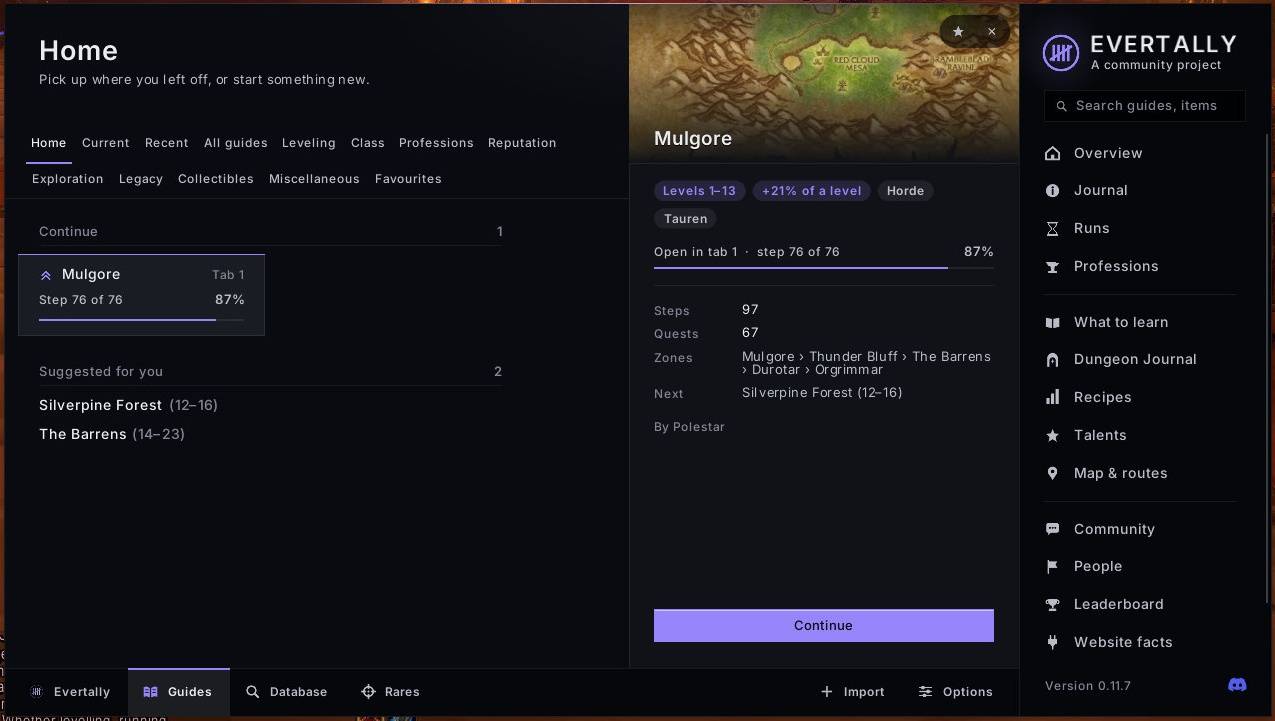
🧭 Leveling guide and quest tracker
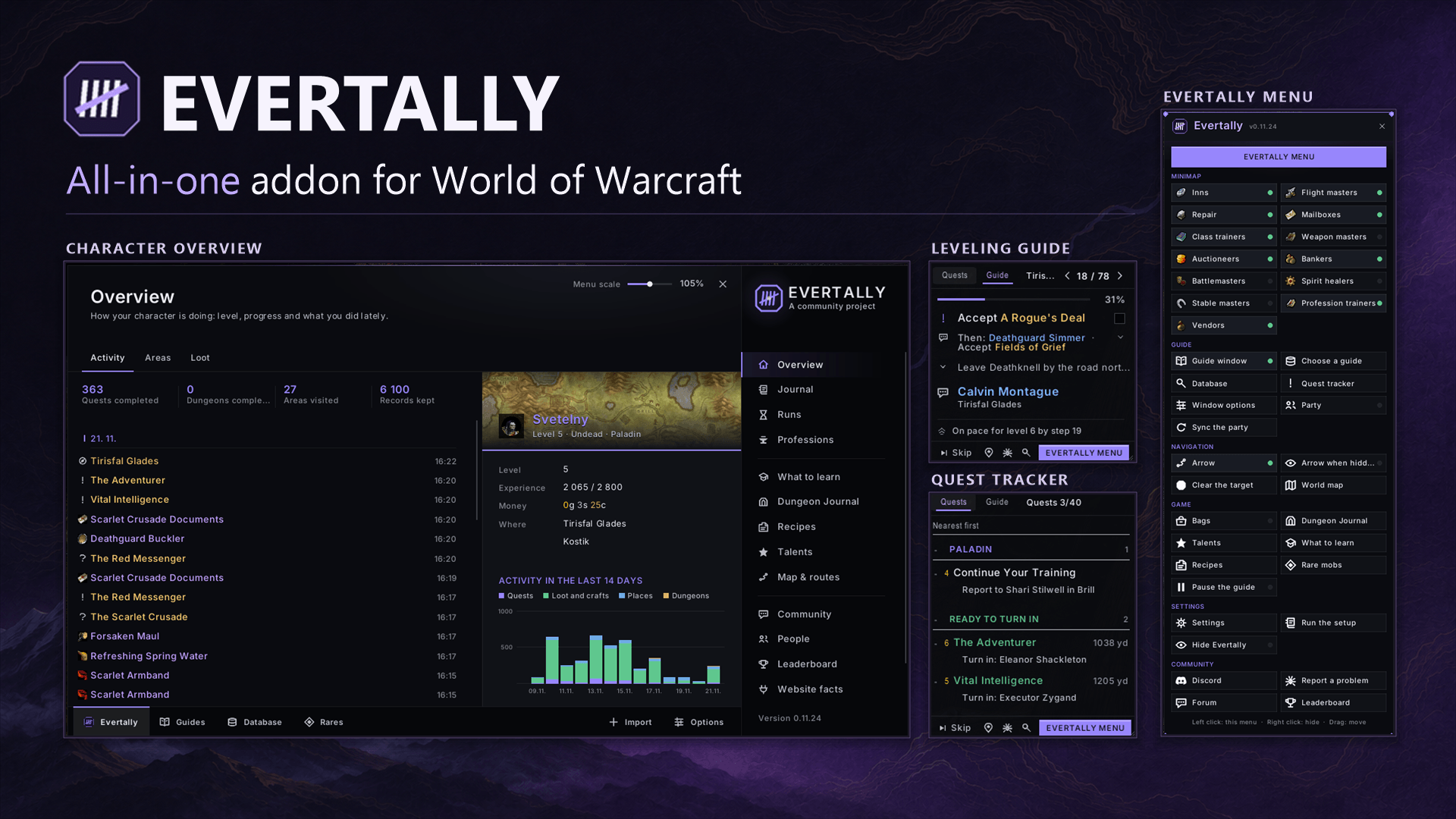
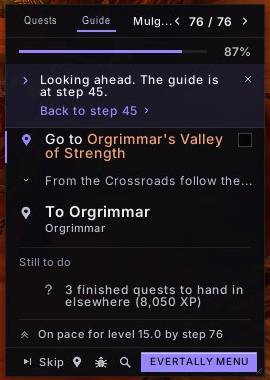
Follow step-by-step leveling guides for your race and class right in the game. The guide window shows the current step, where to go and what is still to do, and the arrow leads you there. Switch to the Quests tab for Evertally's own quest tracker: the quests of the zone you are in first, nearest first, with their objectives and distances. Click a quest to set the arrow to its nearest goal.
- Guides home: continue where you left off, with suggestions for your level.
- Categories as tabs: leveling, class, professions, reputation, exploration and more.
- Rare mobs and treasures: where they spawn, what they drop, and a waypoint in one click.
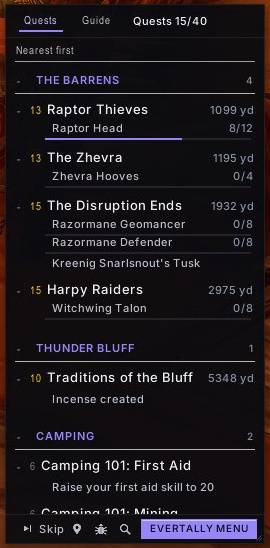
🎒 Your own bags
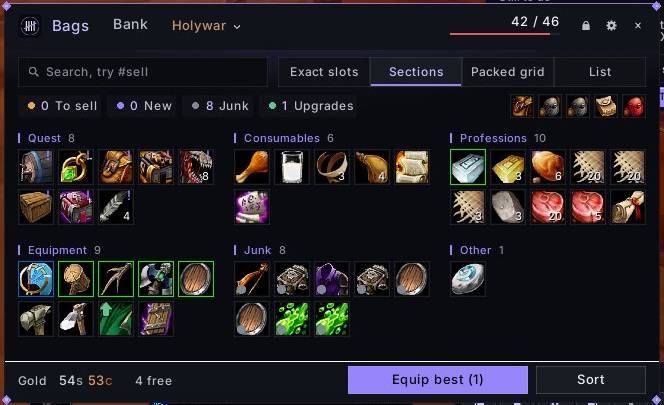
Evertally's bag window sorts what you carry into sections: New, Quest, Equipment, Consumables, Professions, To sell, Junk and Other. Switch to exact slots to see every bag slot by slot.
- Search by name or by tag:
#sell#junk#new#quest#gear#upgrade. - Equip best puts on the upgrades from your bags, one piece at a time, and waits for combat to end.
- Upgrade arrows, quest marks and junk marks right on the items.
- Equipped bags in the window: hover a bag to light its slots, drag to swap.
- The bank opens in its own window at the banker. Away from it, look at your last bank and at your alts' bags.
Pick your bags in the setup: Evertally's, the game's, or another bag addon.
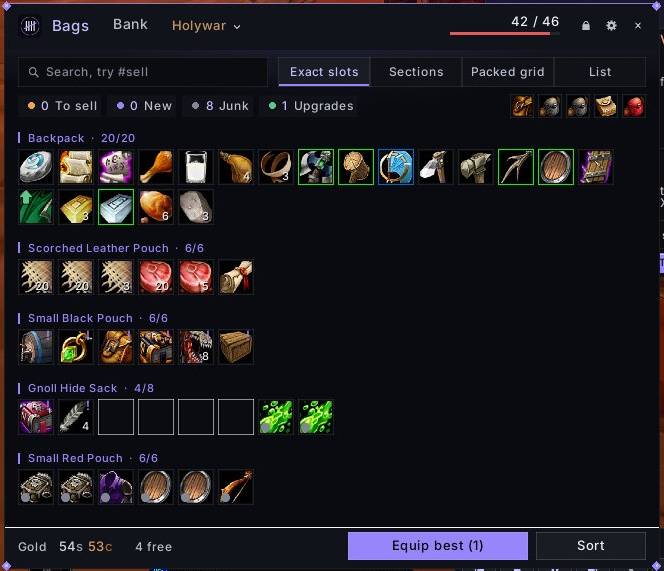
📖 Your own adventure journal
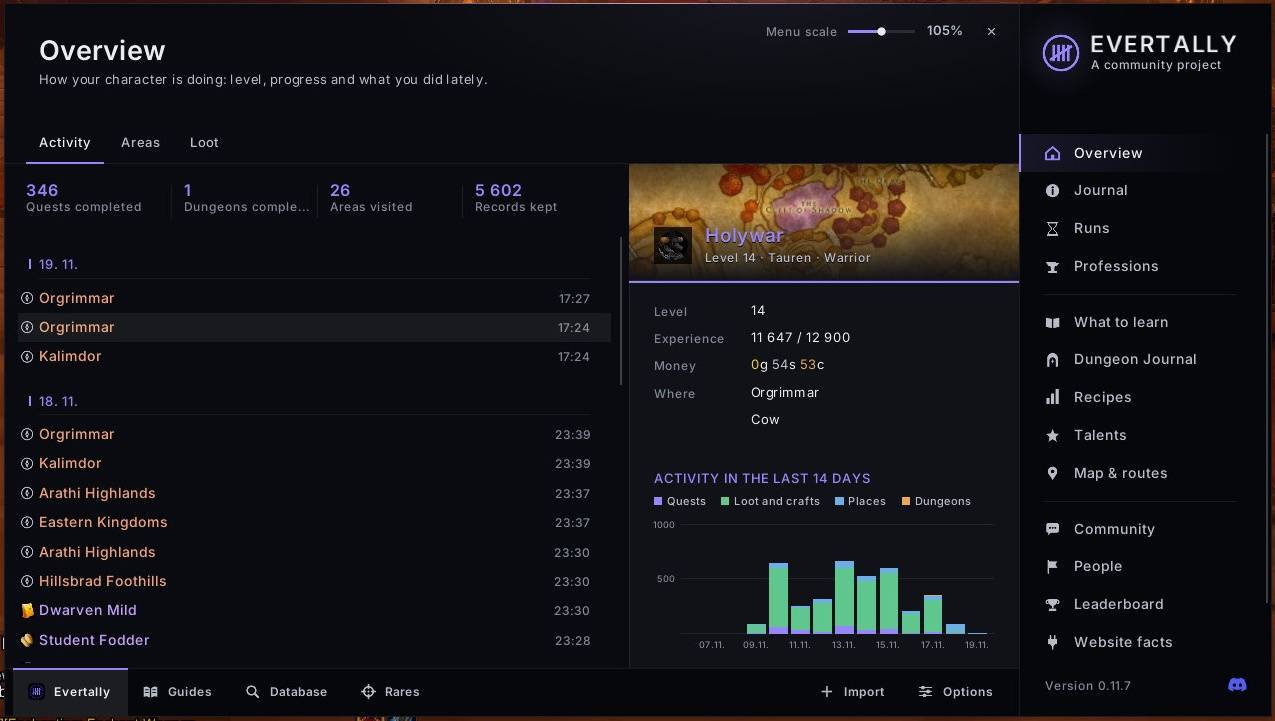
See your character's level, experience, recent activity and the places you have visited. The journal keeps recorded quests, loot, level-ups, discoveries and instance activity together, with filters and search to help you find a particular moment again.
- Overview: character progress, recent events and an activity chart.
- Journal: browse recorded adventures day by day and search your history.
- Runs: keep a history of your dungeon and raid activity, rather than losing it when the group disbands.
🗺️ OpenMap + Evertally: required map addon
OpenMap for WoW Forever is required to use Evertally. OpenMap provides the seamless, zoomable map; Evertally adds its own information, shared markers and navigation to it.
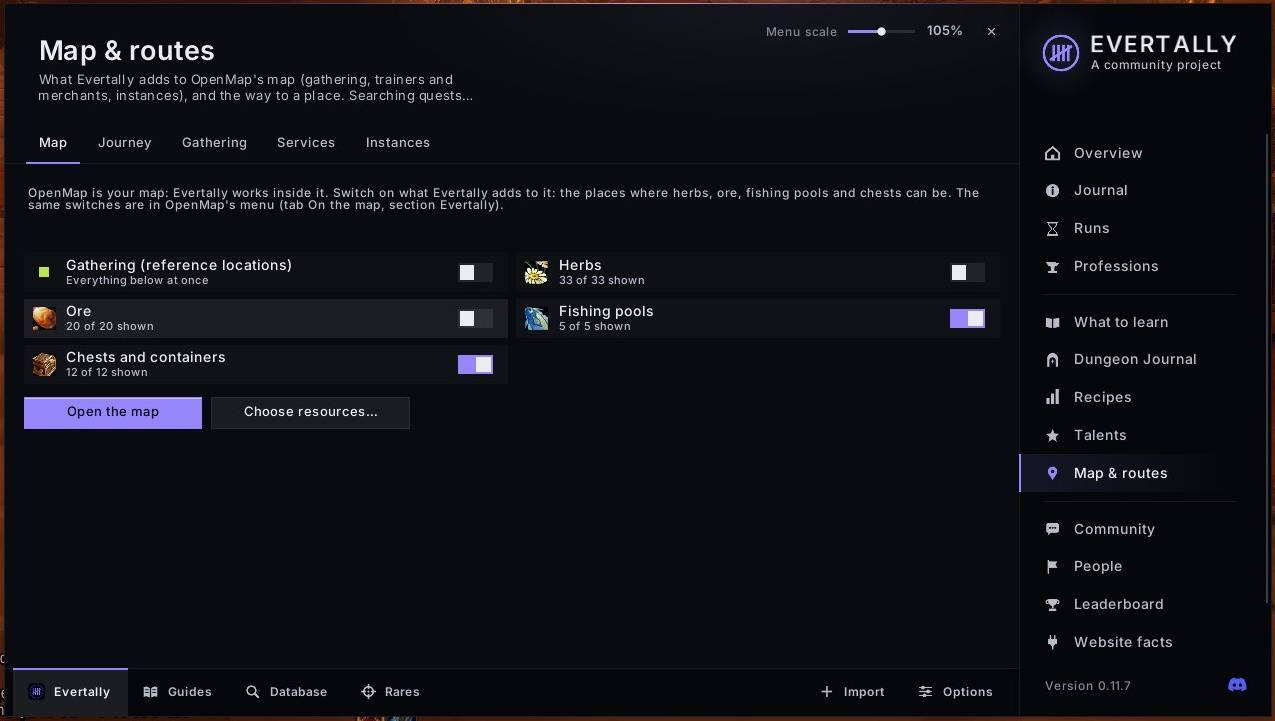
With the map module enabled, you can explore gathering reference locations, choose resource types, find services, see shared players, use meeting points and pings, and navigate toward a destination. Navigation draws a continuous route line on the map and minimap, with a direction arrow and journey steps. Walking routes use available terrain and road data; transport stages can include boats, portals and known flight connections. Travel times are estimates.
🛡️ Dungeon Journal, quests and loot
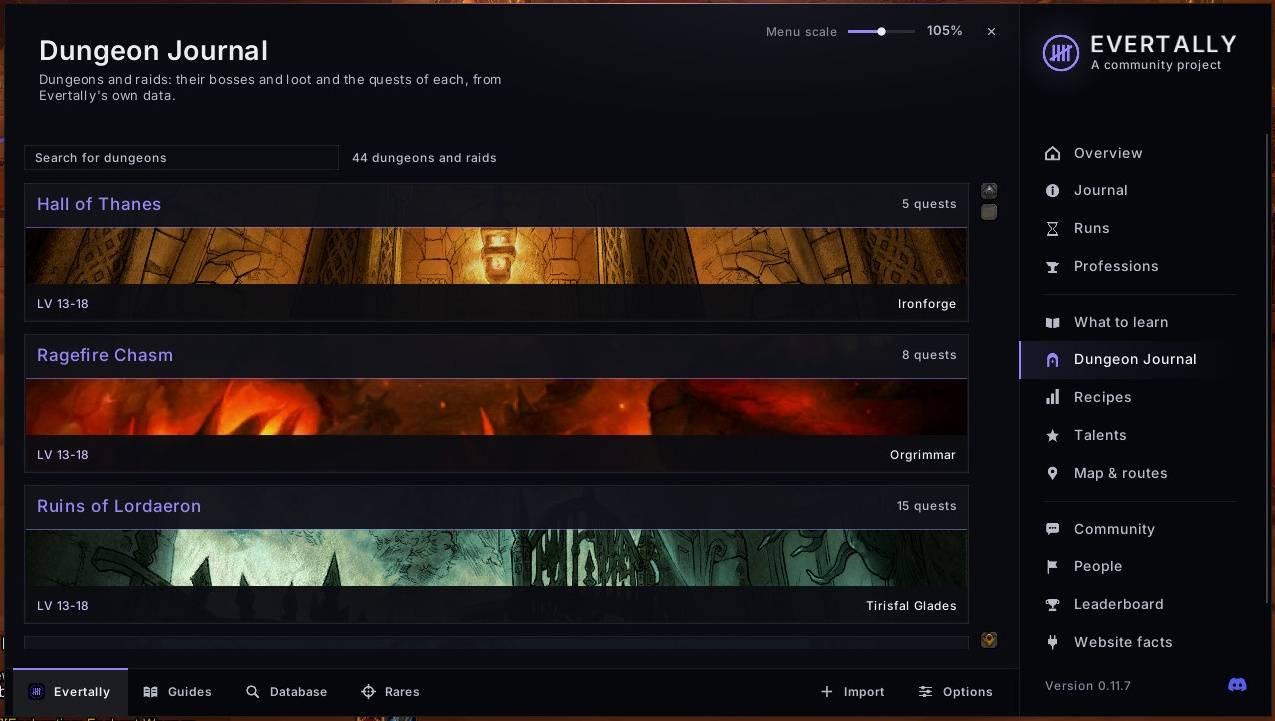
Prepare for an instance while staying inside WoW. Browse dungeon and raid cards, open an instance and switch between Bosses, Quests and Map: bosses and their loot, related quests with where to start and turn them in, choice rewards with game tooltips, and dungeon maps with boss markers where the source data provides them.
🔎 A connected database inside the game
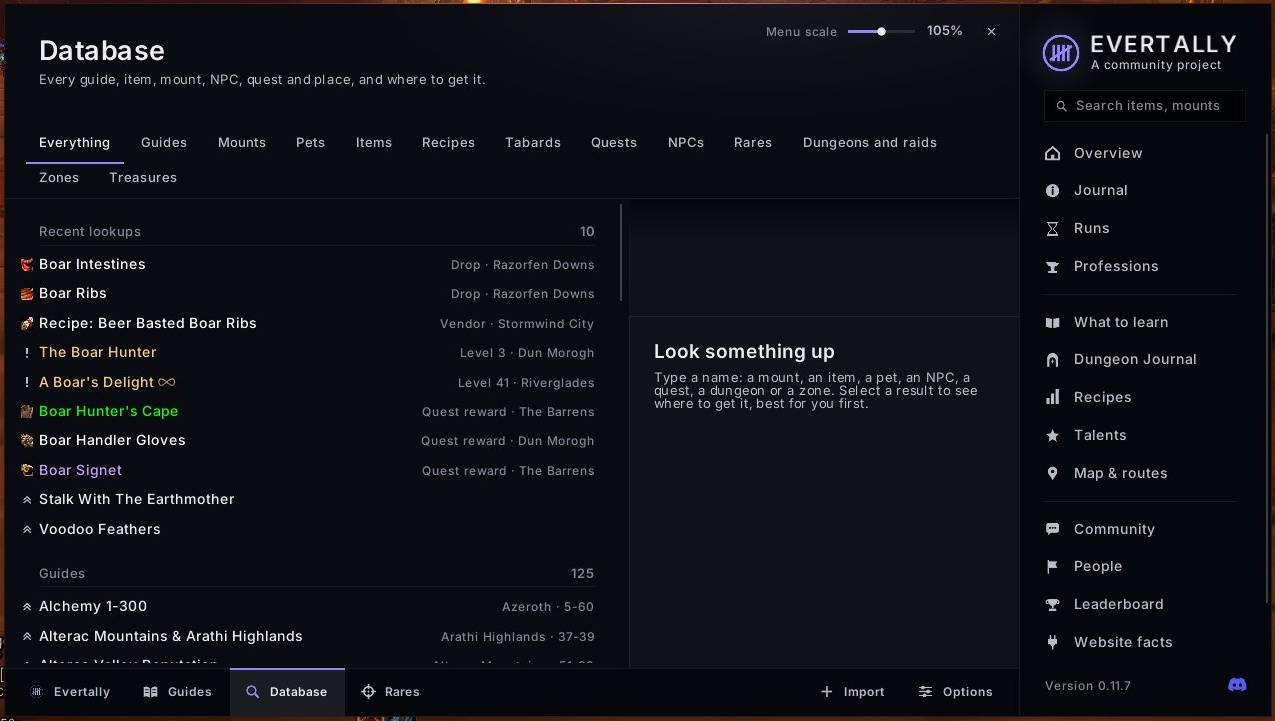
Search guides, items, mounts, pets, NPCs, quests, rares, zones and treasures. Details connect to related records: a quest leads to its giver, an NPC to their quests, and an item to its sources. Open a location on the map or navigate to it instead of copying coordinates by hand. Recipes have their own browser with skill requirements, crafted items and reagents.
Missing source information is not a claim that a quest, item or NPC does not exist in Forever.
🌳 Talents, training and professions
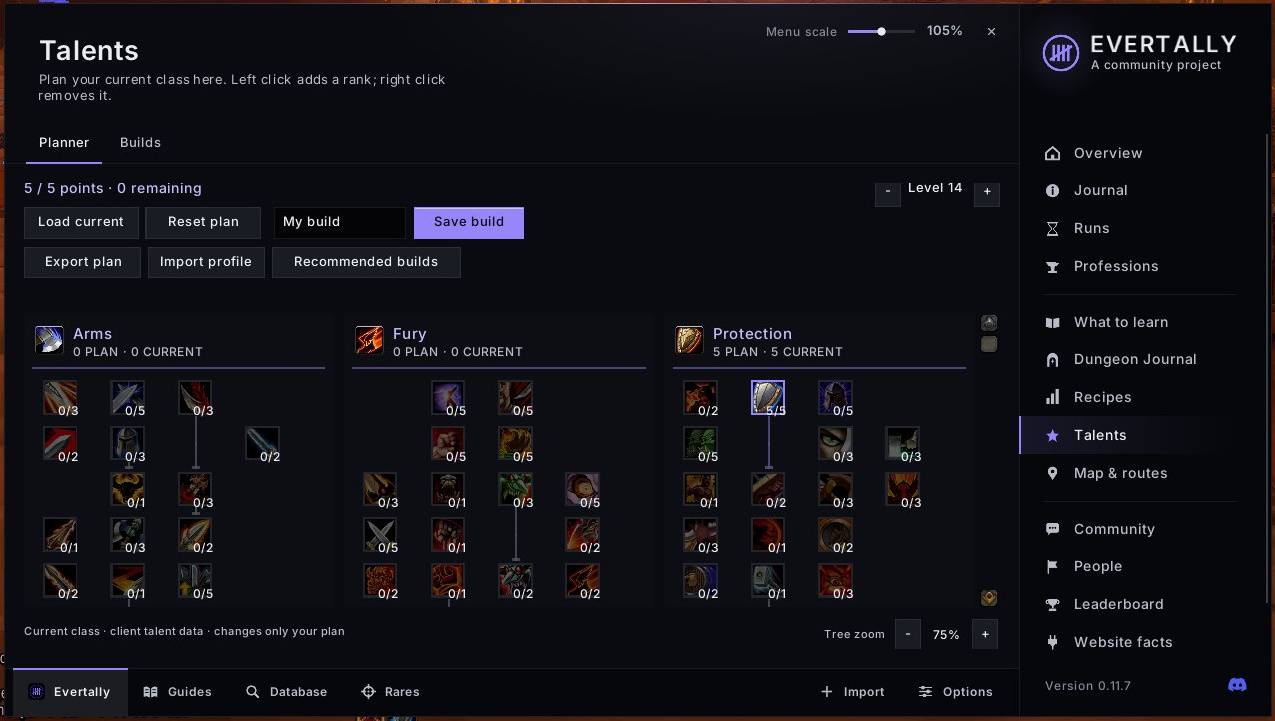
Plan talents for your current class directly inside Evertally. Load your current allocation, add or remove ranks, save named profiles, import and export them with a shareable code, and browse recommended builds. The planner edits a plan; it does not spend your real talent points.
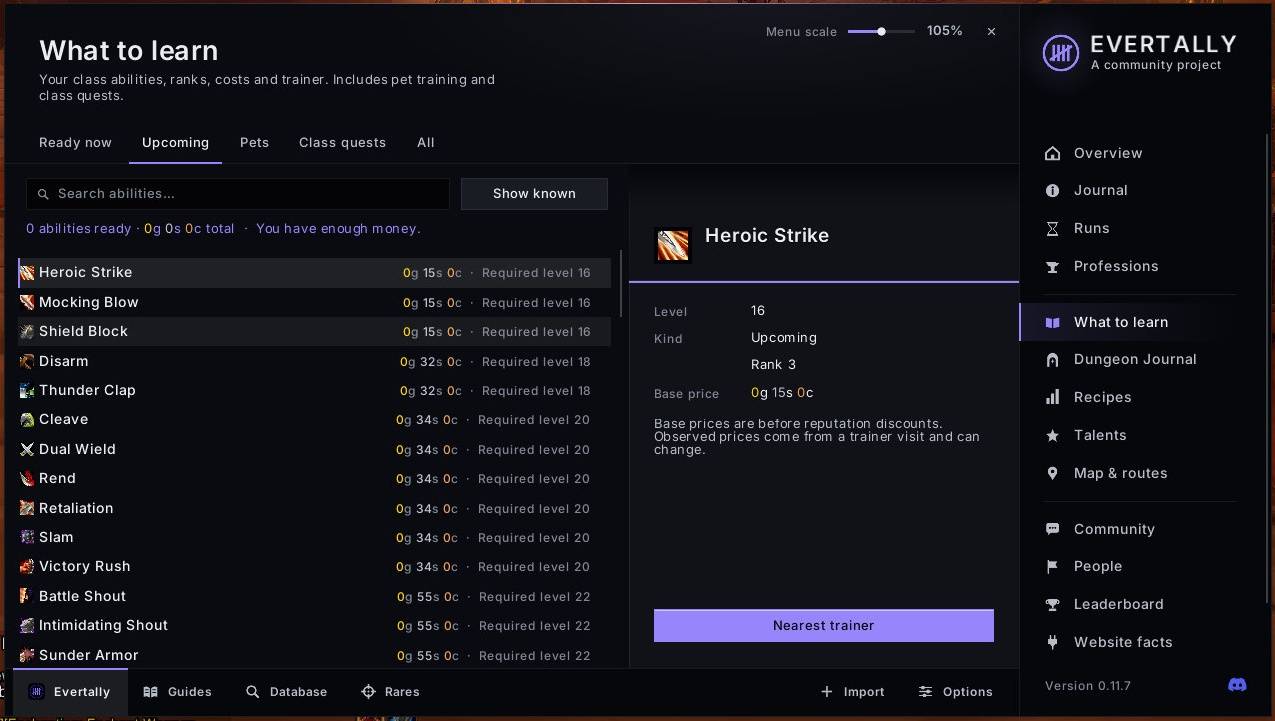
What to learn lists the spells and ranks your class can train now or soon, with trainer costs. Professions keeps your skills, recipes and cooldowns.
🏆 Runs, statistics and leaderboards
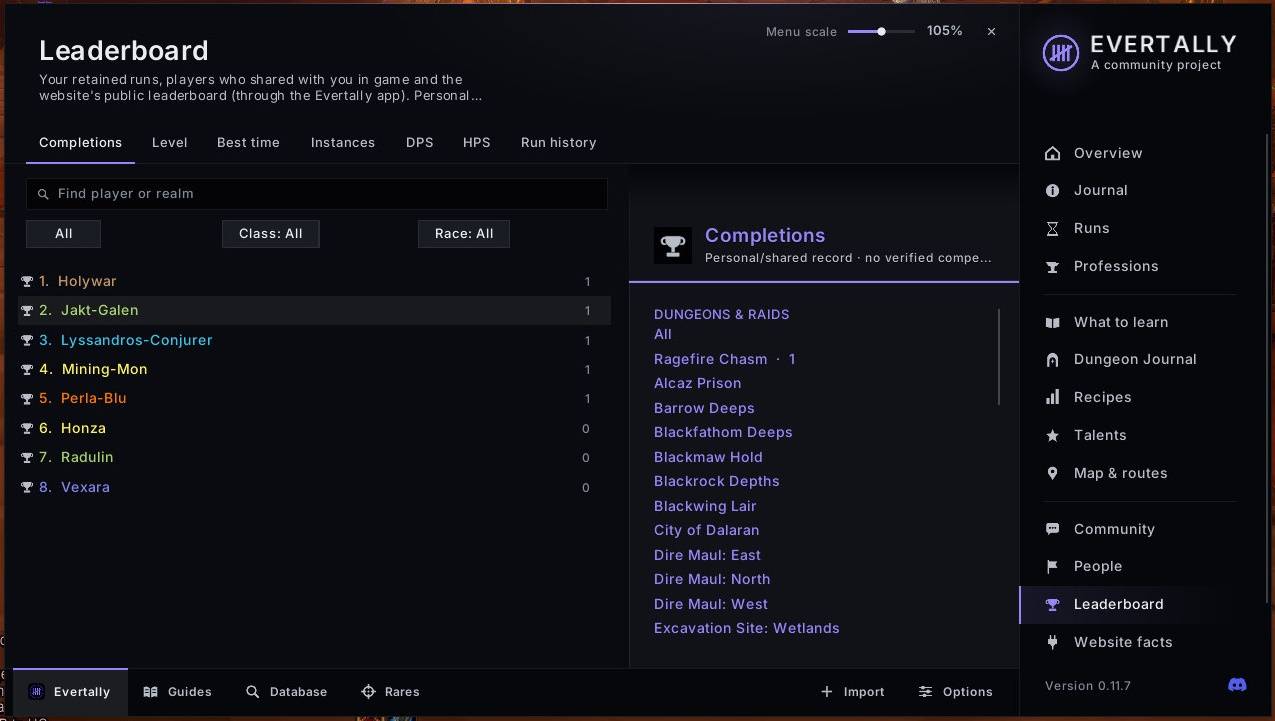
Compare the records Evertally has actually collected: completions, best observed times, individual instances and available combat statistics. Filter by instance, class and race, and open a player or run for its details. Community rankings represent participating Evertally users and shared records — not a complete, independently verified ranking of the entire server.
🤝 People, inspection and trade proposals
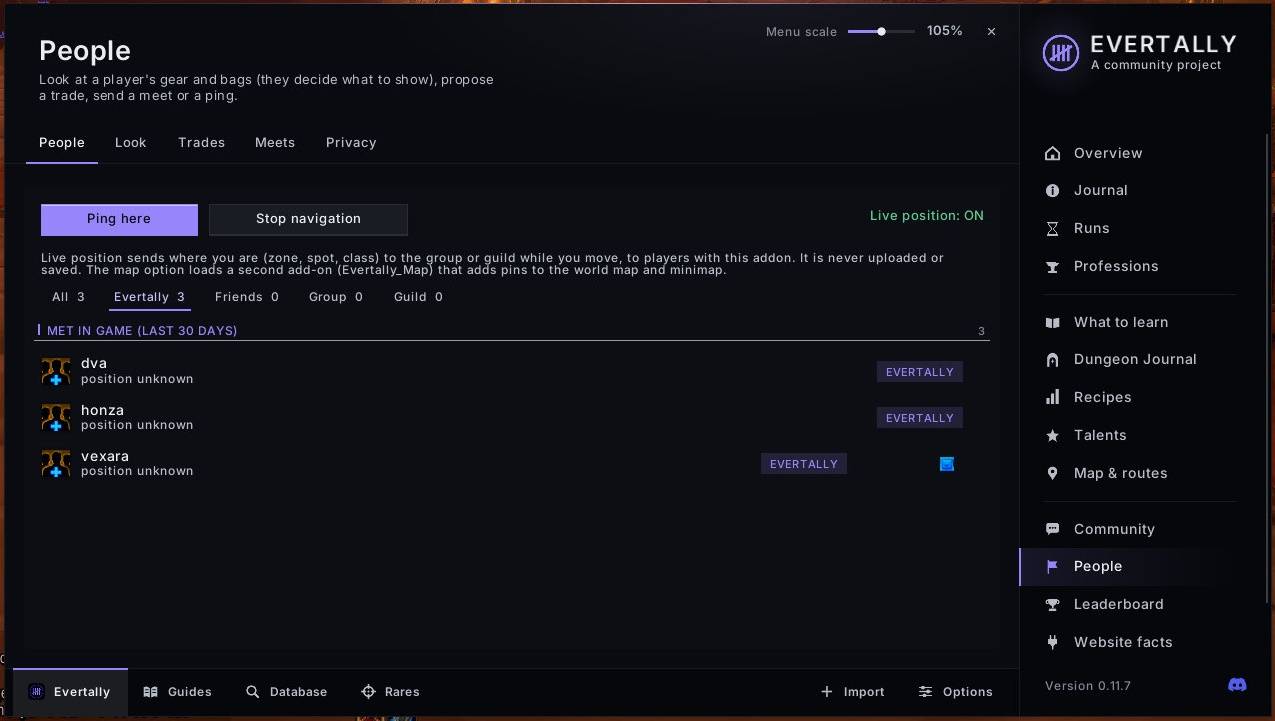
See who else plays with Evertally, ping them, look at their gear and prepare a trade proposal. A proposal can include items from your bags, gold and a note; the actual exchange still uses WoW's normal trade window.
🌍 The website: your adventures beyond the game
evertally.afstudio.dev is the companion website: an interactive world atlas, reference database, professions, character records with an animated chronicle of your journey, runs, rankings, Armory and a community forum.


💬 Community in game and on the web
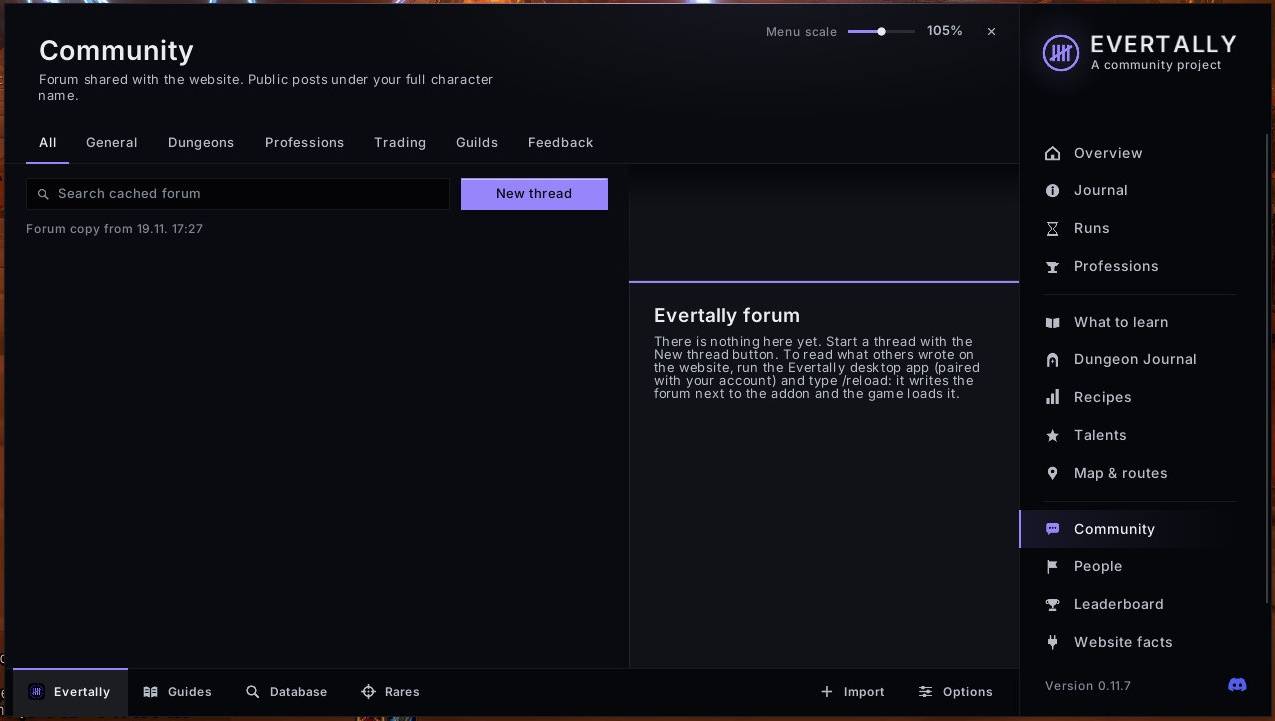
Discuss adventures, ask for dungeon help, talk about professions or trading, find guilds and report ideas through the community forum. The addon shows a synchronized copy of the forum; the bridge carries new posts between the game and the website. Use /reload when the game needs to save outgoing posts or load downloaded ones.
🖥️ Required Evertally Windows application — download it from the website
Get the installer from the Web sync page, or use Download EvertallySetup.exe. The app also keeps the addon up to date.
- Install Evertally and keep all included addon folders together.
- Install and enable OpenMap for WoW Forever — required.
- Download, install and start the Evertally Windows application — required. Select your WoW folder in its connection settings.
- Fully restart WoW after the first installation, open /etally setup, and use Verify installation in the first step.
- Sign in on the Evertally website and pair the Bridge to see your characters online.
- Keep the Bridge running while you play.
🌐 Public by design
Like raider.io, Evertally is public: what the addon records — characters, runs, bosses, quests, loot, professions, statistics, talents, gear, your route and guild — appears in the leaderboards, the chronicle and the Armory. Your bags are the exception: others see them only with your permission in the game. The website switch in the settings turns sending off completely.
❤️ Support Evertally
Enjoying Evertally? A voluntary donation helps support continued development and the companion website. Thank you for helping the project grow! 🙂
☕ Donate with PayPal
PayPal recipient: yoofecz@gmail.com
Donations are optional. You do not need to donate to use Evertally.
🇨🇿 Stručně česky
Evertally propojuje návody na levelování, quest tracker, vlastní batoh, herní deník, databázi, Dungeon Journal, recepty, talenty a komunitu s webem evertally.afstudio.dev. OpenMap pro WoW Forever i aplikace Evertally pro Windows jsou povinné.
Povinnou aplikaci stáhneš na webu v části Web sync nebo přes Stáhnout instalátor. Aplikace drží addon aktuální a přenáší data na web. Všechno, co addon zaznamená, je na webu veřejné; batoh uvidí ostatní jen s tvým svolením ve hře. Rozhraní je anglicky i česky.
Vývoj můžeš dobrovolně podpořit přes PayPal. Díky! ❤️
📸 See the Gallery for all 20 screenshots. They show the interface of version 0.11.7; details can change between releases.
Compatibility: WoW Forever. Evertally is a fan-made project and is not affiliated with Blizzard Entertainment. Reference data, artwork and bundled components retain their respective credits and licences.
Evertally Team