


EUI-RestedXP
- By
Description
# EUI-RestedXP
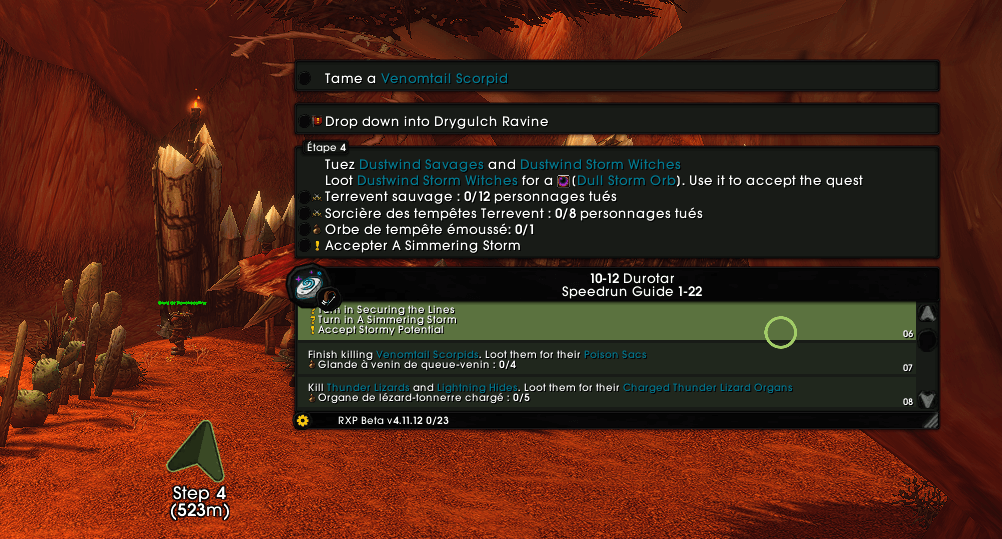
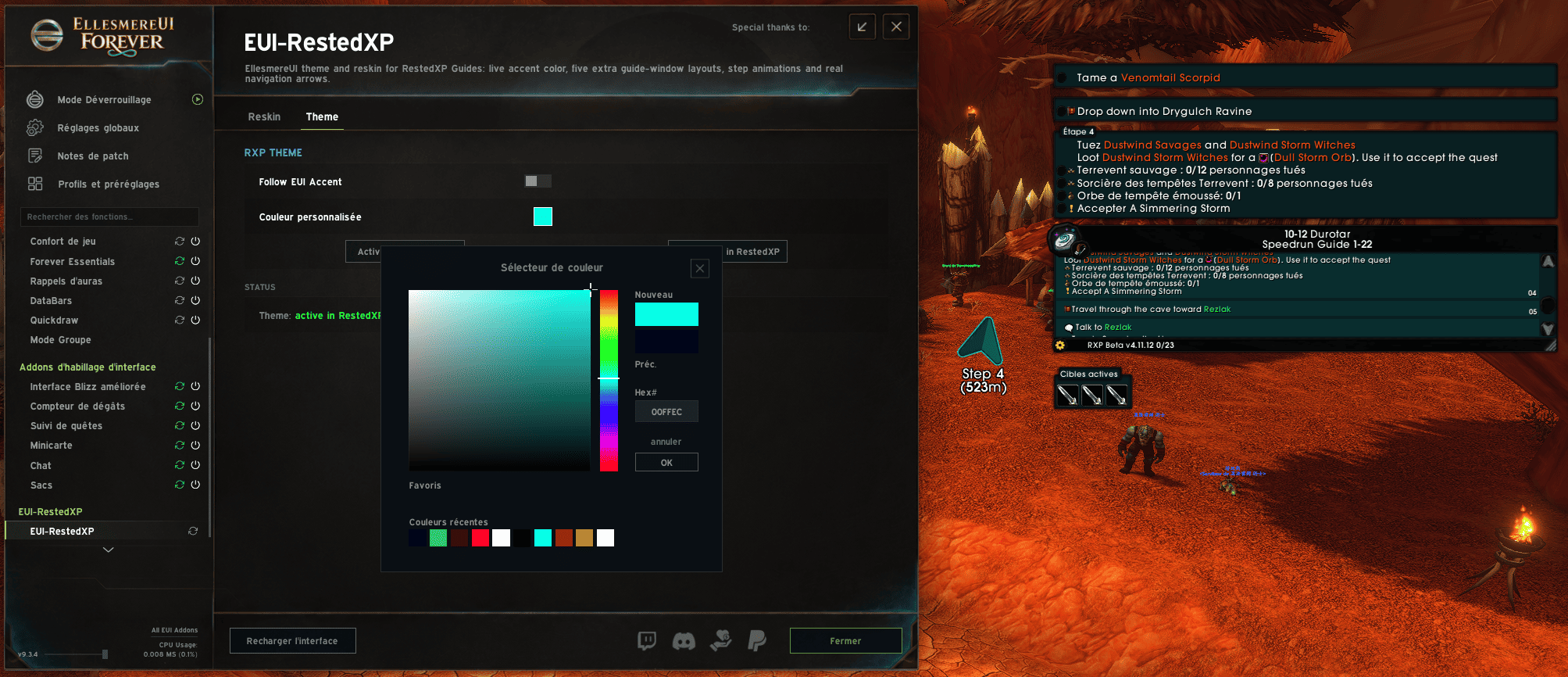
**RestedXP Guides, in your colors** — the leveling guide window, theme and navigation arrow follow your EllesmereUI accent color, live.
EUI-RestedXP bridges **RestedXP Guides** (RXP) and **EllesmereUI** (EUI): once the theme is activated, your guide window, its navigation arrow and every related color follow **EllesmereUI's accent color — instantly**. Change the accent in EUI and the guide re-themes on the next frame.
## What it does
**1. The "EllesmereUI" theme inside RestedXP**
A full RXP theme (backgrounds, borders, map pins, tooltip, text) derived live from EUI's accent color — or from a custom color if you prefer it fixed. One-click activation from the options (`Activate in RestedXP`), one-click deactivation (back to RXP's stock theme).
**2. A complete guide window reskin engine**
Five custom layouts, each with its own appearance page (fonts, sizes, fade, colors) inside EUI's options window:
- **Frameless** — borderless window, flat panels
- **Timeline** — vertical step timeline
- **Compact** — dense and small, for tight screens
- **Zygor-style** — familiar "waypoint" look
- **8-Bit** — pixel-art quest log (Silkscreen/VT323 fonts, CRT scanlines, ◀ B / A ▶ buttons)
- **RestedXP** — RXP's own window, untouched
In every layout: left-click to skip a step, right-click to go back, double-click to travel to a listed step, mouse wheel to scroll — all with animations.
**3. A navigation arrow that matches your UI**
Chevron, Card (distance-tinted), shaded Classic and Zygor-style arrows. With the **Meters** option (yd → m) and **Time to Waypoint** (ETA). And when the "EllesmereUI" theme is active, RXP's own arrow is tinted with your accent color too.
**4. Lives inside EllesmereUI**
Settings pages **inside EUI's options window** (same widgets as the rest of the suite), EUI's global font used throughout, `/euirxp` to open everything. If Jo's LiteTweaks runs its own RestedXP reskin, EUI-RestedXP warns you — the two engines would fight over the same window; turn one off.
## Compatibility
- WoW **Forever** (client 16001) and **Midnight 12.1+**
- Requires: **RestedXP Guides**
- Designed for: **EllesmereUI** — the theme follows EUI's accent live; without EUI the addon falls back to its own green accent
- The engine layouts need RXP's **classic** guide window (the addon cleanly disables RXP's "Interface V2" option, which hides that window)
## Installation
1. Unzip the `EUI-RestedXP` folder into `Interface\AddOns`
2. `/reload`
3. In EUI-RestedXP options, **Theme** page → `Activate in RestedXP`
Commands: `/euirxp` (options) · `/euirxp status` (full diagnostics) · `/euirxp reset`
## License & credits
See LICENSE.txt inside the addon. © Fr33noX, all rights reserved.
The reskin engine is adapted from the RestedXP module of **LiteTweaks 1.46** by **Jo** — many thanks. The themed arrow is a rebuild of RestedXP Guides' artwork, used to color RestedXP's own window. Fonts: Silkscreen, VT323 and Overpass (SIL OFL 1.1), Expressway (freeware by R. Larabie).
*Not affiliated with Blizzard Entertainment, RestedXP or EllesmereUI.*
The EUI-RestedXP Team
