
EssentialsUI
- By
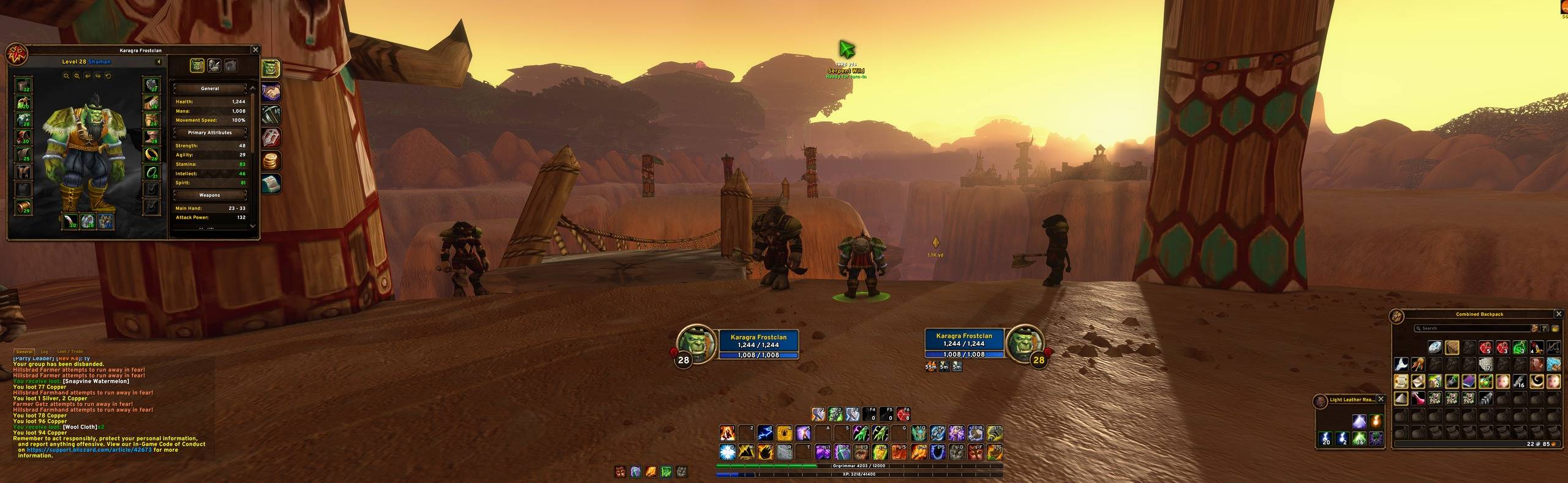
EssentialsUI-01-Full-Interface.jpg
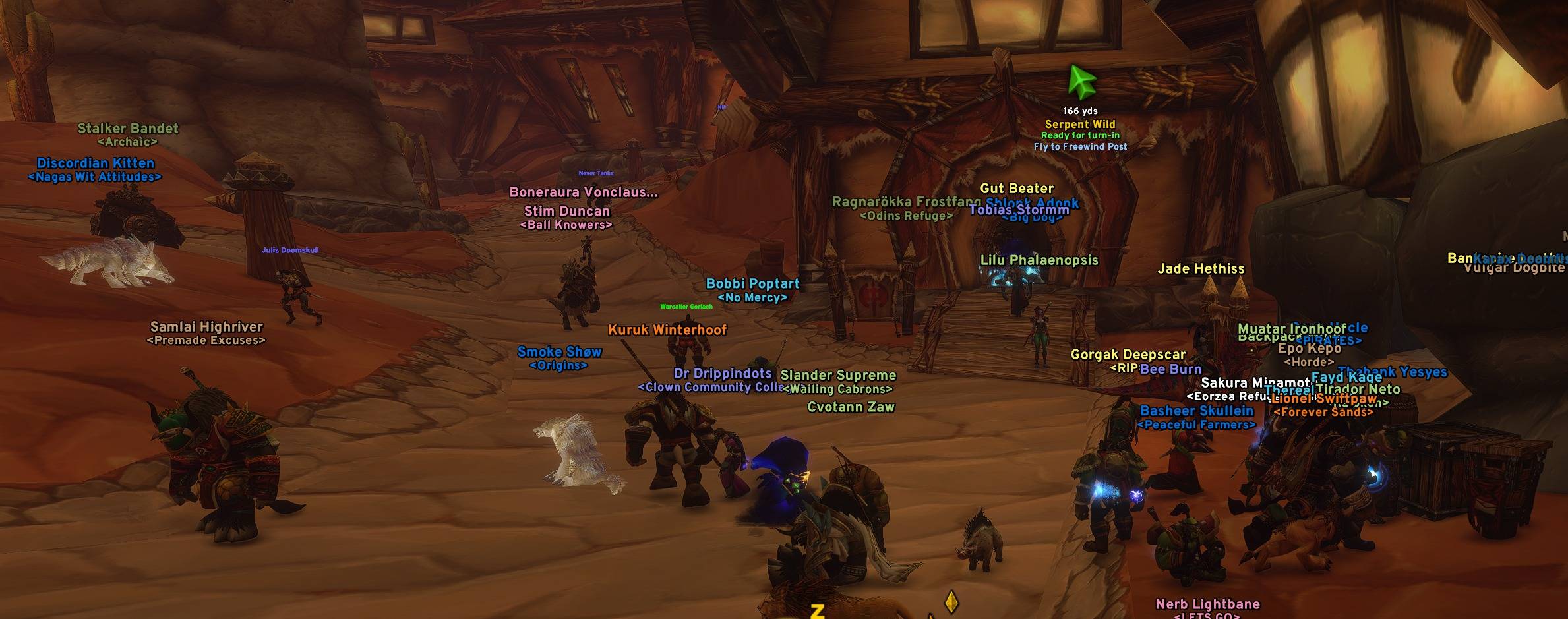
EssentialsUI-02-Quest-Arrow-Flight-Suggestion.jpg
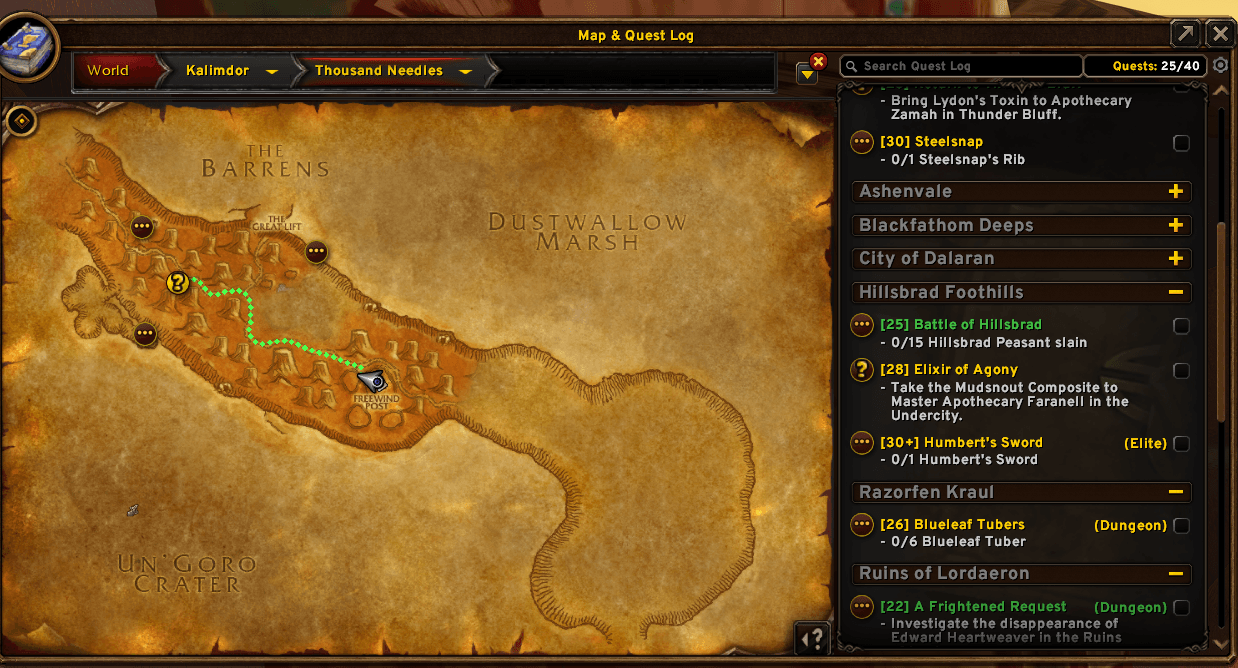
EssentialsUI-03-World-Map-Route.png
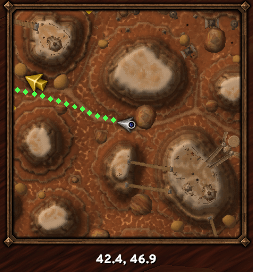
EssentialsUI-04-Minimap-Route.png
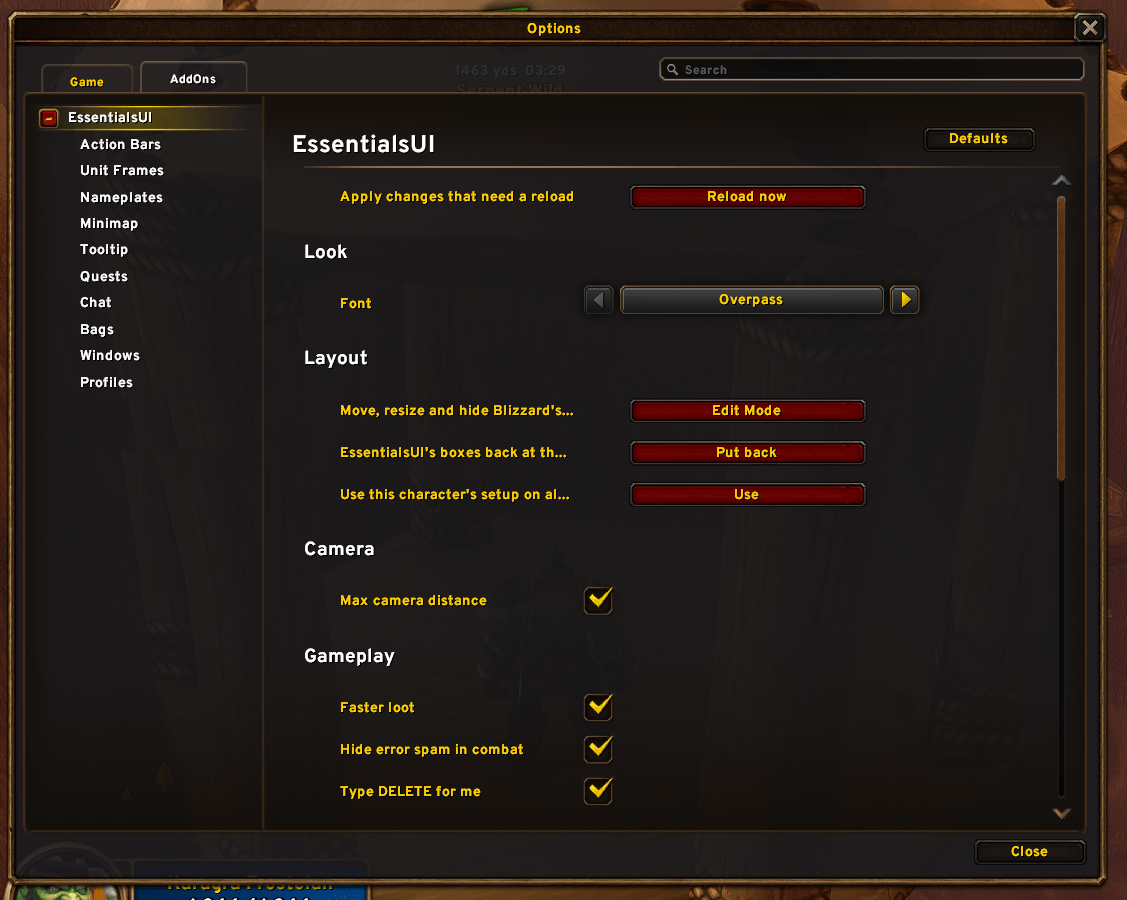
EssentialsUI-05-Settings.png
Description
EssentialsUI
I made EssentialsUI for myself and a few friends so we could all grab the same setup easily. It isn't meant to be a big public project, but anyone is welcome to use it.
It keeps Blizzard's default look and feel for WoW Forever and just makes it better. It doesn't replace your UI, it adds the stuff you actually want and stays really light on performance.
Works with mouse and keyboard or a controller.
Quests
- An arrow that points to your tracked quest with the distance and time to get there
- A path on the minimap and world map that follows roads and goes around cliffs and water
- Tells you when a flight path is faster than running
- Quests you can pick up and your quest objectives show on the map and minimap
- Shares your quest progress with your party and shows who's on the same quest
- "Quest accepted" in chat is clickable and opens the quest on the map
Dungeons
- Press M inside a dungeon or raid to see its map, with every floor
- Boss portraits on the map. Click one to see its loot and drop chances
- Click a dungeon on the zone map to open it, right click to go back
Bags
- All in one bag with your equipped bags and search inside, and the reagent bag docked next to it
- Currencies right next to your gold
- Item levels, BoE tags and upgrade arrows on gear
- Mark junk and it sells for you, plus auto repair
Chat
- Player levels next to names, and hover a name to see their level, race and class
- Short tags like [S], [P] and [G], and shorter channel names
- Your chat stays after a reload or logout
- Whisper tabs come back when you log in
- Press up and down to bring back what you typed
Frames, nameplates and tooltips
- Taller health bars with class colors
- Friendly nameplates as clean class colored names with their guild
- Party members in their class colors on the minimap
- Tooltips show item level, item ID, guild rank and who they're targeting
Other stuff
- Loot, gold and skill up popups
- Square minimap and hide the buttons you don't need
- Hide the bag bar, micro menu and gryphons if you want
- Save your setup as a profile and send it to a friend in game, or share it as text
- Use Blizzard's default layout with all tk
Getting started
Type /eui to open the settings. Everything can be turned on or off. Use /moveui to move things with Blizzard's Edit Mode.
Heads up
Since this is mainly for our group, it's built around how we like to play and updates come when I have time. I might not get to every request, but bug reports are always welcome.
Made for WoW Forever.
EssentialsUI Team
