Espresso MD
- By
Screenshot 2026-08-06 164809.png

Screenshot 2026-08-06 164841.png
Screenshot 2026-08-06 164921.png
Screenshot 2026-08-06 165021.png
Screenshot 2026-08-06 164921.png
Description
EspressoMD is a polished Misdirection assignment, rotation, and raid cooldown addon built for hunters on WoW TBC Anniversary.
It provides raid-wide MD assignments, automatic macro updates, synchronized turn order, live cooldown tracking, configurable alerts, and a streamlined reference sheet for hunters and tanks.
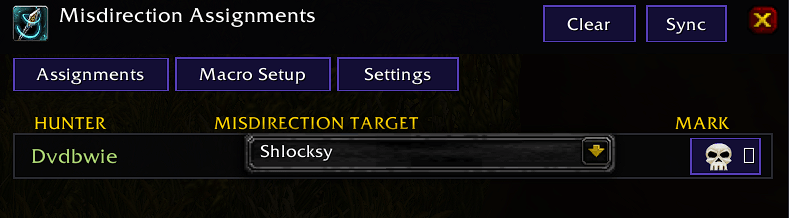
Misdirection Assignments
- Assign an MD target to every hunter through simple dropdown menus.
- Tanks are prioritized at the top of the target list.
- Players and targets are color-coded by class.
- Assign optional raid markers to hunters.
- Assignments, markers, cooldowns, and rotation data synchronize automatically.
- Any hunter using EspressoMD can update and publish assignments.
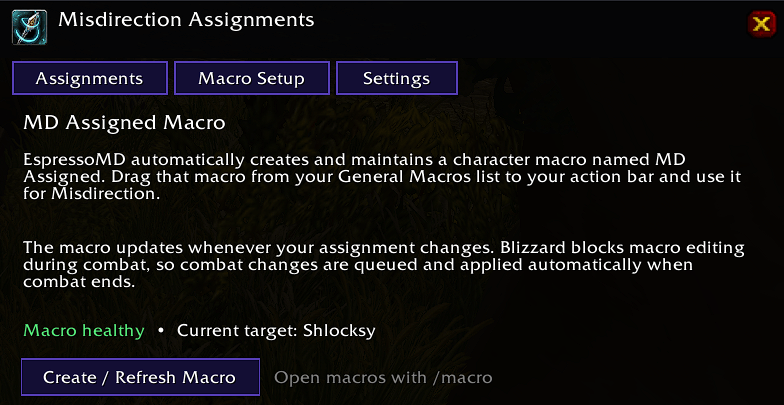
Automatic MD Macro
EspressoMD creates and maintains a character macro named:
MD Assigned
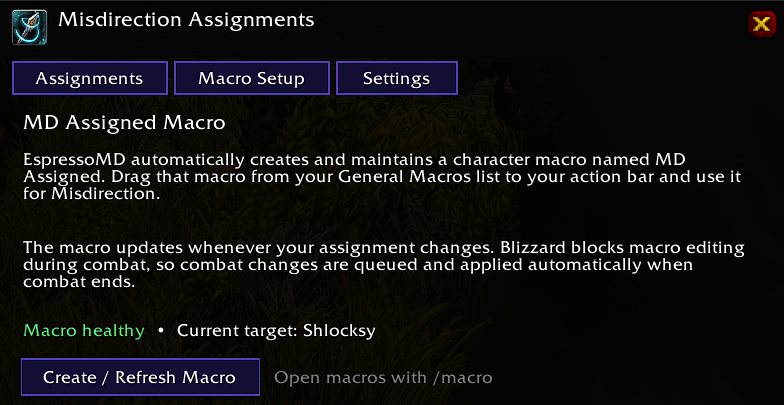
Drag this macro from the General Macros window to your action bar. Its target updates automatically whenever your assignment changes.
If an assignment changes during combat, the macro update is safely queued until combat ends.
Automatic Misdirection Order
Create a synchronized hunter rotation from the Order tab.
- Hunters appear in their assigned turn order.
- The active hunter is highlighted on the reference sheet.
- The rotation advances automatically after the active hunter’s Misdirection buff expires.
- The next hunter receives a configurable “Your Turn to Misdirect” alert.
- The rotation can be activated or suspended without losing its saved order.
- Hunter assignments, markers, targets, and cooldown information move together when the order changes.
Live Reference Sheet
The compact raid reference tracks:
- Hunter turn order
- Assigned MD target
- Assigned raid marker
- Misdirection cooldown
- Misdirection buff duration and stacks
- Combined Sapper cooldown
- Current active hunter
Three layouts are available:
- Minimal: Essential assignment and cooldown information
- Standard: Full buff, stack, and cooldown columns
- Bars: Visual buff and cooldown progress bars
Sapper and Tank Cooldowns
The optional Raid CDs section expands the reference sheet with additional raid utility.
Hunter Sapper
The Sapper column tracks one combined cooldown for:
- Goblin Sapper Charge
- Super Sapper Charge
This is a cooldown timer—not an item count. If the shared Sapper cooldown prevents either item from being used, the remaining time is displayed.
Tank Reference
An optional TANKS subsection tracks:
- Combined Sapper cooldown
- Class-specific Big CD
- AoE or multi-target taunt
Supported Big CDs and taunts:
- Paladin: Avenging Wrath (Wings) and Righteous Defense
- Warrior: Bloodrage and Challenging Shout
- Druid: Enrage and Challenging Roar
Big CDs use their actual spell icons. The icon dims while unavailable and displays the remaining cooldown over it. Hover over the icon for the spell name and exact cooldown status.
Exact remote cooldowns are synchronized from players running EspressoMD. Observed casts provide fallback timers when possible.
Alerts and Announcements
The personal turn alert includes:
- Persistent “Your Turn” window
- Assigned target display
- Optional raid-warning message
- Six custom notification sounds
- Low, Medium, High, and Maximum sound levels
- Adjustable scale, opacity, and font size
- Preview and positioning controls
Optional MD cast announcements can be sent to:
- Automatic group channel
- Raid
- Party
- Say
- Yell
Announcements include the hunter and actual Misdirection target, with an optional [EspressoMD] prefix.
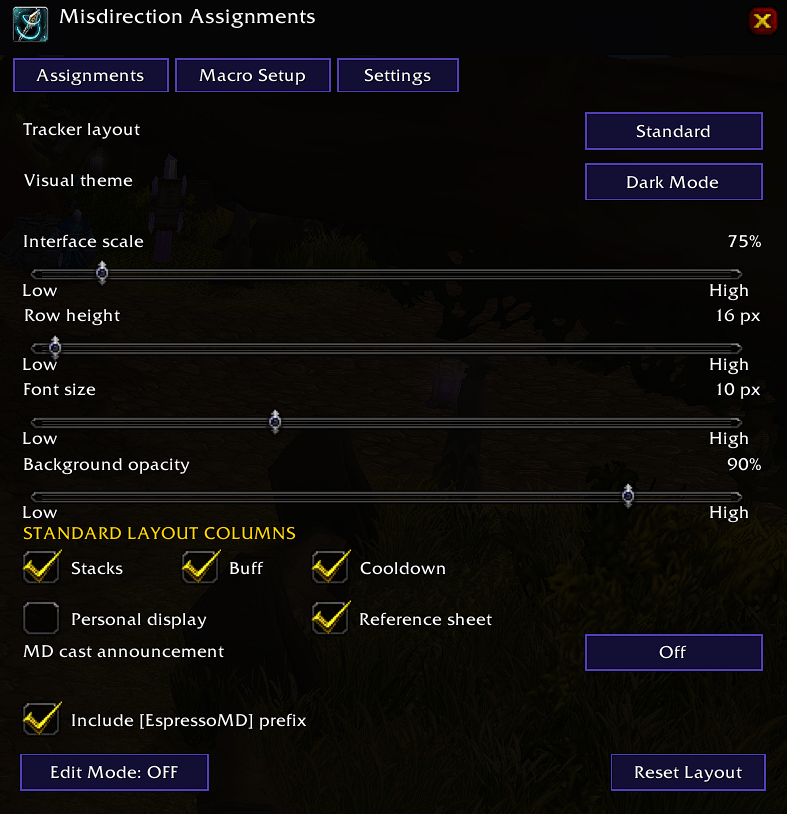
Appearance and Customization
EspressoMD includes:
- Espresso, Midnight, Dark Mode, Classic, and Vivid themes
- Adjustable scale, opacity, row height, and font size
- Configurable tracker columns
- Separate tank row and font sizing
- Independent Solo, Party, Raid, Grouped, Always, or Never visibility rules
- Movable reference, personal MD, turn-alert, and quick-settings windows
- Unified Edit Mode
- Optional quick-settings button
- Native keybinding for opening settings
- Saved window positions
- First-run setup guide
Quick Setup
- Type
/emd. - Assign an MD target to each hunter.
- Open the Macro tab and select Create / Refresh Macro.
- Open
/macro. - Drag MD Assigned to your action bar.
- Configure the rotation, raid cooldowns, appearance, and alerts as desired.
Commands
/emd— Open or close EspressoMD/emd tracker— Toggle the reference sheet/emd personal— Toggle the personal MD display/emd options— Open settings/emd edit— Enable or disable Edit Mode/emd sync— Manually synchronize addon data/emd reset— Reset window positions/emd help— Display command help/mdassign— Alias for/emd
For exact remote tracking, hunters should run EspressoMD to publish their MD and Sapper status. Tanks should run it to publish their local Sapper and class cooldowns.
The Espresso MD Team