


EnhancedUI
- By
Screenshot_20260607_163926.png
Screenshot_20260607_163401.png
Screenshot_20260607_163341.png
Screenshot_20260607_163440.png
Screenshot_20260607_163457.png
Screenshot_20260607_163509.png
Description
EnhancedUI
A UI enhancement addon for World of Warcraft 12.0 (Midnight).
Please report any issues here: https://github.com/Vhye76/EnhancedUI/issues
Special thanks to Nikomo (without whom, I'd have one fewer person to bitch about tech with), Totemsrus (without whom, EnhancedUI would not have had an independent alpha build tester) and the #squad (Tony, Exo, Pops and Mini - and sometimes Ethan) who gave me some great feedback, feature ideas and listened to me yap about this project for months on end.
What it does
At its core, EnhancedUI takes Blizzard's Cooldown Manager (CDM) and breaks it out into individual widgets (icons, bars), that you can place on your UI anywhere you'd like, in a manner similar to WeakAuras. CDM is the source of all the "hard" parts - tracking spells, procs, charges, and cooldowns. EnhancedUI takes that data and gives you full control over how and where everything is displayed, using WoW's native Edit Mode for all positioning and configuration. No scripting, no third-party options panels, no WeakAuras-style setup.
Why it exists
Most CDM enhancement addons work by redrawing CDM's own frames. That approach has a persistent failure mode: CDM's layout engine repositions its frames after every settings change, wiping any layout the addon applied. Icons drift, configurations reset, and the addon fights CDM for control. Those that don't redraw CDM frames instead have complex and unintuitive user interfaces that don't attempt to integrate with the WoW UI natively.
EnhancedUI takes a different approach. CDM stays as the data source - it handles spell selection, override detection, proc routing, and charge tracking. But CDM doesn't own the display. EnhancedUI creates its own icons independently. CDM can't reposition a frame it has no relationship to. That eliminates the layout instability entirely. All management of EnhancedUI is done in Edit Mode, making the setup and use easy and intuitive.
Features
Cooldown and buff icons
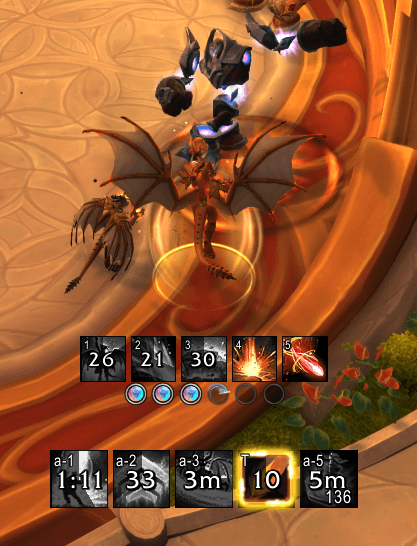
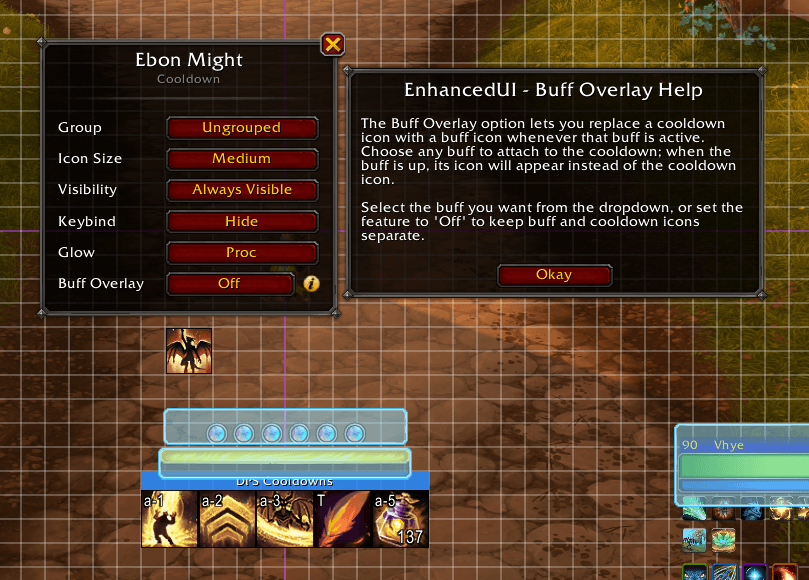
Every spell you configure in CDM gets its own independent, draggable icon. Cooldown sweeps, charge counts, keybind labels, and glow effects all work out of the box. Buff icons track aura state separately from cooldown icons - you can position them independently, group them together, or combine a buff icon directly onto its cooldown icon so the two share a single slot.
Buff bars
Bar-style buff tracking as an alternative to icons. Configurable width, height, orientation, icon placement, text placement, and fill/background colors. Bars have their own group system with shared layout settings.
Trinket and item tracking
On-use trinkets in slots 13 and 14 get their own icons with cooldown sweeps. While the trinket's buff is active, the icon switches to show the buff timer and glow. Settings follow the trinket - swap one out and the new trinket shows up at its own saved position with its own saved settings.
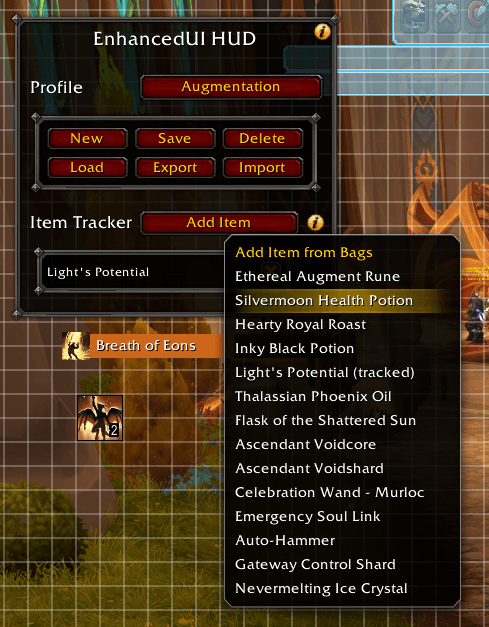
In addition you can track any usable bag item - potions, healthstones, drums. Pick items from a bag scanner in Edit Mode; each gets its own draggable icon with quantity display, cooldown sweep, and keybind label.
Icon groups
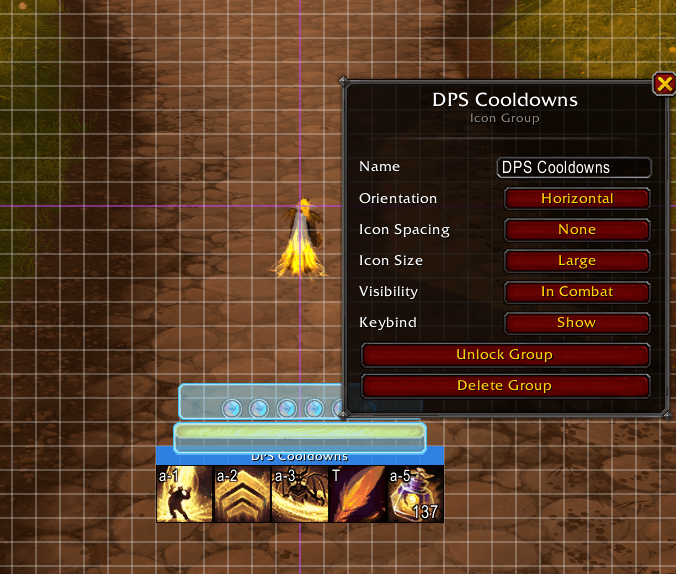
Any combination of cooldown icons, buff icons, trinket icons, and item icons can be grouped together under a shared anchor. Groups control size, spacing, orientation, and visibility for all their members. Drag to reorder within a group, drag out to detach. Lock a group to prevent accidental repositioning.
Action bar cleanup
A visibility dropdown is injected into Bar 1's Edit Mode settings (matching the dropdown every other action bar already has) so you can set it to always visible, combat-only, out-of-combat-only, or hidden.
Edit Mode integration
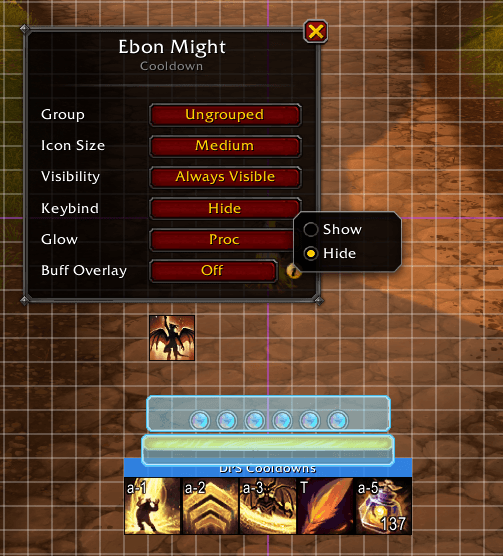
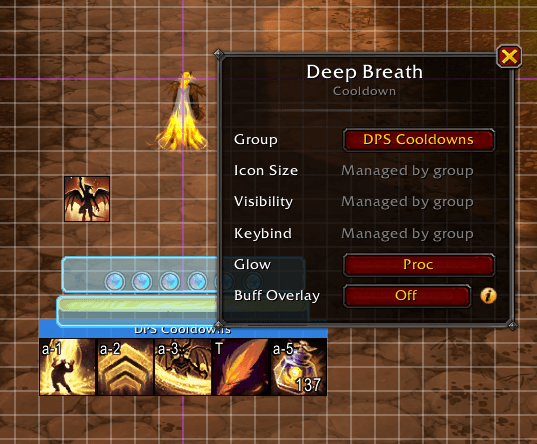
All positioning is done through WoW's native Edit Mode. Click an icon to open its settings. Click a group anchor to configure the group. Addon-wide controls live in a dedicated EnhancedUI panel that appears alongside the Edit Mode manager. With WoW's grid snap enabled, dragged icons, groups, and bars snap to the grid. No external configuration UI.
Profiles
Save named layout profiles per spec, and move them between characters with copy and paste strings. New starts from a clean default layout, Save captures your current arrangement, and Load swaps to a saved one. On a fresh install your starting profile is pre-arranged into groups - essential and utility cooldowns, tracked buffs, and buff bars positioned around your character - so you have a usable layout before changing anything, instead of every icon stacked at screen center. Export produces a string you can hand to a friend or another character; Import shows which of the profile's spells your Cooldown Manager actually tracks before it applies anything. A profile covers one spec at a time - its cooldown icons, buff icons, groups, buff bars, trinkets, and items. Because an addon cannot set the Cooldown Manager's own spell list, sharing a complete setup means two strings: your Cooldown Manager export plus the EnhancedUI profile string.
Safe Write Mode
WoW only writes your settings to disk on reload or logout, so a game crash can lose a session's worth of layout changes. Safe Write Mode is an opt-in toggle (in the EnhancedUI Edit Mode panel) that offers a quick reload when you leave Edit Mode, flushing your changes to disk at the one moment that matters. It only ever prompts out of combat, and adapts to whether you actually have unsaved changes.
Art
Branding artwork by Eagul https://eagul.dev/
The EnhancedUI Team
