Enchant Flow Forever
Streamline enchanting with material-based quantities, repeat progress tracking, and a refreshing disenchant list with gear protection.
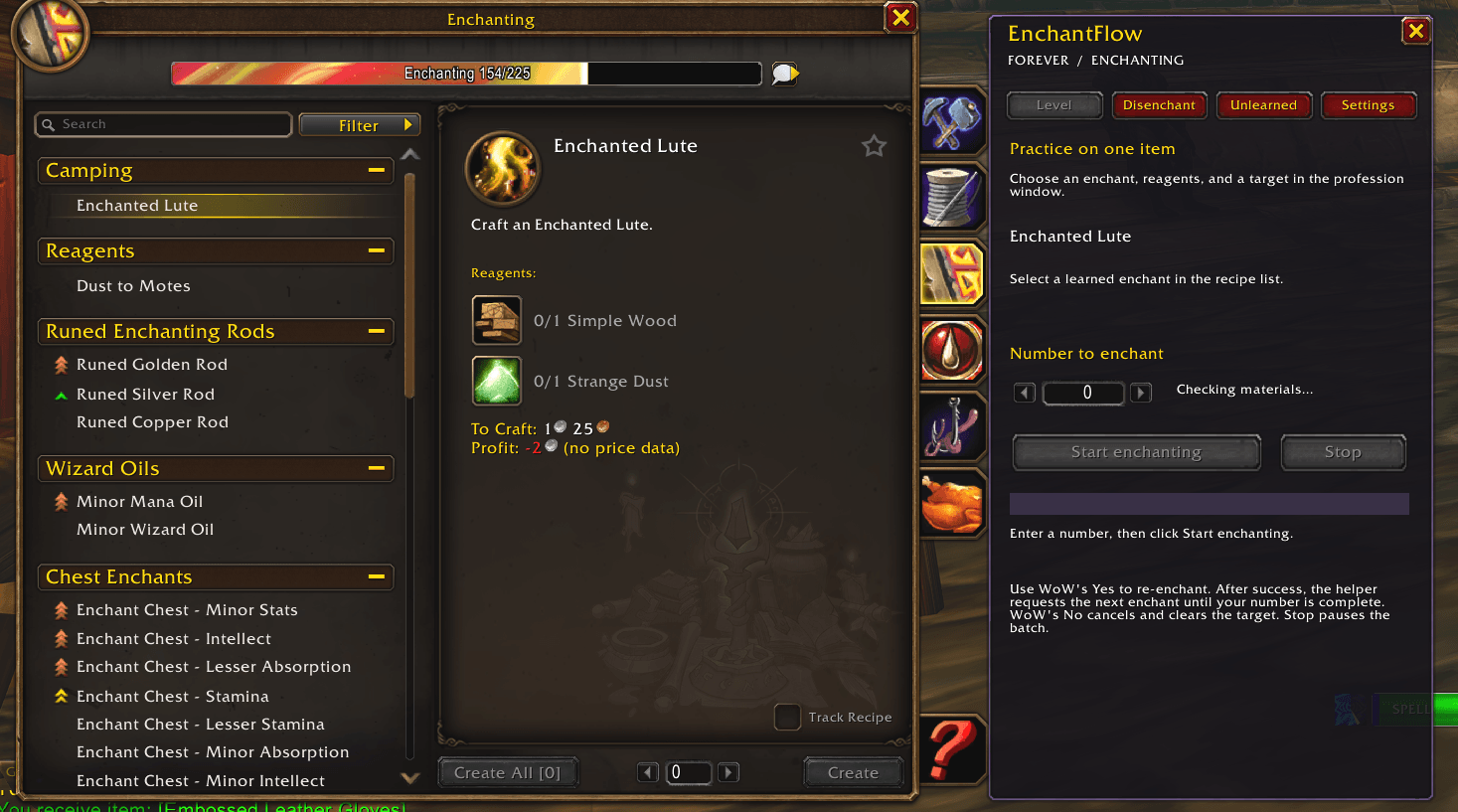
Screenshot 2026-11-09 070046.png
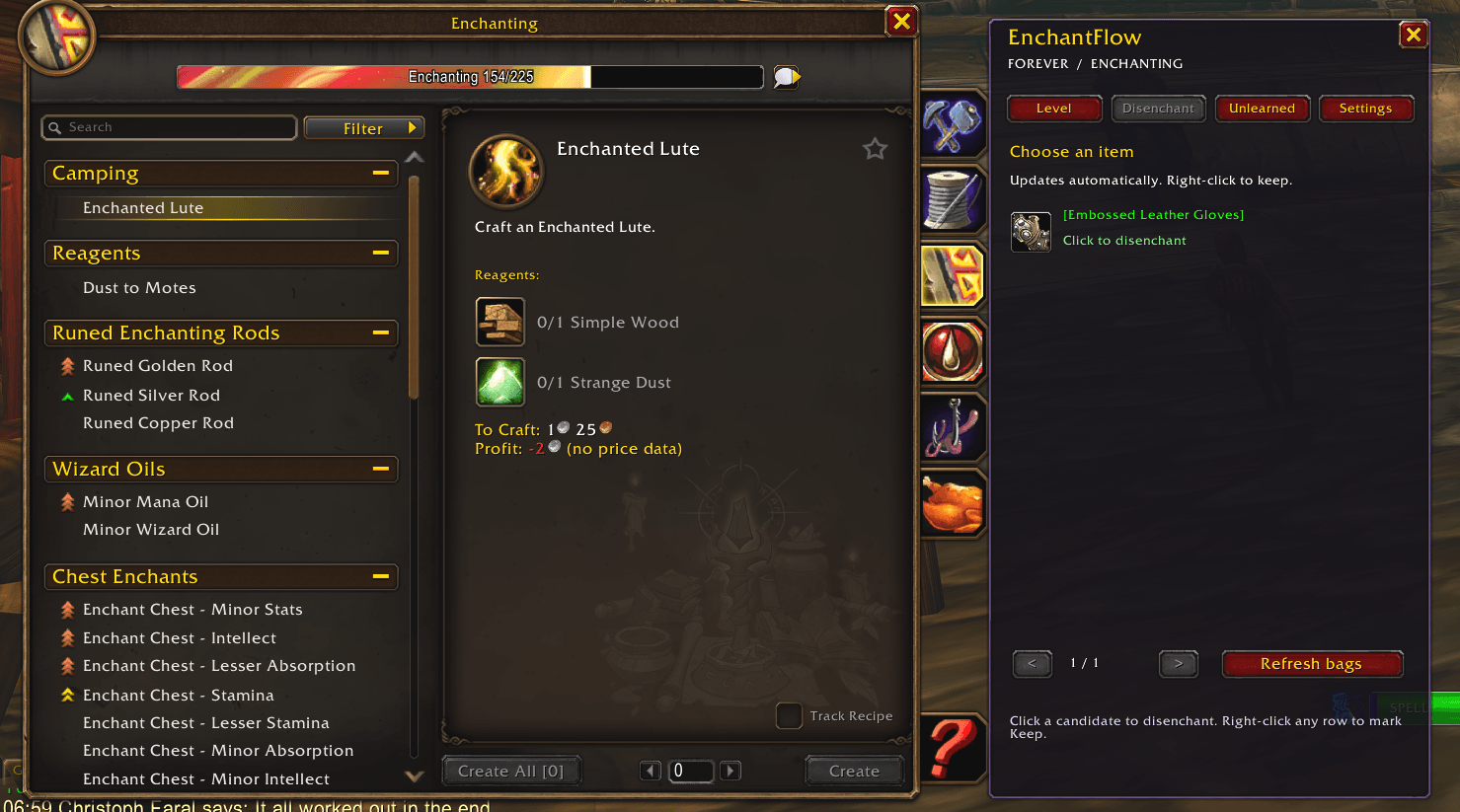
Screenshot 2026-11-09 070053.png
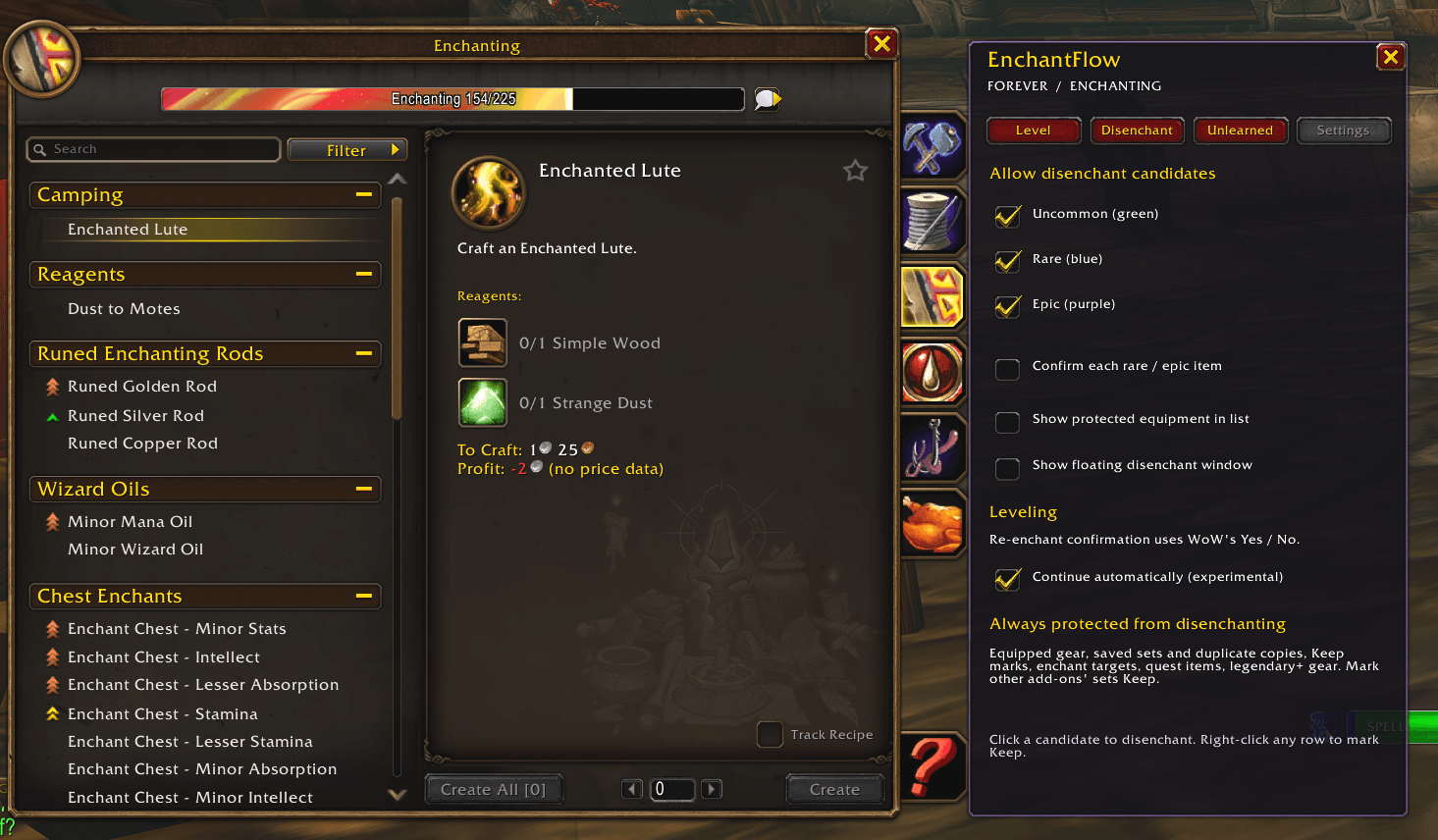
Screenshot 2026-11-09 070115.png
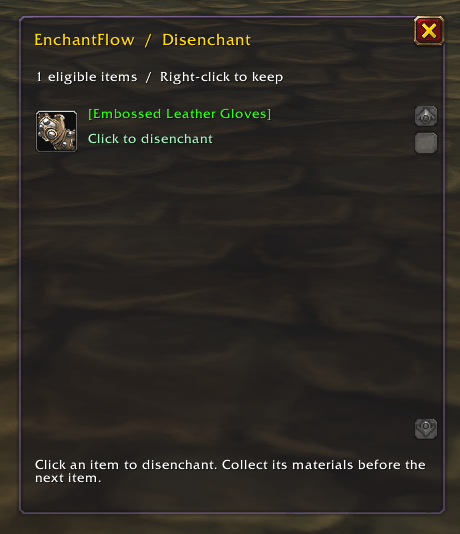
Screenshot 2026-11-09 070138.png
Description
EnchantFlow helps you level Enchanting, browse unlearned recipes, and disenchant eligible items alongside the native profession window in WoW: Forever.
**EnchantFlow is not fully automatic.** After clicking **Start enchanting**, you must click **Yes** in WoW's confirmation window for each re-enchant. The addon tracks your batch and prepares the next application after a successful enchant. Setting a quantity does not remove the confirmation requirement.
**How enchanting works**
1. Choose an enchant and target item in the profession window.
2. Set **Number to enchant** using the arrows or by typing a quantity.
3. Click **Start enchanting**.
4. Click WoW's **Yes** button for each replacement prompt until your batch is complete.
Clicking **No** cancels the batch and clears its target. **Stop** pauses the batch while preserving completed progress. If WoW blocks the next enchant request, an additional click to resume may be required.
**Batch controls**
- The quantity defaults to the maximum supported by your current materials; choose a smaller amount whenever you want.
- Track completed applications against your chosen total as materials are consumed.
- Changing the recipe, target, or reagents cancels the old selection's batch. Movement, combat, closing the profession window, or a failed cast can stop continuation.
- The counter tracks successful enchant applications. Skill gains are not guaranteed.
**Disenchanting and gear protection**
- Click an eligible bag item to disenchant it. Each disenchant requires player input.
- Use the main Disenchant tab or a movable, translucent mini window with a scrolling item list.
- The mini window can open automatically outside combat when eligible items are available. Disable auto-show in Settings or with **/ef de**; closing the mini window also disables it.
- Lists refresh as your bags, loot, equipment sets, and item information change.
- Choose allowed rarities. Uncommon items are enabled by default; rare and epic items require an opt-in and can have an extra confirmation.
- Equipped gear, Blizzard equipment-set items, Keep-marked items, enchanting targets, quest items, and legendary-or-higher items are protected.
- Right-click a mini-window item to mark it **Keep** and remove it from the list without deleting it. To undo Keep, show protected equipment in the main Disenchant tab and right-click the item there.
- Disenchanting through the mini window displays achievement-style material popups showing what you collected.
Missing item or equipment-set information blocks disenchanting until it becomes available. Sets managed only by other addons require manual Keep marks. WoW determines final item eligibility and skill requirements.
**Unlearned recipes**
- Search and scroll through unlearned Enchanting recipes exposed by your client.
- Click **View details** to see available trainer, vendor, cost, or drop-location information.
- View bundled Wowhead references and copy links to open in your browser.
- Newly learned recipes disappear from the list as game data refreshes. Opening this tab pauses an active enchanting batch.
Recipe coverage depends on WoW's data and the references included with the addon. Missing details are marked unavailable. Wowhead references are bundled snapshots, not live website lookups; auction prices are not tracked. The included reference snapshot was checked November 6, 2026.
**Useful commands**
- **/ef** - Show the helper while Enchanting is open.
- **/ef settings** - Open settings.
- **/ef unlearned** - Open the recipe browser.
- **/ef de** - Toggle disenchant mini-window auto-show.
- **/ef reset** - Reset window positions.
- **/ef debug** - Show version, batch progress, materials, and diagnostic information.
Built for WoW: Forever 1.60.1. No additional addon is required.
For bug reports, include your addon version, client version, what you clicked, and the output from **/ef debug**.
Enchant Flow Forever Team