


EmRoll
Minimap.png
Sheet.png
Ultimate.png
Minimized.png
Preview.png
Description
EmRoll is a character sheet and dice roller for roleplay, built around the Eastwall Curs character sheet. Spend your points, click Roll, and every bonus is added for you.
Character Sheet
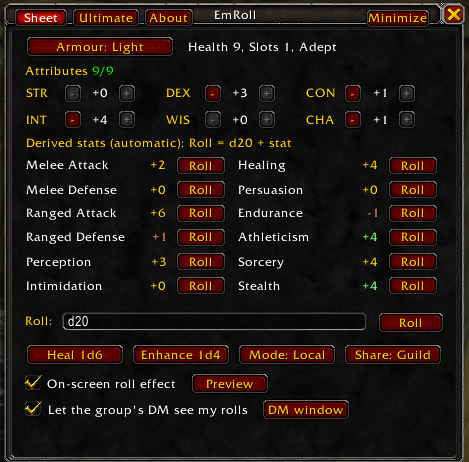
• Spend your 9 attribute points across the six attributes.
• The twelve stats are worked out automatically, so you never edit them by hand.
• Pick Light, Medium or Heavy armour and its bonuses and penalties are applied for you.
• Health, equipment slot, healing die and sorcery rank are all calculated from your sheet.
• Your sheet is saved seperately for each character.
Rolling
• Click Roll next to any stat to roll a 1d20 plus that stat.
• Type your own dice in the Roll Box.
• Heal and Enhance buttons roll your healing die and 1d(Sorcery).
• Results can be posted to chat as an emote, or sent to your group or guild.
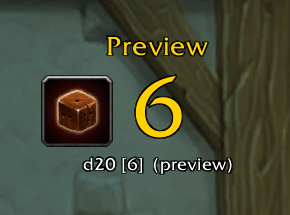
• A big on-screen roll effect shows each result on screen.
Ultimates
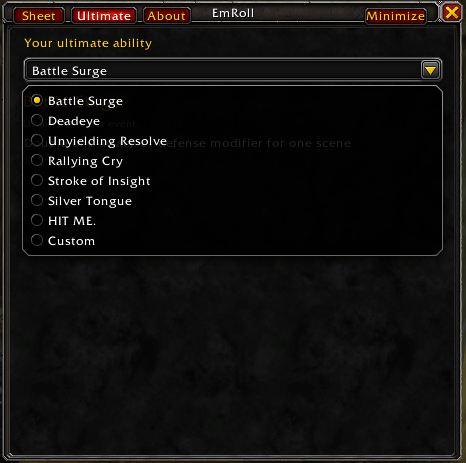
• Choose your ultimate from a drop-down list of the sheet's ultimates, or paste your own with Custom.
• The Use button posts it to chat.
Small window
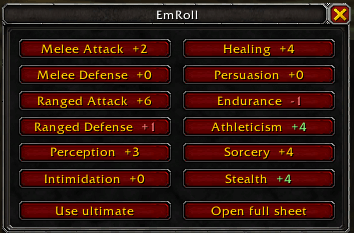
• The Minimize button shrinks everything to a small window with one roll button per stat, plus the use button for your ultimate.
Dungeon Master window
• The DM window lists the rolls of everyone in your party or raid.
• Players who use EmRoll show their full roll. Everyone else appears as a plain /roll.
Getting started
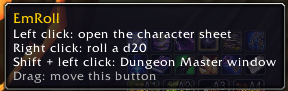
• Click the minimap button: left-click opens the window, right-click rolls a d20, and shift+left-click opens the DM window.
• Or type /emroll (or /emr). /emroll help lists every command, and the About tab explains the rest.
Credits
• Creator: Eminae-ArgentDawn EU-DK / Discord: @meisterbaiter6969
• Credit: Sid-ArgentDawn EU-BE, Kyrin-ArgentDawn EU-FR
• Template: Eastwall Curs' Character Sheet V1 (by Sid) and Eastwall Curs' SHeet Calculator (by Kyrin)
Suggestions and bug reports are welcome. Message the creator on Discord.
EmRoll Team
