EmoteRing
- By
EmoteRing-promo-1.png
EmoteRing-promo-2.png
EmoteRing-promo-3.png
EmoteRing-promo-4.png
Description
EmoteRing
Beta. EmoteRing is new and still growing. If something doesn't work, leave a comment and it gets fixed.
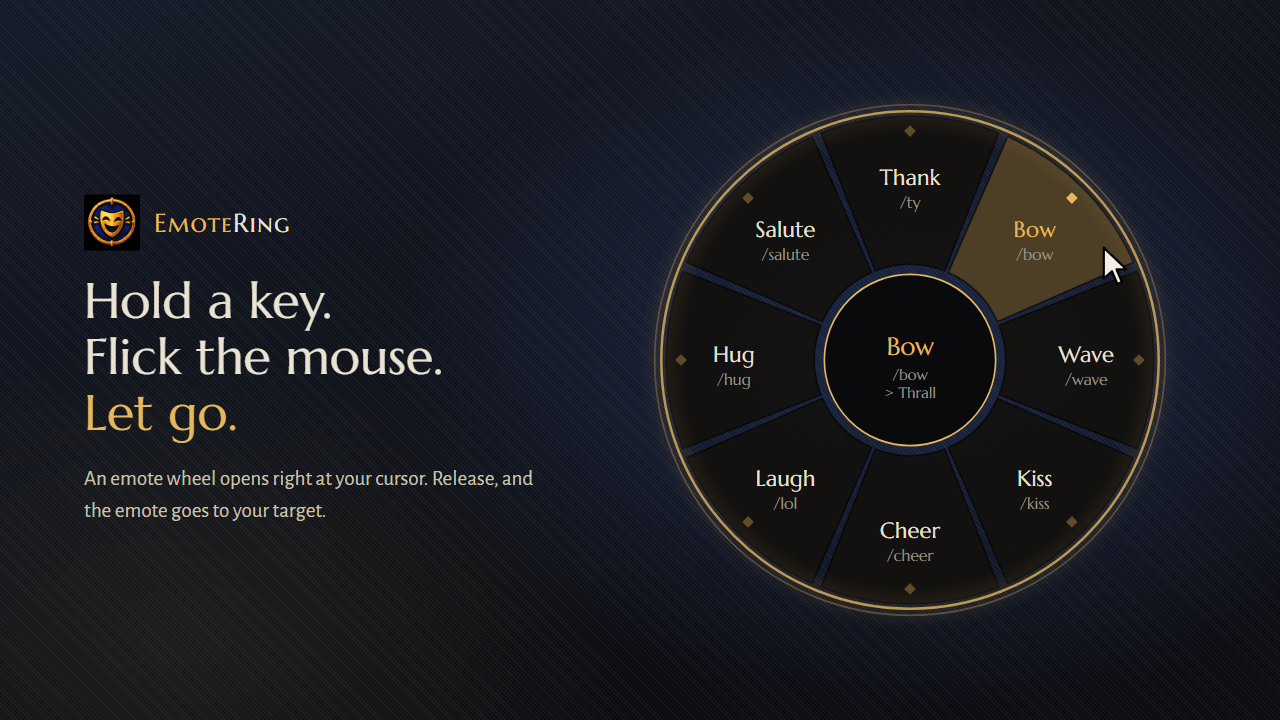
Hold a key. Flick the mouse. Let go. Bow, thank, wave or whisper to your target without ever opening the chat box.
EmoteRing puts an emote and quick-reply wheel right under your cursor. Someone buffs you on the road, a healer carries your dungeon, a player waves at you in Goldshire: answer them in half a second and get back to playing.
How it works
- Hold your EmoteRing key. The wheel opens exactly where your cursor is.
- Move the mouse toward an emote. You only need the direction, so there's no need to hit the slice precisely.
- Release the key. The emote goes to your current target.
Changed your mind? Release in the center and nothing is sent.
Features
- Opens at your cursor. No fixed spot on screen, no reaching for a button.
- Goes to your target.
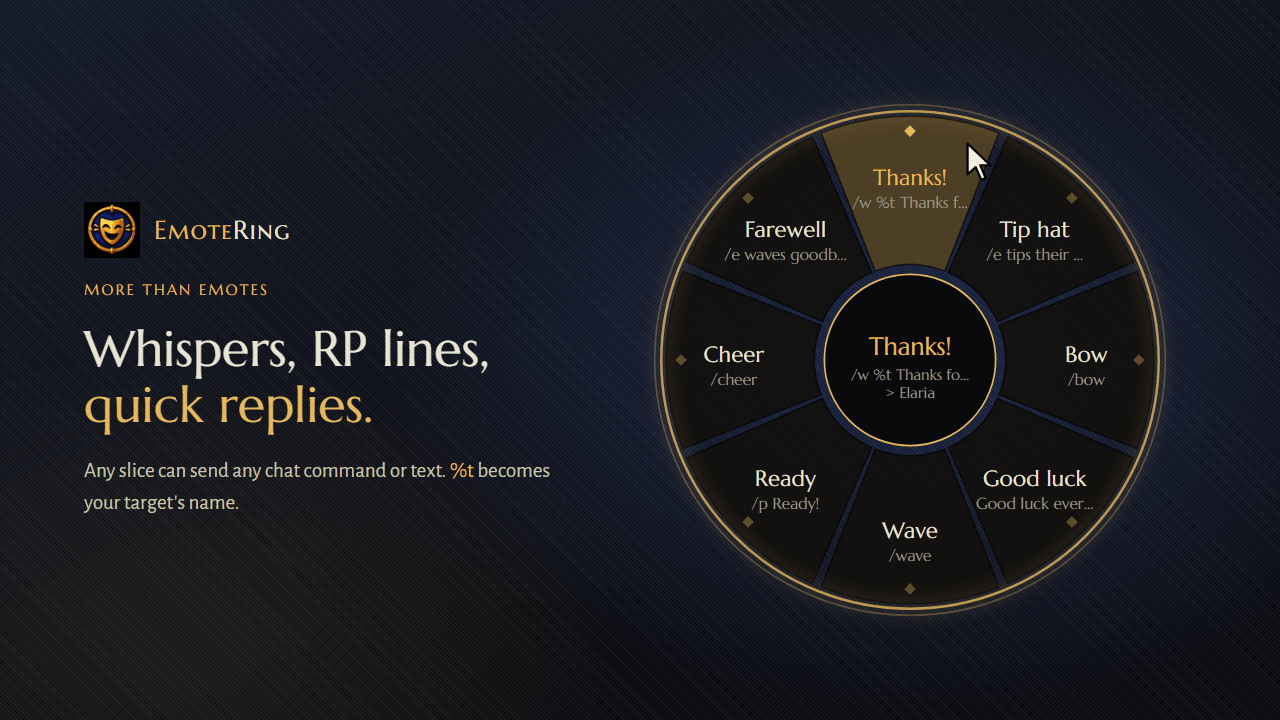
/bow,/ty,/kiss,/hugand every other emote are aimed at whoever you have targeted, just like in chat. The center of the wheel shows who that is before you release. - More than emotes. A slice can send any chat command or line of text:
/w %t Thanks for the heal!sends a whisper to your target/e tips their hat to %tsends a custom roleplay emoteGood luck everyone!is said out loud%tis replaced with your target's name.
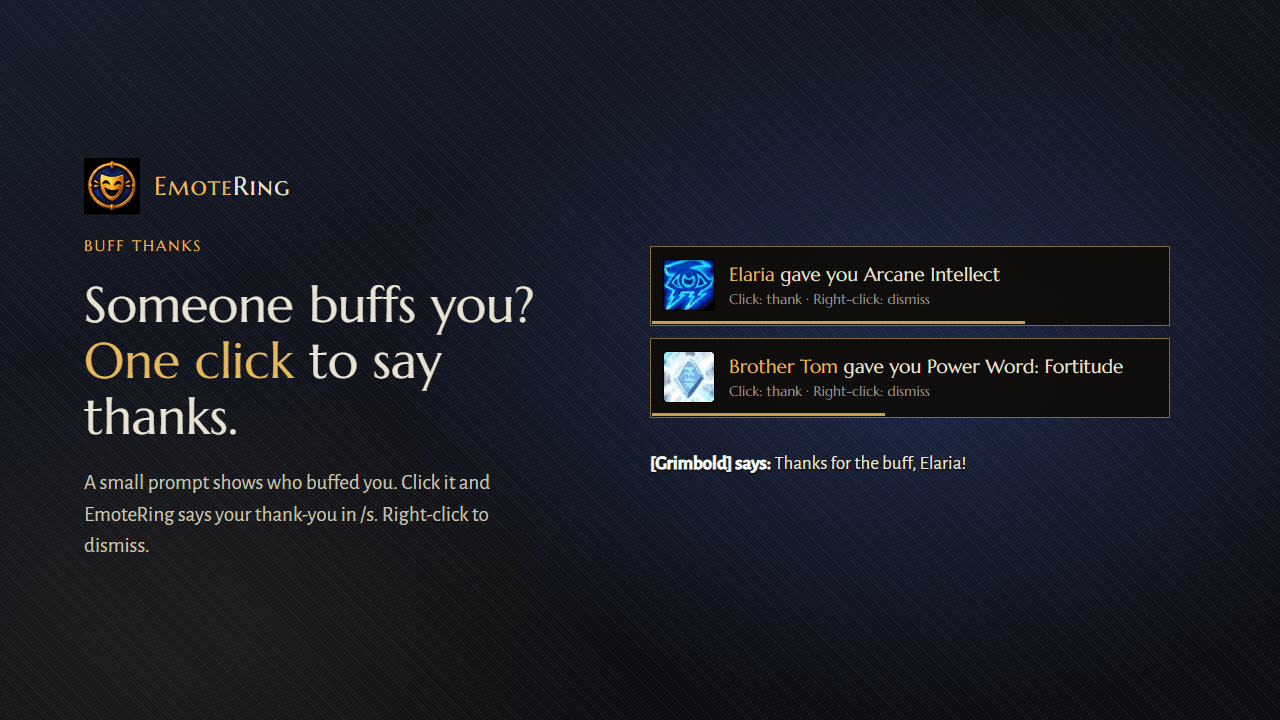
- Thank people who buff you. When another player buffs you, a small prompt pops up: "Mageguy gave you Arcane Intellect". One click and you say "Thanks for the buff, Mageguy!" out loud (or whisper it, if you prefer). Write your own message with
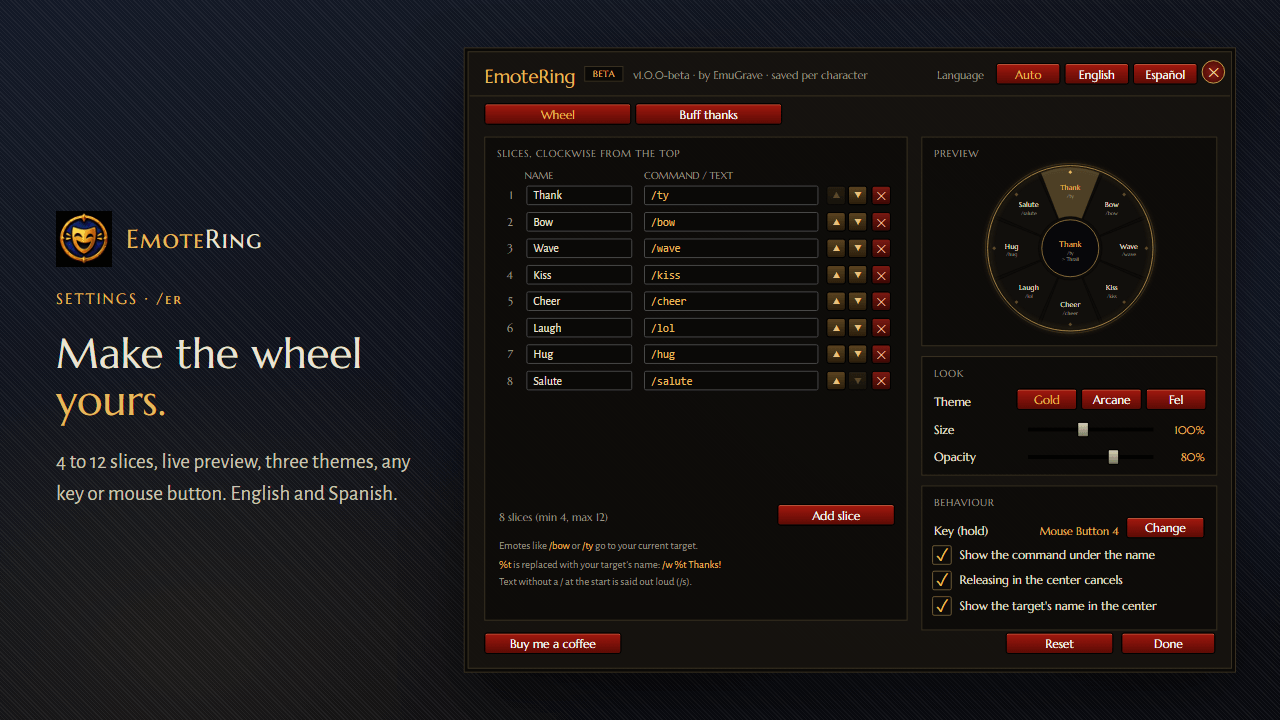
%n(their name) and%s(the buff). The game only tells addons who cast a buff when that player is targeted, under your mouse, in your group or has a visible nameplate, so turn on friendly nameplates (Shift+V) to catch everyone. - Your wheel, your way. 4 to 12 slices. Name them, reorder them, change what they send.
- Live preview. Every change in the settings shows up on a preview wheel right away.
- Three themes: Gold, Arcane and Fel, with adjustable size and opacity.
- Any key or mouse button. Bind it to a keyboard key (with Shift, Ctrl or Alt if you like) or to a mouse side button.
- English and Spanish. Chosen automatically from your game language, or set by hand.
- Saved per character. Your paladin and your rogue can have very different manners.
Getting started
- Type /er (or /emotering) to open the settings.
- Next to Key (hold), click Change and press the key you want to use.
- Target someone, hold the key, and say hello.
The default wheel has Thank, Bow, Wave, Kiss, Cheer, Laugh, Hug and Salute. Replace any of them with whatever you use most.
Commands
| Command | What it does |
|---|---|
/er |
Opens the settings window |
/emotering |
Same as /er |
The key can also be set under Options → Keybindings → AddOns → EmoteRing.
Feedback
Found a bug or have an idea? Leave a comment on this page. If you get a Lua error, please include the full error text.
EmoteRing (Español)
Mantén una tecla. Mueve el ratón. Suelta. Haz una reverencia, da las gracias, saluda o susurra a tu objetivo sin abrir el chat.
EmoteRing coloca una rueda de emotes y respuestas rápidas justo bajo tu cursor.
Cómo funciona: mantén tu tecla, mueve el ratón hacia un emote y suelta. El emote va a tu objetivo actual. Si sueltas en el centro, se cancela.
Funciones:
- Se abre donde está tu cursor
- Los emotes como
/bow,/tyo/kissvan a tu objetivo, y el centro de la rueda muestra su nombre - Cada sector puede enviar cualquier comando o texto:
/w %t ¡Gracias por la cura!(%tes el nombre de tu objetivo) - De 4 a 12 sectores, con nombre y orden a tu gusto
- Cuando otro jugador te da un buff, aparece un aviso: un clic y le das las gracias en /s
- Tres temas (Oro, Arcano, Vil), tamaño y opacidad ajustables
- Cualquier tecla o botón lateral del ratón
- Inglés y español, guardado por personaje
Para empezar: escribe /er, pulsa Cambiar junto a Tecla (mantener) y elige tu tecla.
Made by EmuGrave. EmoteRing is free and open source (MIT). If it made your game a little friendlier, you can buy me a coffee. ☕
EmoteRing Team