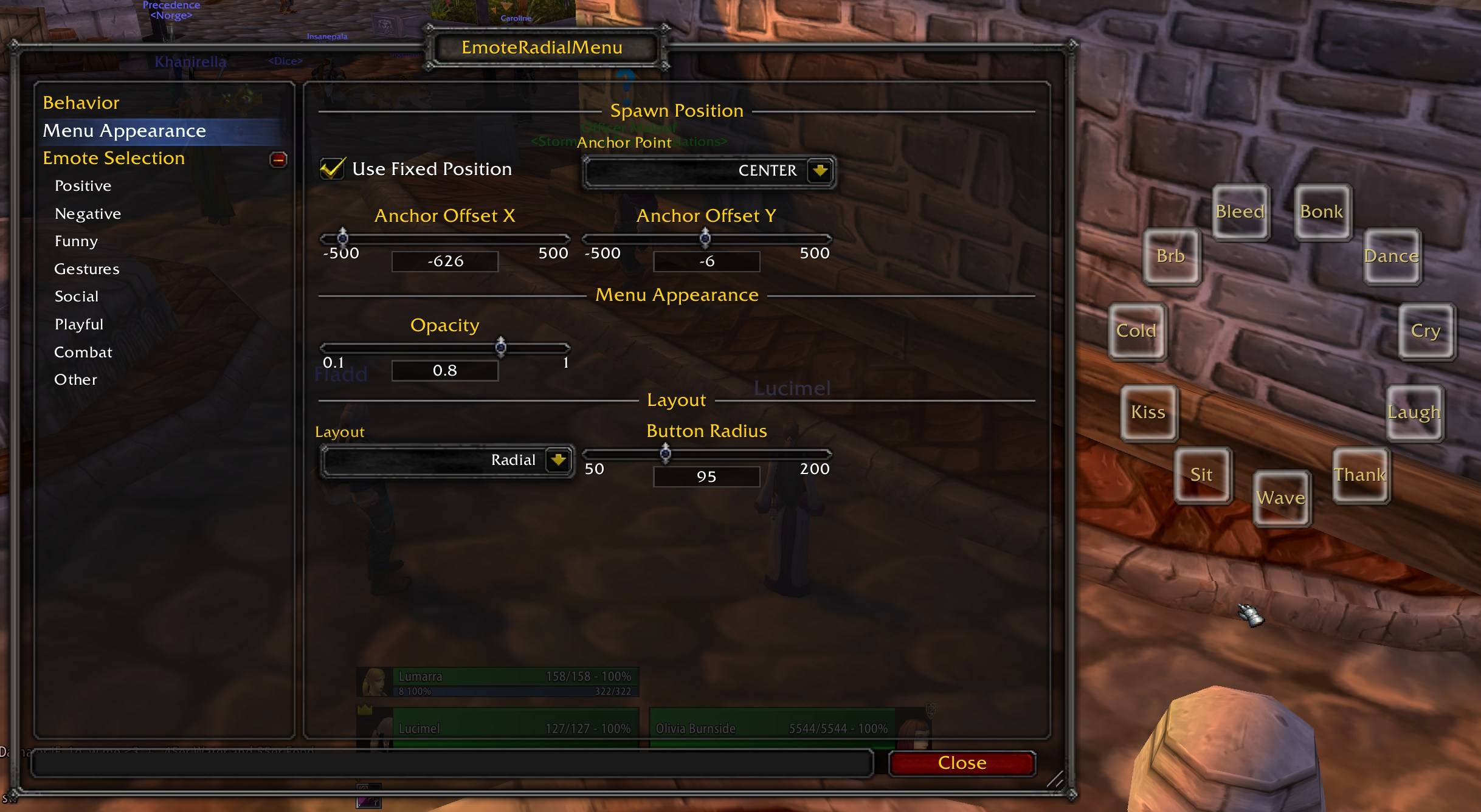
2026-01-09-20-57-28.jpg
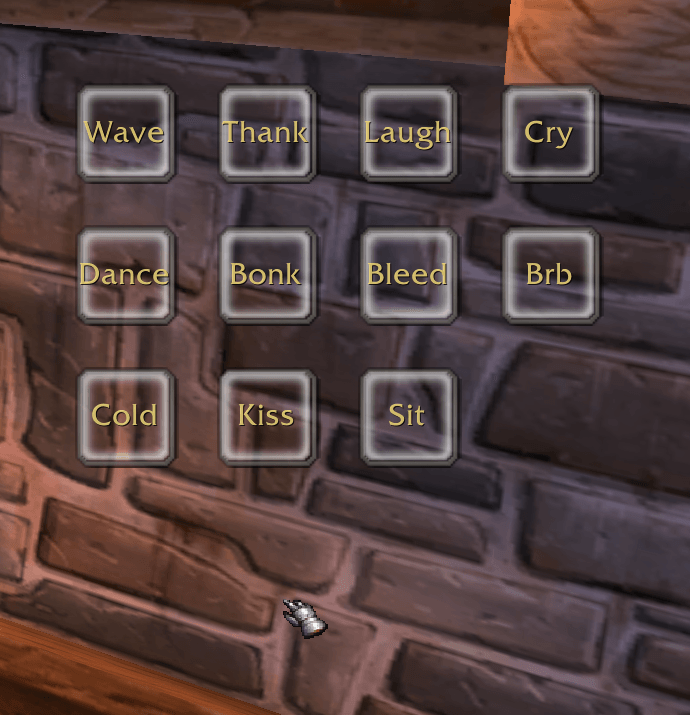
2026-01-09-20-56-41.png
Description
EmoteRadialMenu is a lightweight addon that provides quick access to your favorite emotes through an elegant radial or grid menu. Simply bind a key and instantly access up to 24 emotes with a single click - no more typing /dance or scrolling through chat menus!
Features
Quick Access Menu
- Press your keybind to instantly display an emote menu at your cursor position
- Left-click any emote to perform it immediately
- Right-click or click outside to close the menu
- Optional "Close on Use" behavior automatically dismisses the menu after selecting an emote
Flexible Layout Options
- Radial Layout: Emotes arranged in a circle around your cursor, adjustable radius (50-200 pixels)
- Grid Layout: Emotes displayed in a customizable grid with adjustable columns, rows, and spacing
Positioning Options
- Cursor Mode: Menu spawns wherever your mouse cursor is located
- Fixed Anchor Mode: Lock the menu to a specific screen position (Center, Top, Bottom, Left, Right, or any corner) with customizable X/Y offsets
Extensive Emote Library Over 150 emotes organized into 8 categories for easy configuration:
- Positive: agree, applaud, cheer, clap, comfort, congratulate, happy, hug, kiss, love, praise, thank, welcome
- Negative: angry, bored, confused, cry, frown, insult, mad, mourn, sad, scared, sigh, tired
- Funny: belch, burp, chicken, cower, dance, fart, flex, flirt, giggle, laugh, lol, rofl, silly, train, wink
- Gestures: beckon, bow, bye, greet, hello, kneel, point, raise, salute, shrug, sit, sleep, wave, yes
- Social: bounce, calm, curious, followme, listen, pet, ponder, pounce, puzzle, question, read, ready, talk, wait, whistle
- Playful: bite, blink, blush, chuckle, cuddle, eye, grin, lick, pat, pinch, poke, purr, sexy, smile, smirk, snicker, tease, tickle, tongue
- Combat: charge, flee, ready, roar, surrender, taunt, threaten, victory, violin, warn
- Other: afk, brb, dnd, drool, drink, eat, grovel, hungry, shoo, shout, sniff, spit, stare, thirsty, yawn
Customization
- Adjustable menu opacity (10-100%)
- Per-category "Select All" / "Select None" buttons for quick configuration
- Supports up to 24 emotes in your quick-access menu
- Settings saved per-character profile
Masque Support Full integration with Masque (ButtonFacade) for button skinning - match your emote buttons to your UI theme!
Localization
- English (enUS/enGB)
- German (deDE)
Usage
- Set a keybind: Go to Options → Key Bindings → EmoteRadialMenu and bind "Toggle Emote Menu"
- Configure your emotes: Type /emote or /erm to open the configuration panel
- Select your favorites: Check/uncheck emotes from the categorized list
- Adjust appearance: Choose radial or grid layout, set opacity, and configure positioning
- Use it!: Press your keybind and click an emote to perform it
Slash Commands
- /emote - Open configuration panel
- /erm - Open configuration panel (shortcut)
Requirements
- World of Warcraft Classic Era (Interface 11508)
- Ace3 library (embedded)
Optional Dependencies
- Masque - For button skinning support
Perfect for...
- Roleplayers who want quick emote access
- Social players who frequently use emotes
- Anyone tired of typing emote commands
- Players who want a clean, configurable emote interface
EmoteRadialMenu Team