EmoteDeck
- By
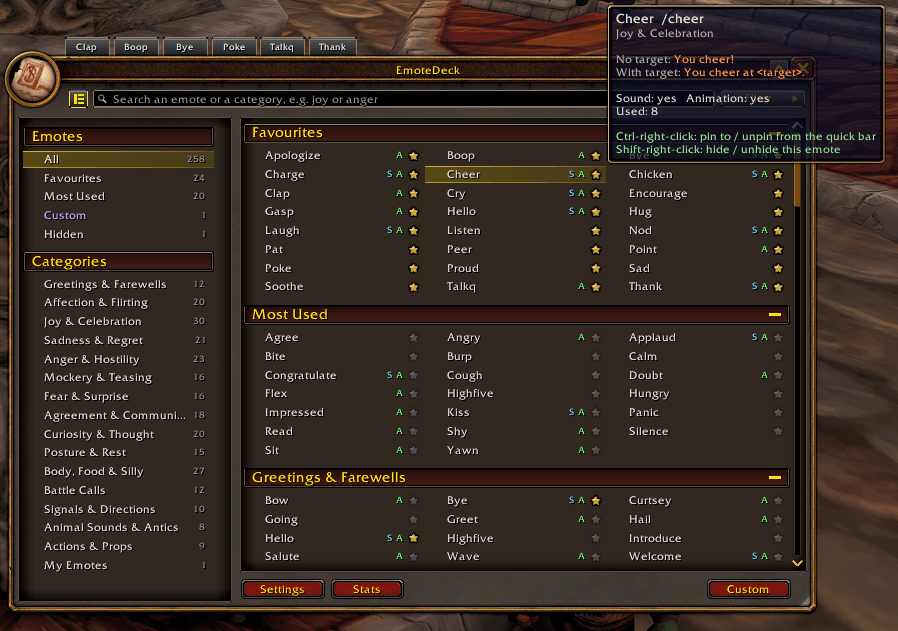
Full interface with tooltips, favourites, most used and quick access at the top
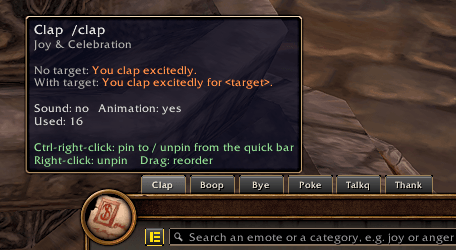
Up to 10 quick access emotes
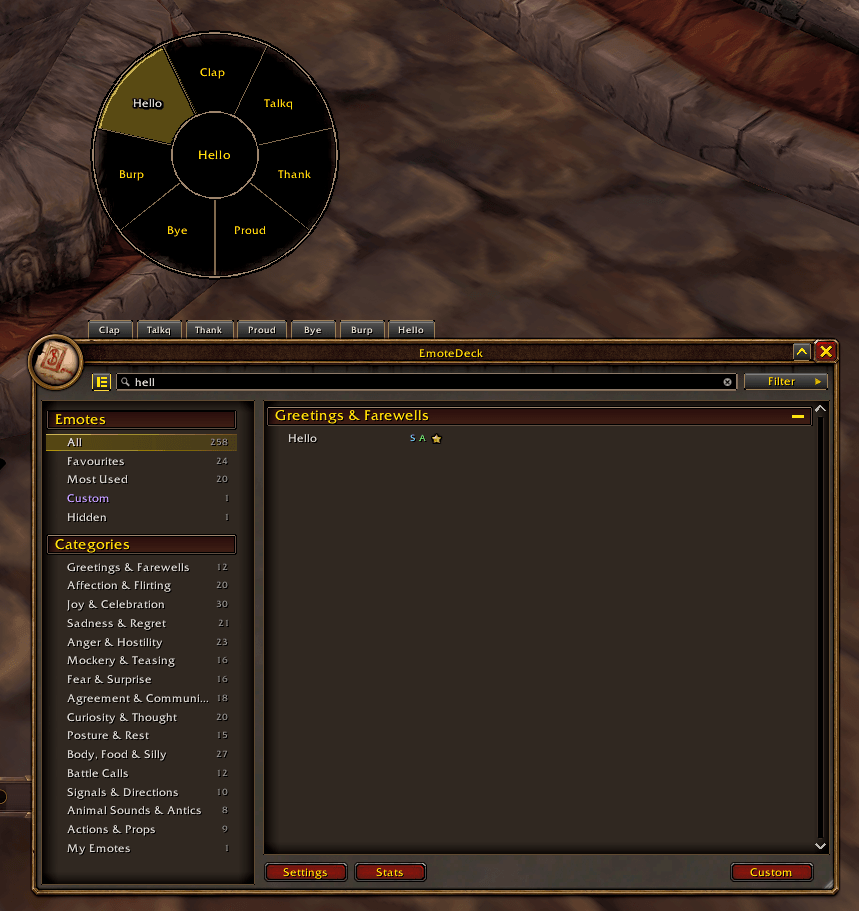
Quick Wheel access of your pinned emotes
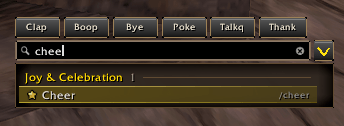
Search bar only with instant filtering on all emotes + Quick access to pinned emotes
Description
EmoteDeck
Lists all the emotes your game client has, sorted into categories, so you can use them without remembering slash commands. Made with roleplay in mind.
Open it with /ed (or /emotes, /emotedeck), the minimap button, or a key binding.
Features
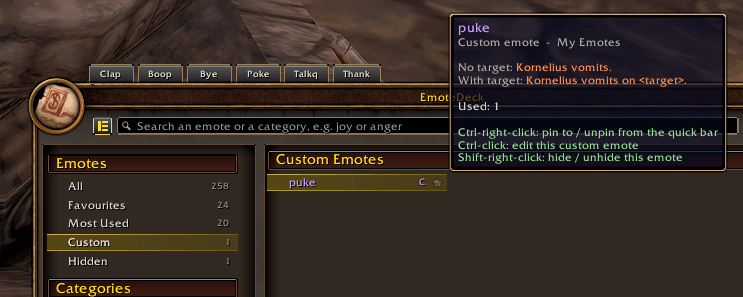
- Emote list in 16 categories, with Favourites and Most Used at the top.
- Category panel to show one category at a time, or hide it to see everything.
- Search by emote name, slash command or category (e.g.
joy,anger). Enter performs the first match. - Tooltip shows what the emote says in chat, with and without a target.
- S / A marks for emotes with a sound or an animation, and a filter for each.
- Quick bar: pin up to 10 emotes as buttons on top of the window.
- Quick Access Wheel: hold its key to open a round dial of your quick bar emotes around the mouse, point at one and release to perform it.
- Quick Access view: just a search bar, with results grouped by category.
- Custom emotes: your own
/me-style emotes, with an optional version for a target (%t= target's name). - Stats: your most used emotes and who you emote at. Click an emote to see who you used it on. Emotes typed in chat are counted too.
Controls
| Action | Result |
|---|---|
| Click | Perform the emote |
| Right-click | Add to / remove from favourites |
| Ctrl + right-click | Pin to / unpin from the quick bar |
| Shift + right-click | Hide / unhide the emote |
| Ctrl + click (custom emote) | Edit it |
On the quick bar: click to perform, right-click to unpin, drag to reorder.
On the wheel: hold the key, point at an emote and release. Release in the centre to cancel. A quick tap keeps the wheel open so you can click instead.
Settings
In Options → AddOns → EmoteDeck: auto-open when targeting a player, show Most Used and its size (5–20), keep favourites out of Most Used, Quick Access Wheel on/off, minimap button, and resets for stats, hidden emotes and window position.
Key bindings are in the game's Keybindings → EmoteDeck section: open/close, search emotes, switch view, Quick Access Wheel.
Slash commands
| Command | Action |
|---|---|
/ed |
Open / close |
/ed quick |
Switch between normal view and Quick Access |
/ed stats |
Stats |
/ed custom |
Custom emote editor |
/ed settings |
Settings |
/ed side |
Show / hide the category panel |
/ed minimap |
Show / hide the minimap button |
/ed auto |
Auto-open on target on / off |
/ed reset |
Reset usage counts and stats |
/ed count |
Number of emotes found |
Notes
- Emote texts and sound/animation info come from the Warcraft Wiki list of emotes. Only emotes your client has are shown.
- Counting typed emotes needs an English client. Emotes with no chat text (like
/sit) are only counted when used from the addon. - Escape does not close the main window, on purpose.
- AI was used mainly for UI work and guidance.
EmoteDeck Team