


Ember Tracker (WET)
- By
A lightweight resource tracker for Destruction Warlocks with zero latency and full UI customization.
WoWScrnShot_090926_011425.jpg
WoWScrnShot_090926_011009.jpg
Description
Warlock Ember Tracker
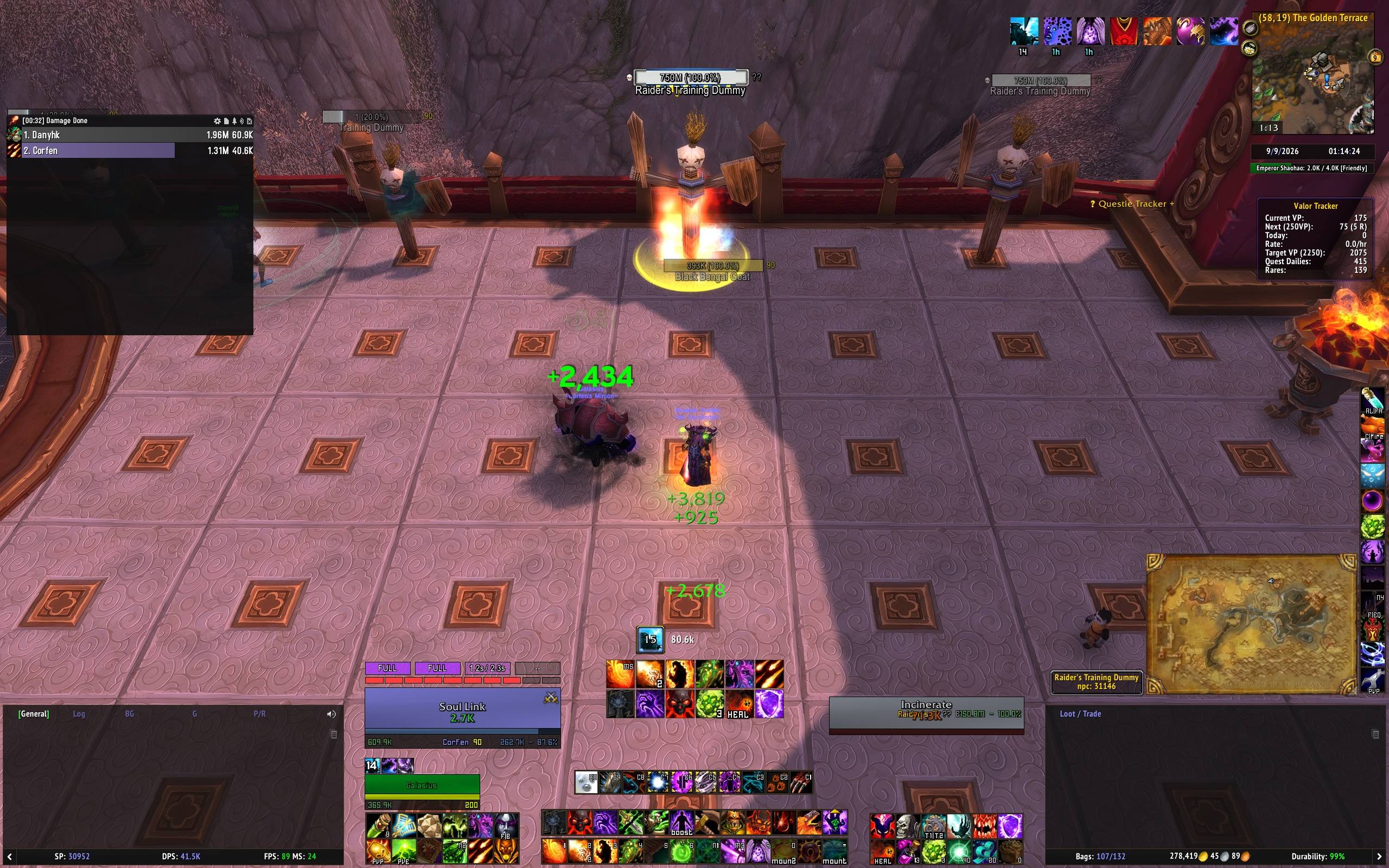
Warlock Ember Tracker is a lightweight resource tracker designed specifically for Destruction Warlocks in MoP Classic. Built with zero external dependencies and a lazy-loading architecture, it gives you real-time tracking of Burning Embers and their fragments with precision and minimal memory footprint and CPU load.
Key Features
- Ember & Fragment Tracking: Clean, minimalist display showing your full Burning Embers and individual fragment progress.
- Smart Time-to-Ember Calculation: Dynamic timer predicting the remaining duration to reach your next full Burning Ember based on real-time sample rates (Incinerate and Immolate critical strike mechanics).
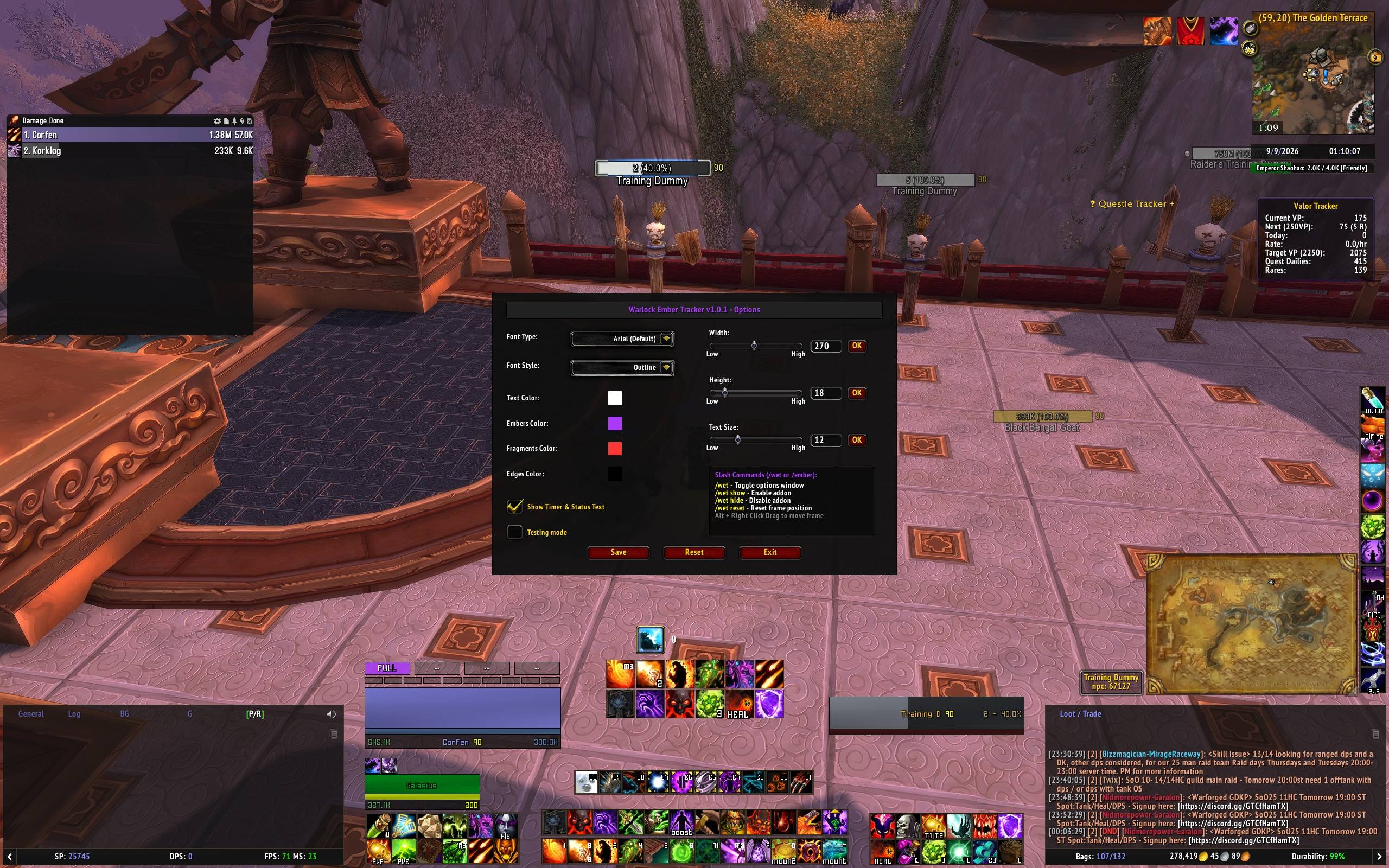
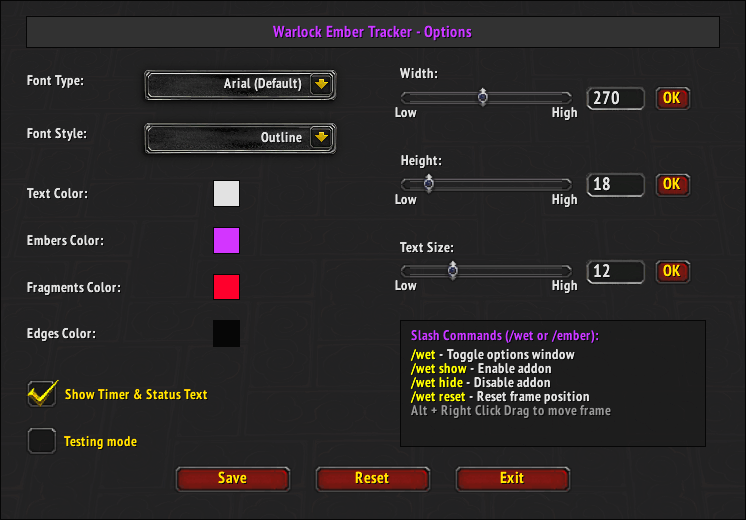
- Fully Customizable: Adjust width, height, fonts, outline styles, and individual element colors (Embers, Fragments, Text, and Borders).
- Built-in Simulation Engine: Test and fine-tune your UI layout anytime using the built-in 60-second Testing Mode right inside the options menu, no need to enter combat or find a training dummy.
- Strict Class Filtering: Automatically disables core execution on non-Warlock characters to eliminate script errors and UI clutter across your alts.
Customization Options
- Movable Frame:
- Alt + right-click and drag the tracker frame anywhere on your screen to match your custom UI layout.

- Layout & Dimensions:
- Adjust total tracker width and height via sliders or precise numerical input fields.
- Customize font size, font family (Arial, Friz Quadrata, Skurri, Morpheus), and outline styles (Shadow, Outline, Thick Outline).
- Full Color Control:
- Customize background and active fill colors for Embers and Fragments.
- Independent color pickers for text elements and border edges.
- In-Game Configuration Panel:
- Responsive two-column configuration menu with dedicated Save, Reset, and Exit controls.
- Slash Commands (/wet or /ember)
/wet- Toggles the Options window (when the addon is active)./wet show- Enables the addon and displays the tracking frame./wet hide- Disables the addon and hides all visual elements. The addon remembers this state across sessions./wet reset- Resets the frame position back to the center of the screen.
- Installation
- Extract the
WarlockEmberTrackerfolder into your World of Warcraft directory:World of Warcraft\_classic_\Interface\AddOns\ - Restart your game or reload your UI (
/reload). - Enjoy.
- Extract the
Ember Tracker (WET) Team
