ElvUI Mini Menus
- By
Small bars of handy buttons in ElvUI's style: ElvUI's options, reload, move the frames, clear the chat, and every window of the game's menu.

Capture dâécran 2026-11-22 203137.png

Capture dâécran 2026-11-22 204618.png
Capture dâécran 2026-11-22 213148.png
Capture dâécran 2026-11-22 213208.png
Description
Two small bars ElvUI doesn't have, on WoW Forever, drawn in ElvUI's own style: they follow your ElvUI backdrops, borders, colors and font.
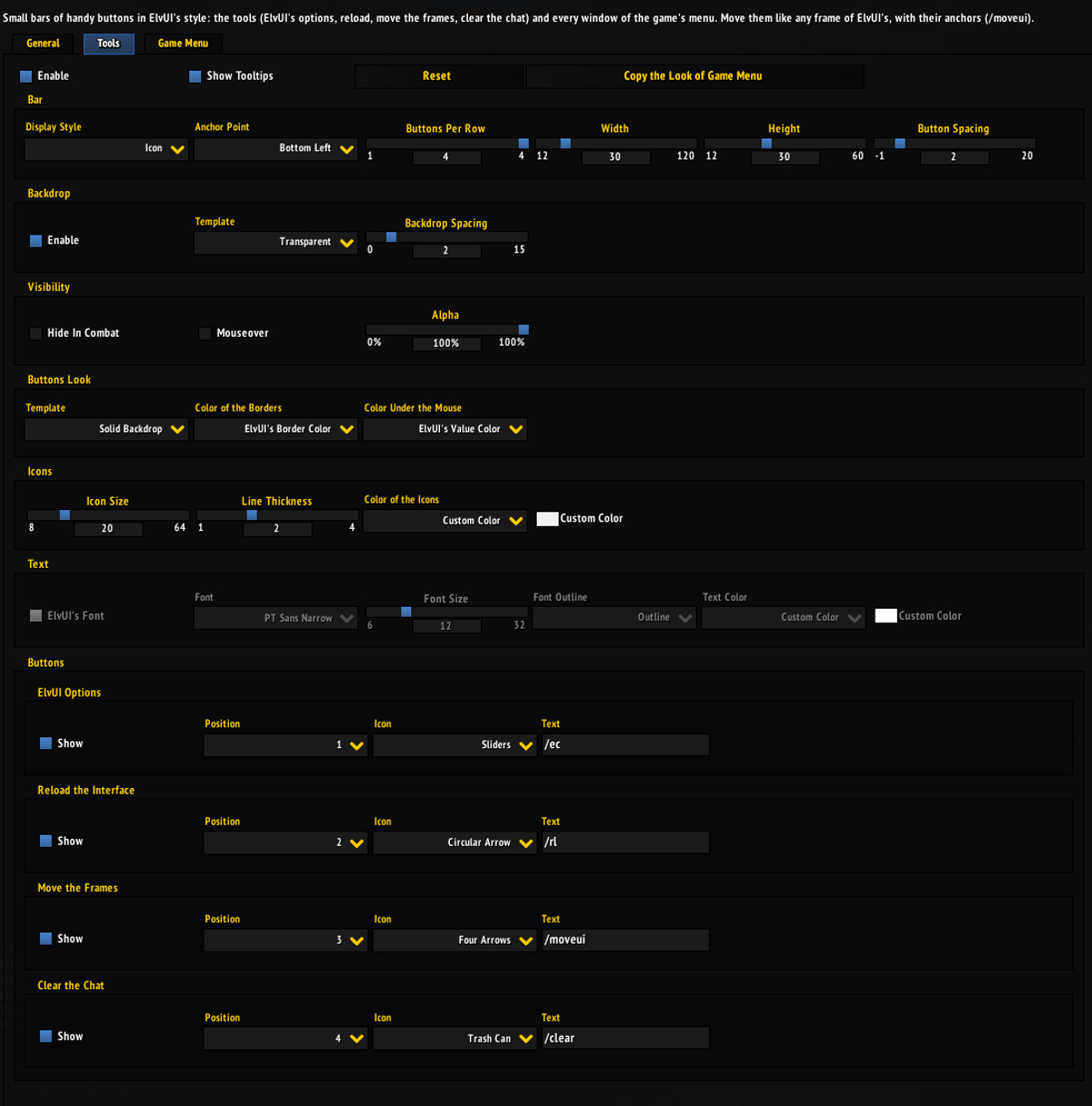
- Tools bar: ElvUI's options (/ec), reload the interface (/rl), ElvUI's move mode (/moveui), and clear the chat: every chat window, ElvUI's chat history included, or with a right-click only the tab shown.
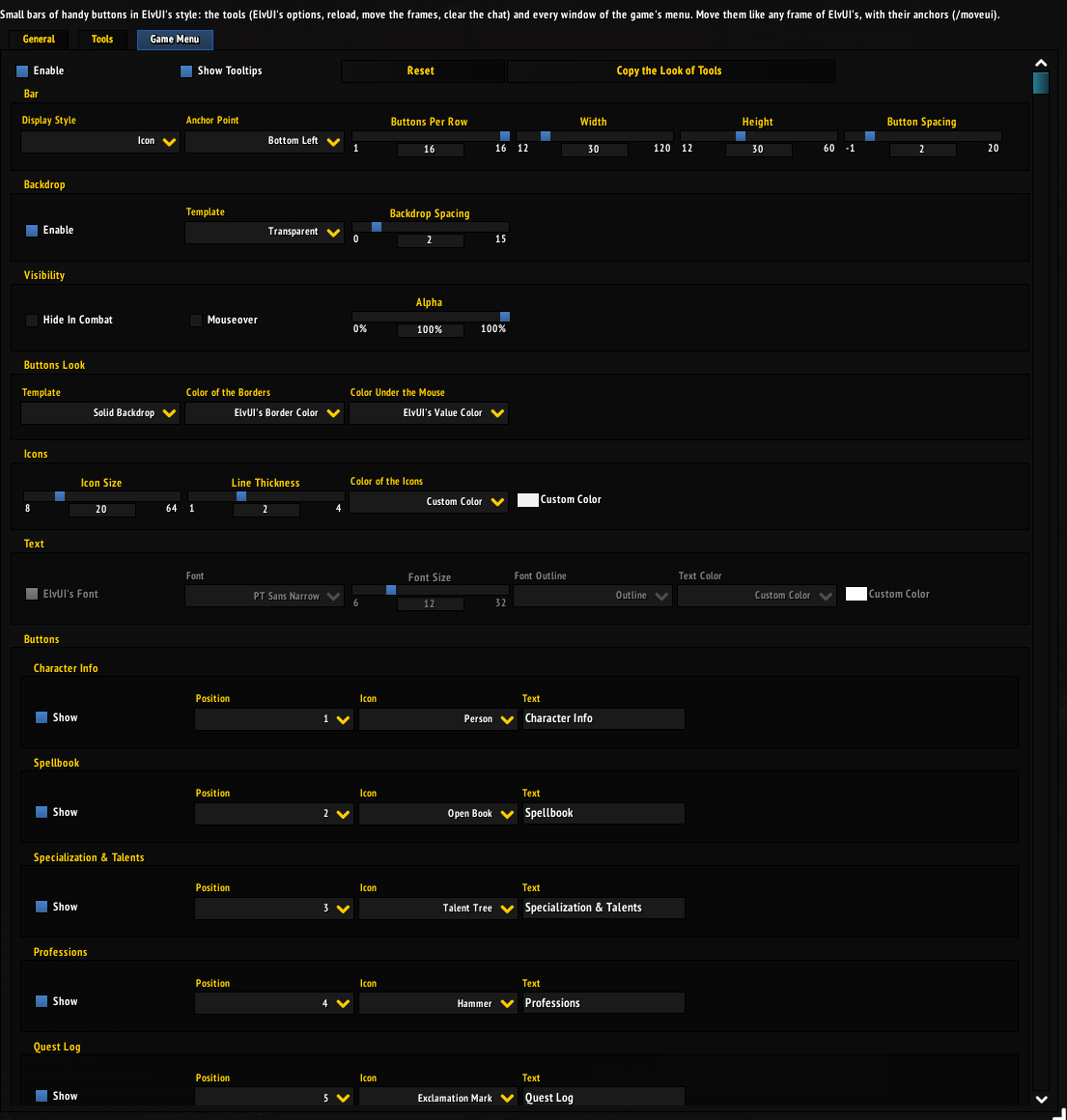
- Game Menu bar: every window of the game's menu: Character Info, Spellbook, Talents, Professions, Quest Log, Legacy, Mounts, Pets, Toy Box, Heirlooms, Social, Guild, PvE / PvP, Raid, Customer Support and the Game Menu. Tooltips show their key bindings.
- Clean icons: simple line drawings, smoothed pixel by pixel, all in one color: your own, ElvUI's value color or your class color. 23 shapes to pick from for any button.
- Or text: icons, text or both. Write what each button says, in ElvUI's font or your own.
- Each bar its own design: layout (buttons per row, corner, size, spacing), backdrop, button template (solid, transparent, border only, none), border, hover, icon and text colors, visibility (mouseover, opacity, hidden in combat) and tooltips. Copy one bar's look onto the other in one click.
- One bar: join both bars into one, tools or game menu first, with a gap between them. Each group keeps its own look, and unticking puts both bars back where they were.
- Each button: show it or not, its place in the bar, its icon and its text.
- Chat commands: /clear, and /rl when no other addon has it.
- Settings: ElvUI > Mini Menus. Move the bars with ElvUI's anchors (/moveui). Reset a bar, or everything, in one click.
English and French.
Good to know: the game's windows don't open in combat. Their names come from the game, in your game's language.
Français
Deux petites barres de boutons au style d'ElvUI, qui suivent vos fonds, bordures, couleurs et police d'ElvUI. La barre Outils ouvre les options d'ElvUI, recharge l'interface, active le déplacement des cadres et vide le chat (toutes les fenêtres et l'historique d'ElvUI, ou l'onglet affiché d'un clic droit). La barre Menu de jeu ouvre toutes les fenêtres du menu du jeu, raccourcis clavier dans les infobulles. Icônes au trait lissées pixel par pixel, d'une seule couleur, ou texte libre. Chaque barre a son propre design (disposition, fond, bordures, couleurs, police, visibilité), copiable d'une barre à l'autre ; les deux barres peuvent n'en faire qu'une. Commandes /clear et /rl. Options : ElvUI > Mini Menus. Nécessite ElvUI.
ElvUI Mini Menus Team