


ElvUI HUD Plugin
- By
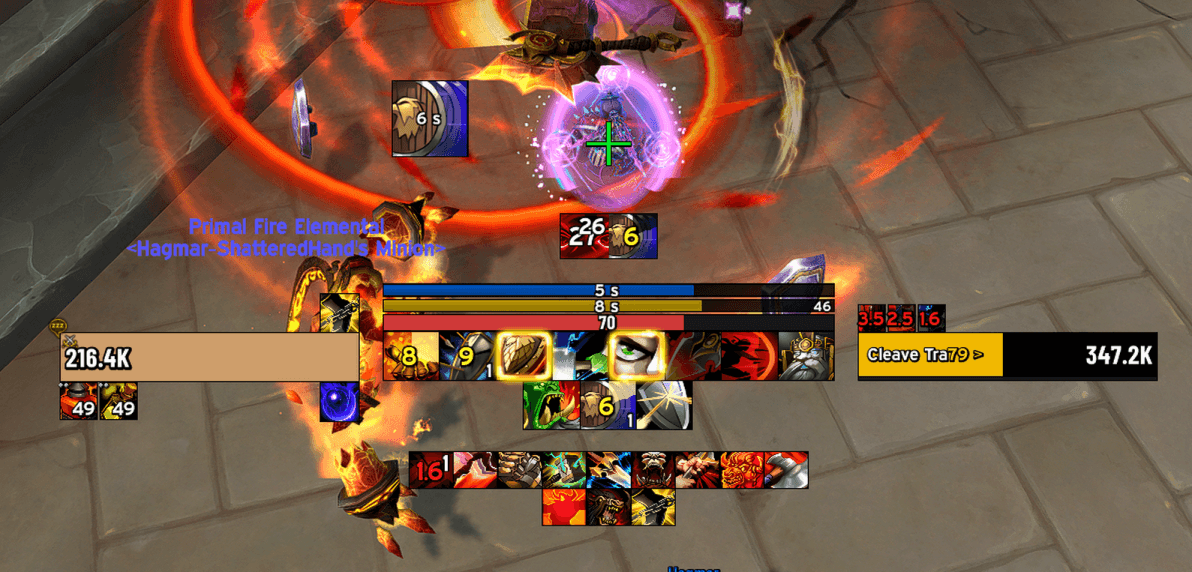
ElvUI_HUD_CustomAuras.png
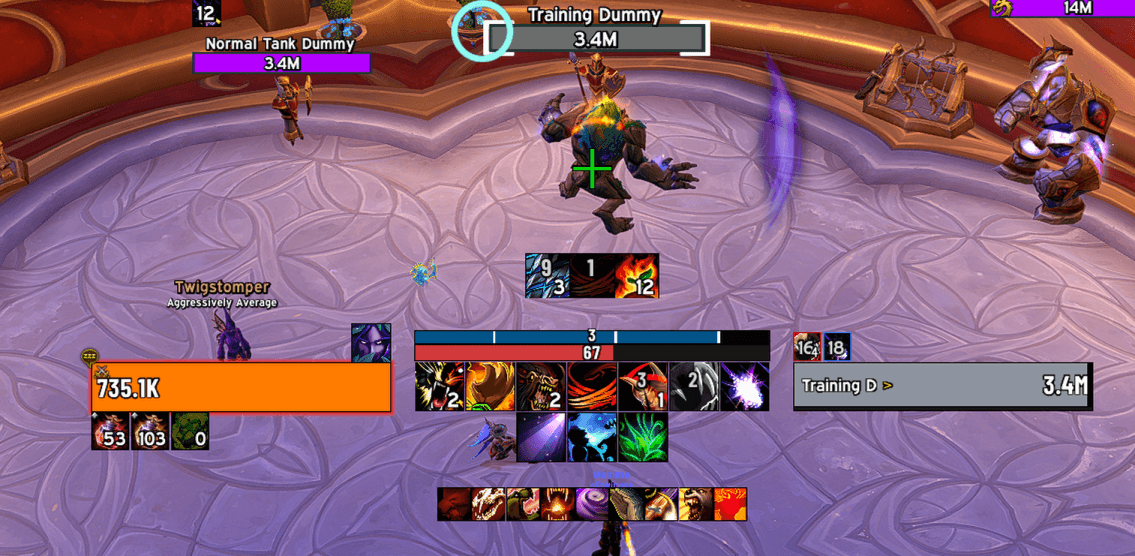
Guardian_IronfurBar.png
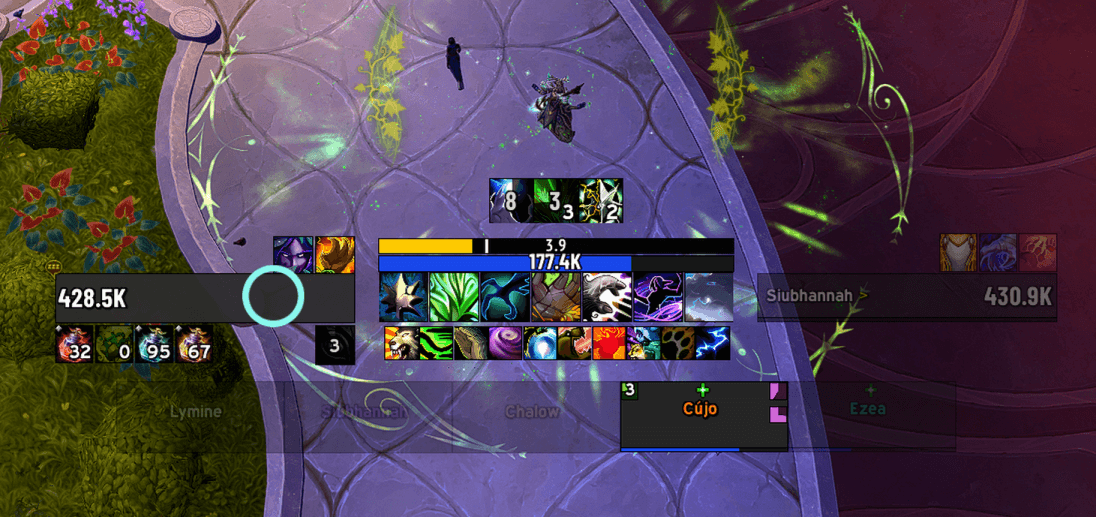
LifeBloomBar.png
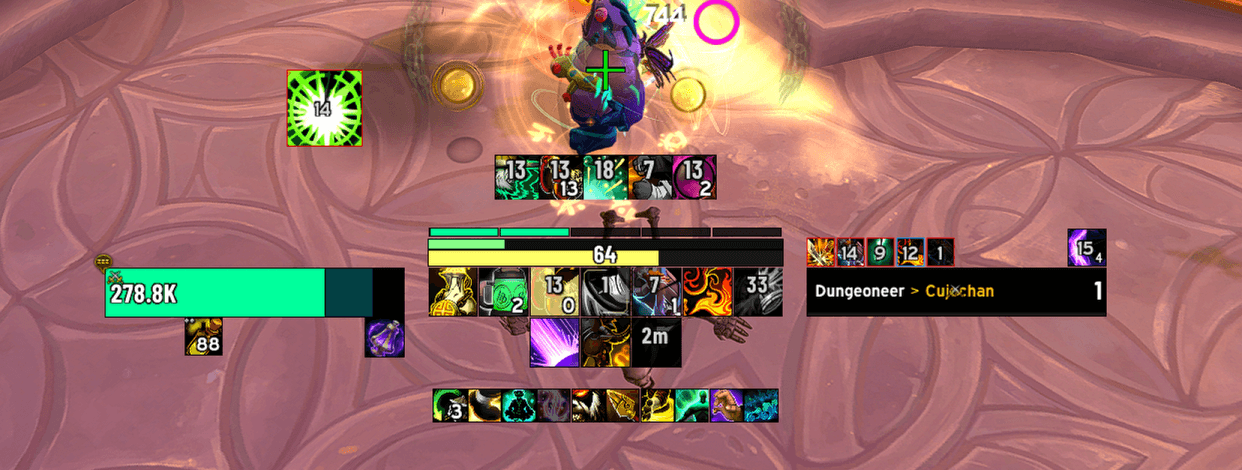
Healing_sphere_bar.png
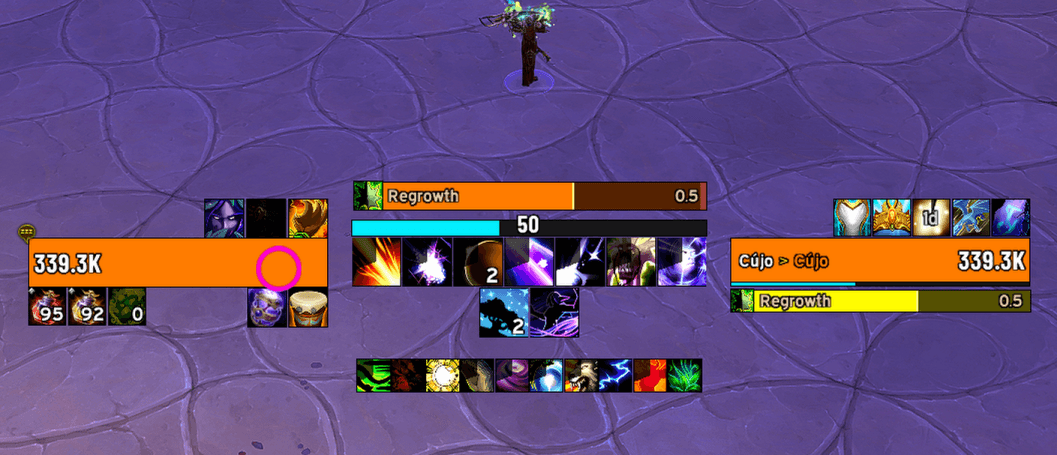
ElvUI_HUD_example1.png
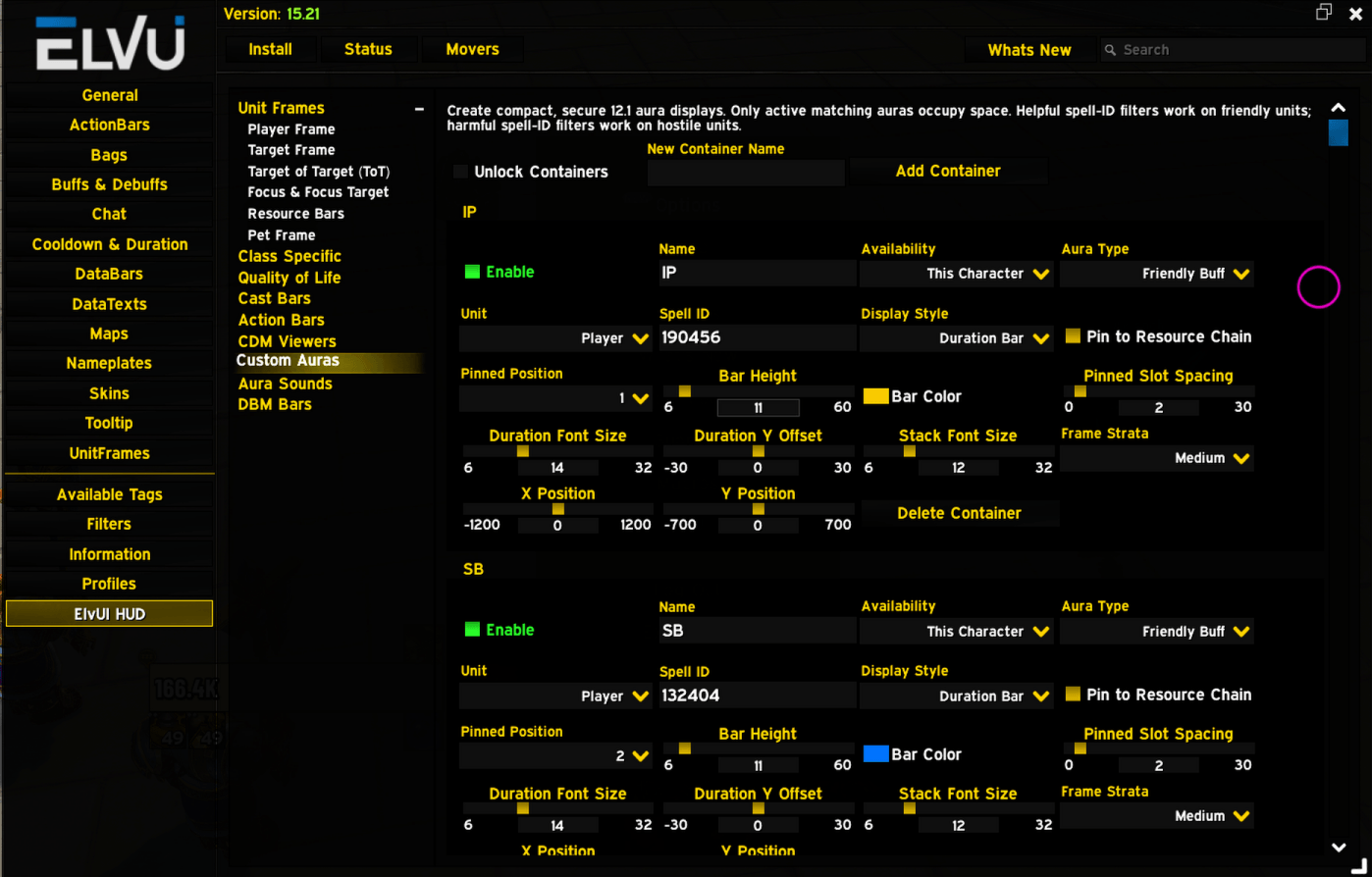
ElvUI_HUD_Options_12.1.png
Description
ElvUI HUD Plugin
ElvUI HUD is a lightweight ElvUI plugin that turns Blizzard’s Essential Cooldowns viewer into the central anchor of your interface. It arranges ElvUI frames, resources, trackers, cast bars, action bars, and DBM timers into a cohesive, dynamic HUD.
Every feature is independently opt-in, so installing the plugin will not unexpectedly rearrange your interface.
Key Features
- Cooldown Manager customization: Resize, position, and arrange the Essential, Utility, and Buff Icon viewers. Configure icon dimensions, spacing, rows, and cooldown or stack-count text.
- Unit-frame anchoring: Position ElvUI Player, Target, Pet, Focus, Focus Target, and Target of Target frames around the Essential Cooldowns viewer.
- Smart resource layout: Place ElvUI Power and Class Bars above the cooldown viewer. Resources dynamically resize and form a visibility-aware chain.
- Dynamic cast bars: Attach Player and Target cast bars to HUD elements. The Player cast bar can automatically follow the topmost active resource, class tracker, or pinned aura bar.
- Action bars: Pin selected ElvUI action bars to Player or Target frames, with configurable positioning and growth direction.
- DBM timer bars: Attach emphasized and normal DBM timer anchors to the HUD.
- Cooldown Manager compatibility: ElvUI HUD can be used alongside addons such as Better Cooldown Manager. Disable overlapping controls when another addon manages the same elements.
- Improved options layout: Major sections are organized as expandable entries in ElvUI’s left-side options navigation.
Custom Aura Containers — WoW 12.1
Create secure buff and debuff displays using Blizzard’s Custom Aura Container system.
- Create any number of independently named containers.
- Restrict containers to the current character, current class, or all characters.
- Track supported friendly buffs or hostile debuffs by spell ID.
- Watch Player, Pet, Target, Focus, or Mouseover where applicable.
- Display multiple tracked auras as compact icons.
- Display a single tracked aura as a secure duration bar.
- Pin duration bars into an ordered chain above class and resource bars.
- Reorder pinned bars with numbered position controls.
- Preserve pinned positions when tracked auras are inactive.
- Configure icon size, bar height and color, spacing, fonts, positioning, and frame strata.
- Apply a consistent one-pixel black border to icons and bars.
- Automatically match pinned bar width to the finalized HUD resource width.
Aura values remain inside Blizzard’s protected system. This allows permitted restricted auras to display without unsafe aura scanning, but prevents custom logic based on their duration or stack count.
Aura Sound Alerts — WoW 12.1
Create sound alerts independently from visual aura containers.
- Each alert supports:
- An aura spell ID.
- A sound selected through LibSharedMedia.
- Player, Target, Focus, Pet, Party, Raid, Boss, or Arena units.
- A specific current party or raid member selected by character name.
- Direct sound testing.
- Individual editing and deletion.
Group selections monitor the corresponding numbered units. Specific-member alerts continue following the selected character when the group is reordered. Additional LibSharedMedia sound packs automatically expand the available sound list.
Quality-of-Life Features
All QoL displays are independently opt-in.
- Mouse Ring: A smooth, configurable ring that follows the cursor, with optional combat-only visibility.
- Combat Crosshair: A configurable center-screen crosshair with an optional one-pixel black outline and melee-range recoloring for supported specializations.
- Combat Timer: Displays the current combat duration and can retain the previous duration after combat. Includes a draggable preview.
- Skyriding UI: A compact flat-texture display for forward speed and segmented Vigor charges, including recharge progress and Thrill-based coloring.
Class Features
- Guardian Druid — Ironfur Tracker: Displays remaining Ironfur duration with markers for active applications and accounts for relevant duration-modifying talents and buffs.
- Brewmaster Monk — Healing Sphere Bar: Displays available Gift of the Ox healing spheres as a segmented resource bar.
- Restoration Druid — Lifebloom Tracker: Displays Lifebloom’s remaining duration, pandemic window, stacks, and unit information, with optional sound or text-to- speech alerts.
Version Compatibility
ElvUI HUD supports World of Warcraft interface versions 12.0.7 and 12.1.
Custom Aura Containers and Aura Sound Alerts require Blizzard APIs introduced in 12.1. They remain hidden and inactive on 12.0.7, while compatible HUD, anchoring, Cooldown Manager, class-tracker, action-bar, cast-bar, DBM, and QoL features continue loading normally.
Development Disclaimer and Credits
This addon was developed with the assistance of artificial intelligence. Its implementation was derived primarily from the official World of Warcraft UI source and the public ElvUI repository.
No source code or artwork from unrelated third-party addons was copied into ElvUI HUD. The following addons were reviewed to understand comparable behavior and integration approaches:
- NaowhQOL: Inspiration for the Mouse Ring, Combat Crosshair, Combat Timer, and Skyriding feature selection.
- Ayije CDM: Cooldown Manager sizing and positioning approaches that avoid introducing taint.
- Simple Iron Fur Tracker: Ironfur tracking behavior.
- LifebloomReminder: Lifebloom reminder behavior.
ElvUI HUD Plugin Team
