ElvirUI
- By
01 Full UI.jpg
02 Setup Screen.png
03 Setup Frames.png
06 Combat.jpg
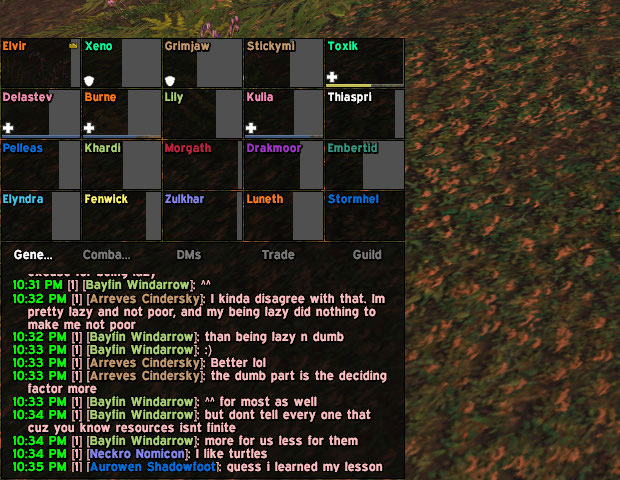
07 Raid Frames.png
Description
ElvirUI
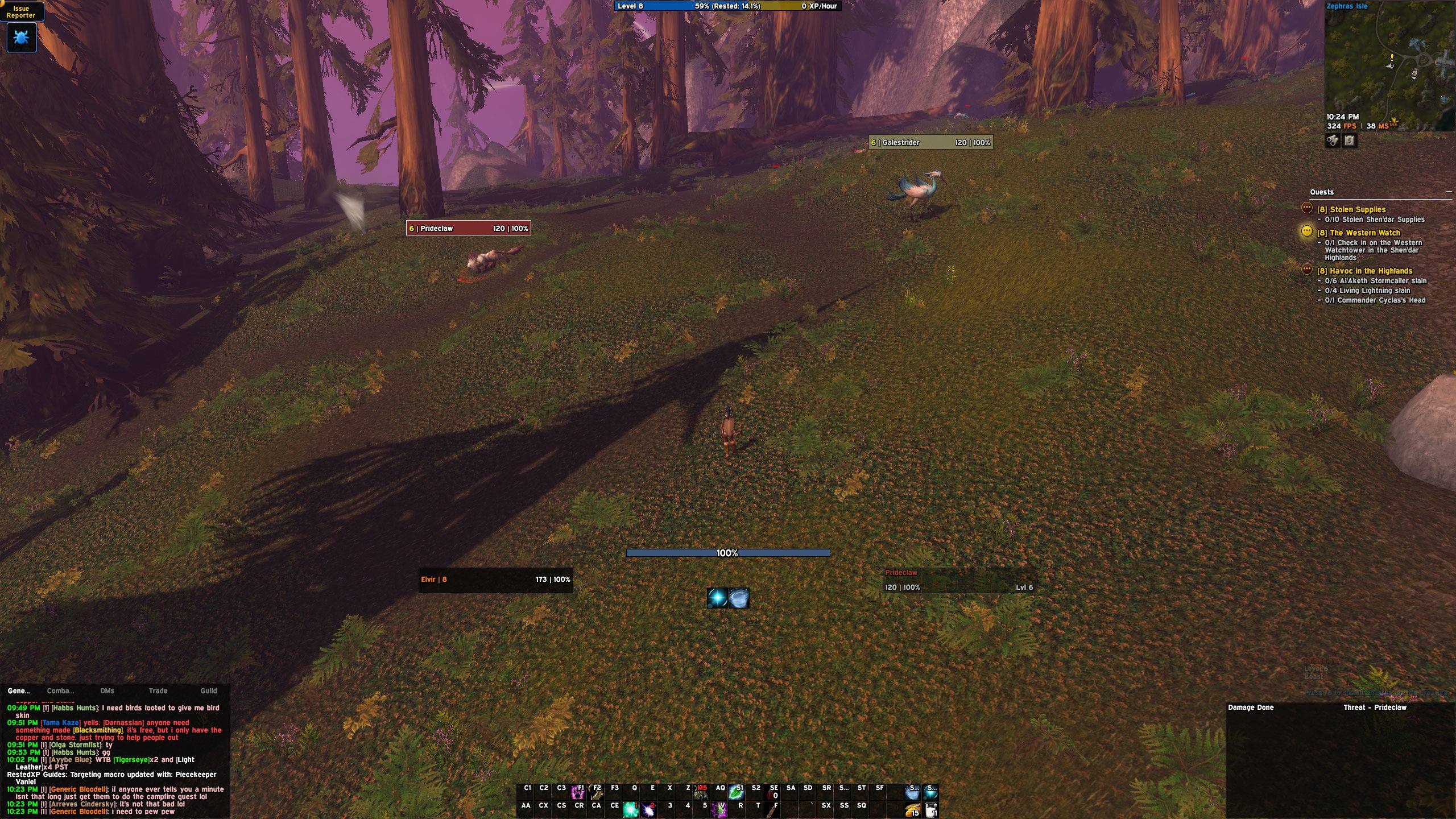
A clean, dark UI for WoW: Forever, built on EllesmereUI. Made for tanks and damage dealers, with a setup for every class.
ElvirUI is an EllesmereUI profile plus a small add-on that sets it all up for you and adds the things EllesmereUI doesn't do on its own. Install it, type /elvir, pick a few options and you're done.
What you get
- The look: dark panels, thin black borders, flat bars and the Expressway font everywhere
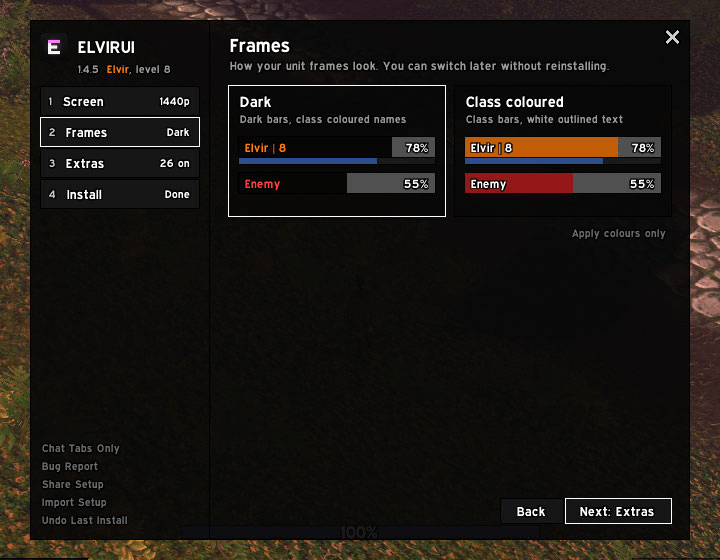
- Dark or class coloured frames: dark bars with class coloured names, or class coloured bars with white text. Switch any time.
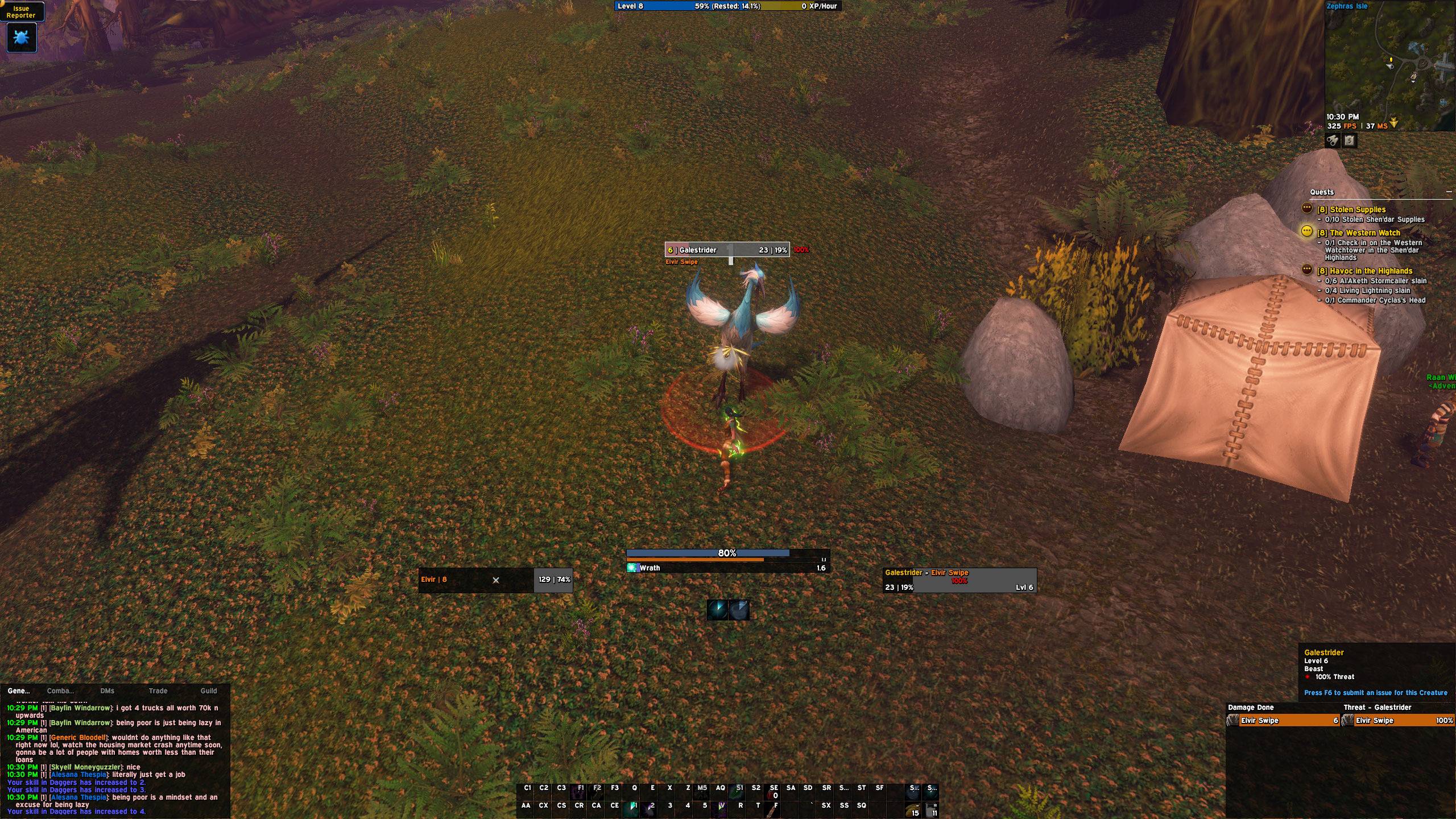
- Everything in the middle: your mana and cast bar between you and your target, the swing timer under it, your cooldowns under that
- Damage and threat side by side in one strip
- Chat set up for you: General, DMs, Trade and Guild tabs
Every class
Paladin, warrior, warlock, rogue, druid, hunter, mage, priest and shaman all get:
- Cooldown bars with your main spells on top and utility and defensives below. Spells go red when your target is out of range, and move to your new rank as you level.
- Timers on the bars for your seal, DoTs, curses, debuffs, shouts and crowd control, red near the end
- Racials bar with your on-use trinkets, healthstones and potions, with count and cooldown. Only what's in your bags shows.
- Buff reminder: out of combat, a missing long buff shows at the top of your screen. Red when it's gone, yellow when it's running low. Click it to cast. Hunters also get a warning when their ammo runs low.
- Glows when something is worth pressing, like Revenge after a block, Riposte after a parry, Exorcism on undead or finishers at 5 combo points
Paladins, warriors and druids pick Tank or Damage per character, and the bars change to match.
Warriors
- Battle Shout with its time left, and a glow when it's down and you have an enemy targeted
- Sunder Armor with its stack count, counting every warrior's sunders, and a glow on elites and bosses when it needs refreshing
- Thunder Clap, Demoralizing Shout and Rend timers on your target
- Shield Wall, Last Stand and Challenging Shout show their time while they're up
- Heroic Strike and Cleave glow on your action bars while they're queued
- Tanks get a warning in dungeons and raids when they're out of Defensive Stance or have no shield on
Extras
Switch any of these on or off in /elvir:
- Combat: "Interrupted" on your cast bar, target fades out of range, raid markers on friendly NPCs, loot rolls by your target frame with a timer, "Stunned" and the like under debuff icons
- Looks: dark bags and bank, talent ranks as 0/3, short gear stats on tooltips, RXP Guides in the ElvirUI look, clean zone text, class coloured FPS and MS
- Chat: timestamps and a whisper tab alert in colours you pick, Up arrow repeats your last message, Ctrl+C to copy chat
- Guild: auto-accept guild group invites, "inv" whisper invites, green guild names on tooltips, a cleaner guild window
ElvirUI also switches on some of EllesmereUI's own extras for you: map coordinates and unexplored areas, Quick Loot, Skip Cinematics and Auto-Fill Delete Confirmation. Turn any of them off and they stay off.
The installer
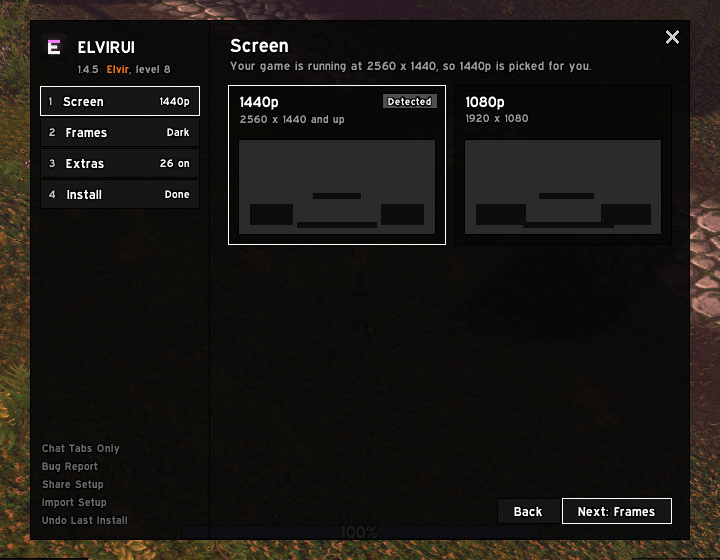
- Pick your screen (1440p or 1080p), your frame colours, your role and your extras
- A page for your class showing everything ElvirUI adds for it
- Checks that every EllesmereUI part you need is there and turned on
- Spots other addons doing the same job and lets you turn them off in one click
- Sets up an Edit Mode layout for the Blizzard frames EllesmereUI doesn't replace
- A short tour after installing points out where everything is
- Reinstalling keeps what you changed yourself, and your old profile is backed up for a week
- Alts get a one-click setup the first time you log them in
Commands
- /elvir opens the installer
- /elvir tour shows the tour again
- /elvir test shows every timer, reminder and glow for 15 seconds
- /elvir report gives you a bug report to paste
- /elvir ids checks the spells and items ElvirUI uses for your class
Requirements
- EllesmereUI 9.5.4 or newer
- After your first install, log out to character select once so the nameplate fonts update
ElvirUI never edits EllesmereUI's files. Thanks to Ellesmere for EllesmereUI.
ElvirUI Team