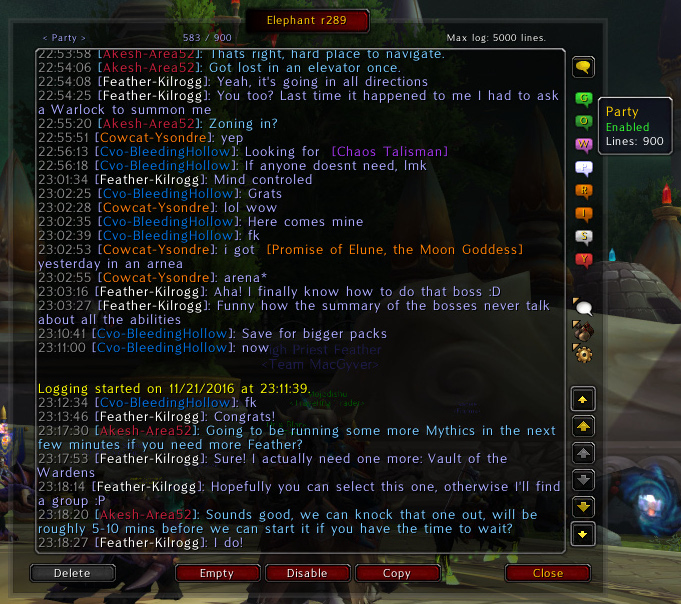
That's where you read the logs and select (on the top right) which chat to show.
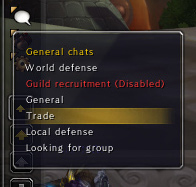
The dropdown that lets you select which general chat to read. There is also one for misc. (achievements, item loot, system messages) and custom channels (the ones you manually join).
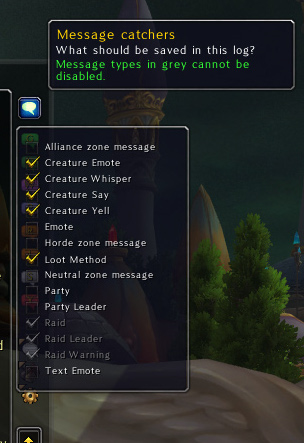
For each log, you can configure which messages should be captured in it. For example, you may want to capture your current group messages in the raid log as well.
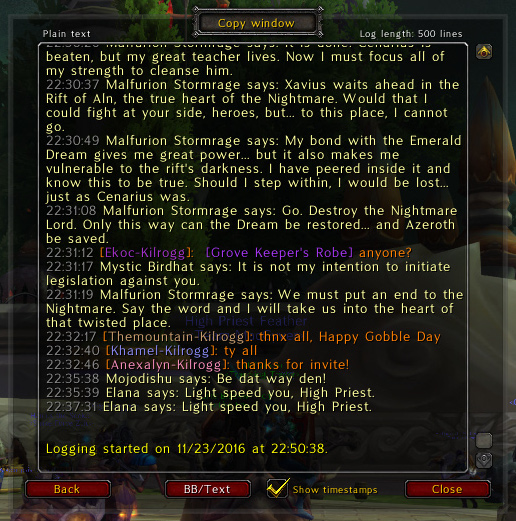
Lets you copy logs in their raw format. Colors are displayed in the window for readability, but they are not preserved when copy/pasting.
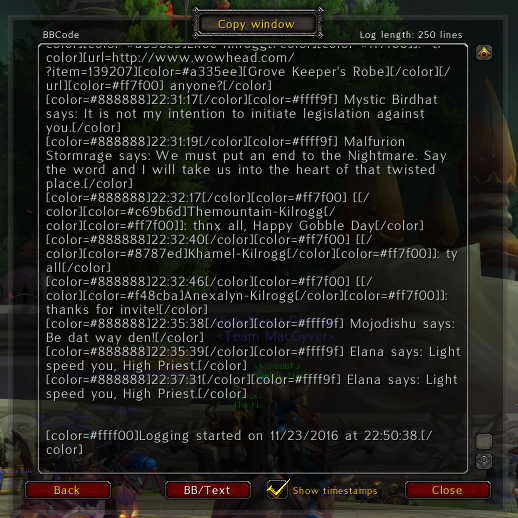
You can also output the logs in a BBCode format, so you can paste that directly on forums. No need to manually type chat or item colors anymore!
Description
Elephant
Download
https://www.curseforge.com/wow/addons/elephant
Solution to chat loss annoyance
Elephant logs the chat for you in the background even when you get disconnected. It saves the WHISPER & BATTLE.NET, RAID, INSTANCE & BATTLEGROUND, PARTY, GUILD, SAY, YELL and OFFICER chats separately, but also all general chats (General, Trade, LocalDefense, …), custom chats you are currently on, achievements, loots, pet battles and finally system messages (auctions, rolls, server going down, …). You can easily go through all these logs, thanks to a straightforward interface displaying all the access buttons on the right side of the main window. You can access the options of the addon by typing /elephant and also bind a key to pop up the addon.
Elephant gives you the ability to copy up to 100,000 (yes, 100k) characters of logs to another application. A BBCode feature is even included, letting you copy/paste a chat with colors and links to an item database in a very quick and simple way to your favorite forum.
This is THE addon that you should install if you want to never forget what somebody told you in game. Be a pro of managing hell tells, go peacefully AFK for a few minutes, or be an awesome role player. Elephant is also perfectly designed for Guild Leaders, Officers and Raid Leaders particularly because it restores the chats after you've been disconnected.
Main features
- Logs the chats in the background, with a limit of 10,000 lines for each chat (Blizzard's default is 161 lines for everything).
- Saves the logs when you log out or get disconnected.
- Display the chats with timestamps, or using your Prat settings if you have it installed.
- Copy the chat and paste it in other applications (BBCode supported!), up to 100,000 characters.
- Save the chat and combat log in two different files on your computer (using the default Blizzard logging system).
Other features
- Use filters to avoid logging some of the custom channels you join.
- Enable/disable logging for each chat separately.
- Item links in logs are displayed in their proper color and are clickable.
- Player names in the main window are clickable.
- Customize the font and look of the main window.
- …and much more!
Bug reports
Report an issue (bug & suggestions): https://www.wowace.com/projects/elephant/issues
Elephant Team

Owner