
Eavesdropper
- By


On the left hand we have the Eavesdropper frame, showing the character's history of whoever is your target/mouseover. On the right hand we have the settings page.
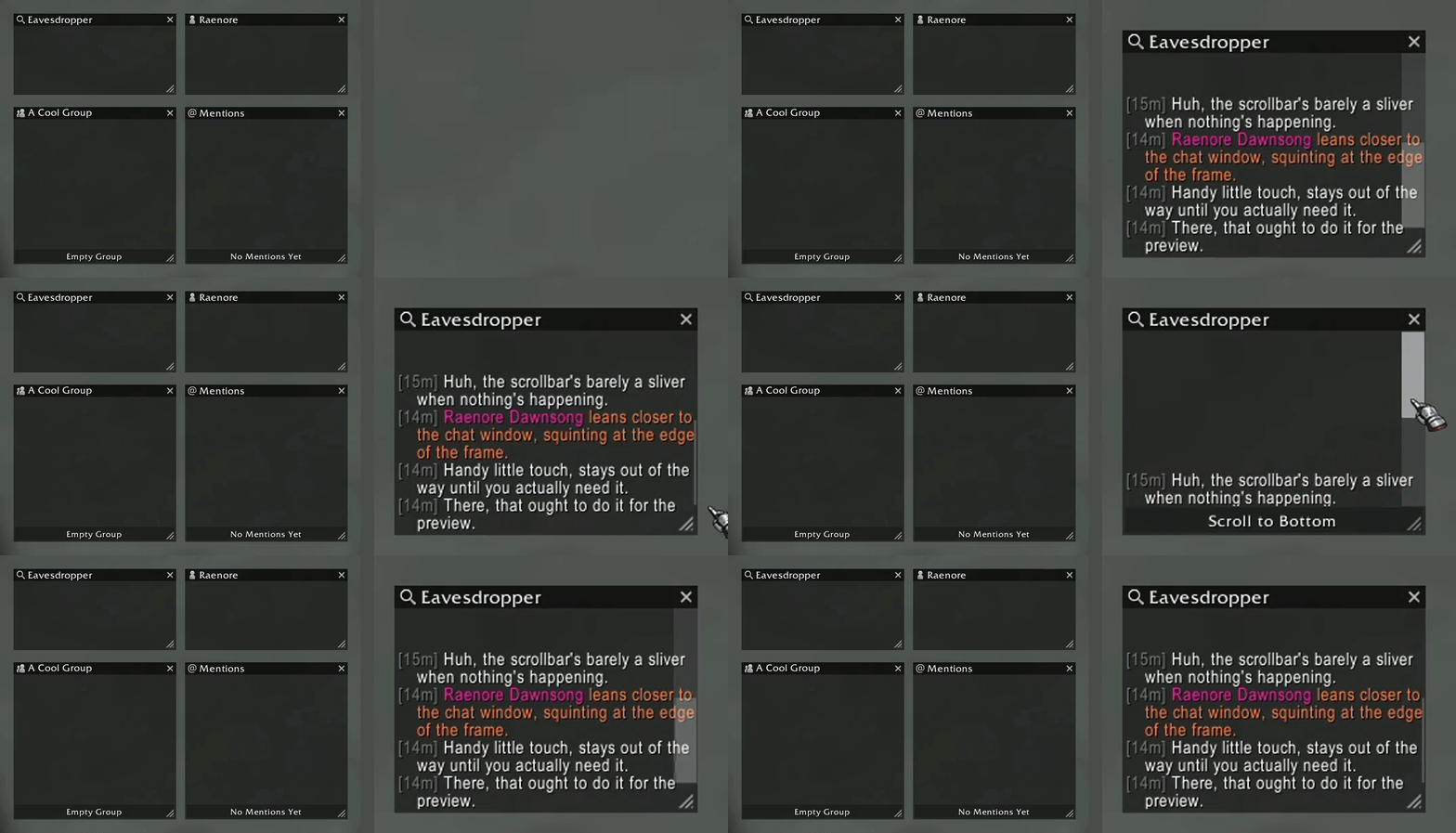
Each window type (Main, Dedicated, Group, and Mentions) features a distinct title bar icon and a subtle scrollbar that expands on hover. The chat frames are clean and focused, stripped of unnecessary visual clutter for quick, fluid navigation.
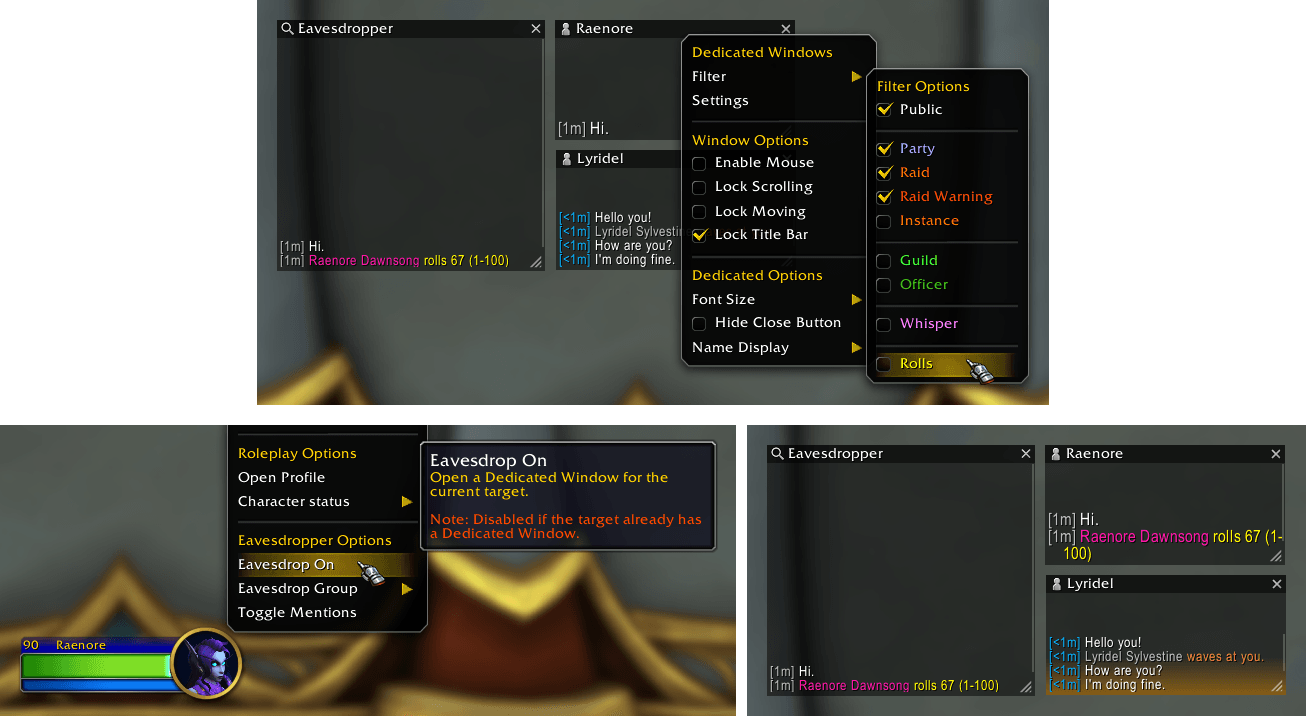
Showcasing everything for Dedicated Windows. The yellow new message indicator. Customize filters per window. Right-click unit menu, and chat name, to open a window through "Eavesdrop On".
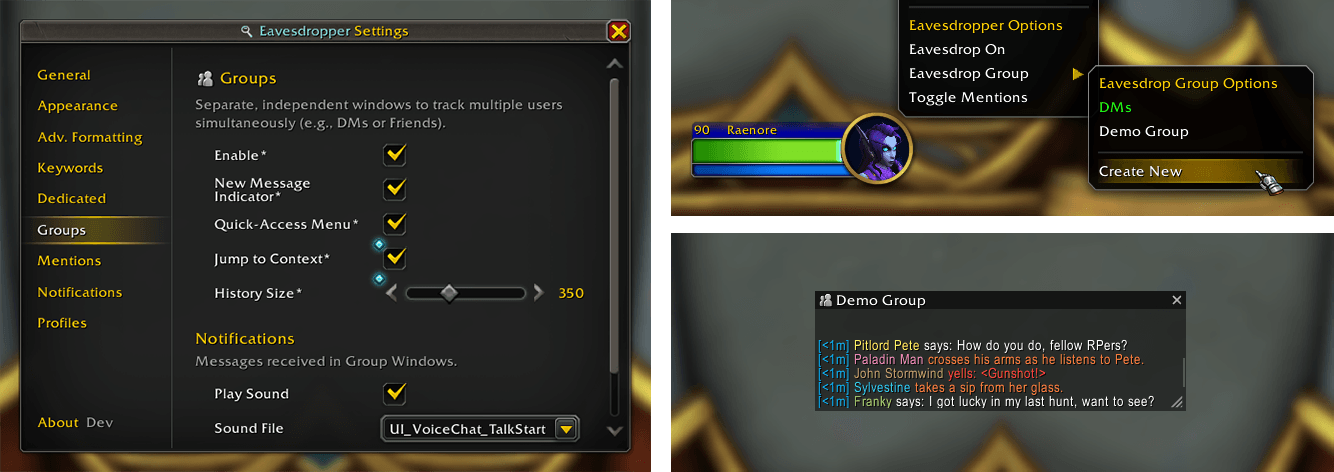
Showcasing everything for Group Windows. Multiple players can be in a single window. Customize filters per window. Right-click unit menu, and chat name, to create/join a window through "Eavesdrop Group".
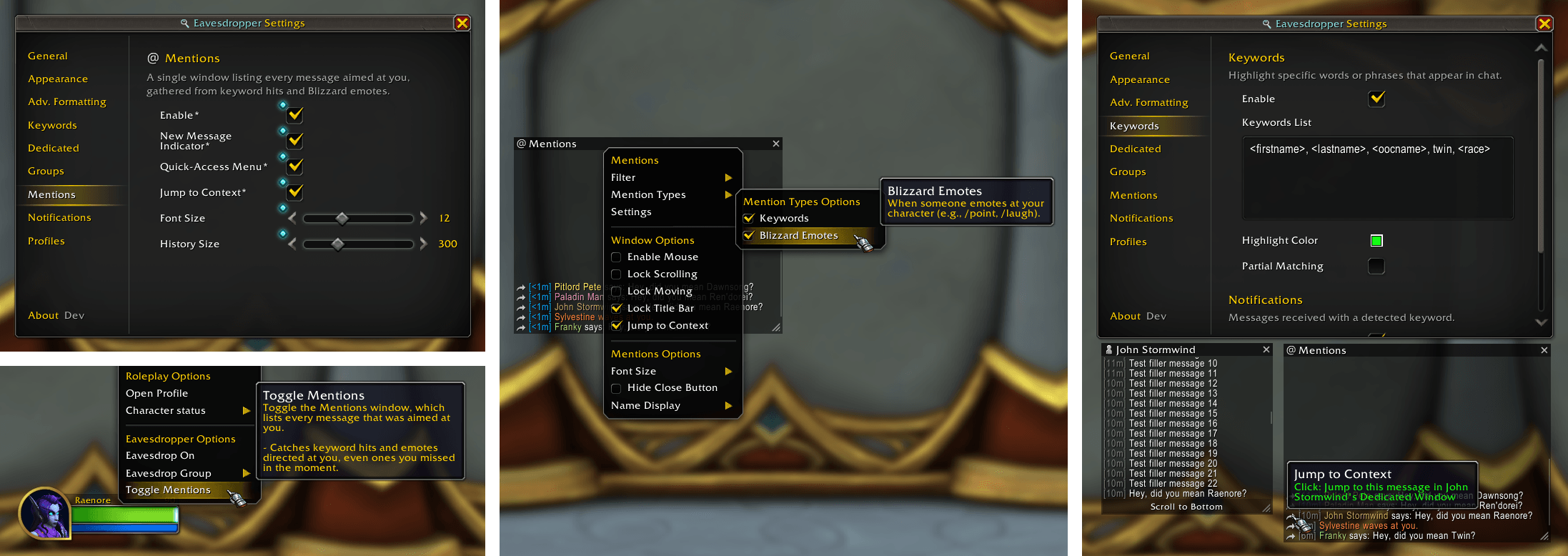
Showcasing the Mentions window. A dedicated window listing every message aimed at you, whether through keyword hits or Blizzard emotes (e.g. `/poke`, `/wave`), across all channels.

Front and center we see the Keywords panel, where the user can choose specific terms or custom ones to get a highlight from, and notification if they so want.

Front and center we see the Notifications panel, where the user can choose to enable sound notifications and taskbar flashing when someone directs at Blizzard emote at you, or when a message is received from your current target.
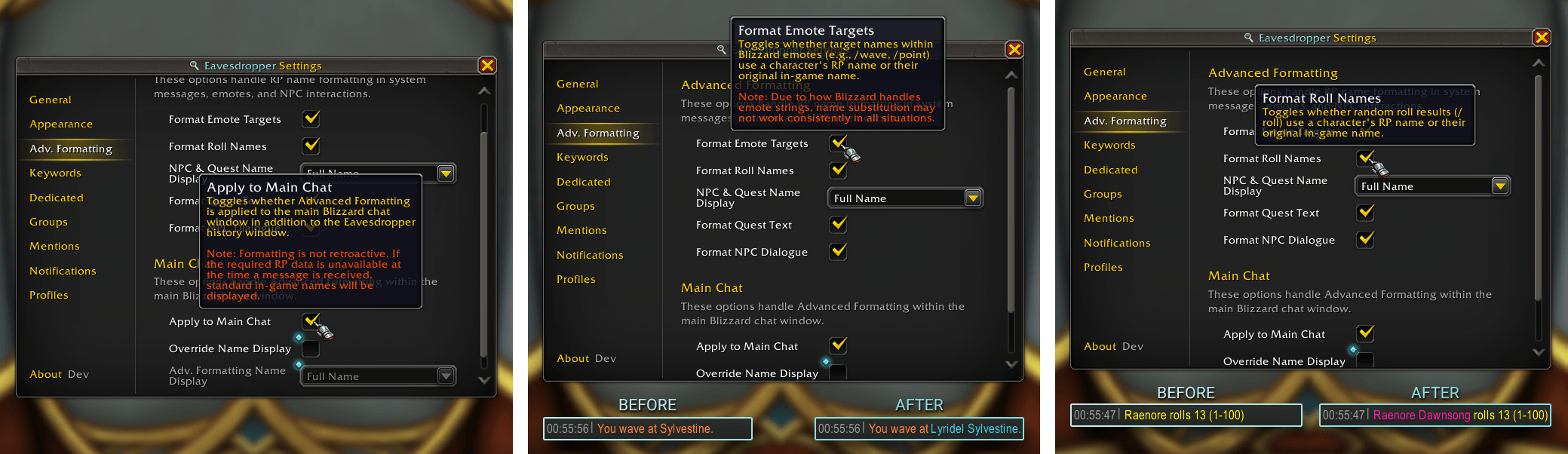
Here we have all the Advanced Formatting options available for Eavesdropper. - Applying all advanced formatting of names to Main Chat. - Format Emote Targets - Format Roll Names
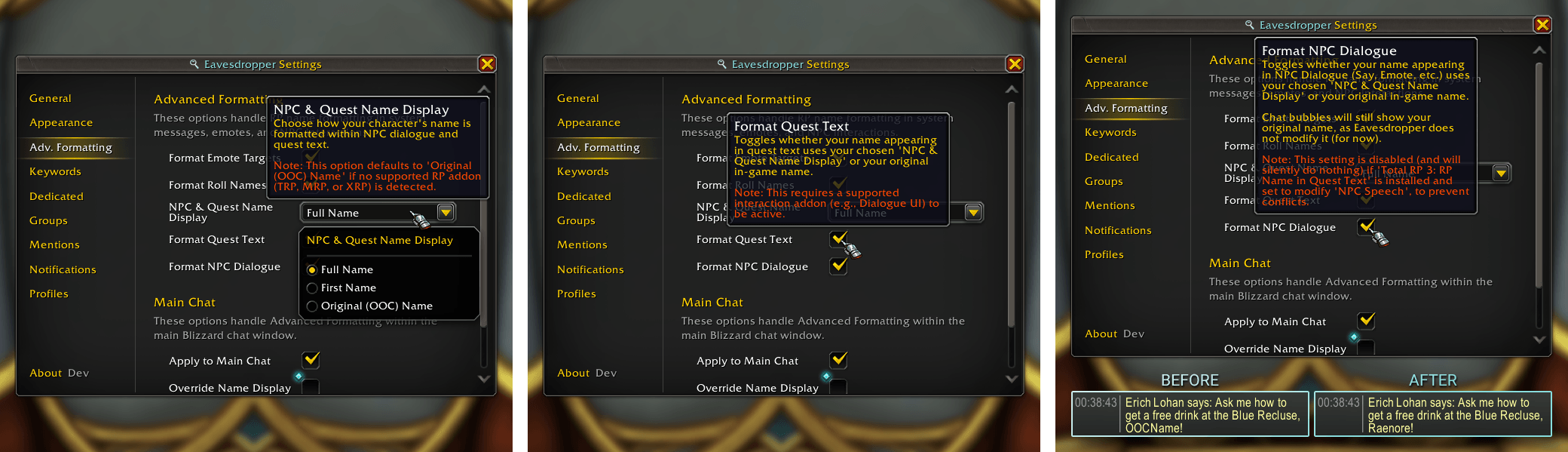
Here we have all the Advanced Formatting options regarding NPC Dialogue and Quest Text available for Eavesdropper. - NPC & Quest Name Display (the RP name that will be used) - Format Quest Text - Format NPC Dialogue
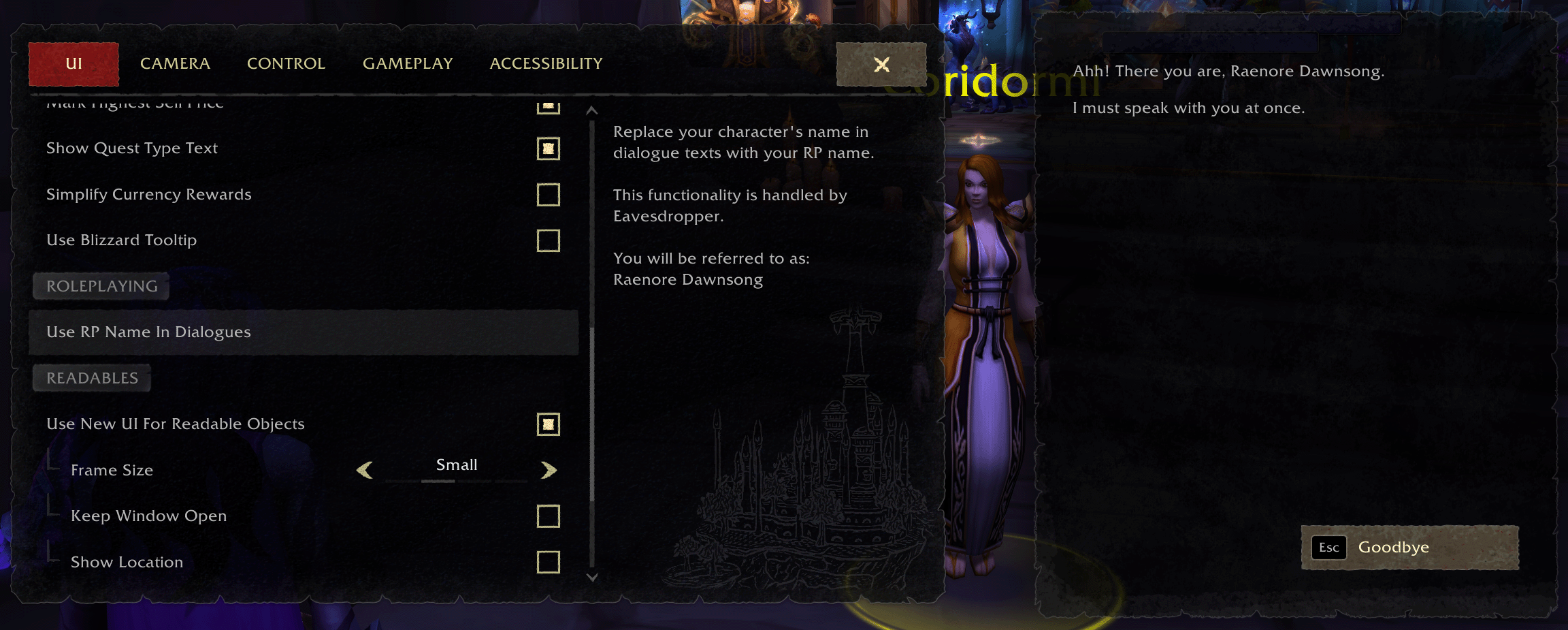
Use your RP name in Quest Text while using Eavesdropper and Dialogue UI together.
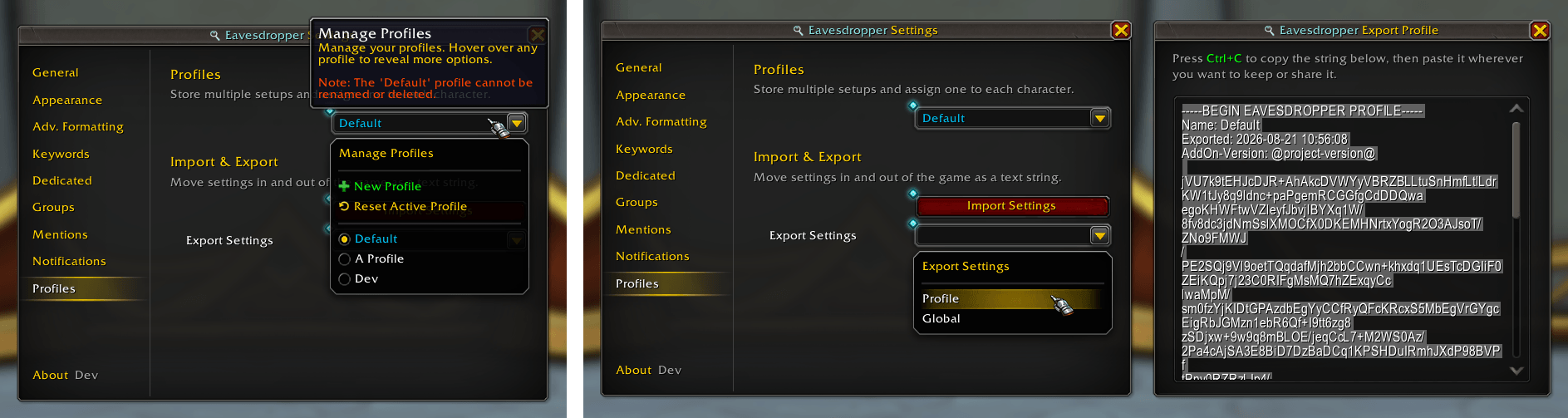
The Profiles page, showcasing the "Profile Export" setting and the window. It includes a label portion at the start where you can quickly identify the name, when you exported it and what addon version you used.

On the left hand we have the chatbox showing a multi-message. On the right hand we have the Eavesdropper history window that realizes it is the same emote and only shows the name once per emote!
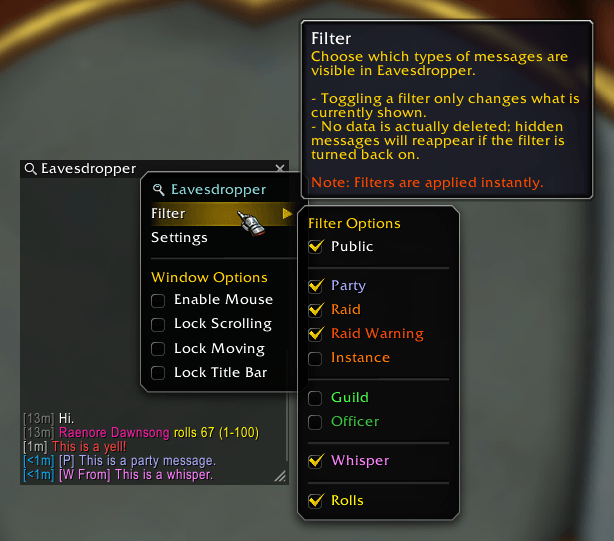
On the left hand we have the Eavesdropper frame, showing the character's history of whoever is your target/mouseover. On top of that we have the user hovering over the Filter options, showcasing that what message are shown can be filtered in real-time.
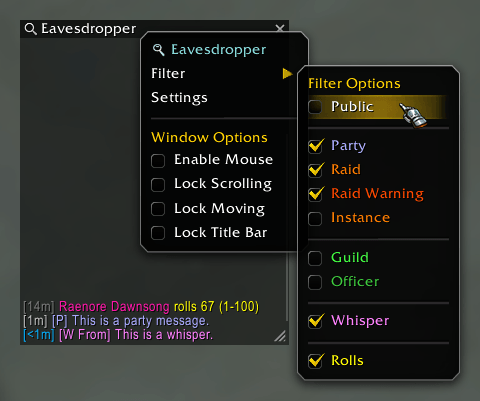
On the left hand we have the Eavesdropper frame, showing the character's history of whoever is your target/mouseover. On top of that we the user having toggled all Public messages, showing just the current party and whisper messages that remain.

Versus image of Public On vs Public Off
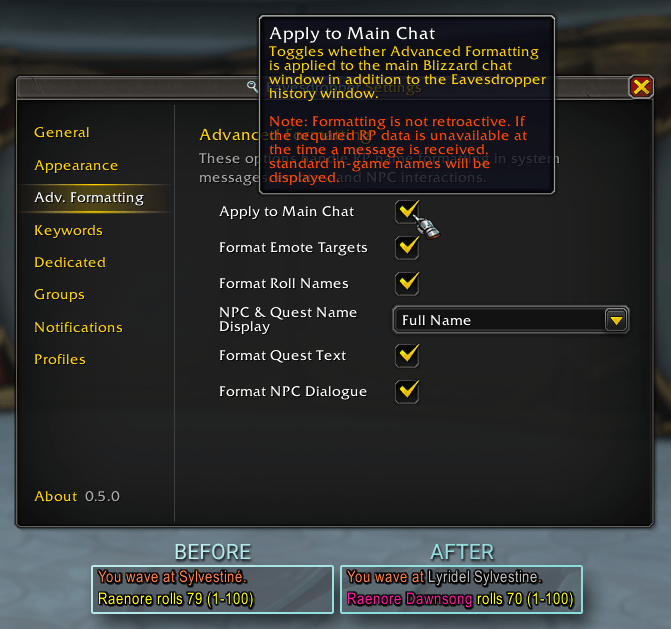
On the left hand we have the chatbox showing a multi-message. On the right hand we have the Eavesdropper history window that realizes it is the same emote and only shows the name once per emote!
![Thumbnail The Clickable Commands preview of Eavesdropper.
These [Clickable Commands] can be clicked on and will execute the accompanying "/ed" command.](https://media.forgecdn.net/attachments/1764/17/clickablecommands-gif.gif)
The Clickable Commands preview of Eavesdropper. These [Clickable Commands] can be clicked on and will execute the accompanying "/ed" command.
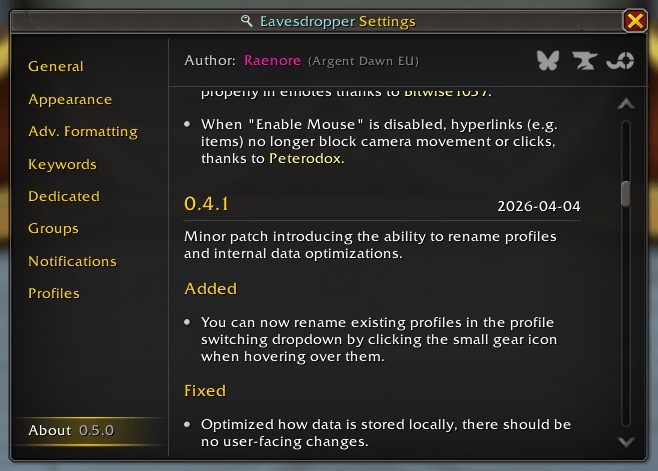
The about tab preview of Eavesdropper. This displays the author information at the top, with project links to CurseForge and Wago. Below it we have the changelog, showcasing all the additions to Eavesdropper (latest and old).