
EasyWishlist
- By
EWL-1.png
EWL-4.png
EWL-2.png
EWL-3.png
Description
About
EasyWishlist is a World of Warcraft addon that brings your simulation results directly into the game. Instead of alt-tabbing to check which items to prioritize, EasyWishlist displays a clean, ranked wishlist of your best gear upgrades right inside WoW — always at hand when you're in a raid, dungeon, or deciding what content to run next.
Powered by reports from Raidbots and Questionably Epic, EasyWishlist turns your sim data into a visual, sortable list so you never lose track of your next upgrade.
Join Discord server if need any support or want to give some feedback! https://discord.gg/JsjrptnBtP
Features
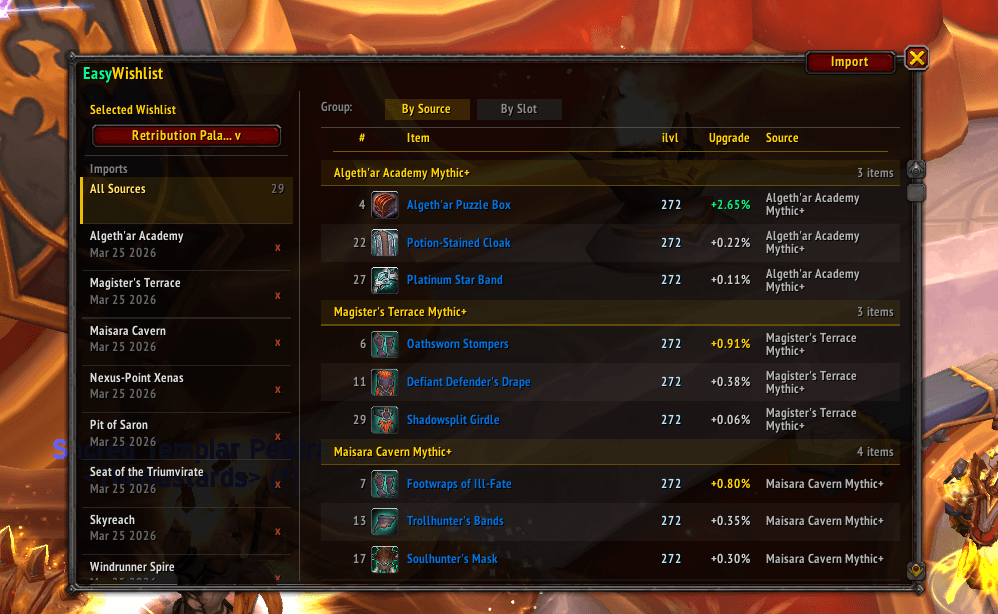
- Ranked upgrade list — Items sorted by upgrade percentage, so your best upgrades are always at the top
- Item level display — See the exact item level of each upgrade at a glance
- Source column — Know instantly whether an item drops from a raid, dungeon, or other content
- Group by Source — Organize your wishlist by where items drop, perfect for planning your weekly lockouts
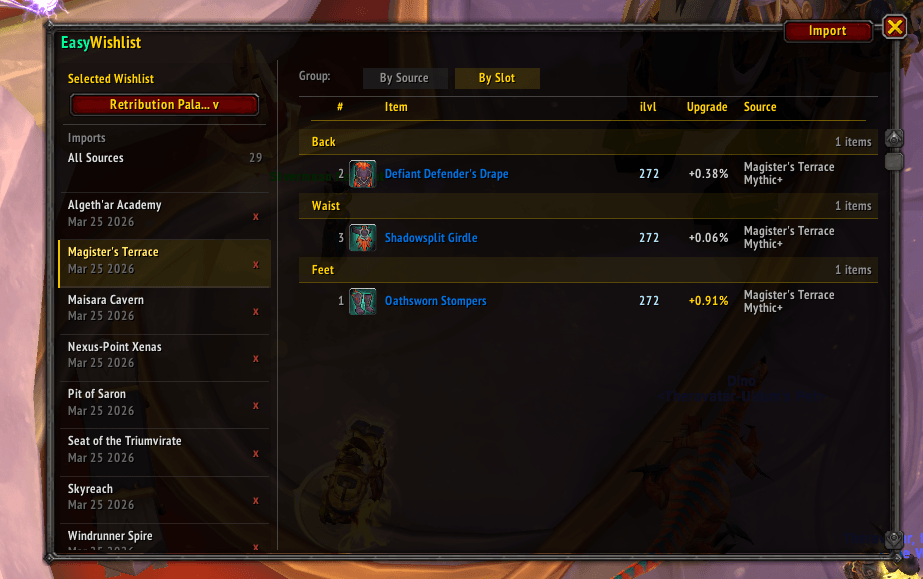
- Group by Slot — Organize by gear slot to identify which slots need the most attention
- Named wishlists — Create multiple wishlists (e.g. one per spec or role) and switch between them from the sidebar
- Dungeon sidebar — All your imported sources are listed in a left-side panel with name and import date; click any row to filter the item list to that source only
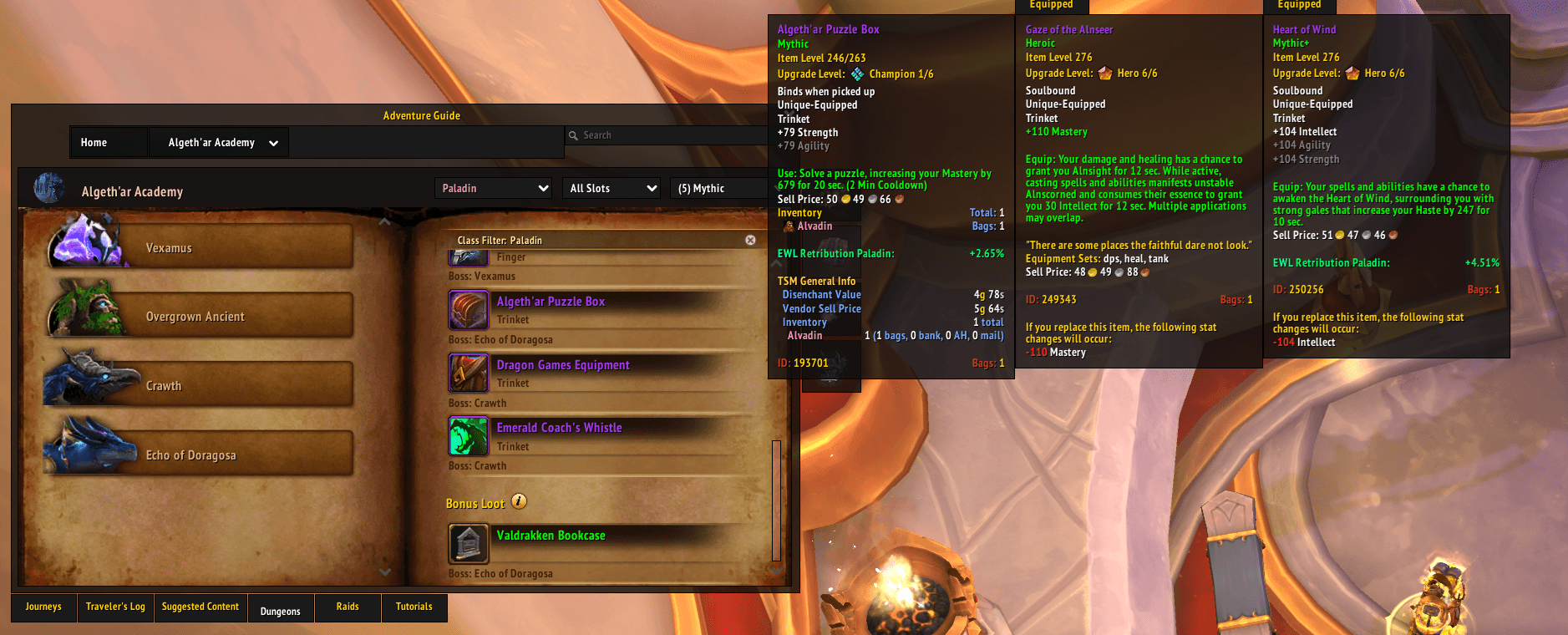
- Tooltip hints — Hover any item in the game world and EasyWishlist will show your simmed upgrade percentage directly in the tooltip
- Clean, minimal UI — Fits naturally into the WoW interface without cluttering your screen
Other Features
- Minimap button — A minimap icon gives you quick access to EasyWishlist at any time. Left-click to open or close the main window. Right-click to access the import dialog directly
- Slash commands — Control the addon from the chat box:
- /ewl or /easywishlist — Toggle the main window open or closed
- /ewl import — Open the import dialog directly
How to Install
- Download the latest version of EasyWishlist from CurseForge
- Extract the folder into your World of Warcraft/retail/Interface/AddOns/ directory
- Restart the game or reload your UI (/reload)
- The EasyWishlist minimap icon will appear — you're ready to import your first report
How It Works
EasyWishlist uses a companion web app to process your sim reports before importing them into the game. Here's the full flow:
- Run your sim — Head to https://www.raidbots.com/ and run a Droptimizer simulation, or go to https://www.questionablyepic.com/ and run the Upgrade Finder. Once complete, copy the report URL from your browser
- Process it in the web app — Open the EasyWishlist web app at https://frostfel702.github.io/easywishlist_app/, paste your report URL, and click generate. The web app fetches and processes the sim data into a compact import string
- Copy the import string — Copy the result string generated by the web app
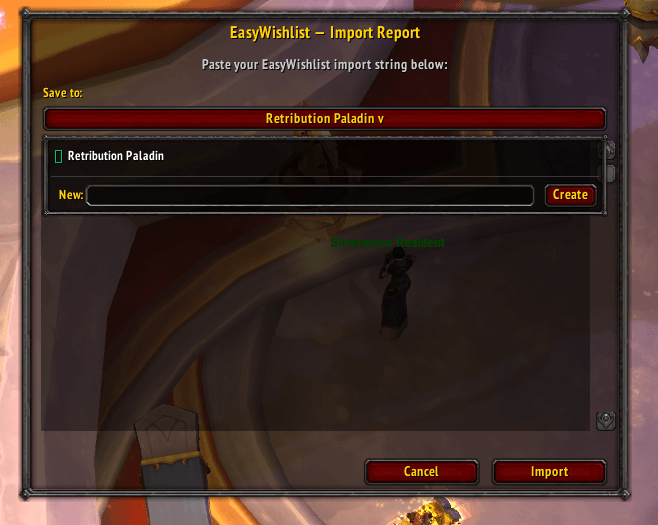
- Import into the addon — In-game, click the Import button in the top-right corner of the EasyWishlist window (or use /ewl import), paste the string into the text box, select or create a wishlist to import into, and click Import. Your wishlist will populate instantly
Open Source
EasyWishlist is open source and free to use. The source code for both the addon and the companion web app are available on GitHub. Contributions, bug reports, and feature suggestions are welcome.
EasyWishlist Team
