Easy Macro Builder
- By
Make WoW macros without code: pick blocks, see what they do in plain words, save for all your characters.
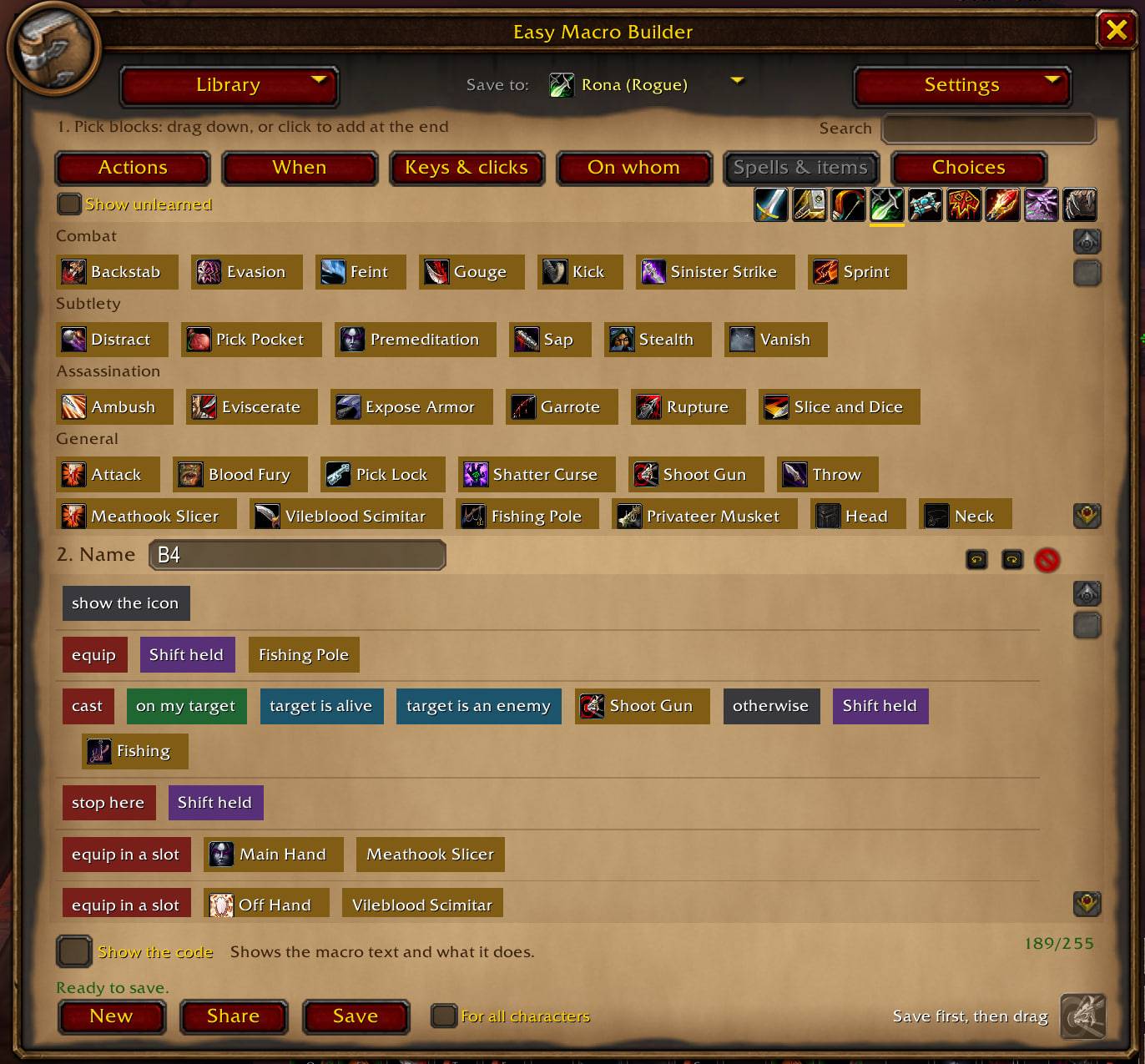
photo_2026-11-10_04-56-10.jpg
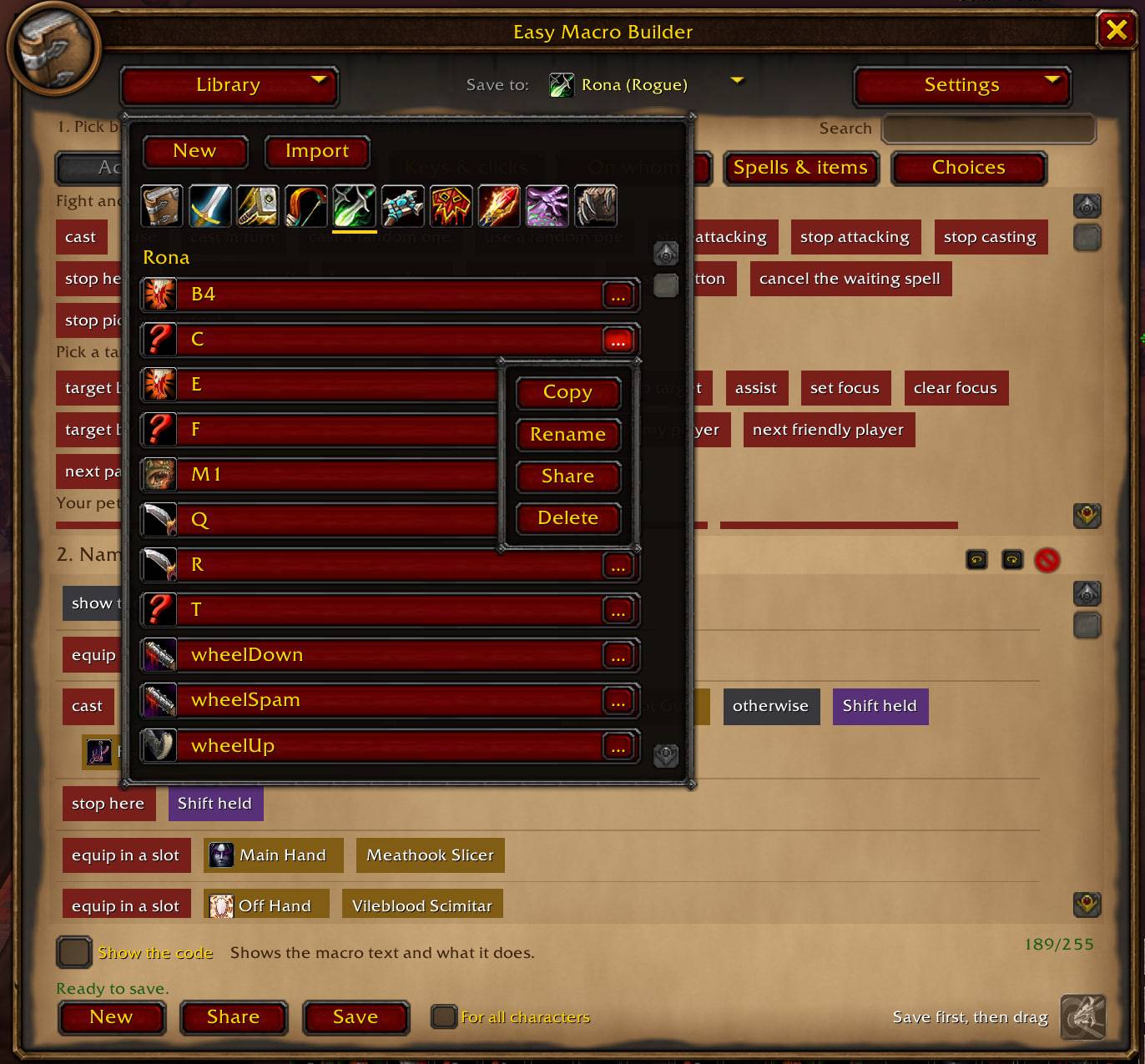
photo_2026-11-10_04-56-27.jpg
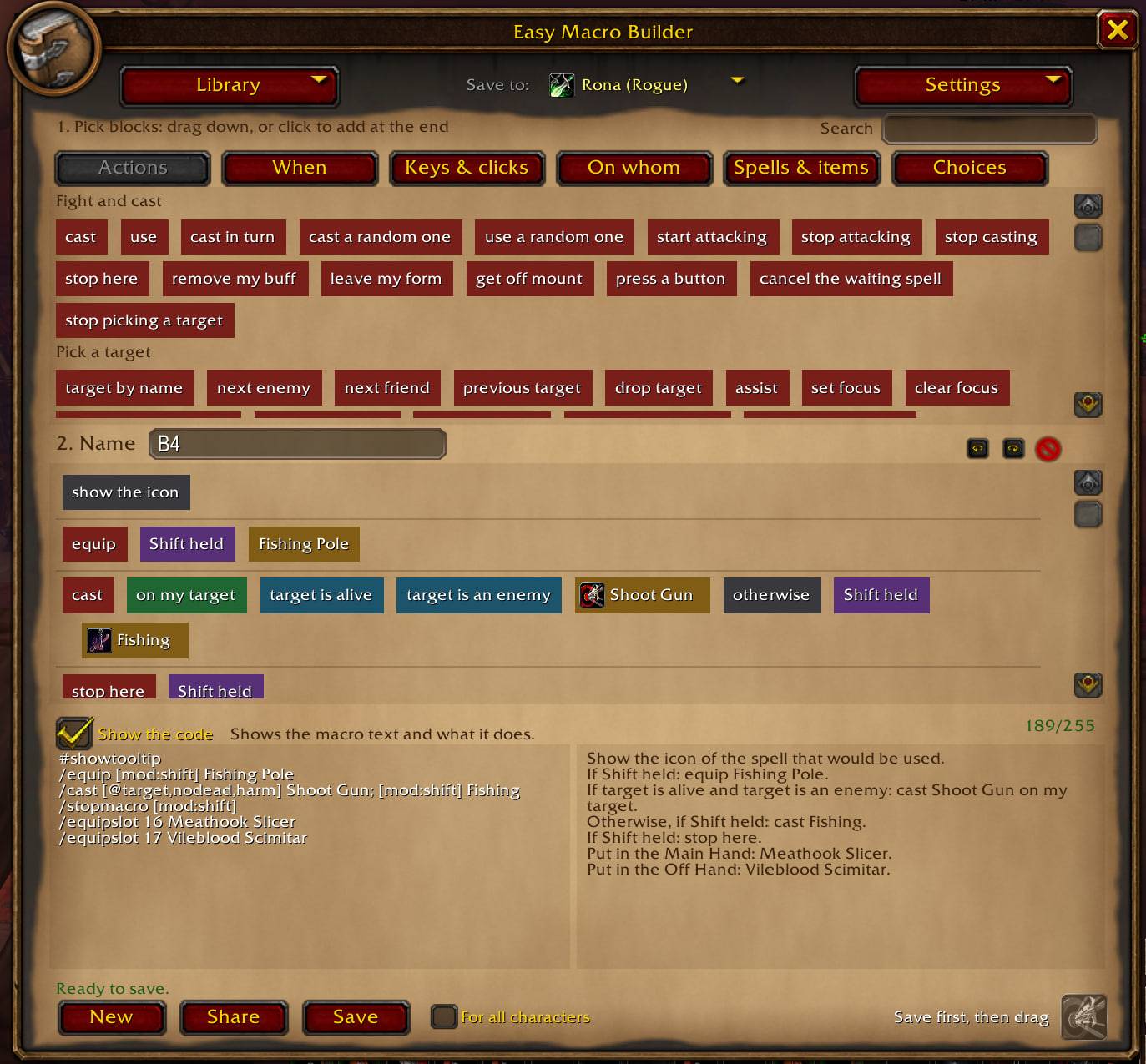
photo_2026-11-10_04-59-14.jpg
Description
Build macros from blocks — no code needed
Easy Macro Builder lets you create World of Warcraft macros by putting blocks together instead of typing macro syntax. Pick what to do, when to do it and on whom — the addon writes the macro text for you and explains it in plain words.
What it does
- Blocks instead of code. Commands (
/cast,/use,/target,/equipslot…), conditions (in combat, stealth, modifier keys…), targets (mouseover, focus, yourself…) and logic (or / else) are blocks you click or drag into place. - Your spells and items. The Spells & items tab lists your spells by specialization tree. Unlearned spells are shown faded and can still be used. You can also browse other classes' spells, for example to build a macro for a friend.
- Equipment slots. Blocks for every character slot (head, trinkets, main hand, off hand…) for
/equipslotand/use. For example: put on the off hand what is in the main hand, without naming the weapon. - Plain-language explanation. Tick Show the code to see the macro text and what it does in simple words.
- Mistake warnings. It warns about a spell that is not in your spellbook, the 255-character limit, an item that does not fit the chosen equipment slot, and lines that need a value.
- Game tooltips. Hovering a spell or item block shows the game's own tooltip.
- A library of all your macros. See the macros of every character you play, class templates that are created on every character of that class, and ready-made examples.
- Save where you want. Save to the current character, to all characters, or to another of your characters — that macro is created at its next login. A confirmation window always shows what will be saved and where.
- Two modes. Simple words for beginners, or raw macro syntax for experienced players.
- 12 languages. English, German, French, Spanish (EU and Latin America), Italian, Portuguese, Russian, Ukrainian, Korean, Simplified and Traditional Chinese.
How to use
- Type /emb or click the minimap button.
- Click or drag blocks into "2. Your macro".
- Give the macro a name and press Save.
- Drag the icon at the bottom right onto your action bar.
Safe by design
The addon only creates and changes macros out of combat and never presses buttons or makes decisions for you. Spell and item names in macros are always written in English, so the macros keep working whatever language your client uses.
Feedback
Found a bug or have an idea? Leave a comment on this page — it is read and answered.
Easy Macro Builder Team