Easy iLvl
- By
Display the item level of your gear on the Equipment Screen and the actual average iLvl of all equipped gear.
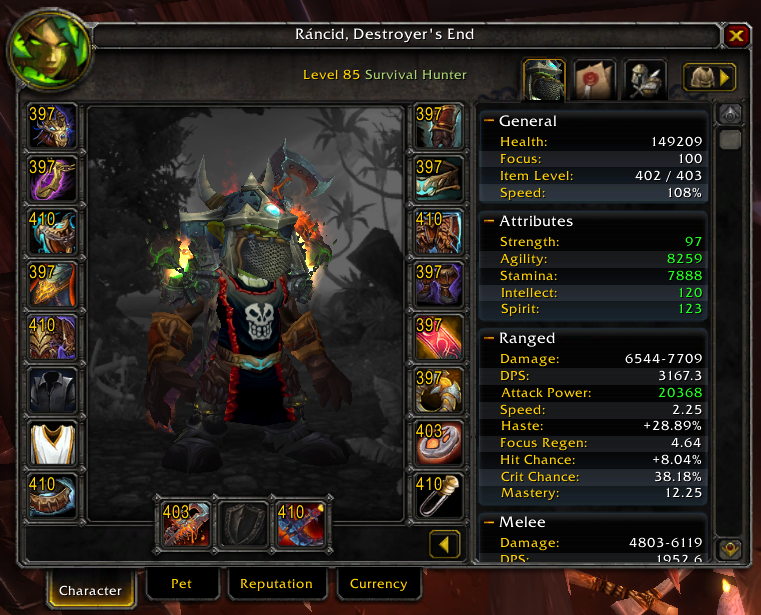
4.3.4.15595
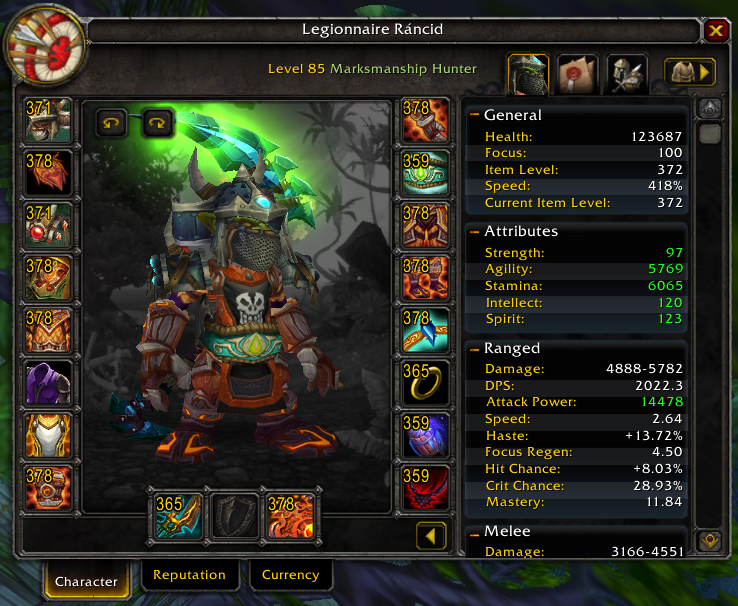
Updated Image of the UI
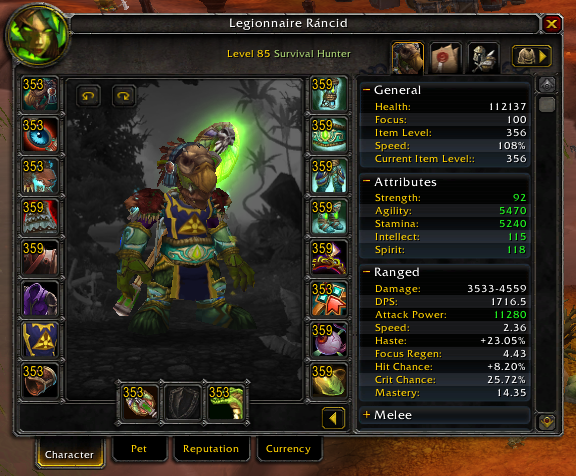
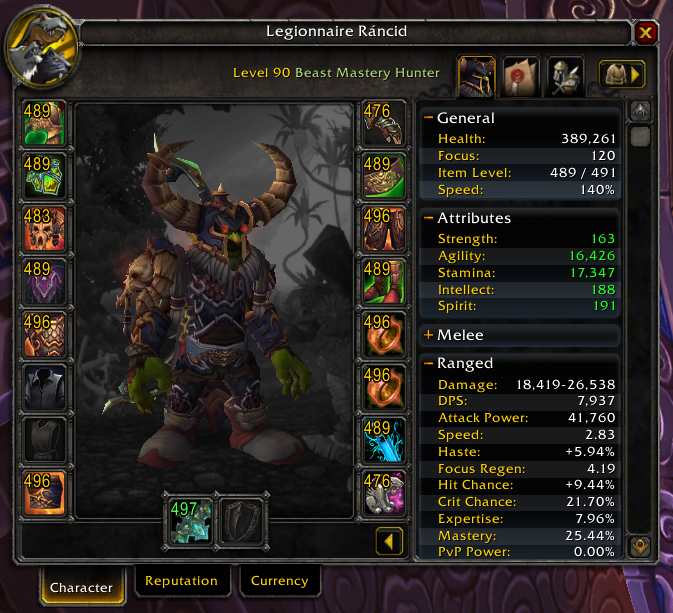
All gear is marked with the ilvl in the corner of the item image.
And on the right side the Current Item Level is displayed.
MOP 5.1.0.16357
Notice how the weapon iLvl color is green in the character screen, this denotes that the Item was upgraded.
Description
No need to hover over your items anymore to see the iLvl on the character screen, this add-on will display it in the upper left corner of the item.
The Easy iLvl Team


Owner