Easy Healer
EasyHealer is not a replacement for raid or party frames. It adds an extra layer of control that works with any interface. The addon creates customizable unit buttons—small, clickable squares that give you direct access to your healing spells.
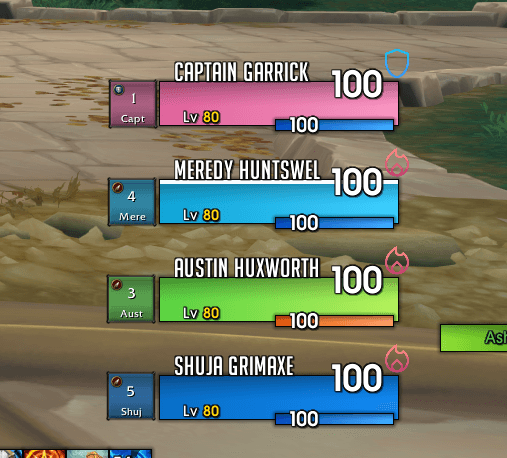
image6.png
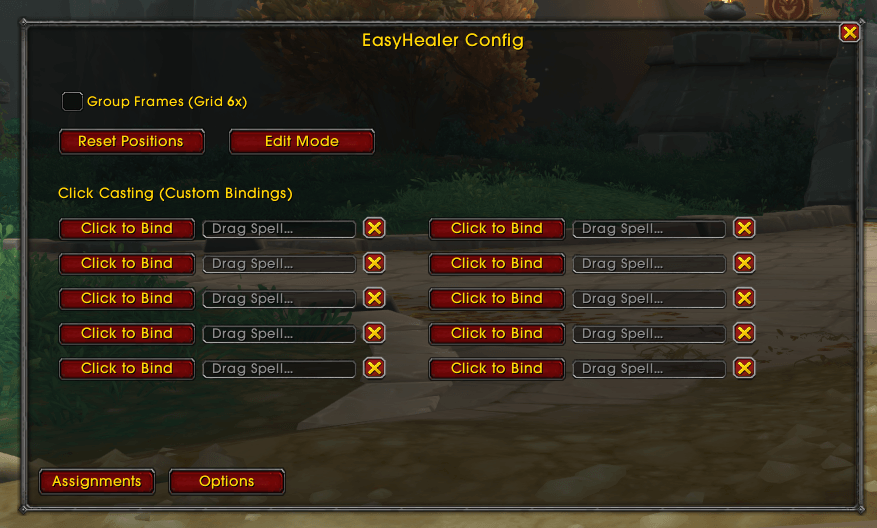
image3png.png
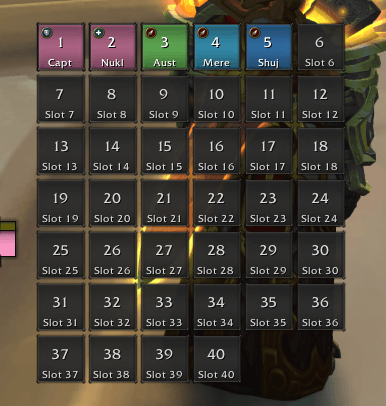
image7.png
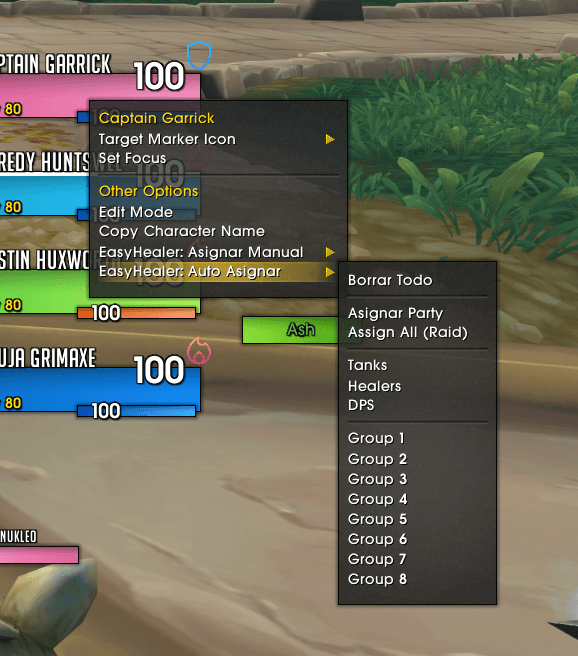
image5.png
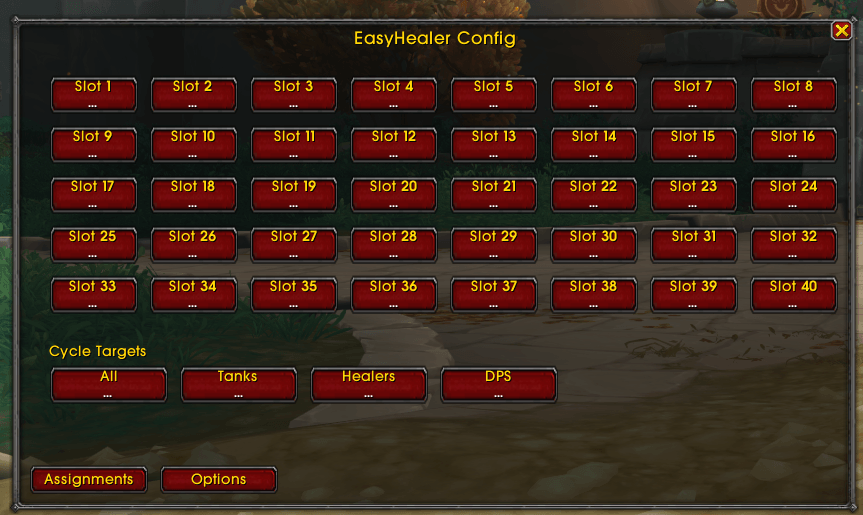
image2.png
Description
The ultimate healing interface for World of Warcraft
EasyHealer is not a replacement for raid or party frames. It adds an extra layer of control that works with any interface. The addon creates customizable unit buttons—small, clickable squares that give you direct access to your healing spells.
Whether you want to keep tanks within reach, focus on healers, or highlight specific groups, EasyHealer lets you decide who appears on your screen and how you interact with them.
What EasyHealer Does
- Custom healing buttons** that you can add or remove based on role (Tank, Healer, DPS) or group.
- Quick target cycling**, similar to tab-targeting for enemies, but for allies.
- Click casting** with mouse buttons (Left, Right, Middle, Side) and modifiers like Ctrl, Alt, and Shift.
- A clean, class-colored visual grid** that shows exactly what you need to know.
- Full control** over the position of every unit frame.
Key Features
-
Intuitive Click Casting
- Assign spells by **dragging and dropping** them from your spellbook into the configuration menu.
- Supports up to **10 custom bindings** and standard modifiers.
-
Smart Edit Mode
- Unlock your frames with **Edit Mode**.
- Move them freely with drag and drop.
- Snap them to a visual grid** for perfect alignment.
- Create custom layouts that suit your raid.
-
Role and Group Management
- Automatically organize frames by **role** (Tank, Healer, DPS) or by raid group.
- Keep your tanks front and center.
-
Commands
- /eh config` : Opens the configuration menu.
- /eh resetpos` : Resets all frame positions to the default grid.
Why Choose EasyHealer?
- Fast setup** so you're raid-ready in seconds.
- Lightweight** with minimal impact on performance.
- User-friendly design** that is simple yet powerful.
Download Now
Experience the easiest way to heal in Azeroth
Contact Us
If you have any questions or feedback, feel free to reach out. We're here to help you get the most out of this add-on.
<textarea id="BFI_DATA" style="width: 1px; height: 1px; display: none;"></textarea>
Easy Healer Team