2026-02-01 15_56_03-World of Warcraft.png
2026-02-01 15_56_44-World of Warcraft.png
2026-02-01 15_57_02-World of Warcraft.png
Description
🛡️ Earth Shield Tracker & Manager
Earth Shield Tracker & Manager is the ultimate utility for Shamans and Raid Leaders. It automates the tedious parts of healing—macro management and assignment tracking—so you can focus on the fight.
✨ Key Features
| Icon | Feature | What it does for you |
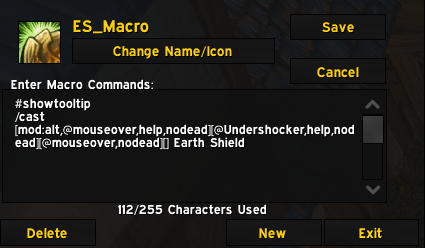
| 📝 | Dynamic Macro | Automatically builds a smart Macro that updates in real-time for your ES Target.Target Player -> Click Button -> Macro is Changed for ES on Target. |
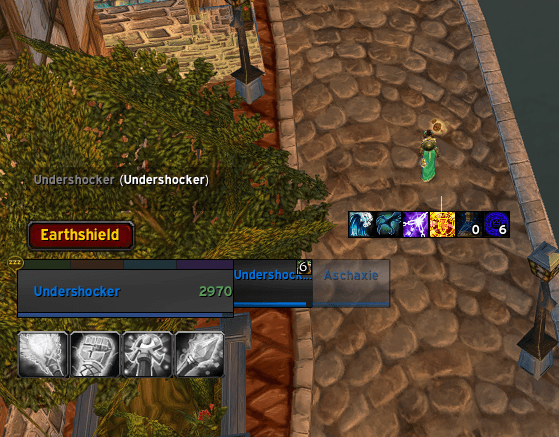
| 📊 | Live Tracker | Showing every active Earth Shield in your raid. |
| 🎨 | Smart Colors | Green = Correct Target, Red = Wrong Target, Grey = No Assignment. |
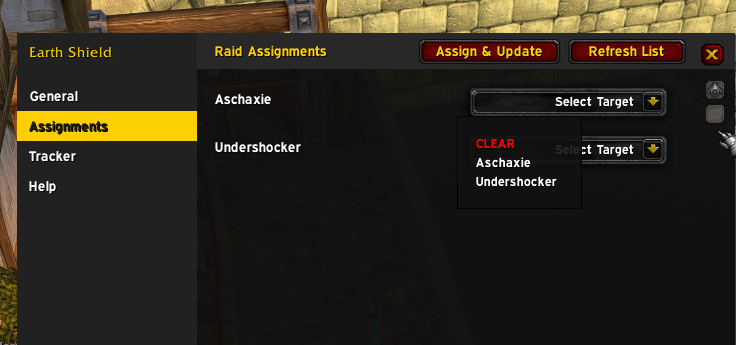
| 👑 | Raid Leader Suite | Assign targets to other Shamans with a single click via Addon Messages. |
| 🖱️ | Quick-Set | Target a player and click the UI button to bind them to your macro instantly. |
🕹️ How to Use
The Smart Macro (ES_Macro)
Upon loading, the addon creates a character-specific macro. Drag it to your bar!
⌨️ [ALT] + Mouseover: Emergency cast on whoever you are pointing at.
🖱️ Direct Click: Casts on your Assigned Target, even if they aren't your current target.
🔄 Dynamic Fallback: If no target is set, it works like a standard mouseover macro.
Real-Time Tracking
The tracker window monitors the entire raid's Earth Shield status:
✅ Green: Shield is on the assigned tank/player.
⚠️ Red: Shield is active, but on the wrong person.
⚪ Grey: Shield is active, but no assignment was given.
👑 Raid Coordination (For Leads)
Coordination has never been easier. Open the Assignments tab (/es) to see a list of all Shamans in the raid:
Select: Pick a target for each Shaman from the dropdown list.
Broadcast: Hit "Assign & Update".
Sync: Every Shaman's macro will instantly update to their new target!
⚙️ Slash Commands & Controls
💬 /es — Opens the main configuration menu.
💬 /es macro — Forces a manual macro refresh.
🖱️ Left-Click (Button): Sets your current target as your ES priority.
🖱️ Right-Click (Button): Clears your target (resets to mouseover mode).
🛠️ Customization
Visuals: Change the scale, width, height, and transparency of the UI.
Locking: Use the Lock toggles to prevent accidental movement during combat.
Announcements: Customize the chat message sent to the raid when you set a new target.
Pro Tip: Position the Tracker near your raid frames.
The Earth Shield Auto Target Team