
Sans titre.png
Capture dâécran 2026-05-27 104159.png
Capture dâécran 2026-05-27 104212.png
Capture dâécran 2026-05-27 104222.png
Capture dâécran 2026-05-27 104233.png
Capture dâécran 2026-05-27 104247.png
Capture dâécran 2026-05-27 104302.png
Capture dâécran 2026-05-27 104314.png
Description
DyBAddon
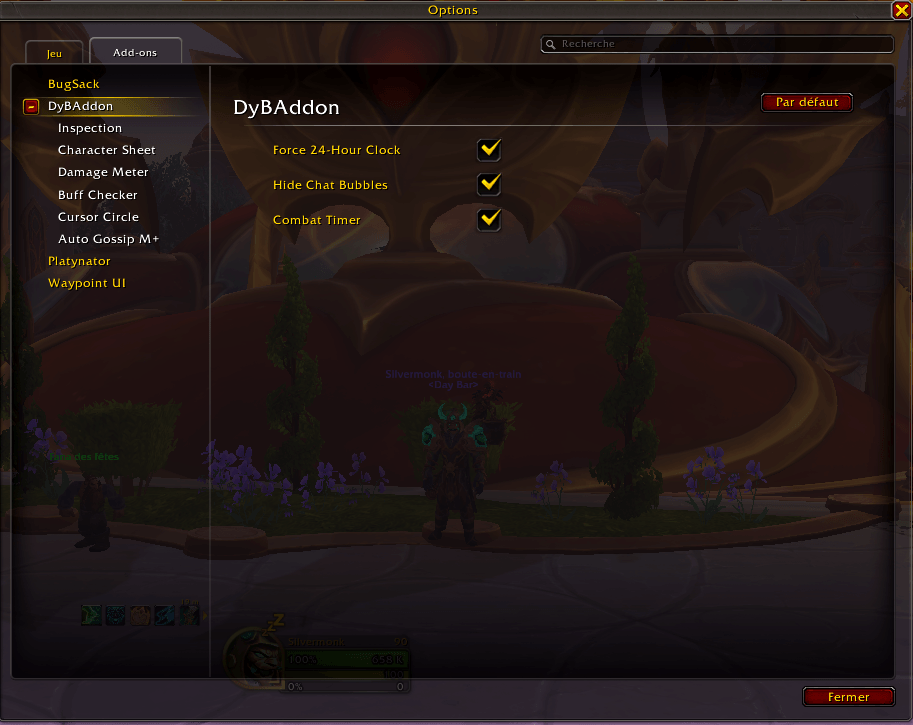
A lightweight, modular World of Warcraft addon that bundles several quality-of-life improvements into a single package. Every feature is independently toggleable from the in-game settings panel (System Settings > Addons > DyBAddon) with no reload required.
Available in french & english.
Features
Force 24-Hour Clock
Automatically switches the in-game clock to 24-hour (military) time on login. Enabled by default.
Hide Chat Bubbles
Hides the speech bubbles that appear above NPC and player characters in the world. Disabled by default.
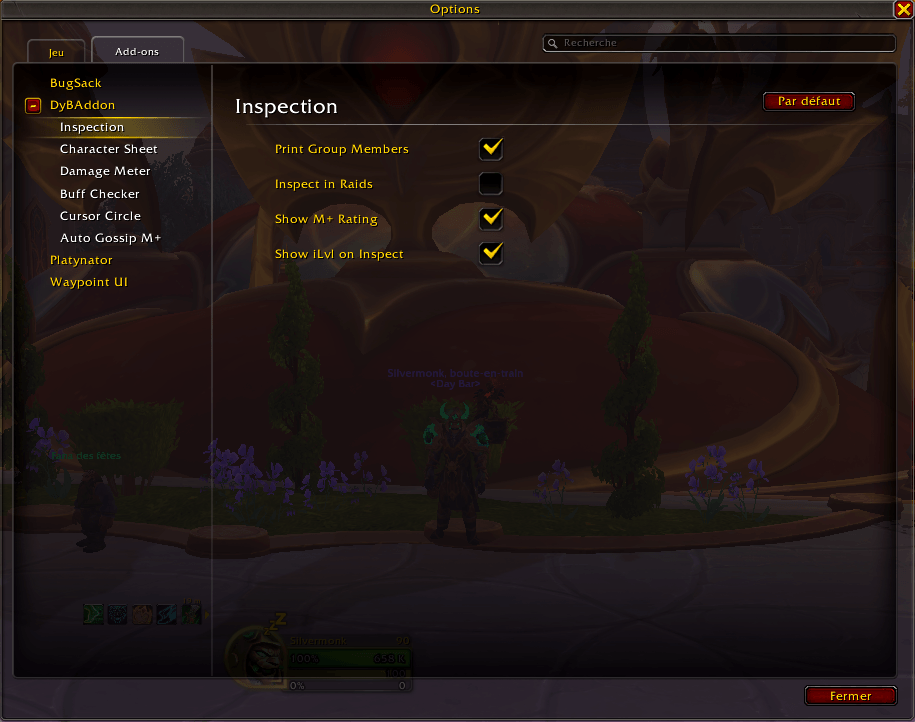
Group Inspector
When you join a group or a new member joins yours, each member is automatically inspected and their race, class, specialization, item level, and Mythic+ rating are printed to your chat window — with inline icons for quick visual scanning.
- Inspection is queued one player at a time with throttling to avoid API rate limits.
- A separate option controls whether inspections also run inside raid groups (disabled by default to avoid overhead in large groups).
- The M+ rating display is independently togglable (enabled by default).
- Use the /info slash command to re-inspect and print the current group at any time.
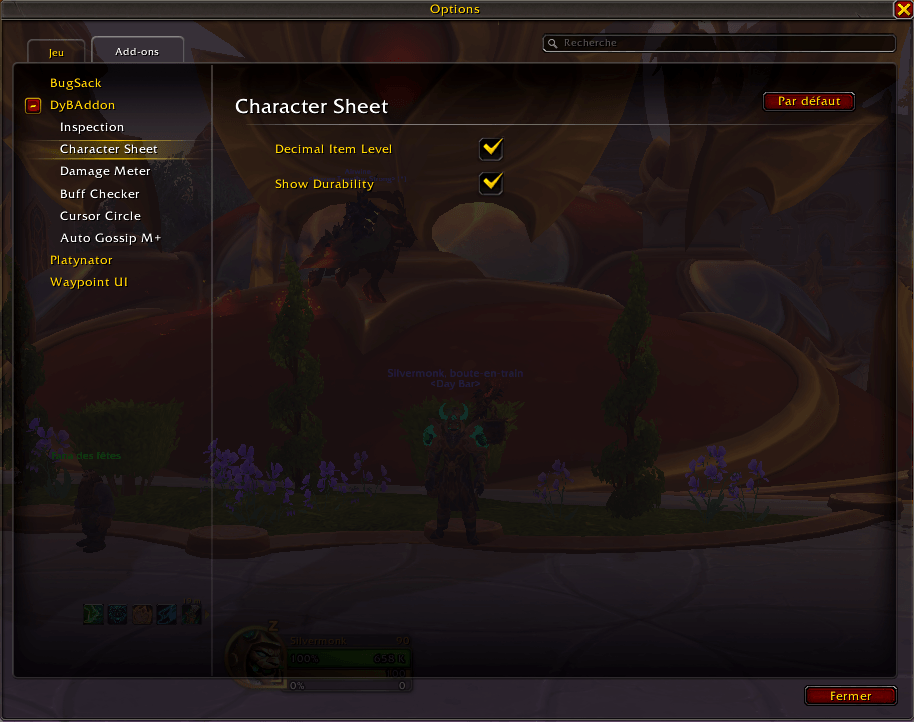
Decimal Item Level
Replaces the character sheet item level stat with a two-decimal precision value instead of Blizzard's rounded display.
- Shows your equipped item level alongside the overall average directly in the tooltip.
- Appends your PvP item level to the tooltip when it differs from the average.
Inspect Item Level
When you open the Inspect frame on another player, their item level is shown as a gold number overlay in the bottom-left corner of the frame — no need to hover over the item level stat.
Durability Display
Shows your average equipment durability percentage directly on the character frame, anchored between the class icon and class name.
Color-coded for quick glancing:
- 🟢 Green — 60% or above
- 🟡 Gold — 30–59%
- 🔴 Red — below 30%
Durability updates live as you take damage or open the character frame.
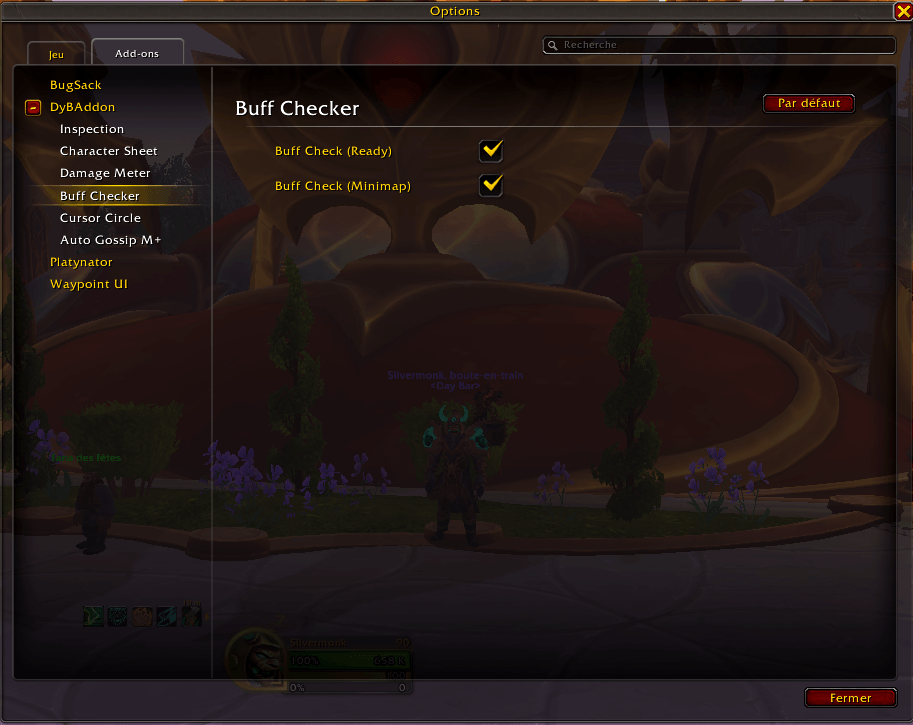
Ready Check Consumables
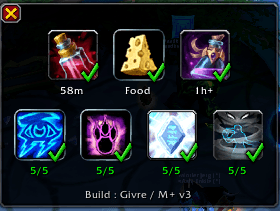
When a ready check fires inside an instance, a popup window appears showing whether you have your pre-raid consumables and whether class buffs are covered by your group.
Row 1 – Personal Consumables:
- Flask
- Food buff (Well Fed)
- Weapon enchant
Row 2 – Class Buffs: One icon per buff-providing class present in your group (Mage, Warrior, Evoker, Druid, Priest, Shaman). Only classes actually in the group are shown.
Each icon displays a green checkmark if the buff is active or a desaturated red cross if it is missing. Icons update live while the popup is open.
A build name label at the bottom of the popup shows your current specialization and active talent loadout name — for example Build : Fire / M+ Build. If no named loadout is selected, only the spec name is displayed. The label updates live if you switch loadout while the popup is open.
A minimap button (draggable, position saved) lets you open the popup at any time outside of a ready check. Both the popup-on-ready-check and the minimap button are independently toggleable.
Combat Timer
A small, movable timer window that shows the elapsed time of your current combat in mm:ss.t format (tenths of a second).
- Resets automatically at the start of each combat.
- Freezes and keeps the last value visible when combat ends.
- Window position is saved across sessions.
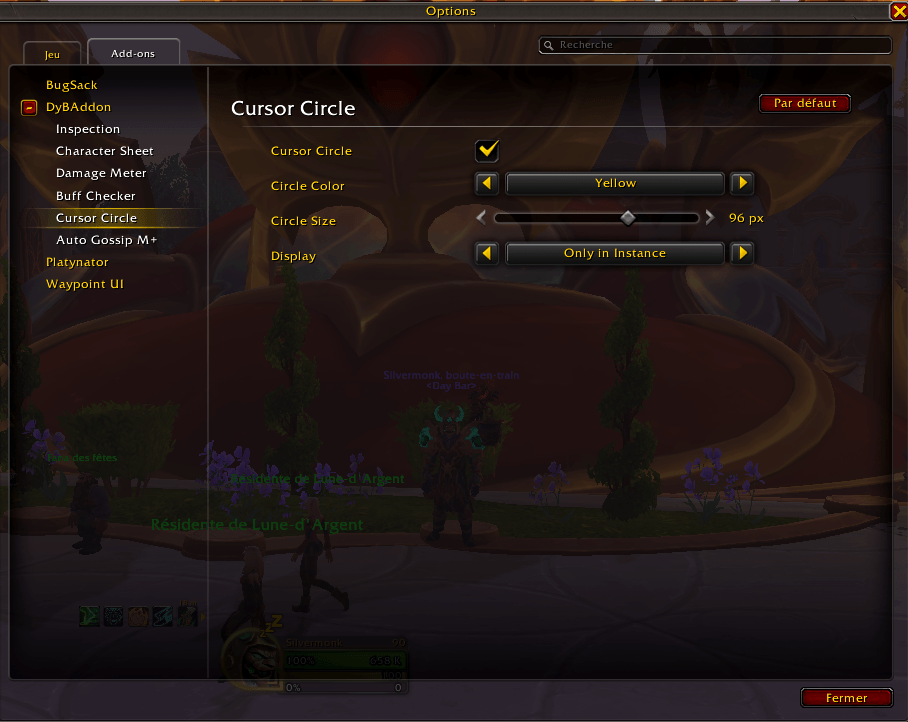
Cursor Circle
Displays a colored ring around your mouse cursor in game, making it easier to spot at a glance.
- Eight color presets: White, Red, Green, Blue, Yellow, Purple, Cyan, Orange.
- Adjustable ring diameter (32–128 px).
- A Display setting to control when the ring appears:
- Always
- Only in Combat — ring shows on combat entry, hides when combat ends.
- Only in Instance — ring shows when inside any instance, hides in the open world.
- Only in Combat & Instance — ring shows only when both conditions are met simultaneously.
- Color and size update immediately when changed in the options panel.
- Disabled by default; zero performance overhead when turned off.
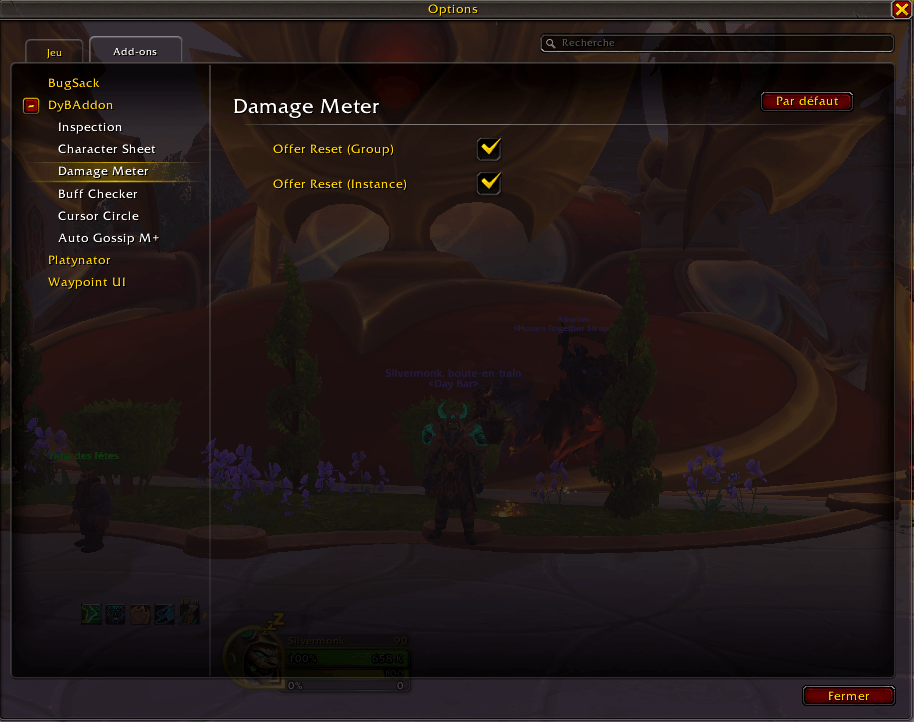
Meter Reset Prompt
Displays a Yes/No dialog to reset all DPS meter sessions at key moments, so you always start a boss attempt with clean data.
Two independently toggleable triggers:
- When you join a group
- When you enter an instance
Mythic+ Key Tracker
On each login your current Mythic+ keystone is saved to your account-wide saved variables — dungeon name, keystone level, and the expiry timestamp of the current weekly reset.
- All characters on the account contribute their key automatically on login.
- Use /key from any character to see every recorded keystone that is still valid for the current reset week.
- Expired keys (past the weekly reset) are pruned automatically on login and never shown.
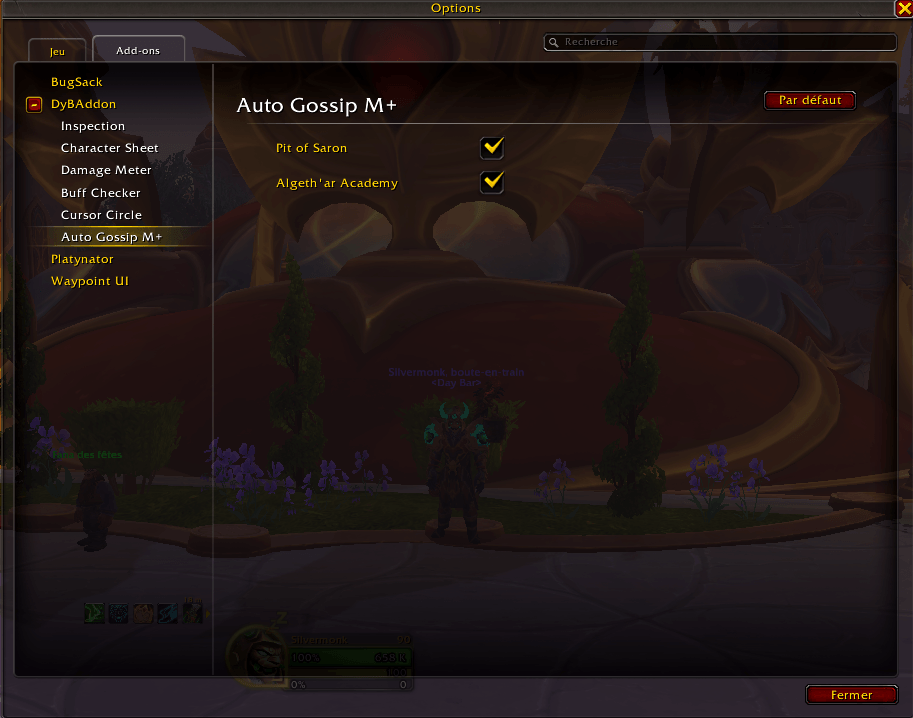
Auto Gossip
Automatically accepts the NPC gossip dialog in specific dungeons where a gossip interaction is required to progress, eliminating the extra click that blocks group movement.
Supported dungeons (each independently togglable, both disabled by default):
- Pit of Saron
- Algeth'ar Academy
Options
All settings are available in System Settings → Addons → DyBAddon and take effect immediately without requiring a UI reload.
Slash Commands
| Command | Description |
|---|---|
/dyb |
Open addon options |
/info |
Re-inspect all current group members and print their info to chat |
/key |
Print all characters' valid Mythic+ keystones for the current week |
Compatibility
- WoW Version: Retail (Interface 120001 — Midnight)
- No external dependencies — fully standalone, no libraries required
DyB Addon Team
