Durotar Price Tracker
- By
Captura de pantalla 2026-10-19 234025.png
Captura de pantalla 2026-10-19 234004.png
Captura de pantalla 2026-10-19 233803.png
Captura de pantalla 2026-10-19 233923.png
Description
Durotar Price Tracker
Stop guessing. Start profiting. Durotar Price Tracker turns the Auction House into your personal crafting calculator. Import any recipe or chest with a single Shift+Click, see exactly what it costs to make, and know instantly whether it's worth your time.
🚀 Quick Start
- Install the addon and type
/reload. - Type
/dptto open the tracker for the first time. - Want a button? Type
/dpt macro. A macro called "DPT" is created and attached to your cursor: just click an empty slot on your action bar to drop it there. If it doesn't appear on your cursor, open/macro, find "DPT" and drag it to your bar. - Prefer a hotkey? Go to Esc > Options > Key Bindings > AddOns > Durotar Price Tracker and pick your key.
- Open a profession window or find a chest in your bags and Shift+Click. That's it!
⚡ One Shift+Click. Everything Imported.
No typing, no copying names. Just hold Shift and click:
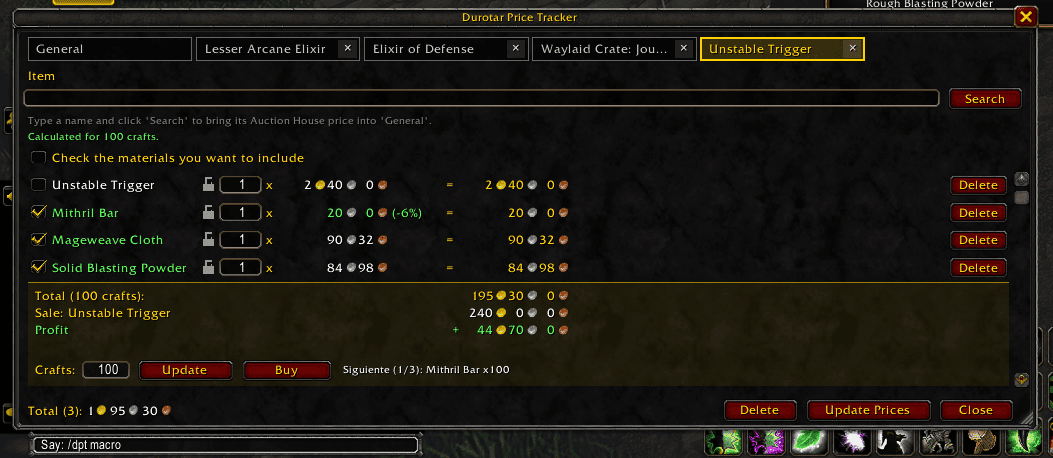
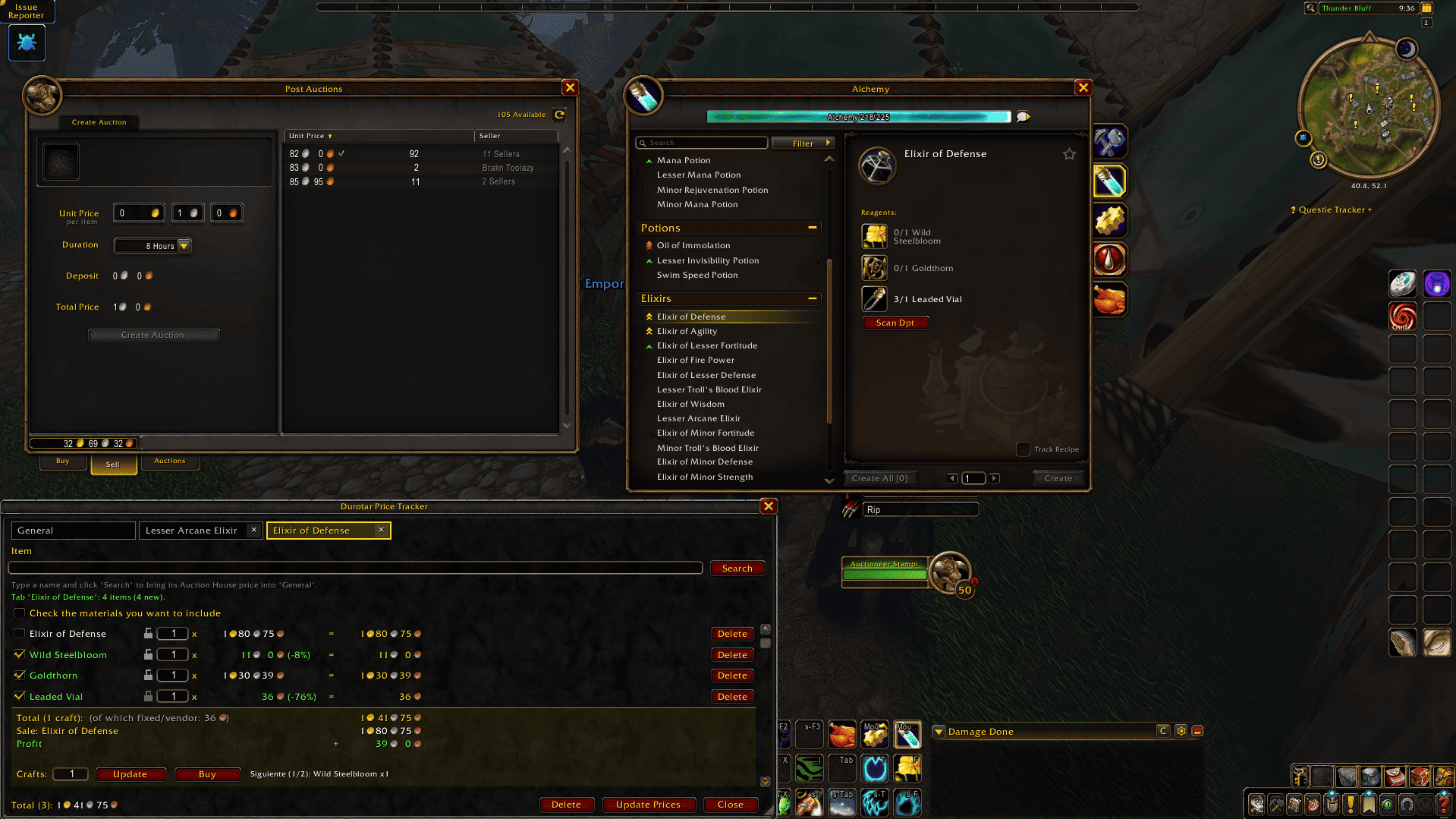
- A recipe in your profession window (in the recipe list), or the product icon of the open recipe: a new tab is created with the product and every material with its exact quantity.
- A crafted item anywhere, even in the Auction House: with your profession window open, Shift+Click an item that profession can make (for example an Elixir of Minor Spirit) and the addon finds its recipe and imports it. Browse the Auction House, Shift+Click, and see instantly whether crafting it is cheaper than buying it.
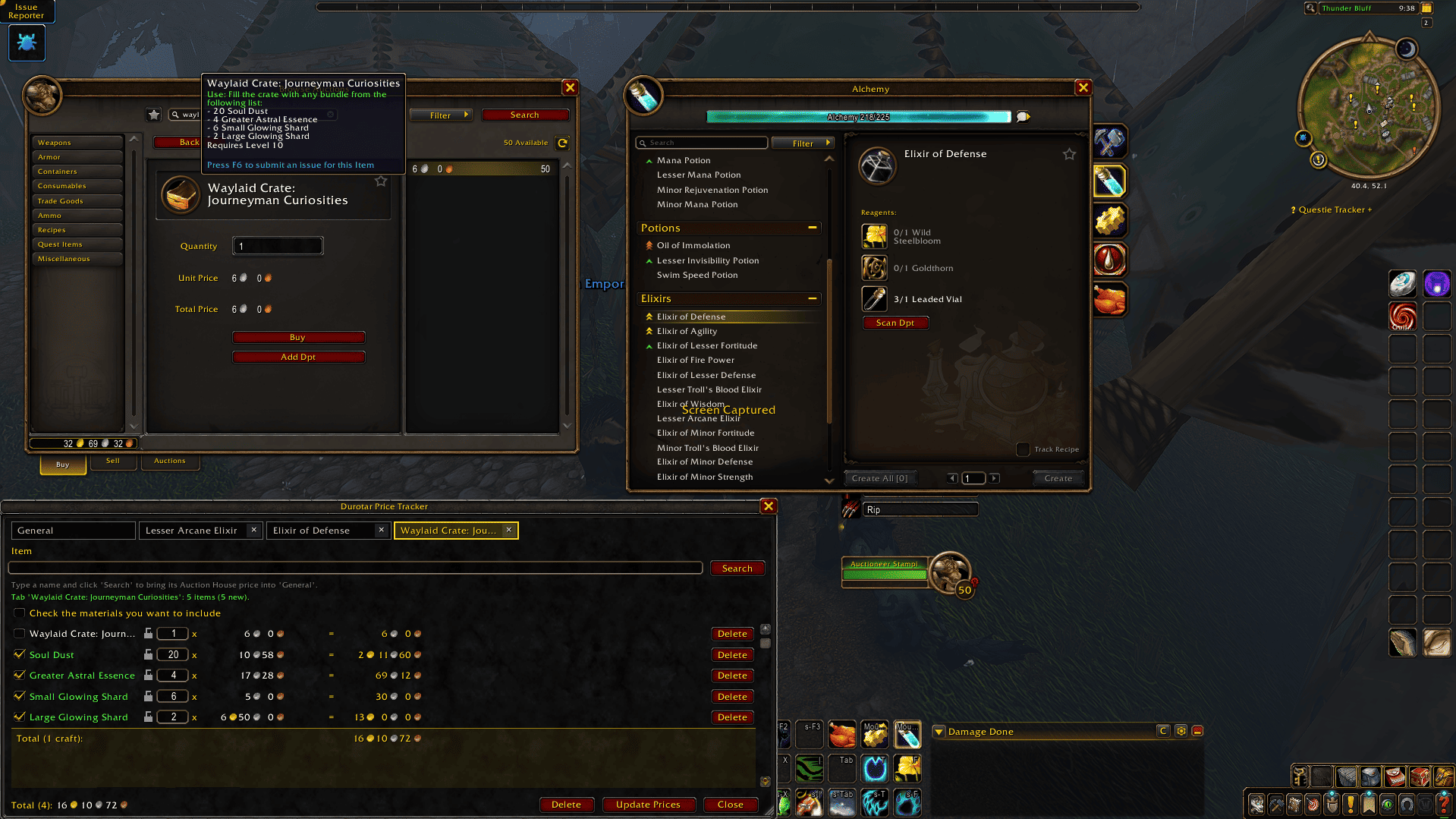
- A chest in your bags, such as a Waylaid Crate: the addon reads the material list from its tooltip and builds the whole shopping list for you.
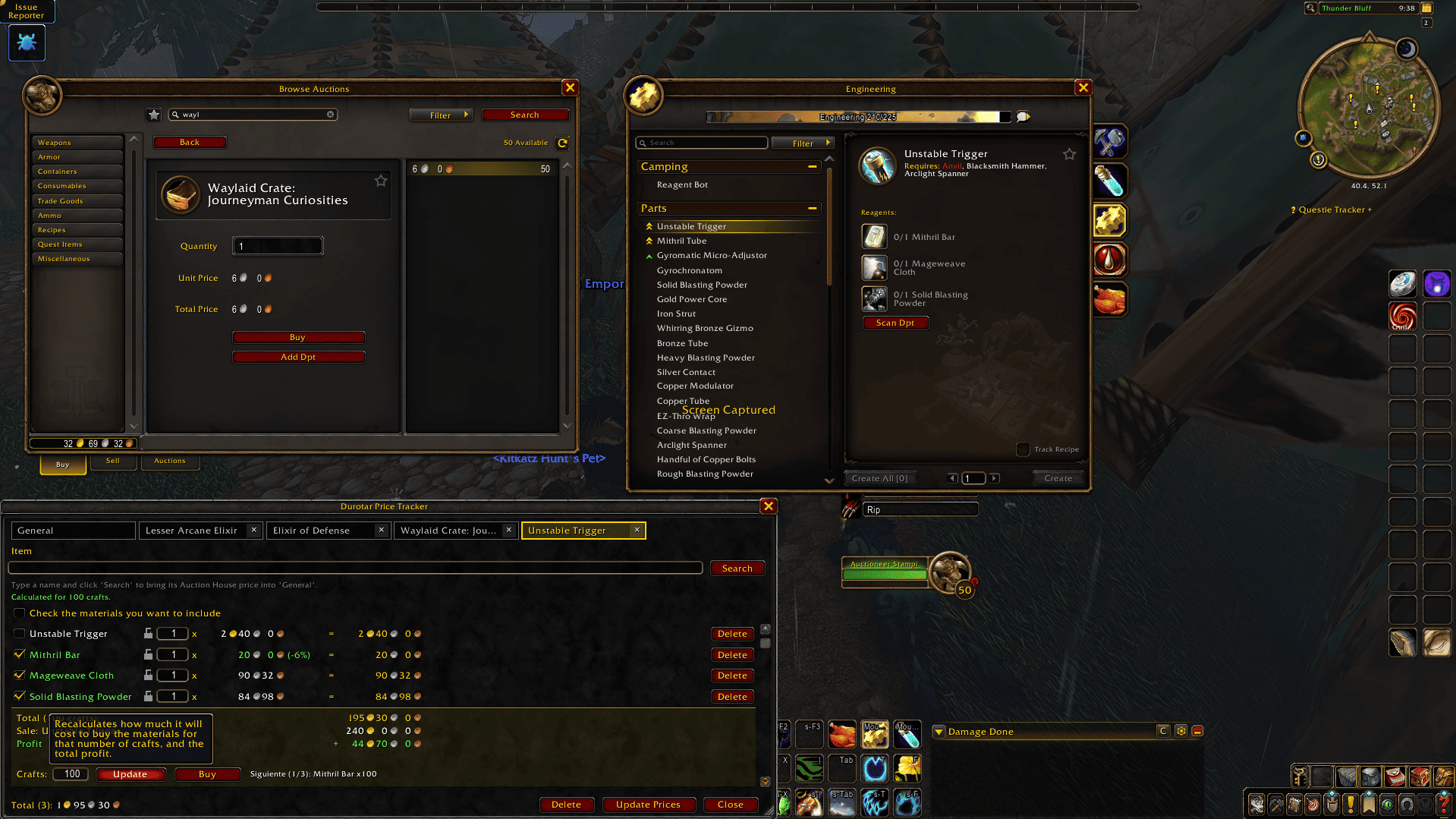
- Prefer a button? Use Scan Dpt, placed under the materials in the profession window, to import the selected recipe.
Each import opens its own tab. Import the same recipe again and its tab is simply rebuilt and reused. Only the materials are checked automatically (the crafted item itself is the one you sell, so it is not counted as a cost). Missing prices are fetched automatically as soon as you open the Auction House.
📦 Example: Waylaid Crate
- Hold Shift and click the Waylaid Crate in your bags.
- A tab named after it appears with all of its materials and quantities.
- Open the Auction House: prices are looked up automatically.
- Check the total and decide if it's worth it, then use Buy to go through the materials one by one.
💰 Know Your Profit Before You Craft
- Crafting panel that reads like a simple sum: Total cost, Sale price, Profit / Loss (green when you win, red when you lose), using the price of the recipe's product.
- Crafts calculator: type how many times you plan to craft and press Update (or Enter). The button turns gold when you have a change that hasn't been applied yet.
- Prices displayed with classic gold, silver and copper icons in clean, aligned columns.
🛒 Guided Buying
The Buy button opens the next checked, unlocked material in the Auction House and tells you in the status bar how many you need (quantity per craft × number of crafts). Enter the amount, confirm with the Auction House's own Buy button, and the addon moves on to the next material. Shift+Click on Buy skips to the next material.
🏷️ Add Single Items & Update Prices
- Add Dpt button (below the Buy button in the Auction House): records one item's name and unit price and places it in the General tab. If it already exists, its price is updated. (To import a full recipe with all its materials, use Shift+Click instead.)
- Item box + Search: type an exact item name (for example Copper Ore), press Search or Enter, and with the Auction House open it is added to the General tab with its current price.
- Shift+Click on a name in the addon's list: updates that price and takes you straight to that item in the Auction House.
- Update Prices: refreshes every checked item in one go (locked ones are skipped).
📉 Price Drops at a Glance
When a price falls, it is highlighted in green with the percentage reduction, so you can spot a deal immediately.
🗂️ Tabs for Every Recipe
- Each imported recipe or chest gets its own tab with its own list, totals and crafting panel. Close any tab with its "×".
- Prices, locks and item data are shared across tabs: update an item once and it updates everywhere.
- A permanent General tab keeps your loose items.
🔒 Price Locks & Vendor Support
- Click the padlock next to an item to lock its price, so it never gets overwritten by the Auction House.
- With the addon window open, Shift+Click an item at a vendor to record its per-unit price automatically (even if the vendor sells it in stacks) and lock it in every tab.
- Set prices manually:
/dpt set Leaded Vial = 10c(also supports1s 20cand2g), then close the padlock.
✨ Built for Comfort
- Resizable window that remembers its size.
- Check-all box to check or uncheck the whole list.
- Delete button to remove all checked items from the active tab at once (with confirmation).
- Set a quantity (x) for each item and see the grand total of everything checked.
- Press Escape to close the window. Your data is always saved.
- Your data is saved account-wide, so all your characters share the same tabs, prices and locks.
⌨️ Commands
/dpt(or/durotarprice): open or close the tracker/dpt set Item = price: set a price manually/dpt macro: create an action-bar macro/dpt debug: diagnostics
📥 Installation
Extract the DurotarPriceTracker folder into Interface/AddOns/ and type /reload.
Made by La Taberna del Enano – David Carranza. Found a bug or have an idea? Leave a comment, feedback is always welcome!
Durotar Price Tracker Team