Dungeon Compendium Forever
- By
Dungeon and raid guide for WoW Forever with boss overviews, loot tables, dungeon quests, quest status, and prerequisite quest chains. Search for bosses and items directly in-game.
dc3.jpg
dc1.jpg
dc2.jpg
maps-curseforge.jpg
Dungeon-Compendium-.jpg
Description
Dungeon Compendium brings dungeon information, boss models, loot tables, and dungeon quests together in one guide for WoW Forever.
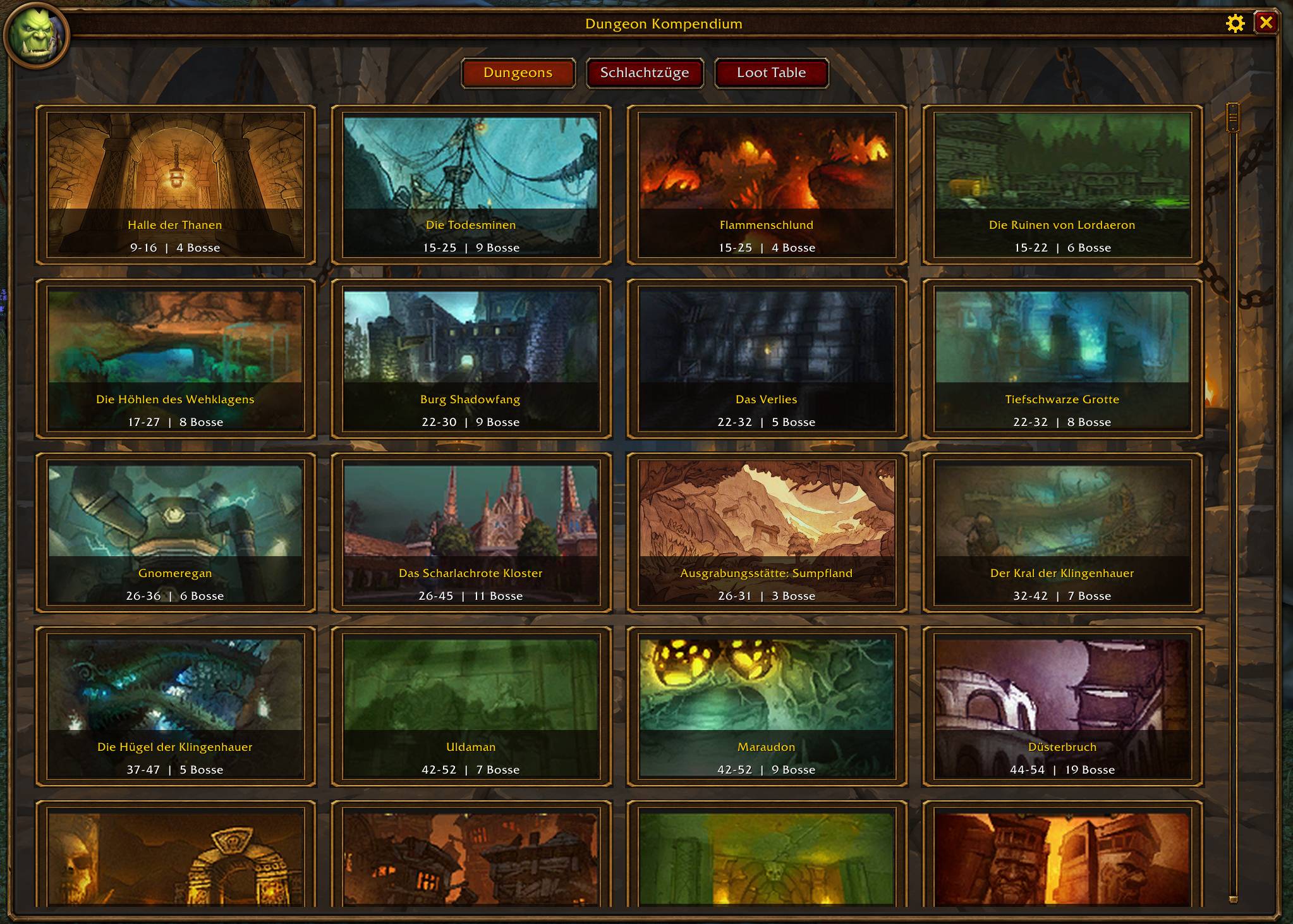
- Dungeon browser: Browse illustrated dungeon tiles with level ranges and boss counts, including supported Forever-exclusive dungeons.
- Raid browser: View available raid entries and boss lists. Raid coverage currently includes previews where confirmed data is still missing.
- Quick navigation: Switch between Dungeons, Raids, and Loot Table, or jump directly to an instance using the sidebar.
- Dungeon wings: Select individual sections, such as Scarlet Monastery's Graveyard, Library, Armory, and Cathedral, or Lower and Upper Blackrock Spire. The boss list updates to the selected area.
- Sideways wing menus: Open wing selections directly from the dungeon sidebar.
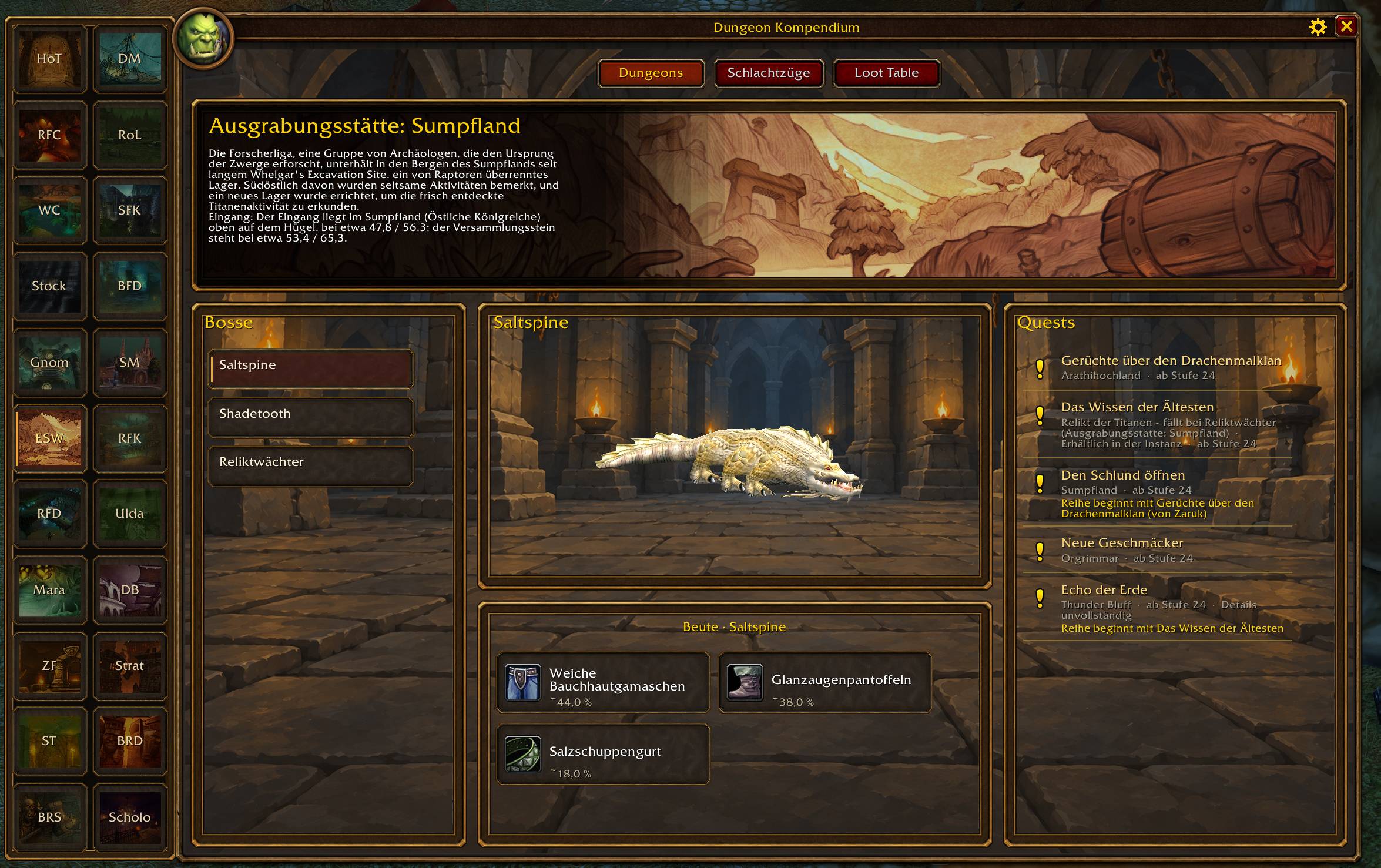
- Dungeon overviews: Read instance descriptions, entrance information, and estimated run times where available.
- Boss lists: Browse bosses by instance and wing, with rare encounters marked.
- Interactive boss models: Rotate supported 3D models by dragging and zoom with the mouse wheel.
- Boss loot: Select a boss to see its available loot in matching item tiles.
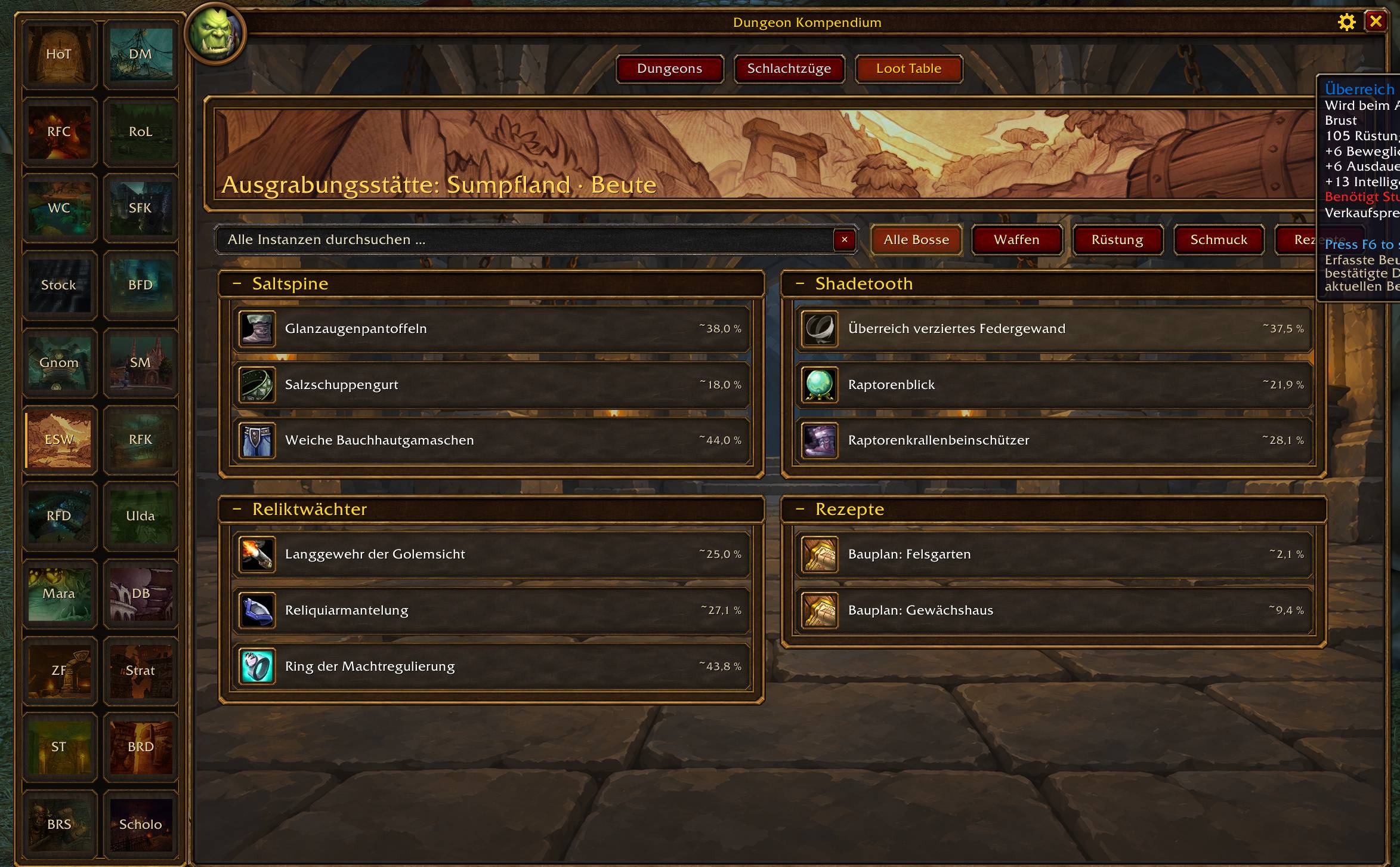
- Instance loot tables: Browse loot in collapsible boss sections.
- Global search: Search boss names, item names, or item IDs across the entire compendium, regardless of the currently selected dungeon.
- Loot categories: Filter results by weapons, armor, jewelry, or recipes, or view all categories together.
- Item details: See item icons, quality colors, and in-game tooltips.
- Equipment previews: Ctrl-click supported items to preview them in the dressing room.
- Drop-rate information: View observed drop estimates where available, with unknown rates kept separate.
- Dungeon quest lists: Find associated quests, minimum levels, and available quest-location information.
- Character-specific quests: Quest lists account for your faction and class; additional restrictions are shown where recorded.
- Quest status: A yellow exclamation mark indicates an open quest, a yellow question mark indicates a quest ready to turn in, and a green check marks a quest already turned in.
- Detailed quest journal: Read objectives, descriptions, quest-giver information, and prerequisite quests in a matching side panel.
- Quest chains: Check prerequisites and follow the available steps of a quest chain.
- Quest rewards: View fixed rewards, reward choices, base experience, and money where the data is available.
- Quest-giver map links: Open the relevant world map and place a waypoint when confirmed coordinates and client support are available.
- Group quest status: See shared quest status from other party or raid members using the addon, including member details in tooltips.
- Custom presentation: Illustrated dungeon banners, themed panels, matching scrollbars, boss and item tiles, and an animated opening gate.
- Window controls: Move the compendium, retain its position, and return it to the center from the settings menu.
- Minimap access: Open the guide through a movable minimap button marked "DK", with an option to hide it.
- Movement transparency: Optionally fade the window while moving and restore readability when interacting with it.
- Automatic interface language: Follows the WoW client's language, with interface translations for English, German, Spanish, French, Russian, and Simplified Chinese. Quest-text translation coverage varies.
Use /dk or /dkk to open or close the compendium. Use /dk reset to center the window, /dk icon to toggle the minimap button, and /dk diag to generate diagnostic information.
Upcoming Features
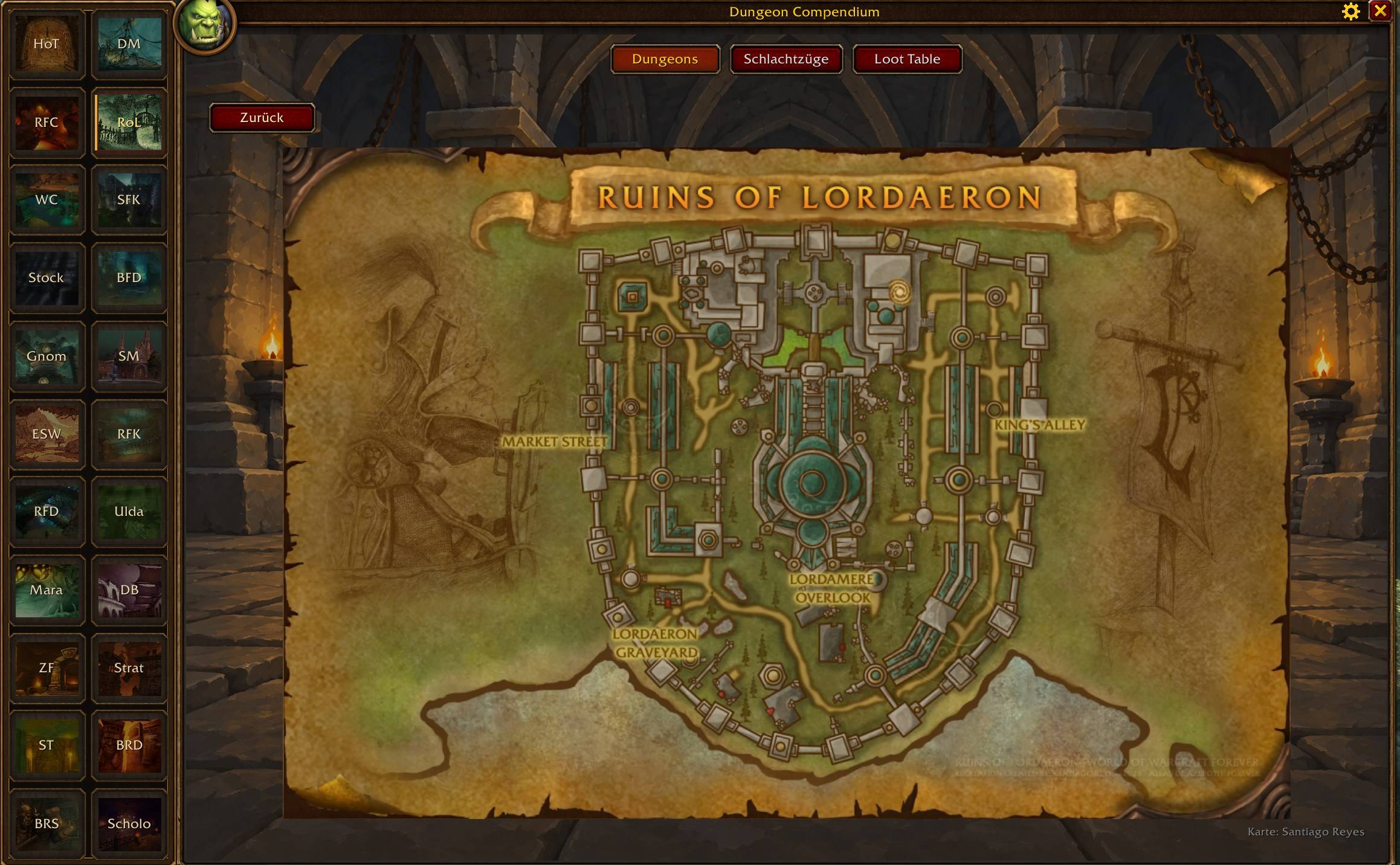
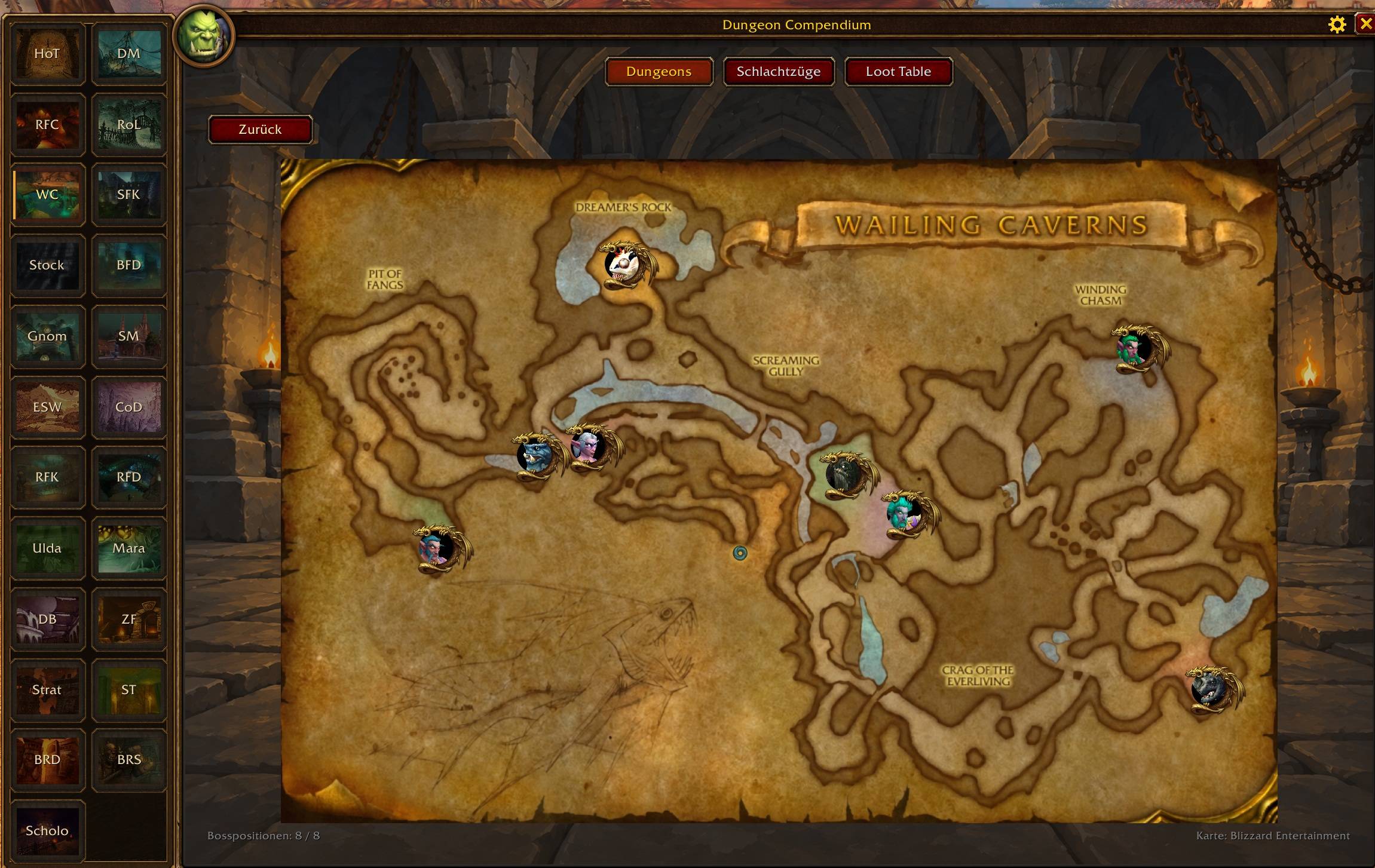
- Dungeon Maps: Explore dungeon layouts directly within the compendium.
- Transmog Collection Status: See at a glance whether you have already unlocked an item's appearance.
Built for WoW Forever Beta, Interface 16001. The addon is under active development. Coverage varies by instance, and beta changes may affect boss, loot, and quest data. Observed drop rates and base quest rewards may differ from the values on the current server build.
Dungeon Compendium Forever Team