


æªå±2026-05-14 04.32.19.png
æªå±2026-05-14 04.32.38.png
Description
Doors User Guide
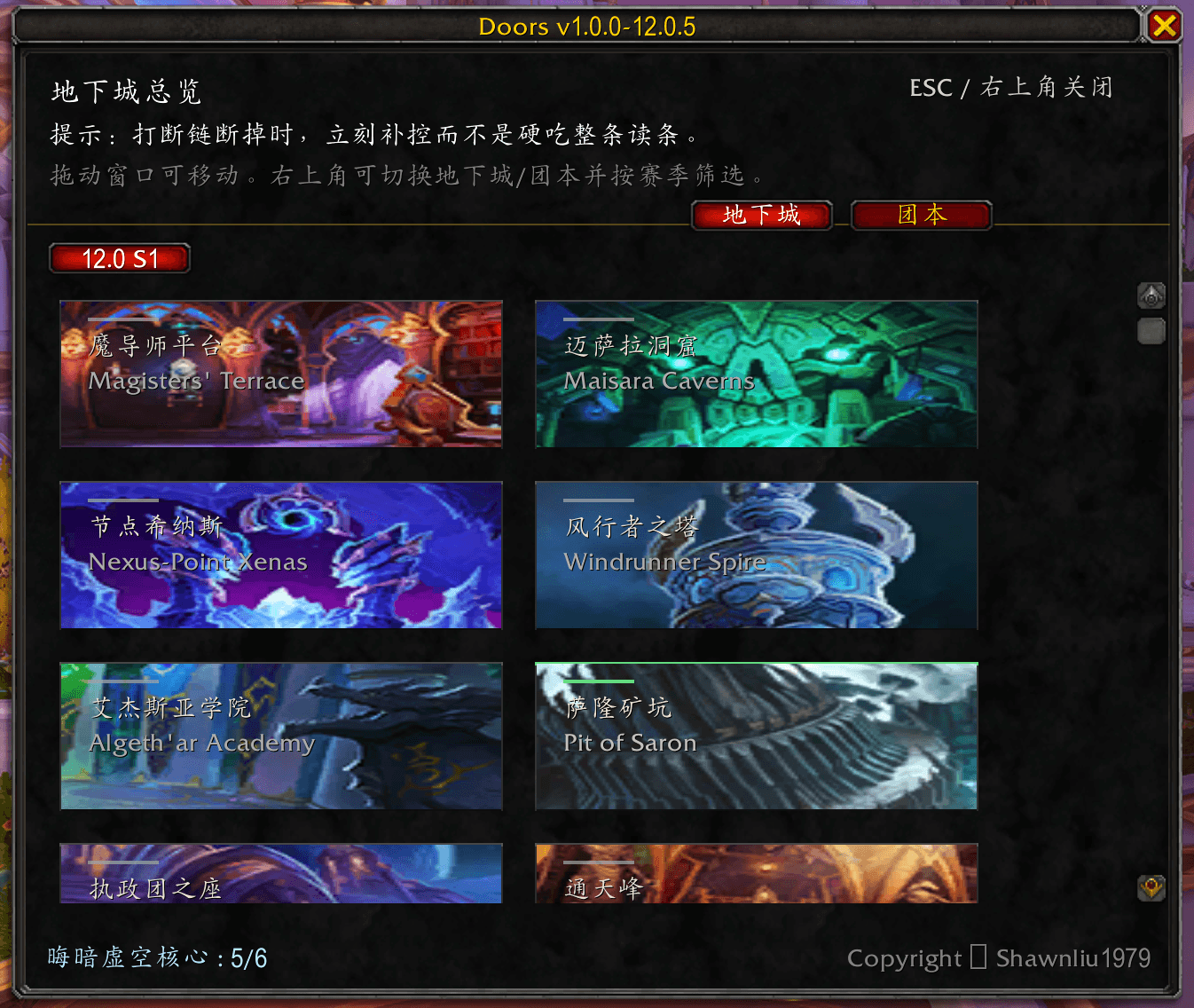
Doors is a dungeon teleport panel addon with one simple goal: open the panel, pick an instance, click a card, and go.
What You Will See
- Dungeon cards (Chinese name + English name)
- Visual state showing whether the spell is learned
- Cooldown text when a spell is on CD
- Season filter buttons
- A random tip each time the panel opens
How To Open
Type this in chat:
- /doors
Type /doors again, or press ESC, to close the panel.
Card Status
- Bright: this character has learned the teleport
- Gray: this character has not learned the teleport
- CD shown on the card: spell is still on cooldown
Daily Usage Flow
- Type /doors to open the panel
- Choose a season in the top-right (or use All)
- Find the target dungeon card
- Click to teleport
Common Commands
- /doors: open or close the panel
- /doorsdebug: toggle debug mode
- /doorsdebug on: enable debug mode
- /doorsdebug off: disable debug mode
If Clicking Does Nothing
Check in this order:
- Whether this character has learned the teleport
- Whether the spell is on cooldown
- Whether combat or encounter mechanics are interrupting actions
- Try /reload and test again
Updating Data (For Maintainers)
To update dungeon lists or tip text, edit DoorsData.lua.
- Dungeon list: DoorsData.DUNGEONS
- Tip text: DoorsData.WOW_TIPS
After editing, run /reload in game to apply changes.
Installation
- Put the Doors folder into your WoW AddOns directory
- Enable Doors in the addon list in game
- Enter the game and type /doors to verify
Version Info
- Addon name: Doors
- Author: Shawnliu1979
The panel title bar shows the current addon version.
The Doors Team
