


Don't Heal
- By
dontheal-config.png

dontheal-party.png
dontheal-raid.png
Description
Ever accidentally healed the wrong person in your raid or party? Say goodbye to wasted mana and misclicked cooldowns!
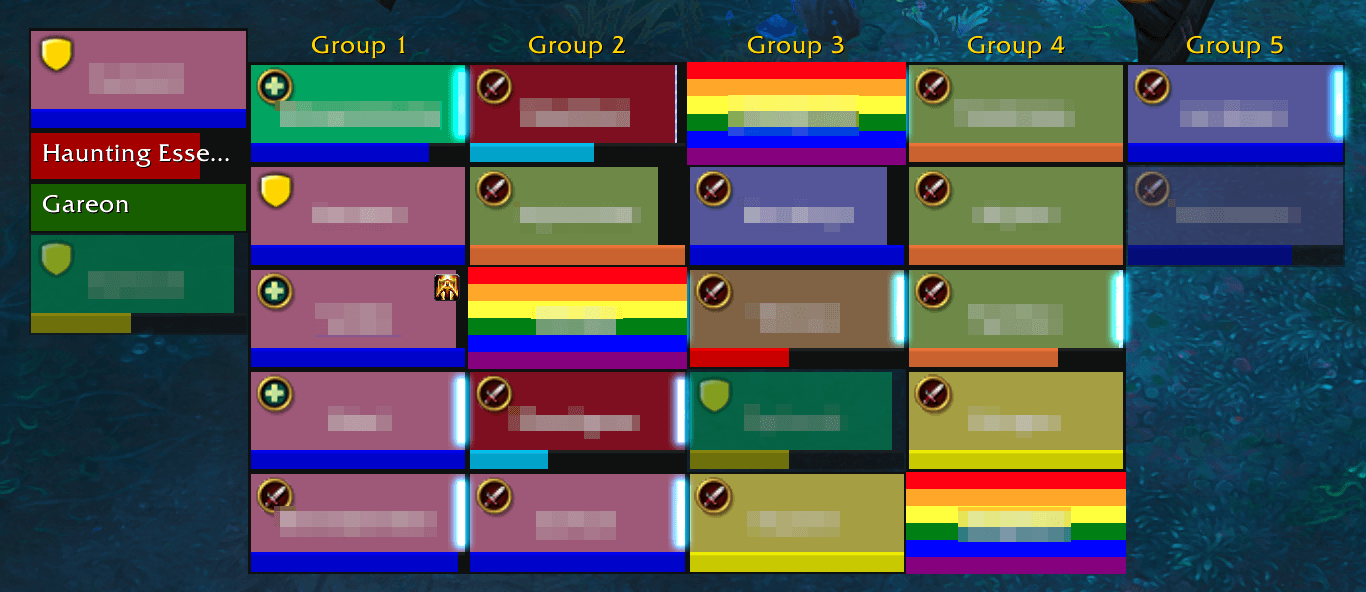
Don't Heal is a lightweight, easy-to-use World of Warcraft addon designed specifically for healers. It allows you to create a customizable "ignore list" of players in your party or raid. When a player is added to this list, their standard Blizzard unit frame is completely overlaid and physically blocked by a vibrant Pride Flag texture, preventing you from clicking on them or accidentally targeting them.
Whether you're organizing specific healing assignments, dealing with players who are mechanics-challenged, or just want to customize your raid frames, Don't Heal gives you the control to heal who you want, when you want.
Features
- Physical Click-Blocking: Accidental clicks are a thing of the past. The overlay frame consumes all mouse clicks, ensuring you cannot target or interact with the ignored player's frame.
- Vibrant Pride Flag Overlay: Ignored players are clearly marked with a dynamic, 6-stripe Pride Flag overlay that spans their entire unit frame, complete with their name prominently displayed in the center.
- Easy Context Menu Integration: Easily add players to your Don't Heal list simply by right-clicking their party or raid frame and selecting "Add to Don't Heal". (Note: You can even add yourself!)
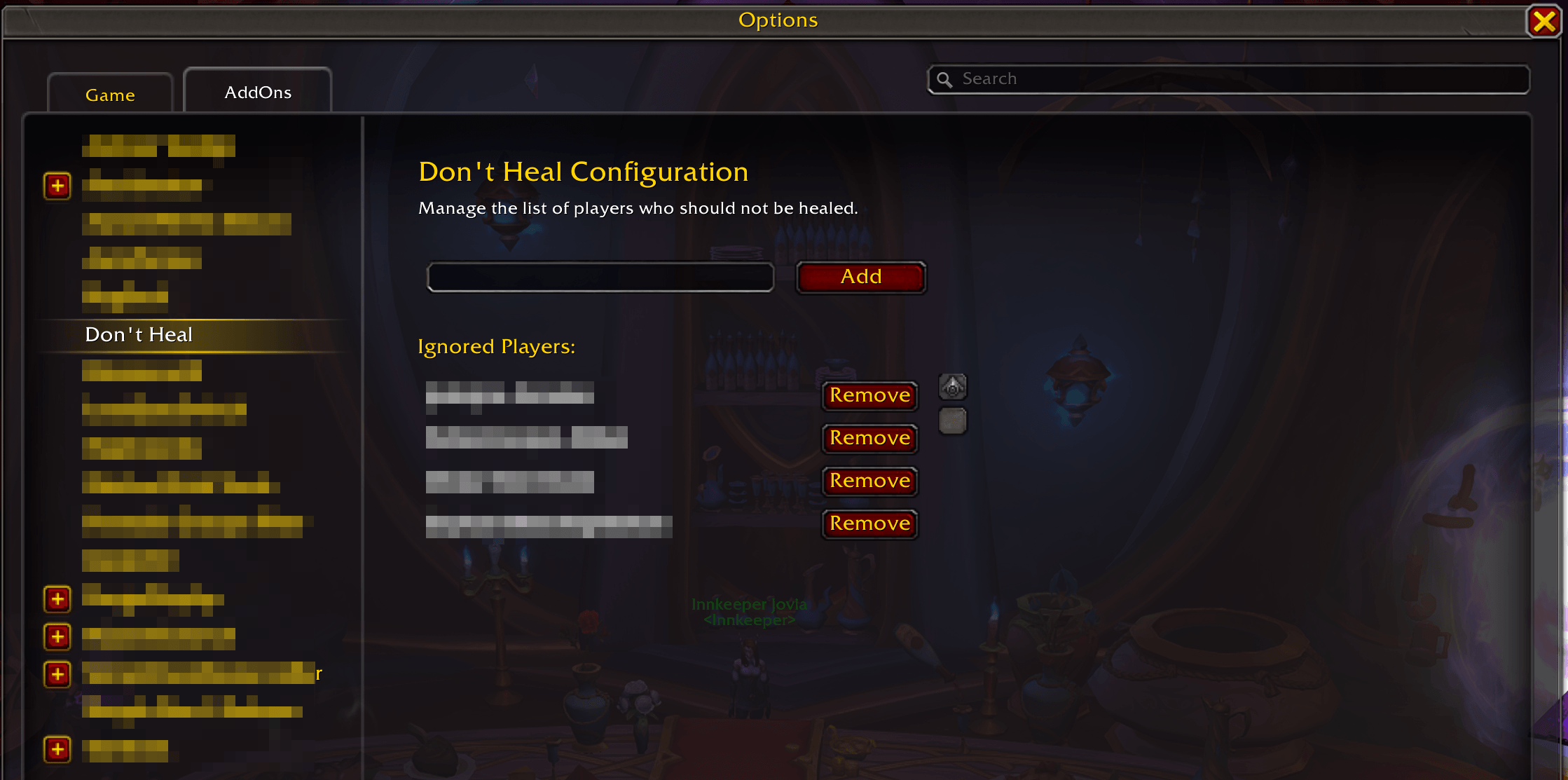
- In-Game Configuration Panel: Full support for the standard Interface Options menu. Type
/dontheal(or navigate to your Addons menu) to manually type in names to add, view your current ignore list, and remove players so they can be healed again. - Persistent Saved Variables: Your ignore list is saved automatically between sessions and across characters.
- Zero Taint & Safe Rendering: Built using modern API best-practices. The addon securely wraps its update logic to ensure zero taint errors and safely ignores restricted frames like 3D Nameplates and Pets, ensuring your default UI never breaks.
- Full Blizzard Frame Support: Automatically supports both Party frames and Raid frames, including specialized sorting like "Keep Groups Together".
How to Use
- To Add a Player: Right-click their unit frame in a party or raid and select "Add to Don't Heal".
- To Remove a Player: Open the game menu (
Esc), go to Options -> AddOns -> Don't Heal, find the player's name in the list, and click "Remove". - Manual Entry: You can also manually type a player's name (and server, if cross-realm: e.g.,
PlayerName-Area52) directly into the configuration panel.
Compatibility
Don't Heal is designed specifically for the Default Blizzard UI (Party and Raid Frames).
The Don't Heal Team
