DommUI
- By
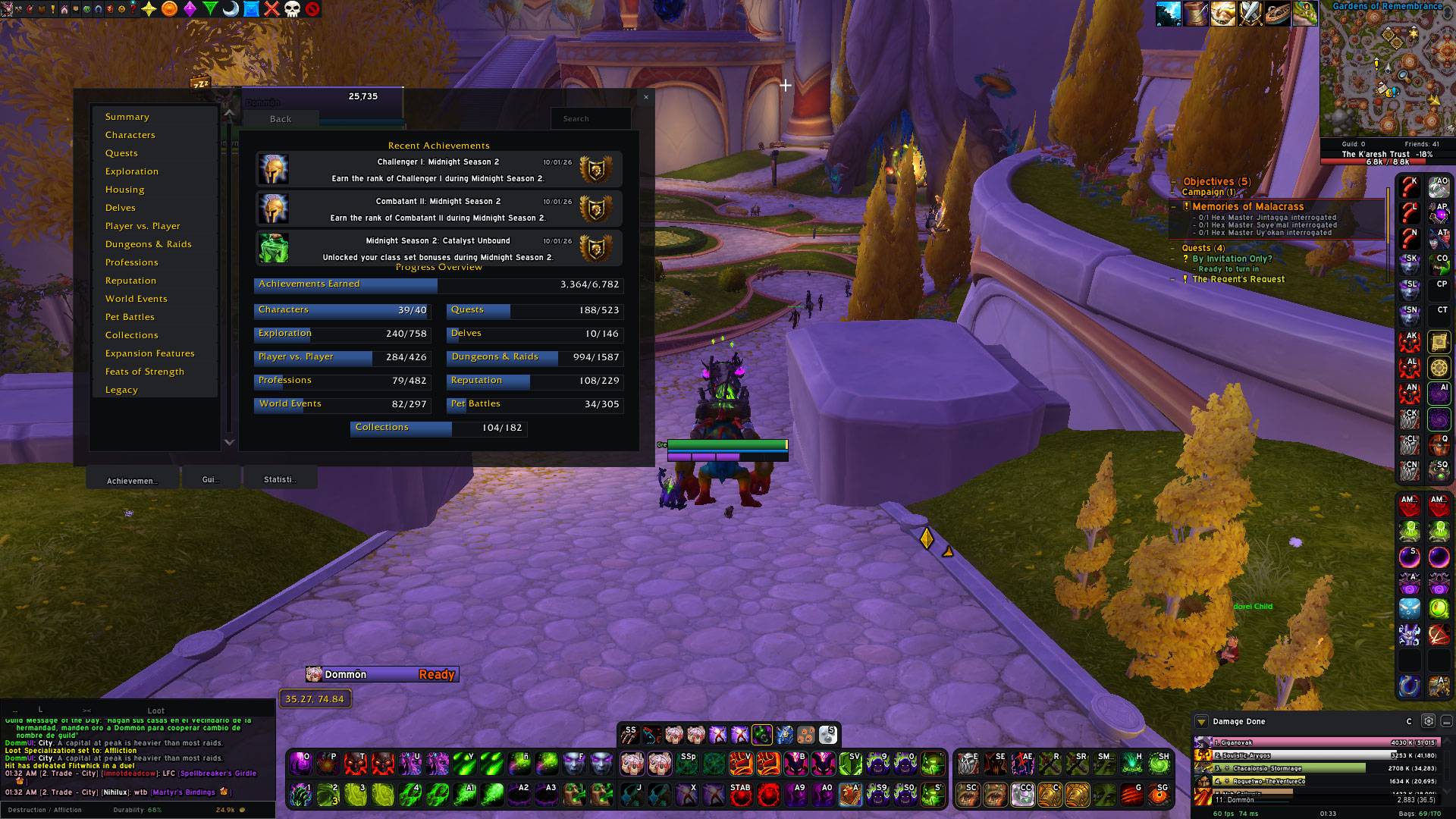
WoWScrnShot_100426_013331.jpg
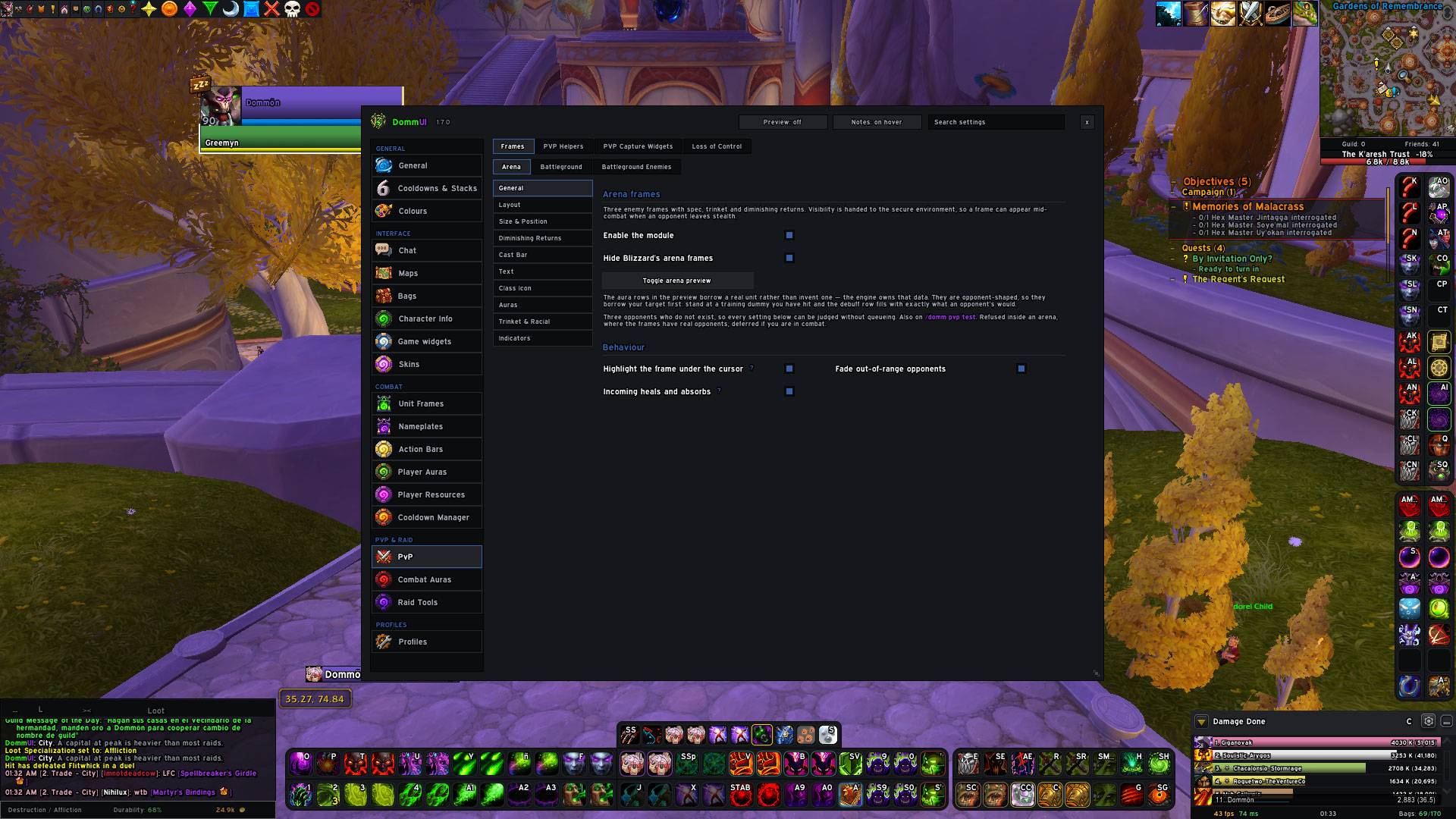
WoWScrnShot_100426_013347.jpg
WoWScrnShot_100426_013358.jpg
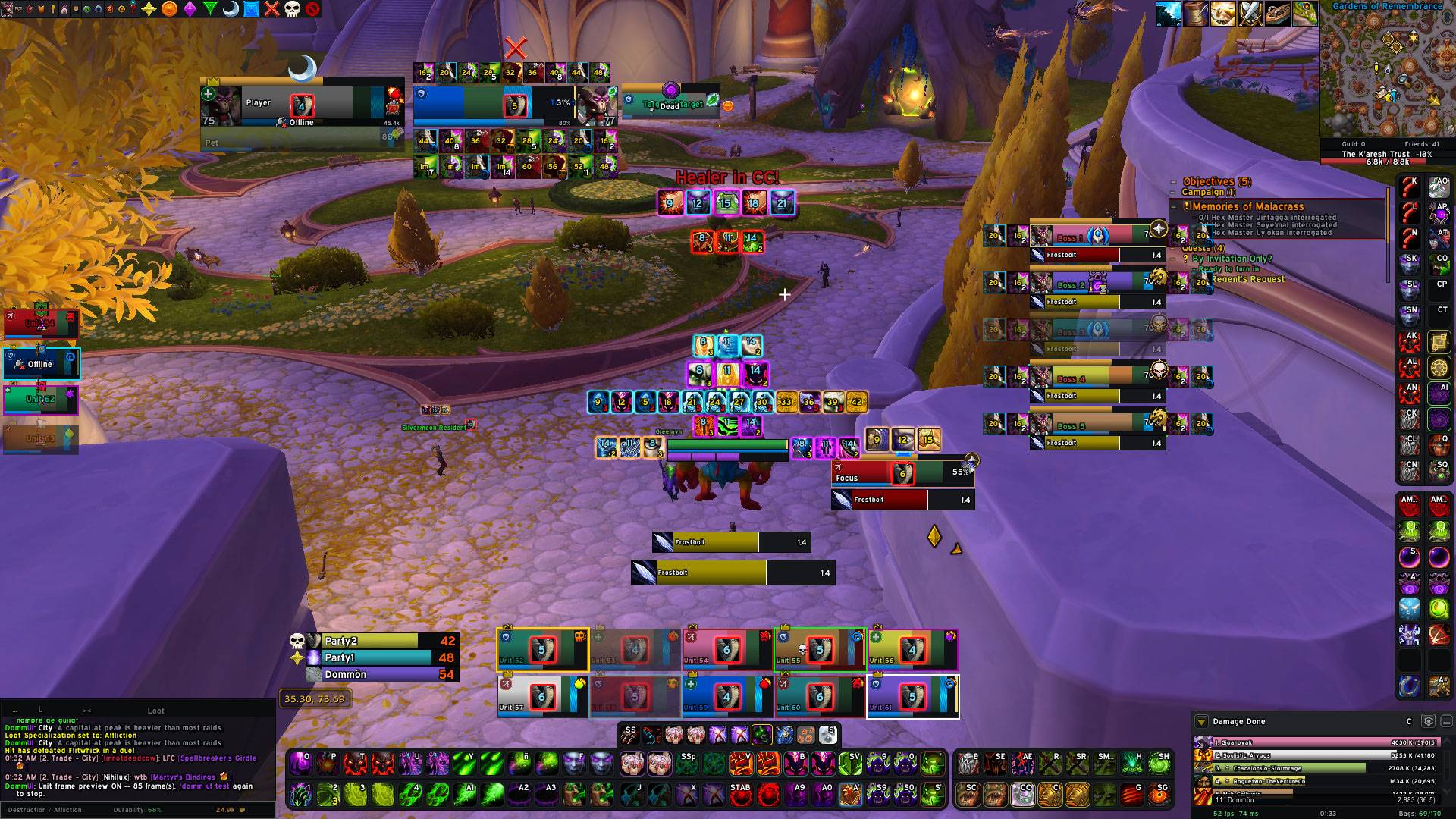
WoWScrnShot_100426_013412.jpg
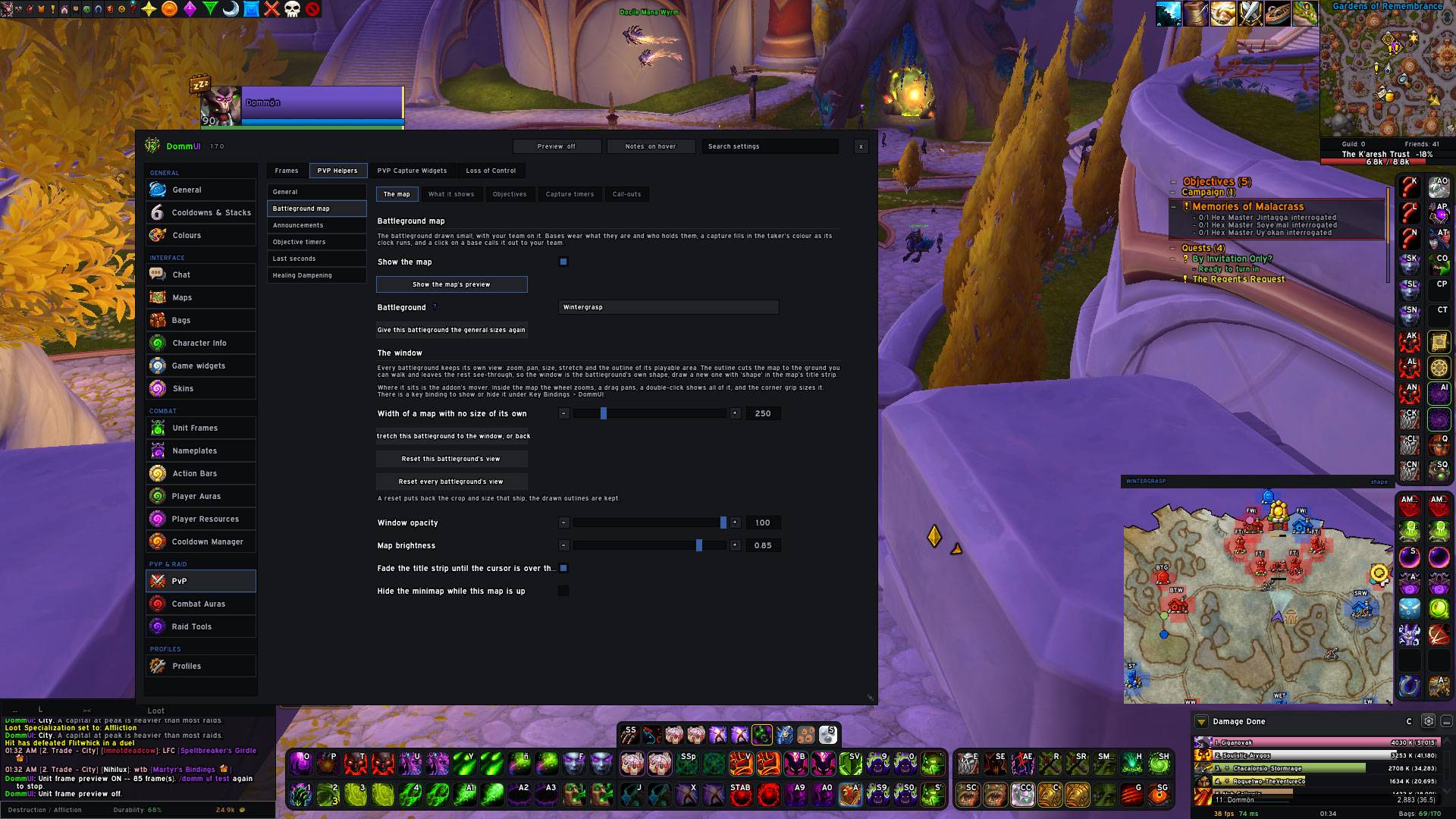
WoWScrnShot_100426_013443.jpg
Description
DommUI
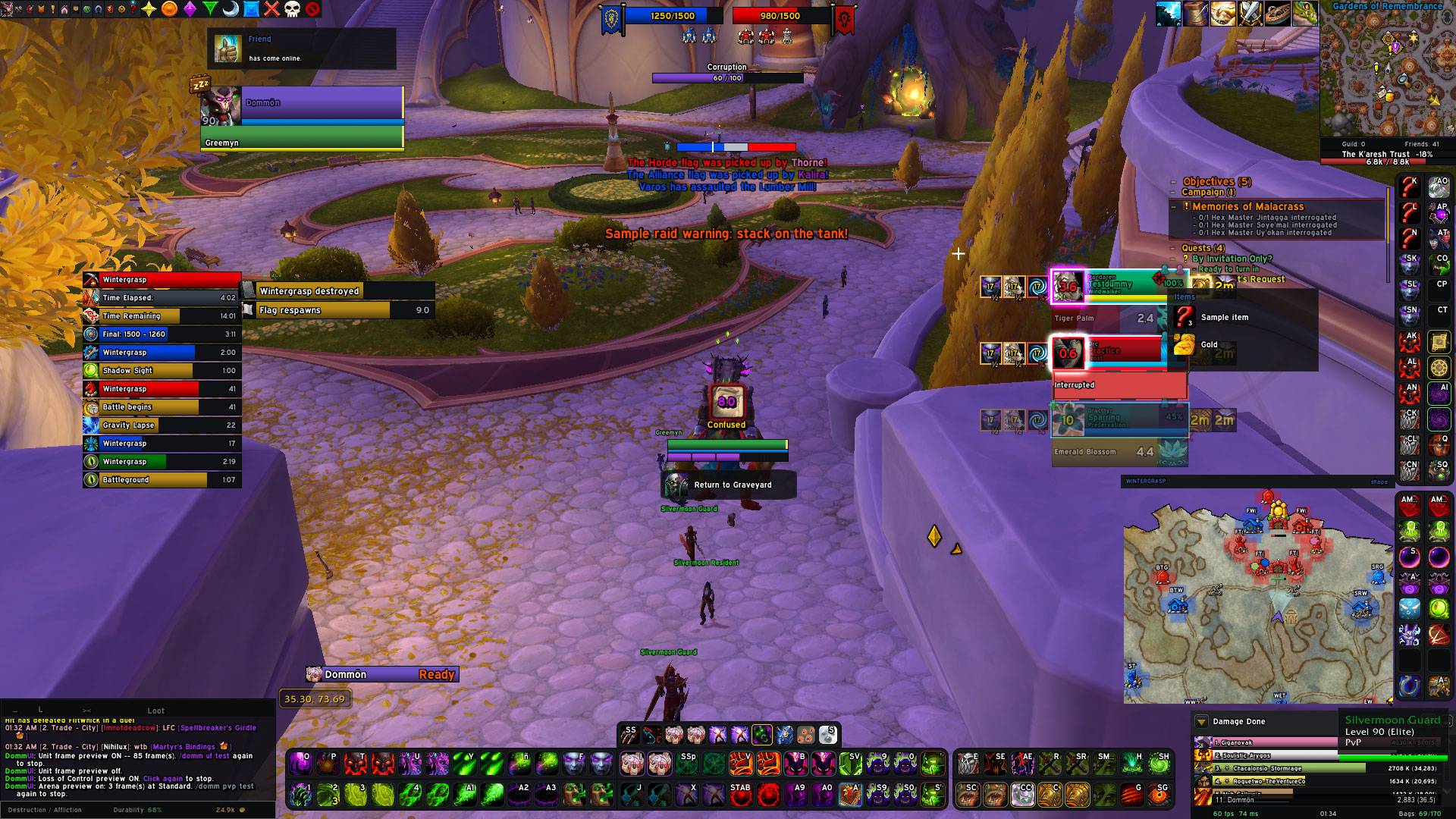
One addon, one core, one config. A complete interface for World of Warcraft that replaces the dozen addons usually installed side by side.
- Version: 1.7.0
- Client: World of Warcraft Retail (12.x) and WoW: Forever
What it is
DommUI replaces the game's interface module by module: action bars, unit frames, nameplates, bags, chat, map, PvP, combat alerts and the look of Blizzard's own windows. Everything shares one look and one configuration per profile.
- Dark theme by default, with font, size, outline, bar texture, colours and corner rounding set for the whole addon at once.
- One options panel with search, a live preview of what you are editing and pages that follow the window's width. It only takes memory while open.
- Movers: every frame of the addon unlocks and drags into place, nudges pixel by pixel or snaps back to where it started.
- Profiles: create, copy, reset, export and import as text. When the addon updates, saved profiles adapt on their own.
- Built for demanding content: it works in arena, battlegrounds, Mythic+ and raids, where the game hides information from addons.
General interface
| Module | What it does |
|---|---|
| Action Bars | Thirteen bars plus pet and stance. Layout, background, fading, text, range, charges and highlighted procs per bar. |
| Player Auras | Buffs, debuffs and weapon enchants in the corner of the screen, with countdown and stacks. |
| Bags | One combined bag window and one bank window (character, guild and warband), with their own sorting and stacking. Borders by quality, quest, profession and category. |
| Character | A gear summary beside the character sheet (your own and when inspecting), details on every slot, a stats comparison and currencies bordered by quality. |
| Chat | Styled panels, tabs, history, a copy button, highlighted keywords and a data strip (guild, friends and more). |
| Cooldown Manager | The game's cooldown viewer in the addon's look, with glows on chosen buffs and pinned or hidden spells. |
| Cooldowns & Stacks | One place for the look of every countdown and stack count in the addon: font, size, colour by time left and decimals. |
| Floating Text | Combat numbers in four lanes of their own: damage taken, healing, resources, avoidance and procs. |
| Loot | Need, greed or pass as compact rows. |
| Alerts | Position and scale of the game's pop-up alerts. |
| Your account's characters beside the Send Mail form, one click away. | |
| Group Info | Beside the Group Finder: every character's PvP ratings, honor and conquest, and their Mythic+, keystone and Great Vault. |
| Map | Minimap and world map in the addon's style, configurable icons and a strip with guild members and friends online. |
| Quest Tracker | A quest tracker of its own, by section, with quest items beside it and the Mythic+ run on top. Ships off. |
| Performance | FPS and latency. |
| Tooltip | The id of whatever is under the cursor: spells, items, auras, currencies, achievements, mounts, macros. |
| Game Widgets | Position of the capture bar, the row under the minimap, the encounter power bar, the Battle.net toast, the raid warning and the boss emote. |
| Skins | Blizzard's windows in the addon's look: character, bags, bank, collections, map, quests, group finder and many more. Also the zone text, the raid warnings and the damage meter. |
| AFK Mode | While you are away the interface hides and your character appears on a banner in your class colour, with their details, a phrase of yours and how long you have been away, the camera turning slowly around them. |
| Extras | Talking head scale, spell queue window, camera zoom and range distance. |
Units
| Module | What it does |
|---|---|
| Unit Frames | Player, target, focus, pet, bosses and more, plus seven group sets (party, raid, tanks and others) that switch with your group's size. Configurable texts, status indicators with their own icons, click-casting, heal prediction and fading by range and by line of sight. |
| Nameplates | Styles and rules: each plate picks its style by who the unit is. A visual designer to draw them, ordered colour rules, auras, cast bar, healer marks and recognition of important totems and pets. Includes the personal resource display. |
| Player Resources | The player's health and power as standalone bars, the class resource and totems. Ships off. |
| Resource Bars | The class resource, mirrored on the nameplate too. |
| Aura Alerts | A warning ring on any frame when the game flags something important on it. |
| Raid Tools | One-click markers, ready check, role poll, countdown, main tank and main assist, and encounter alerts and timeline in the addon's style. |
PvP
Arena
- Arena frames as a layout system: one arrangement per number of opponents, saved and switchable.
- Trinket, racial, diminishing returns (DR), spec, cast bar with its interruptibility, heal prediction and range.
- A full preview without being in an arena.
- Arena dampening always in view.
Battlegrounds
- Carriers: a frame for every flag, cart or orb carrier.
- Enemy list: the whole enemy team, with health, power and crowd control, and click to target.
- Loss of control in the addon's look.
- Timers for objectives and flag respawns.
Battleground map
- The map cropped to the playable area, with a view and a position of its own for every battleground: zoom, crop, size and place on screen.
- Every base is drawn by what it is, by who holds it and by who is taking it, with animated capture timers.
- Towers, gates, walls, graveyards, workshops, vehicles, flags, orbs and carts, each kind with its own size.
- Call-outs to instance chat with one click on any icon of the map: six actions on left, right and middle click combined with Alt, Ctrl and Shift.
- You as an arrow with a view cone; your team as dots in class colour, with a healer mark and a target ring.
- Match announcements beside the map, in faction and class colours.
- A preview that plays the match: bases change hands, the team moves and flags, orbs and carts advance.
- A key to show or hide it.
Combat Auras
What matters in a PvP fight, found by the game itself, so it keeps working where an addon cannot read auras.
- Unit frames: crowd control and important auras (defensives, externals, key cooldowns) on the group, player, target and focus frames, with the interrupt lockout in front.
- Alerts:
- Healer in CC: an on-screen warning and a voice when your healer is crowd controlled.
- Enemy auras: the enemy's defensives and immunities on a bar, announced by voice.
- Interrupts: the shortest kick the enemy team has left, who on your team interrupted and their cooldown, and a missed-kick warning.
- Trinkets beside the frames.
- Nameplates: crowd-control and important-aura rows on enemy and friendly plates.
- Personal auras: displays you build yourself.
- By spell id or by the game's categories, on you, your pet, your teammates, your target, the group frames or the nameplates.
- As icons, bars or a countdown alone, each with its colour, glow, border, countdown position and a sound when it appears and fades.
- Spell search by name in the client's language.
- Share all your auras or a single one as text.
- Six groups out of the box: anti-interrupt, big buffs, immunities, defensives, movement speed and procs.
- Every display turns on by itself and chooses where it runs: world, arena, battleground, dungeon or raid.
- Every part may have its own border and its own glow.
- Voices and sounds play in arenas only.
Icons and sounds of its own
- DommUI icon pack: battleground bases, flags, orbs, carts, towers and workshops; the map's marks and call-outs; unit frame status icons (resurrection, summon, phase, resting, dead) and friend list icons. Many with several versions to choose from. Every family can use the game's own art instead.
- Raid markers and role marks in several styles.
- English voices for the alerts and the enemy cooldowns.
- Sound effects: alerts, war horns, nature, sonar, whispers and more, for the personal auras.
Usage
/domm configopens the options./domm moveunlocks the movers;/domm locklocks them again./domm helplists every command.- Also from the addon button on the minimap.
Inspiration
DommUI takes ideas from addons the community knows well: ElvUI and EllesmereUI (a whole interface in one addon), sArena Reloaded (the arena frames), MiniAuras (Combat Auras), Platynator and BetterBlizzPlates (the nameplates), Cell (the raid frames) and BattleMaps and REPorter (the battleground map).
All of DommUI's code is written from scratch: it uses not a single line of
code from those addons. The only third-party parts it ships are the
community libraries and the Sonar sound, listed in the licence section.
Credits
- Author: DommUI.
Licence
DommUI's own code and media are under the MIT licence (see LICENSE). The
MIT licence does not cover the third-party components bundled with it:
each keeps its own licence and copyright, stated in its own files.
| Component | Licence |
|---|---|
| LibStub | Public domain |
| CallbackHandler-1.0 | BSD (Ace3) |
| LibSharedMedia-3.0 | LGPL v2.1 |
| LibActionButton-1.0 | BSD 3-clause |
| LibCustomGlow-1.0 | MIT |
| WilduCustomGlow-1.0 (a fork of LibCustomGlow) | MIT |
| LibRangeCheck-3.0 | MIT |
Sonar sound effect (Media/Sounds/Effects/Sonar.ogg), from WeakAuras |
GPL v2 |
DommUI Team