


Do Dots!
- By

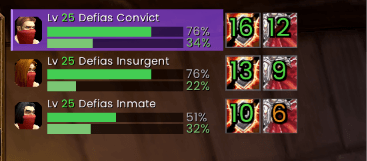
One compact row per enemy: portrait, name, health, your threat and the state of your DoTs and curses. The countdown shows how long each effect has left; a full-colour icon without a number means it is missing.
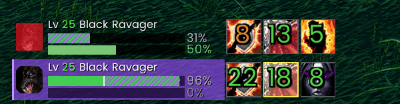
See when your dots will be enough dmg to kill the mob and how much damage you about to do.
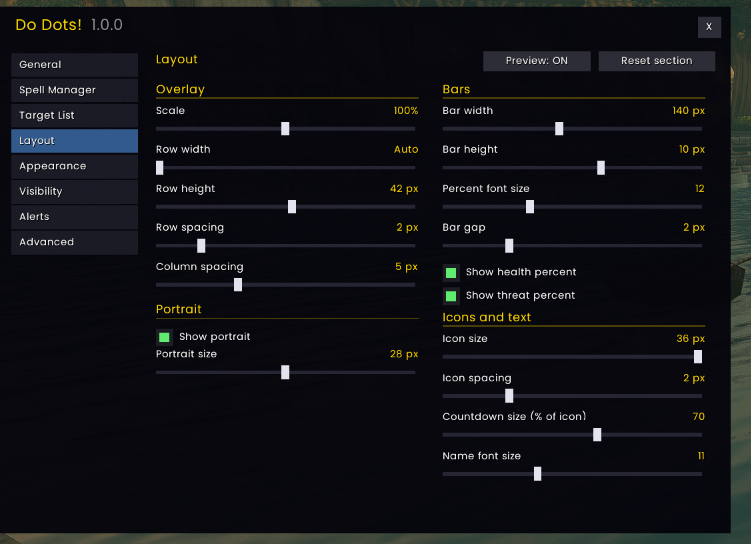
Adjust scale, row width and height, portrait, bar and icon sizes, spacing and countdown size. Rows can be sized automatically or set to a fixed width.
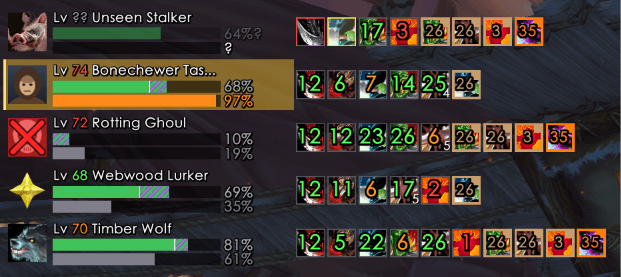
Preview how it looks with several dots, debuffs and states
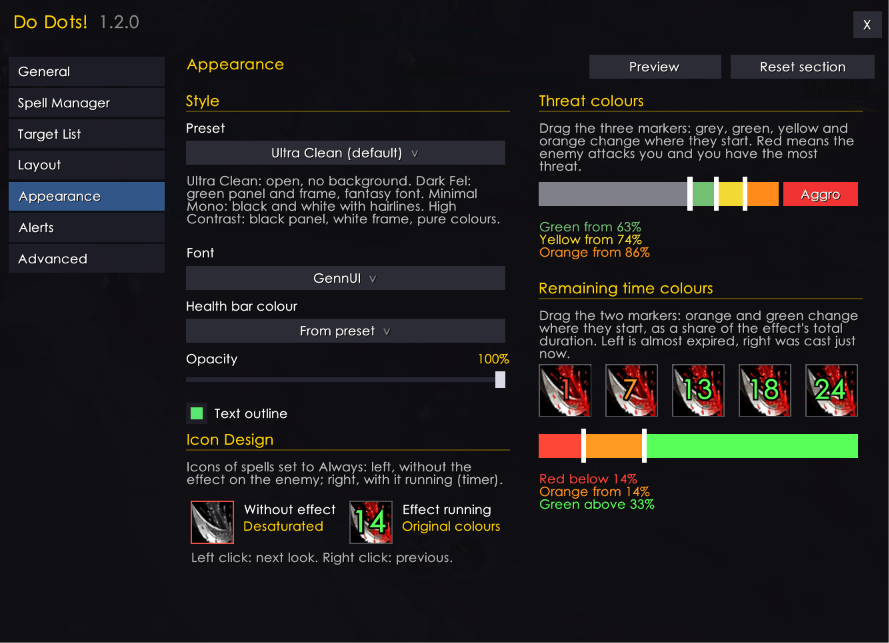
Four style presets (Ultra Clean, Dark Fel, Minimal Mono, High Contrast) with font, health bar colour and opacity options. The sliders set the thresholds for the threat colours and the countdown colours.
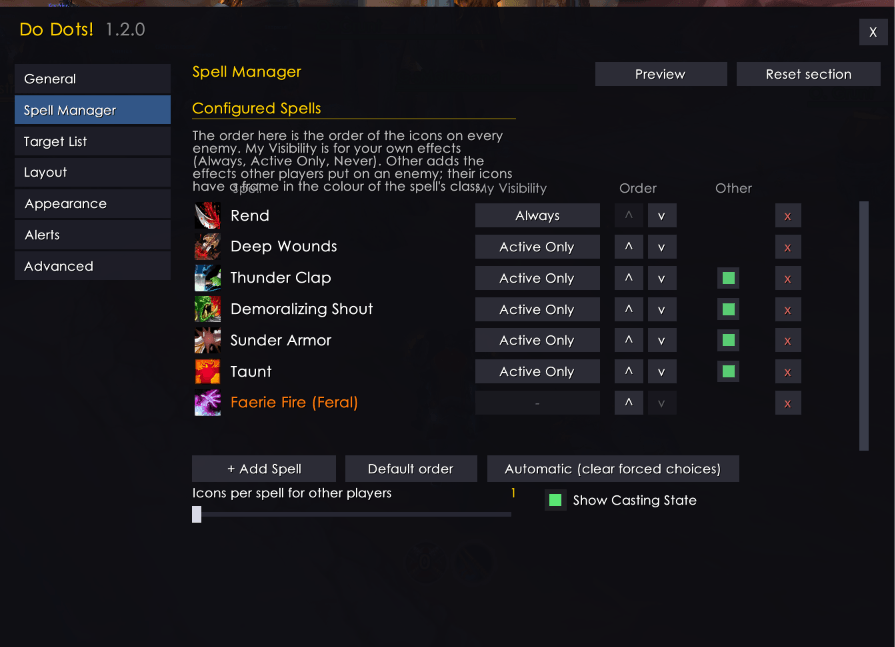
Build your own spell list from DoTs, curses, Fear, Death Coil and Banish. Sort the icons and set each spell to “Always” or “Active Only” (shown only while the effect is active). Optionally track other warlocks’ curses, Fear and Banish.