DMTools
- By
DMTools_Character_Sheet.png
DMTools_DM_Panel.png
DMTools_Marker_Panel.png
DMTools_Marker_Panel_translucent.png
Description
This add-on, originally known as SkillSheet, is a collection of tools for DM and roleplayers who like to go in adventure and roll some dice, as in a Tabletop RPG.
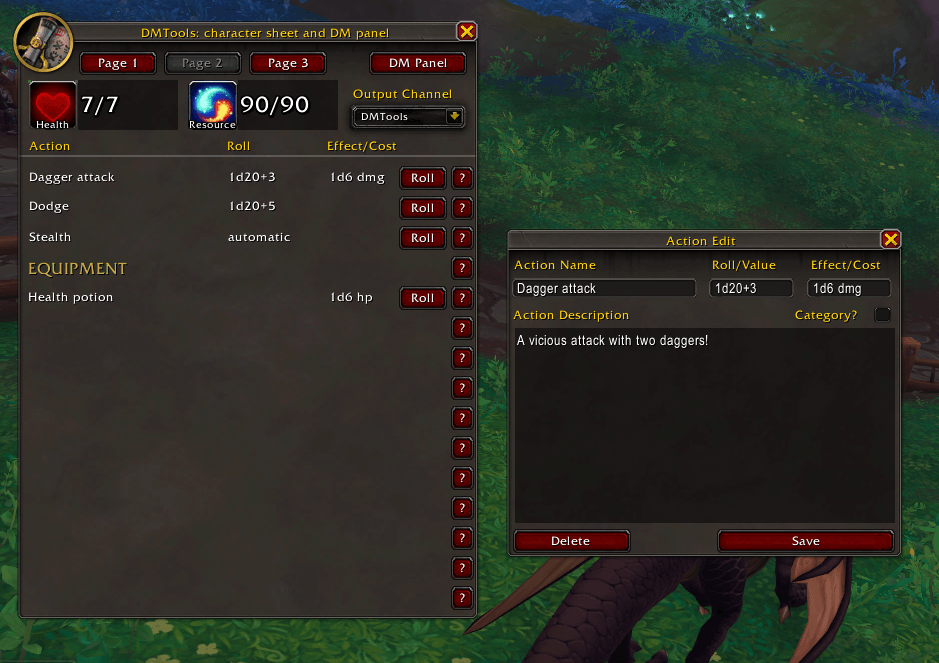
You will find an interface with health status, ressources, actions (up to 45), action description, dice values for rolling and effects/costs of each actions, when it's useful.
- As a player, you will find a Character Sheet, also you can roll an action and all the other players will be warned by a notification (in party or raid) or by an emote (if not in party or raid). DMTools can parse simple dice formula like 1d100+20, 3d6-2 and the like.
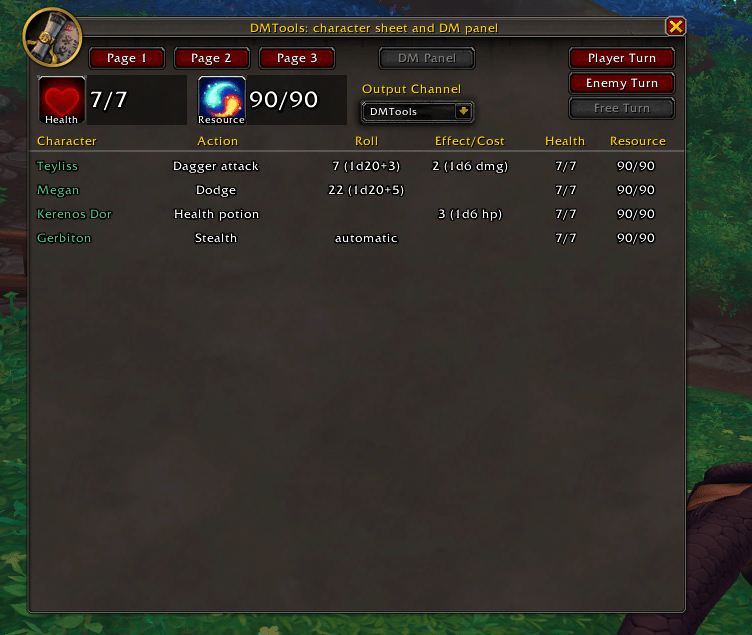
- As a DM, you will find a useful DM panel for tracking player last action rolls, health and resources, and a turn order for displaying player turn and enemy turns and track who have rolled and who haven't.
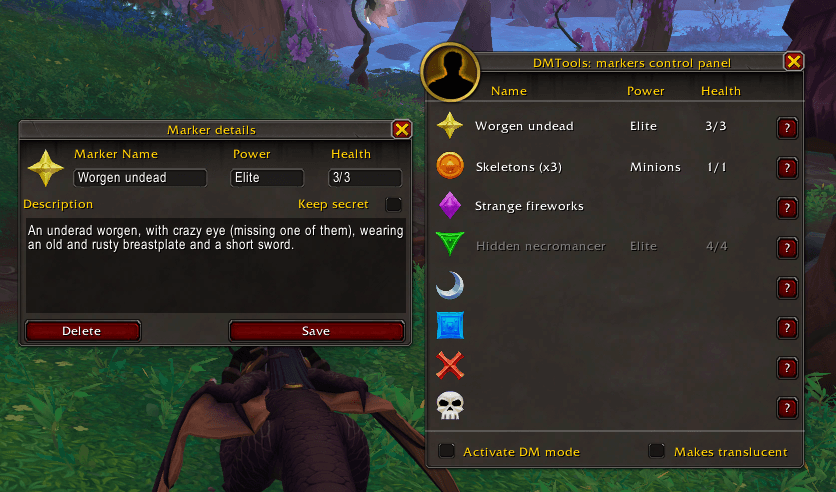
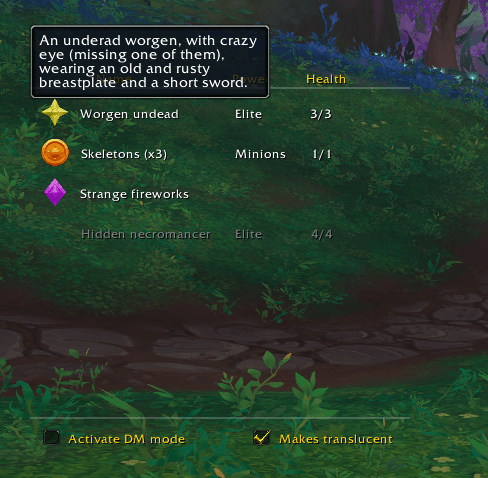
- You will also find a Marker Panel for sharing marker informations to the players: marker names, descriptions, power level and health.
How to use DMTools?
Left-click on the minimap button and the character sheet will opening
- You can create 3 pages of actions or categories
- You can manage your health and ressources (mana, energy, focus or anything you want)
- You can roll your actions and get the result on any output you want (DMTools by default)
- You can access to the DM panel (when you're in party or raid) and if you're the leader, you can manage turns (player turns, enemy turns and free turns)
Right-click on the minimap button and the marker panel will opening
- You can create markers with a description, power level and health. Markers can be hidden to the players until revealed
- You're a player? You can left-click on a marker to sent its icon in the dialog box
- You're a DM? You can click on DM mode for sync the players, left clicking on a marker icon for place it in the world, right clicking for deleting it, shift+left click for sent the icon in the dialog box
- As a player, you can makes the panel transparent for a more immersive experience, and see the details of a marker with a mouseover in its name
Type /DMTools for more options like import/export or reset functions
Enjoy!
Any question? You can contact me on CurseForge, or Teyliss and Amalinë on KirinTor EU
Special thanks to Woon-kye / Airynn on KirinTor EU for testing and help with the user interface flow
DMTools Team