DkRotationHelper - Unholy DK PvP Rotation Helper (MoP 5.5.0)
A lightweight and accurate rotation assistant for Unholy Death Knights in Mists of Pandaria Classic (5.5.0), based on advanced logic from the original PQR profile Unholy PVP Mashup Replikator — fully legal and secure.
⚔️ What It Does
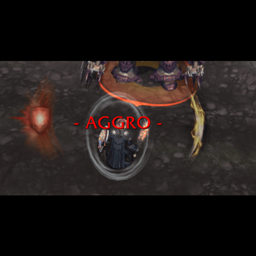
DkRotationHelper analyzes your current combat state (runes, runic power, buffs, debuffs, target status, GCD, and more) and displays:
-
✅ The next optimal ability (primary icon)
-
✅ A secondary icon for support abilities like Raise Dead, Trinkets, Horn of Winter, and more
-
✅ Automatic updates every 0.2 seconds
-
✅ Fallbacks to keep rotation flowing when only limited runes are available
🧠 Key Features
🎯 Intelligent Rotation
-
Based on priority logic from original PQR XML profiles
-
Tracks rune types (Blood, Frost, Unholy, Death) and resource requirements
-
Reacts to buff procs like Sudden Doom or Lichborne
-
Uses Plague Strike, Soul Reaper, Necrotic Strike, and more based on PvP priorities
🎮 Visual Interface
-
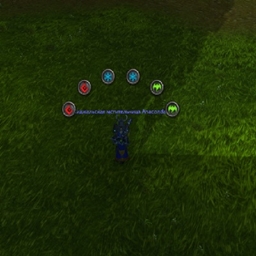
2 movable, resizable icons:
-
Main icon (64x64) for core abilities
-
Support icon (32x32) for secondary utility actions
-
-
Scales from
/dkrotation scale 1.5or any value between0.5–2.0
🔥 Support Actions (secondary icon)
-
Raise Dead (ghoul)
-
Heal pet when low HP
-
Lichborne self-healing
-
Horn of Winter
-
Outbreak
-
Automatic Trinket activation (slot 13 & 14)
-
Engineering Gloves (Synapse Springs)
-
All based on real-time proc detection and cooldowns
🧼 Auto-Dispel Logic (Icy Touch)
The addon includes smart auto-dispel functionality using Icy Touch when the Glyph of Icy Touch (ID: 43546) is active. It automatically scans the enemy target for a prioritized list of high-value magic buffs — such as Power Word: Shield, Ice Barrier, Hand of Freedom, Pain Suppression, Innervate, and many more.
If any of these buffs are detected, and Icy Touch is off cooldown and in range, it will take priority in the rotation, ensuring you strip enemy defensive or utility buffs with perfect timing — just like a high-end PQR profile.
📦 Slash Commands
-
/dkrotation scale <value>— adjust icon scale (e.g.1.25) -
Drag the main icon to move both icons across the screen (saved across sessions)
✅ Fully Compatible
-
Designed for WoW 5.5.0 MoP Classic
-
No need for external tools like PQR
-
Does not violate Blizzard ToS
💡 Recommended Setup
-
Use alongside weak auras or scripts to track enemy cooldowns in PvP
-
Bind the suggested abilities for fast reaction
🛠️ Installation
-
Download and extract the folder to:
World of Warcraft/_classic_/Interface/AddOns/ -
Make sure the folder is named:
DkRotationHelper -
Enable it from the in-game AddOn list and log into your Death Knight.
DkRotationHelper Team