Disenchanty
- By
Disenchant items with one button or hotkey, preview materials and profit in tooltips, and track your results
Description
Disenchanty
Disenchanty makes disenchanting fast and clear. Pick items from your bags or let the compact queue find them for you, then disenchant with one button or your own hotkey.
Features
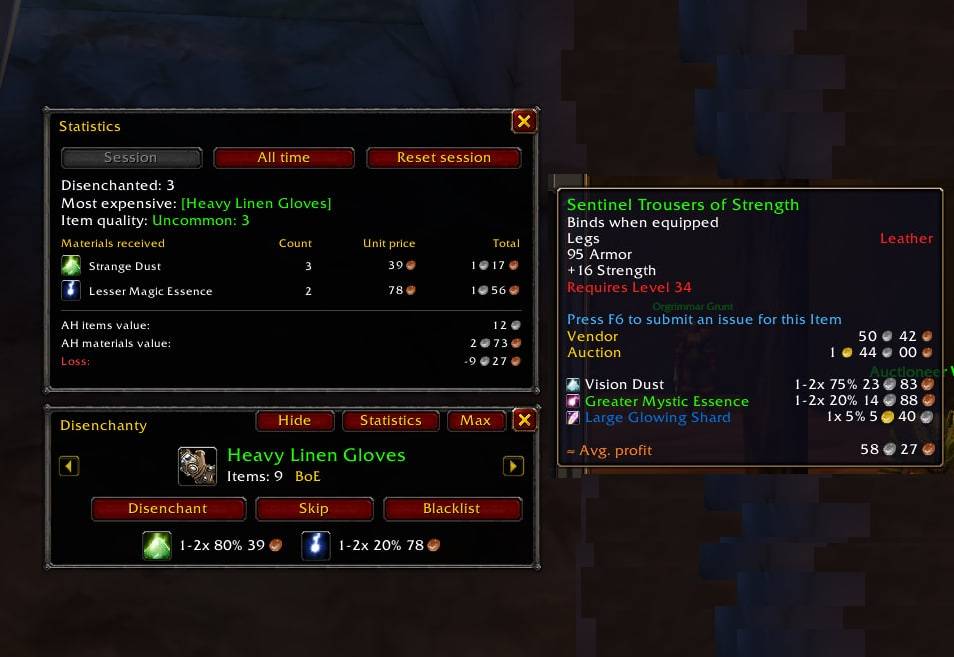
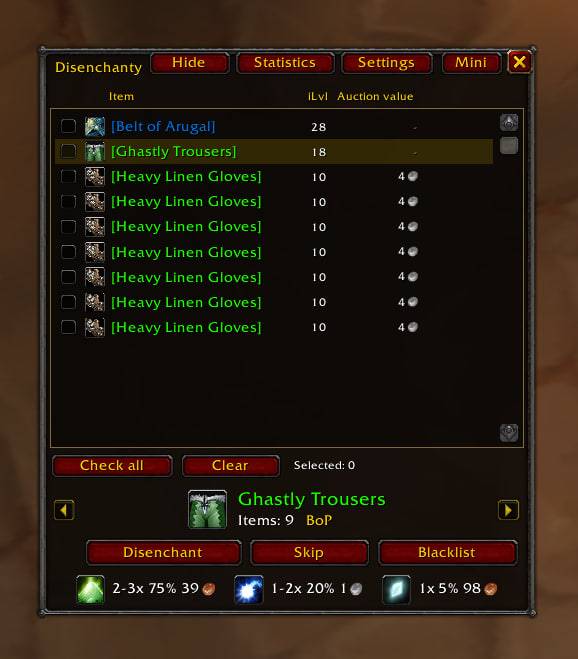
- Mini window: the current item, how many are left, and the materials you can expect, with chances and auction prices.
- Max window: every disenchantable item in your bags. Check items to build your own queue, or leave everything unchecked to use the automatic queue.
- Tooltips: possible materials, drop chances and the average profit of disenchanting, shown on any item.
- Statistics: per session and all time. Items disenchanted, most expensive item, materials received, and profit or loss against the auction house.
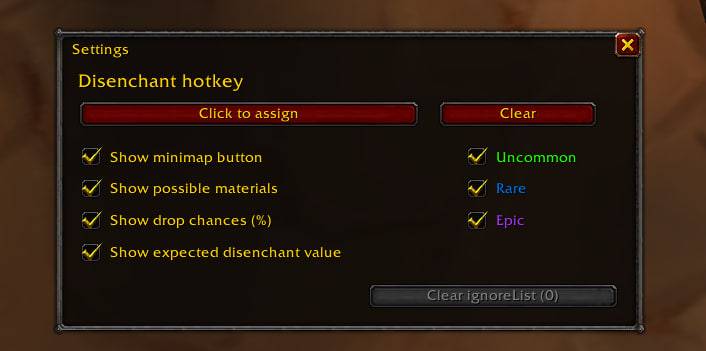
- Hotkey: disenchant the next item with a single key while the window is open. Ctrl, Alt and Shift are supported.
- Skip and blacklist: skip an item for this session or blacklist it for good. Items the game refuses to disenchant are blacklisted automatically.
- Combat safe: the window hides when combat starts and comes back when it ends.
- Quality filter for uncommon, rare and epic items, plus a minimap button.
Prices
Auction prices come from TradeSkillMaster or Auctionator, if one of them is installed. Without them, everything except prices still works.
Supported versions
Forever, Retail (Midnight), Classic Era, Anniversary, Hardcore, Season of Discovery, The Burning Crusade, Wrath of the Lich King, Titan-Reforged, Cataclysm and Mists of Pandaria Classic.
Commands
/dis: open or close the window/dis stats: statistics/dis config: settings
Disenchanty Team