Disenchantrix
Shows what items disenchant into and what that is worth, and helps enchanters disenchant their bags.
Description
Disenchantrix
See what an item disenchants into and what it is worth, right in its tooltip, and disenchant your bags in a few clicks.
Features
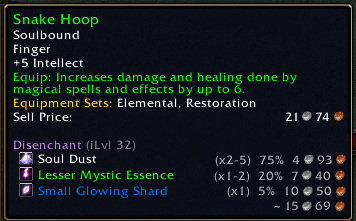
- Tooltip: hold Shift over a weapon or armor piece to see its materials, quantities, chances and expected value.
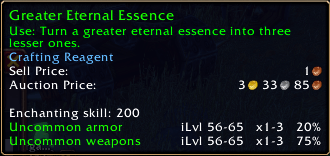
- Material sources: dust, essence, shard and crystal tooltips list which items give them.
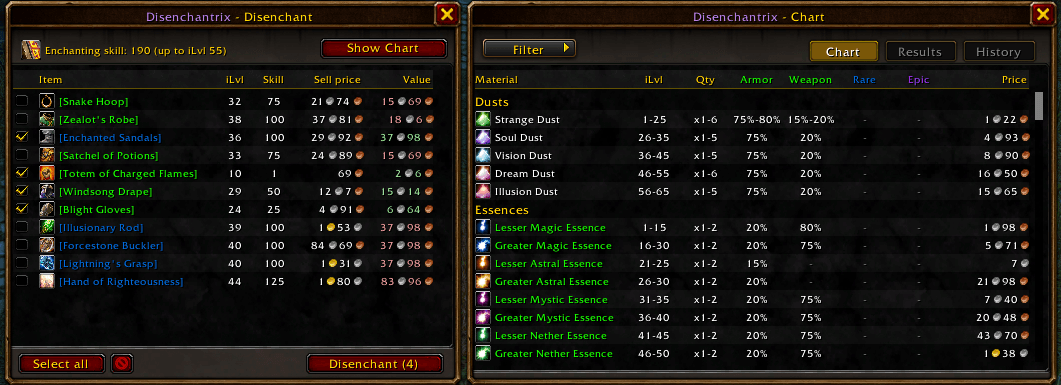
- Disenchant window: lists the disenchantable items in your bags and compares disenchant value with vendor price. Tick the ones you want and press Disenchant once per item.
- Bags window for non-enchanters: find out what is worth selling and what to give to an enchanter.
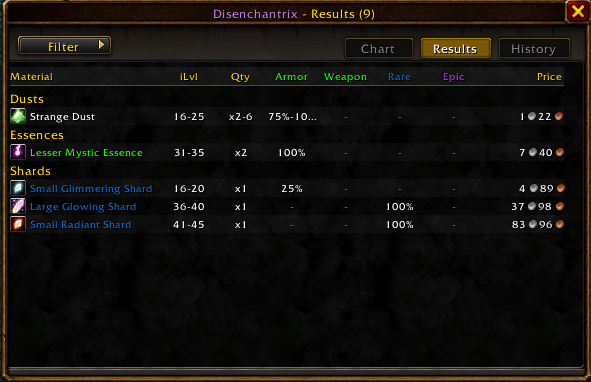
- Disenchant chart with every material of your game version, its item levels, chances and price.
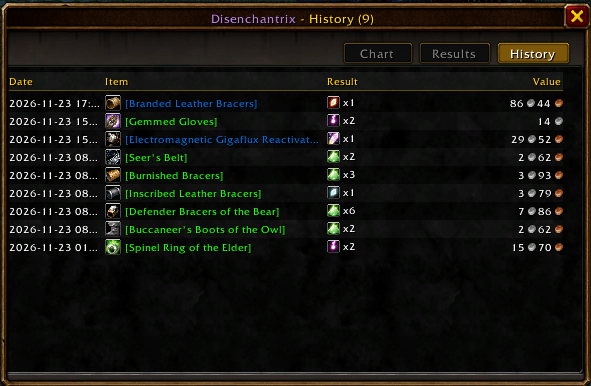
- Your own results: every disenchant you do is saved, with a history and a chart built from your real results.
Auction prices
Prices come from Auctio, Auctionator or Auctioneer, whichever you have installed. Run a scan in it first.
How to use
Hover an item while holding Shift (the key can be changed). Click the minimap button or type /drx disenchant to open the Disenchant window, and /drx for the settings.
Disenchantrix Team