
Disenchanting Companion
359b95f1-5051-4305-afb0-1300b2eb55be.png 1.png
5cb179e5-1360-446d-b852-81e0e08bb51b.png 2.png
307922a5-3176-4718-9cb3-3da34a8debab.png 3.png
a26ac1e9-8fe4-44f5-8aba-5137a26c469e.png 4.png
Description
Disenchanting Companion for MoP Classic
Review unwanted equipment, view available Auctionator price estimates and track enchanting materials in one place.
The current release appears in-game as “Disenchanter”. The addon folder and commands retain that name.
Requirements
- Built for Mists of Pandaria Classic; this release is listed for 5.5.4.
- Your character must be able to cast Disenchant and meet the item's requirements.
- Auctionator is optional and supplies saved price estimates where supported.
Features
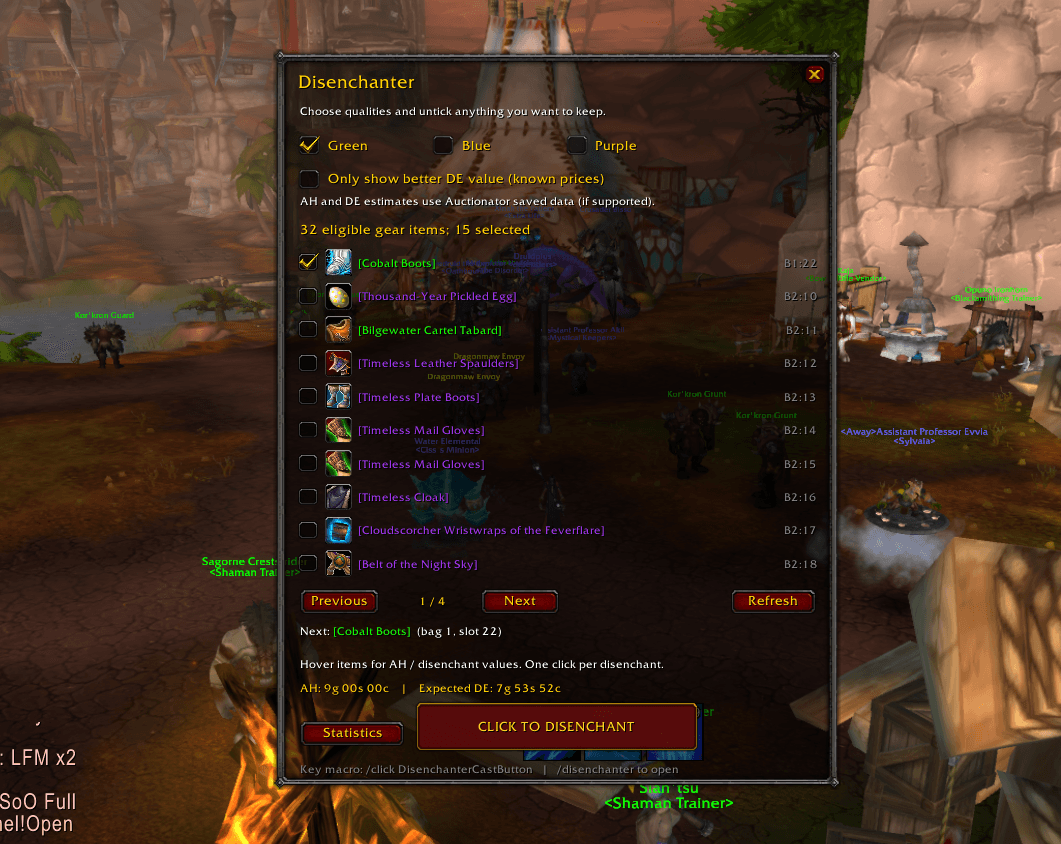
- Review green, blue and purple weapons and armour carried in your bags.
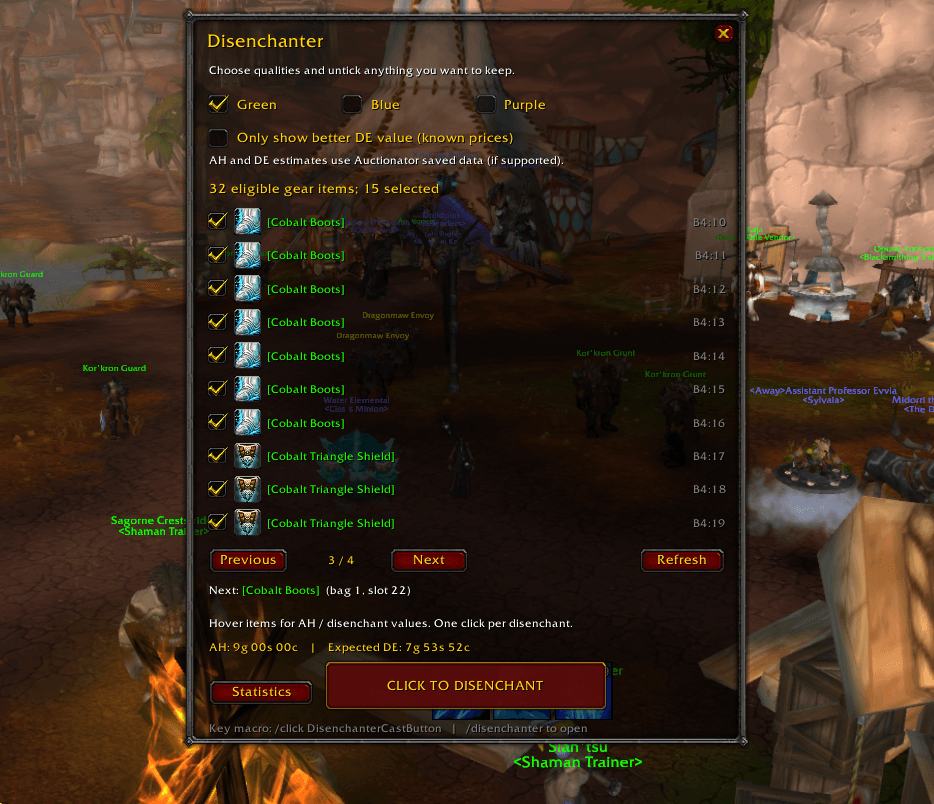
- Choose quality filters and untick items you want to keep.
- Disenchant one item per player click using the red-and-gold CLICK TO DISENCHANT button.
- View available auction prices and disenchant estimates from Auctionator.
- Optionally select only items whose known disenchant estimate exceeds their known auction price.
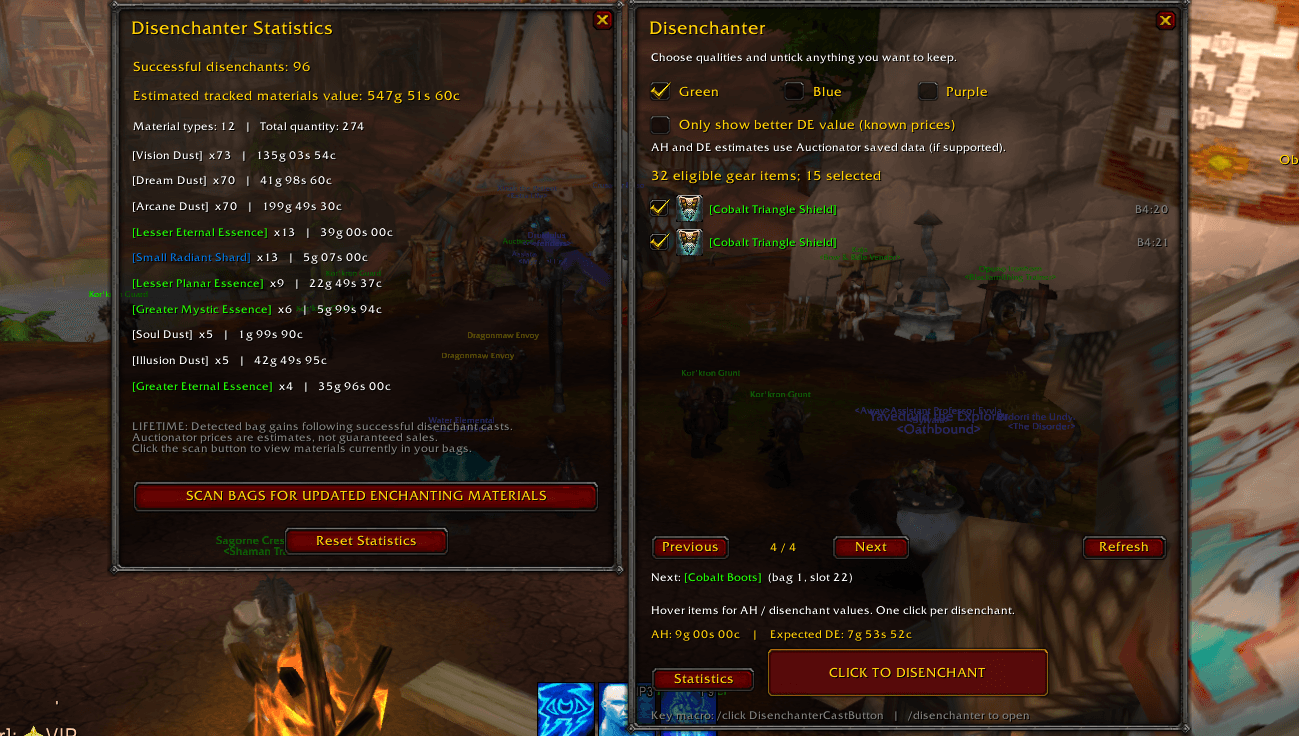
- Track successful disenchant casts and detected enchanting-material gains.
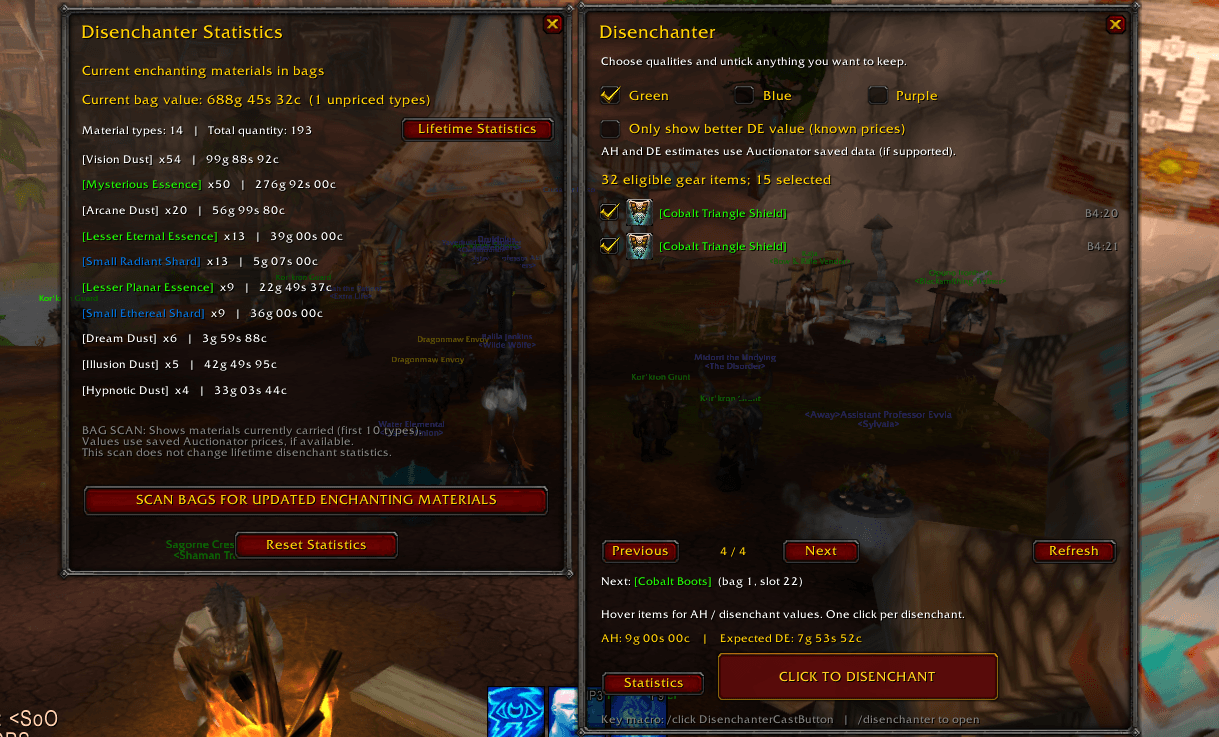
- Scan current bag materials separately from tracked disenchant statistics.
- Configure the minimap button's visibility, movement and locking.
Getting Started
- Open the addon with
/disenchanteror left-click its minimap button. - Review the quality filters and untick items you want to keep.
- Check the Next item before clicking CLICK TO DISENCHANT.
- Wait for the cast and loot to finish before continuing.
- Open Statistics to view tracked results or scan your bags.
On a fresh setup, green items are enabled; blue and purple items are disabled.
Disenchanting permanently destroys items. Filters and exclusions help you choose items but do not guarantee protection against mistakes. WoW determines whether a listed item can actually be disenchanted. Use the addon out of combat.
Exclusions are saved by item ID per character, so matching copies share the exclusion.
Commands
/disenchanteror/dchant— open or close the main window./disenchanter options— open or close settings./disenchanter stats— open or close statistics./disenchanter scan— scan current bag materials./disenchanter minimap— show or hide the minimap button.
Prices and Statistics
Auctionator prices are saved estimates, not live quotes or guaranteed sale prices. Missing or unsupported prices display as Unknown.
The better-value filter requires both auction and disenchant estimates. Turn it off if prices are unavailable.
Statistics are saved per character. Material tracking detects bag gains following successful casts; it is not a complete loot history. The material display shows up to ten types.
Manual Installation
Extract the Disenchanter folder into your MoP Classic installation's Interface/AddOns folder.
The final layout should be:
Interface/AddOns/Disenchanter/Disenchanter.toc
Feedback
Bug reports and suggestions are welcome in the CurseForge project comments. Include your game version, addon version, Auctionator version if installed, steps to reproduce and any Lua error text.# Disenchanting Companion for MoP Classic
Review unwanted equipment, view available Auctionator price estimates and track enchanting materials in one place.
**The current release appears in-game as “Disenchanter”.** The addon folder and commands retain that name.
## Requirements
- Built for Mists of Pandaria Classic; this release is listed for 5.5.4.
- Your character must be able to cast Disenchant and meet the item's requirements.
- Auctionator is optional and supplies saved price estimates where supported.
## Features
- Review green, blue and purple weapons and armour carried in your bags.
- Choose quality filters and untick items you want to keep.
- Disenchant one item per player click using the red-and-gold **CLICK TO DISENCHANT** button.
- View available auction prices and disenchant estimates from Auctionator.
- Optionally select only items whose known disenchant estimate exceeds their known auction price.
- Track successful disenchant casts and detected enchanting-material gains.
- Scan current bag materials separately from tracked disenchant statistics.
- Configure the minimap button's visibility, movement and locking.
## Getting Started
1. Open the addon with `/disenchanter` or left-click its minimap button.
2. Review the quality filters and untick items you want to keep.
3. Check the **Next** item before clicking **CLICK TO DISENCHANT**.
4. Wait for the cast and loot to finish before continuing.
5. Open **Statistics** to view tracked results or scan your bags.
On a fresh setup, green items are enabled; blue and purple items are disabled.
**Disenchanting permanently destroys items.** Filters and exclusions help you choose items but do not guarantee protection against mistakes. WoW determines whether a listed item can actually be disenchanted. Use the addon out of combat.
Exclusions are saved by item ID per character, so matching copies share the exclusion.
## Commands
- `/disenchanter` or `/dchant` — open or close the main window.
- `/disenchanter options` — open or close settings.
- `/disenchanter stats` — open or close statistics.
- `/disenchanter scan` — scan current bag materials.
- `/disenchanter minimap` — show or hide the minimap button.
## Prices and Statistics
Auctionator prices are saved estimates, not live quotes or guaranteed sale prices. Missing or unsupported prices display as **Unknown**.
The better-value filter requires both auction and disenchant estimates. Turn it off if prices are unavailable.
Statistics are saved per character. Material tracking detects bag gains following successful casts; it is not a complete loot history. The material display shows up to ten types.
## Manual Installation
Extract the `Disenchanter` folder into your MoP Classic installation's `Interface/AddOns` folder.
The final layout should be:
`Interface/AddOns/Disenchanter/Disenchanter.toc`
## Feedback
Bug reports and suggestions are welcome in the CurseForge project comments. Include your game version, addon version, Auctionator version if installed, steps to reproduce and any Lua error text.
Disenchanting Companion Team
