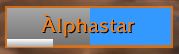
In this example, another player's heal will land before yours and the entirety of your heal will overheal. If you do not see any green, it is recommended that you cancel your heal.
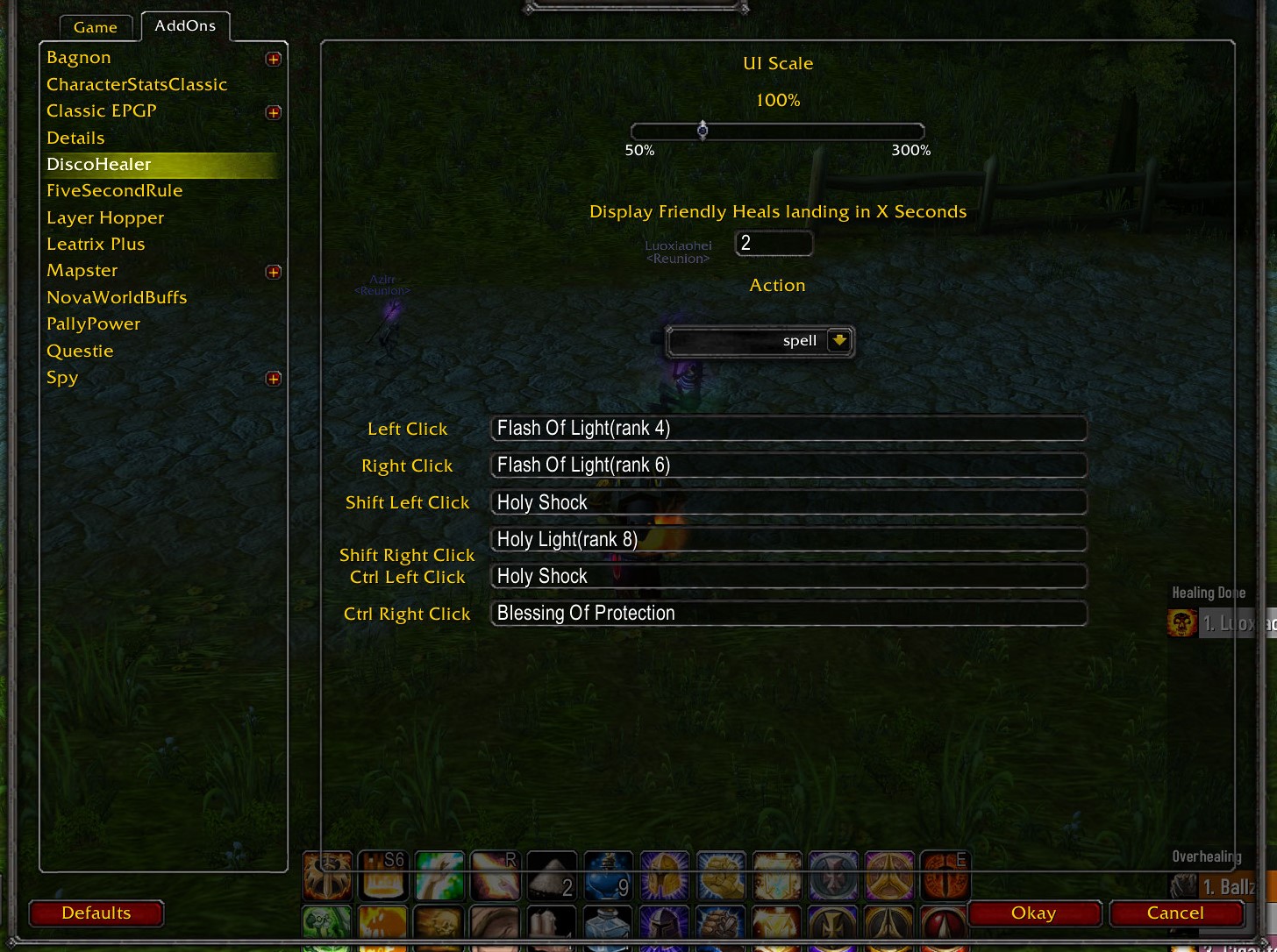
Settings Configurations for Disco Healer
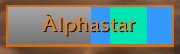
In this example, another player's heal will land both before and after yours. Your heal probably won't overheal unless the first heal crits.
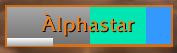
In this example, your heal will land first before anyone else's, and you are almost guaranteed not to overheal. The exception is if someone uses an instant cast heal, or a healer who isn't using any HealComm plugin has cast a heal before you.
Description
What is DiscoHealer?
DiscoHealer is a healing raid frame that makes healing easier by picking your heal target for you.
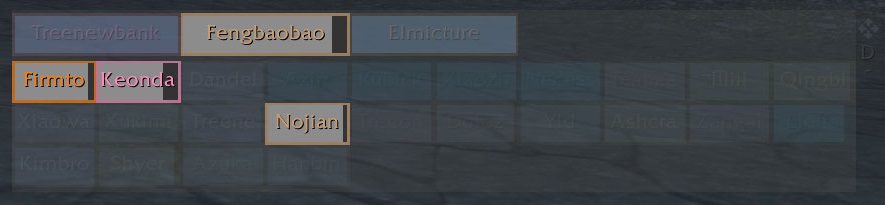
DiscoHealer creates a prioritized list of the top 5 party members most in need of healing and lights these icons up while hiding everything else.
Players marked as Main Tank in raidinfo are always displayed when they are not at full health.
Can I trust DiscoHealer's heal priorities?
It may be difficult to accept that some players who are not full health may be hidden from view. DiscoHealer's algorithm for determining which target's to display is actually fairly complex and works very well. A number of heuristics are taken into account to score party members, including current health, incoming friendly heals, HOTs, monster aggro, etc. Tanks are always displayed whenever they are in range and have boss aggro, or are < 100% health. It is almost never in your interest to heal someone outside of the recommended targets, as these heals will certainly result in overheal.
What do the icons/colors in the frame represent?
A green healing bar indicates your own heal amount on a player. If you cast a heal and do not see any green, it means you will overheal.
A blue healing bar indicates friendly heals on a player. All heals landing within 3 seconds are displayed, and HOTs are also limited to the amount healed in the next 3 seconds.
A thin white line at the bottom of a player's frame indicates overheal. This is useful when healing tanks or seeing which players other healers are precasting abilities on.
A red indicator in the corner of a frame means that player is currently targeted by an enemy unit. It does not reflect threat.
A red skull in the corner of a frame means that player is currently targeted by a raid boss.
In this example, other players' heals will land both before and after yours. Your heal probably won't overheal unless the first heal crits.
In this example, your heal will land first before anyone else's, and you are almost guaranteed not to overheal. The exception is if someone uses an instant cast heal, or a healer who isn't using any HealComm addon has cast a heal before you. The blue bar and white line indicates that some other player's heals will land after yours, so you probably want to avoid healing that player twice in a row.
If you cast a heal on a player and only see blue, you will want to cancel your heal as it is almost guaranteed to overheal. The white line in this example shows the amount of overheal.
Can I use Click Casting / Mouseover Casting with DiscoHealer?
Yes, DiscoHealer supports click casting and also mouseover casting. You can configure this in the settings by typing /disco or clicking the small "D" icon to the right of the window.
How do I move/resize/hide the DiscoHealer window?
There is a small handlebar to the right side of the DiscoHealer window that can be used to drag or minimize the window. Additional settings can be accessed by clicking the "D" icon.
Clicking the lock button will lock/unlock the DiscoHealer window so that it does not move.
My window disappeared off screen / Why are party members no longer shown?
If your window disappeared or got dragged off screen, you can type /disco and click the "reset position" button to center the window again.
If you can only see your own health bar and not any party members, you may have accidentally minimized the frames. You can hide/restore the frames by clicking the small -/+ button on the handlebar to the right of your own health bar.
Configuring DiscoHealer
DiscoHealer settings can be opened with the command /disco
Alternatively, you can use click the "D" icon to the right of the window. You can also navigate through the main menu to Interface Options > Addons > DiscoHealer
With the default settings, clicking on an icon will target the corresponding party member.
If you select "spell" in settings, you can directly cast spells on party members. Make sure to type the name of the spell exactly in the macro fields, eg. Flash of Light
You can also include the spell rank in parenthesis after the name, eg. Flash of Light(Rank 4)
If spell ranks aren't working, double check that your spaces and parenthesis are correct. There should be no space between the end of the spell and the open parenthesis.
Additionally, you can input "target" in the macro box. This will target the selected member whenever that key combination is pressed.
The DiscoHealer - Classic Team