e6f153c2-4787-4fa9-a2c4-48a569848bd0.png
c9f263bb-2fa4-4f1b-8cd6-54bc8b4828fe.png
Description
DirectionLine
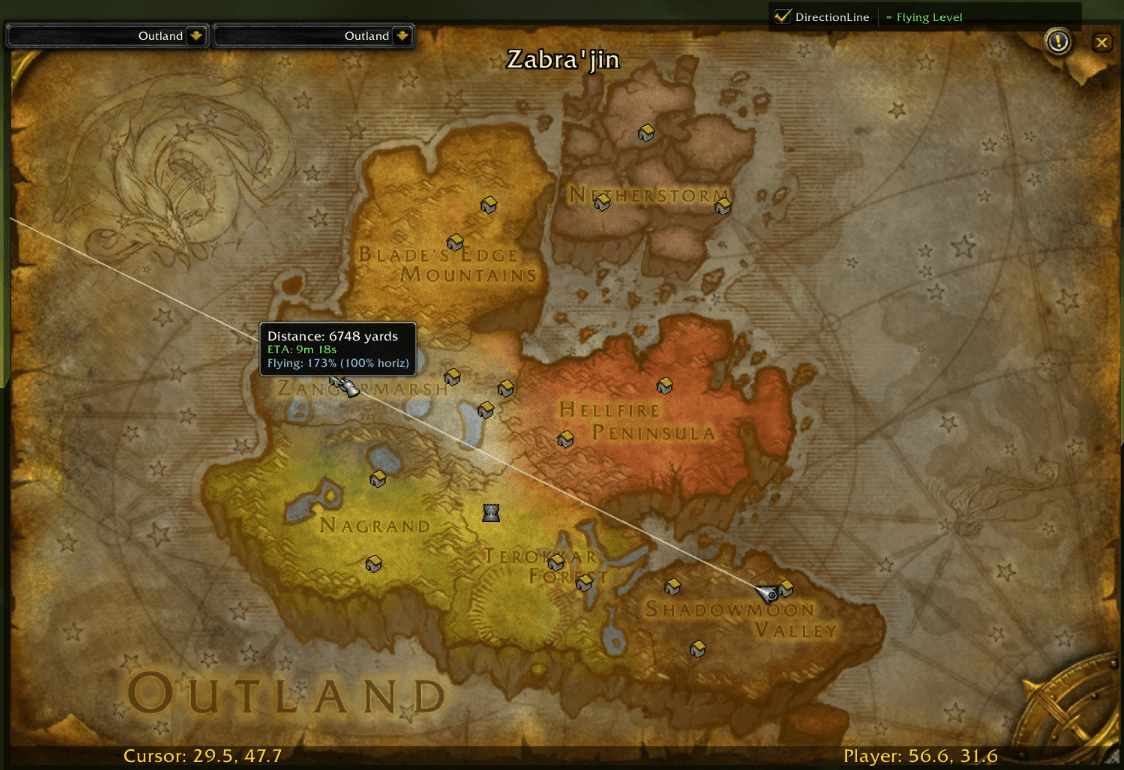
Draws a line from your character to the edge of the world map in the direction you're facing. Made for TBC Anniversary (2.5.4).
Features
Direction Line A visible line on the world map showing exactly where you're headed. Useful for autorunning to a destination without veering off course.
Hover ETA Hover anywhere on the line to see the distance in yards and estimated travel time to that point. The ETA updates based on your current movement speed — walking, mounted, or flying.
Flying Pitch Indicator While flying, a small indicator at the top of the map shows whether you're flying level or angled up/down. It measures your actual horizontal displacement and compares it to your expected speed, so it detects pitch even without a pitch API. If you're wasting speed climbing or diving, it'll tell you.
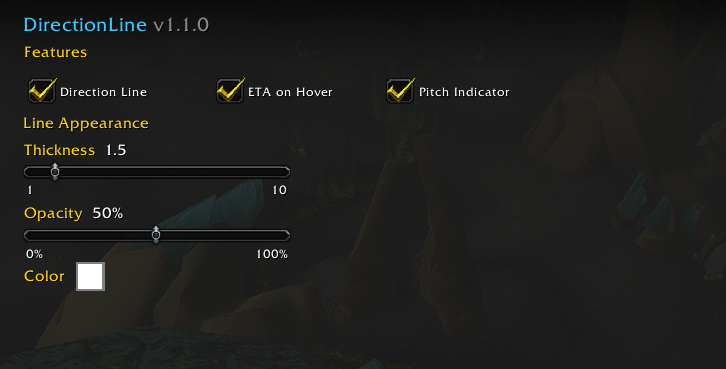
All three features can be individually enabled or disabled in the settings.
Settings
Open settings with /dl or through Interface → AddOns → DirectionLine.
- Direction Line — Toggle the facing line on/off
- ETA on Hover — Toggle the distance/ETA tooltip on the line
- Pitch Indicator — Toggle the flying pitch display
- Thickness — Line thickness (1–10)
- Opacity — Line opacity (0–100%)
- Color — Line color picker
A quick-toggle checkbox on the world map (top-right corner) lets you temporarily hide everything for the current session without changing your saved settings.
Notes
- Pitch detection takes about 1 second to calibrate after takeoff.
- Pitch detection only works in the open world (
UnitPositionreturns nil in instances). - ETA uses your actual measured horizontal speed while flying, so it accounts for pitch.
- Lightweight — no libraries or dependencies.
The DirectionLine Team