
Dink's Immersive UI

(my settings example) most of the UI is hidden by default
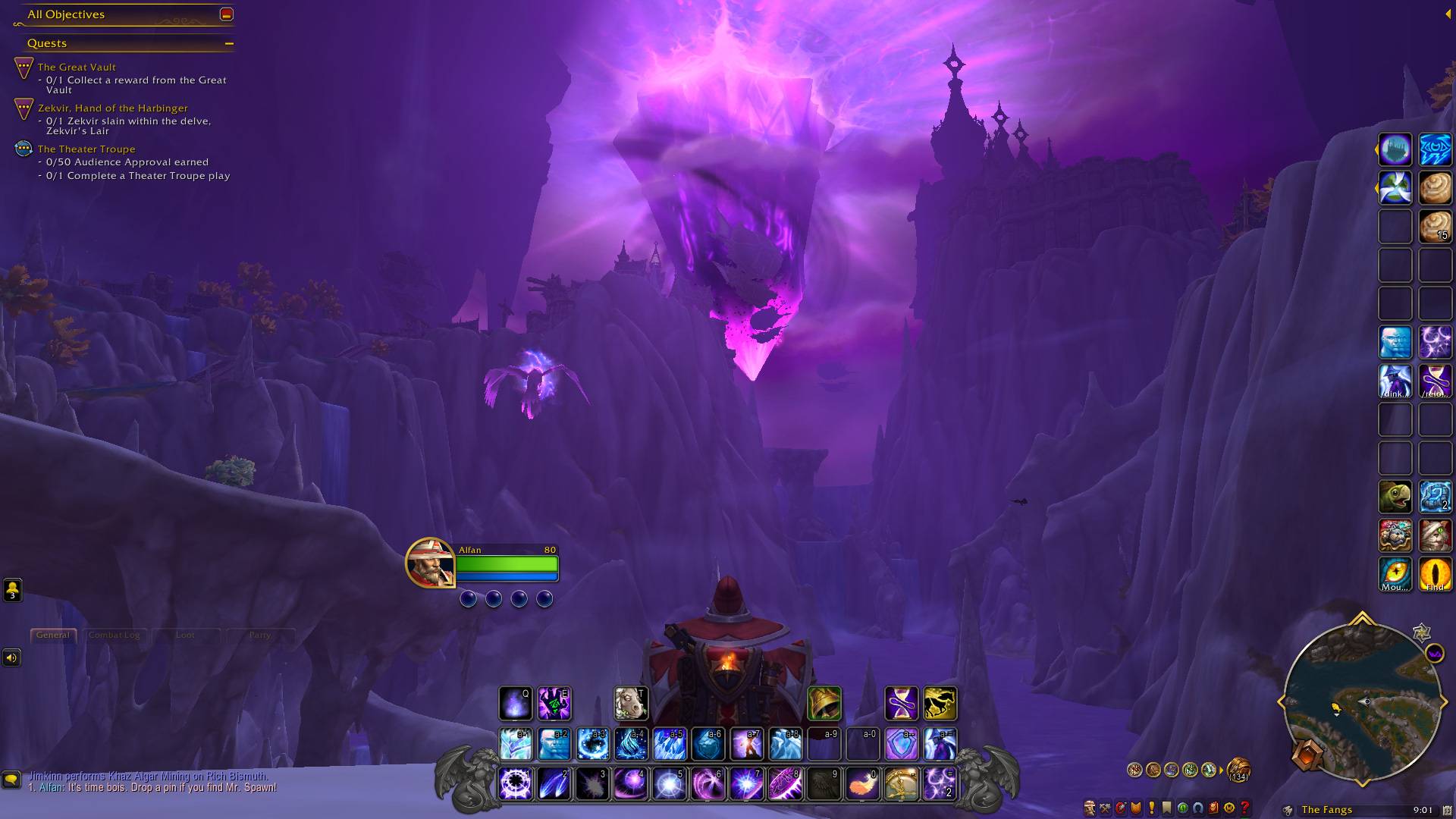
(my settings example) holding down CTRL (no combat)
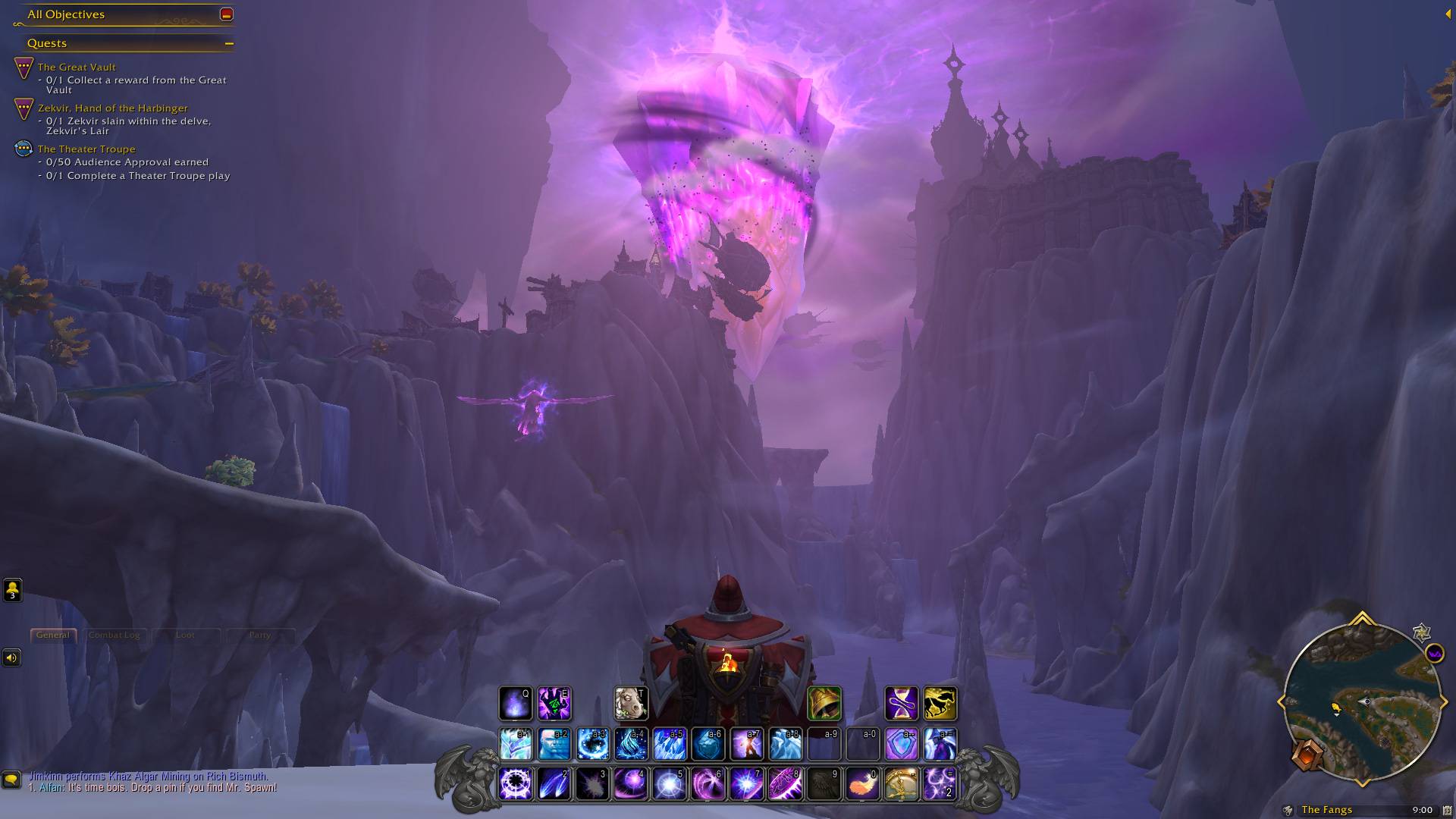
(my settings example) holding down ALT (no combat)
Description
In 12.0.0, hiding party frames during instanced combat is causing errors. Even though DinksUI doesn't access any secrets directly, there's some kind of knock-on effect from hiding/showing these. I don't know if these kinds of issues will be cleared up by Blizz over time.
Dink's Immersive UI
Description
Dink's Immersive UI is a World of Warcraft addon designed to enhance your gameplay experience by clearing up the UI until you need to see the UI elements. It allows you to customize which frames are shown or hidden based on your preferences. You can use regular macro conditionals to control the visibility of each frame.
Features
- Simplifies the UI by hiding unnecessary elements
- Customizable settings for each frame
- Supports regular macro conditionals for conditional visibility
- Default settings profile is all blanks (no hiding by deault)
- DinksDefaults settings profile based on personal usage
Supported Frames
Action Bars
- Action Bar 1
- Action Bar 2
- Action Bar 3
- Action Bar 4
- Action Bar 5
- Action Bar 6
- Action Bar 7
- Action Bar 8
- Pet Action Bar
- Stance Bar
Unit Frames
- Boss Frames
- Focus Frame
- Party Frame (!Hiding this inside instances will cause errors right now!)
- Pet Frame
- Player Frame
- Raid Frame
- Target Frame
Interface
- Bags Bar
- Buff Frame
- Chat Frame
- Damage Meters
- Debuff Frame
- Experience Bar
- Micro Menu
- Minimap
- Objective Tracker
- Personal Resource Display
Installation
- Download the latest version from CurseForge.
- Install via addon manager of your choice or just extract the downloaded files into your World of Warcraft
_retail_/Interface/AddOnsdirectory. - Reload World of Warcraft to load the addon. (You no longer need to restart the WoW game client.)
Usage
- Open the settings by typing
/dinksuior/duiin the chat. - Customize the visibility of each frame using regular macro conditionals.
- Save your settings and enjoy a clutter-free UI until you need it.
- Temporarily toggle on all frames by typing
/dinksui show. Type/dinksui hideto hide the frames again. Type/dinksui togglefor a 1-button toggle on and off. - Bind any of the
/slash commands to your custom macros for easy use! - Type
/dinksui helpor/dui hfor help. - You can reference Wowpedia for help with macro conditionals.
Contributing
Contributions to Dink's Immersive UI are welcome! If you encounter any issues or have suggestions for improvements, please open an issue on the GitHub repository.
See Contributing for more.
License
Dink's Immersive UI is released under the MIT License.
Dink's Immersive UI Team
