


Ding Tracker
- By
levels-journey-journal.png
ding-10-journal.png
levels-combat-tracker-modern.png
spell-rank-comparison-journal.png
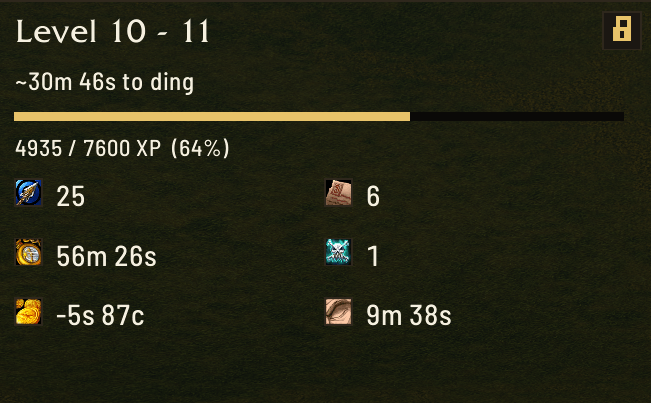
compact-window-next-ding-eta-modern.png
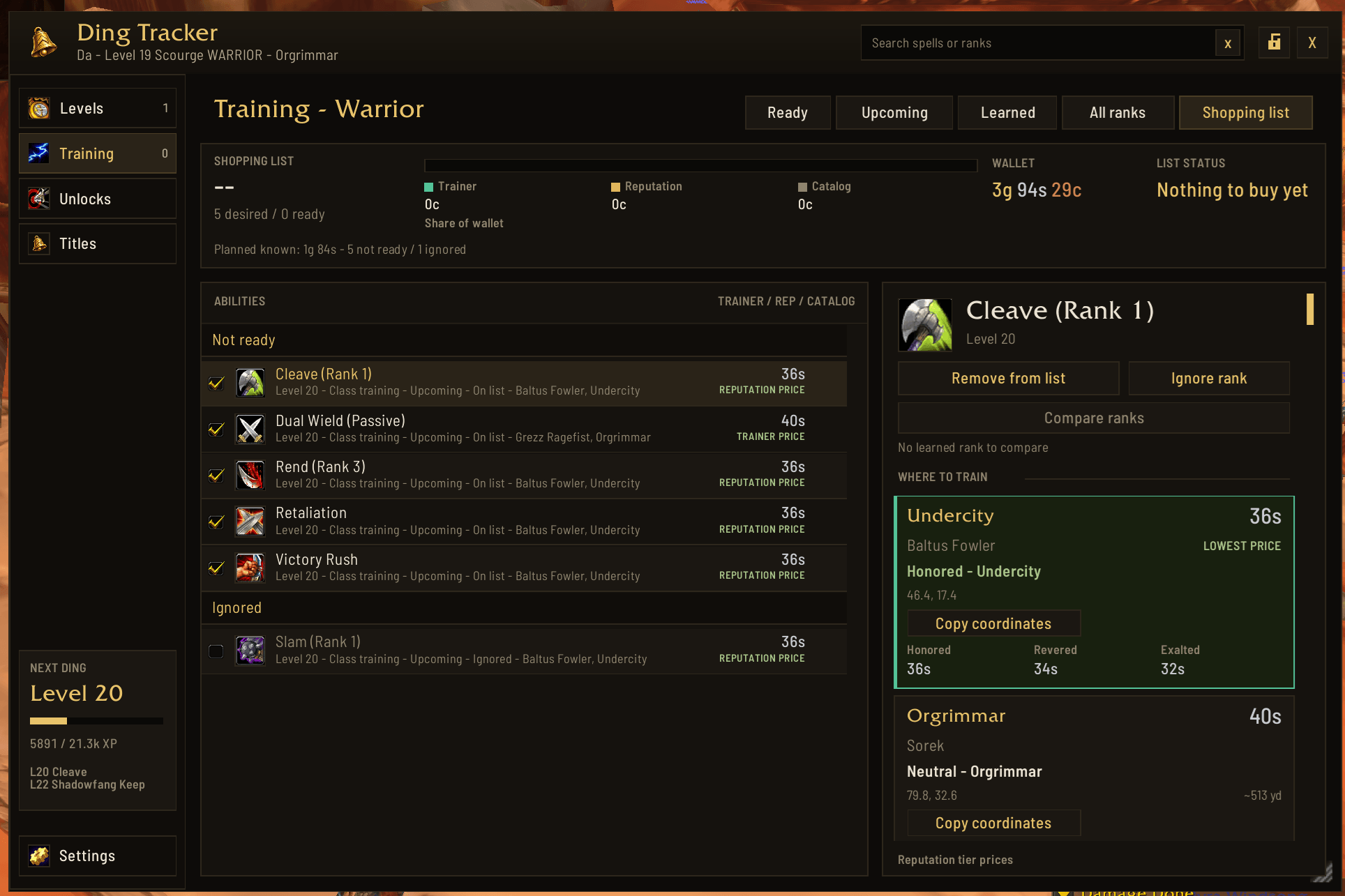
training-shopping-list-modern.png
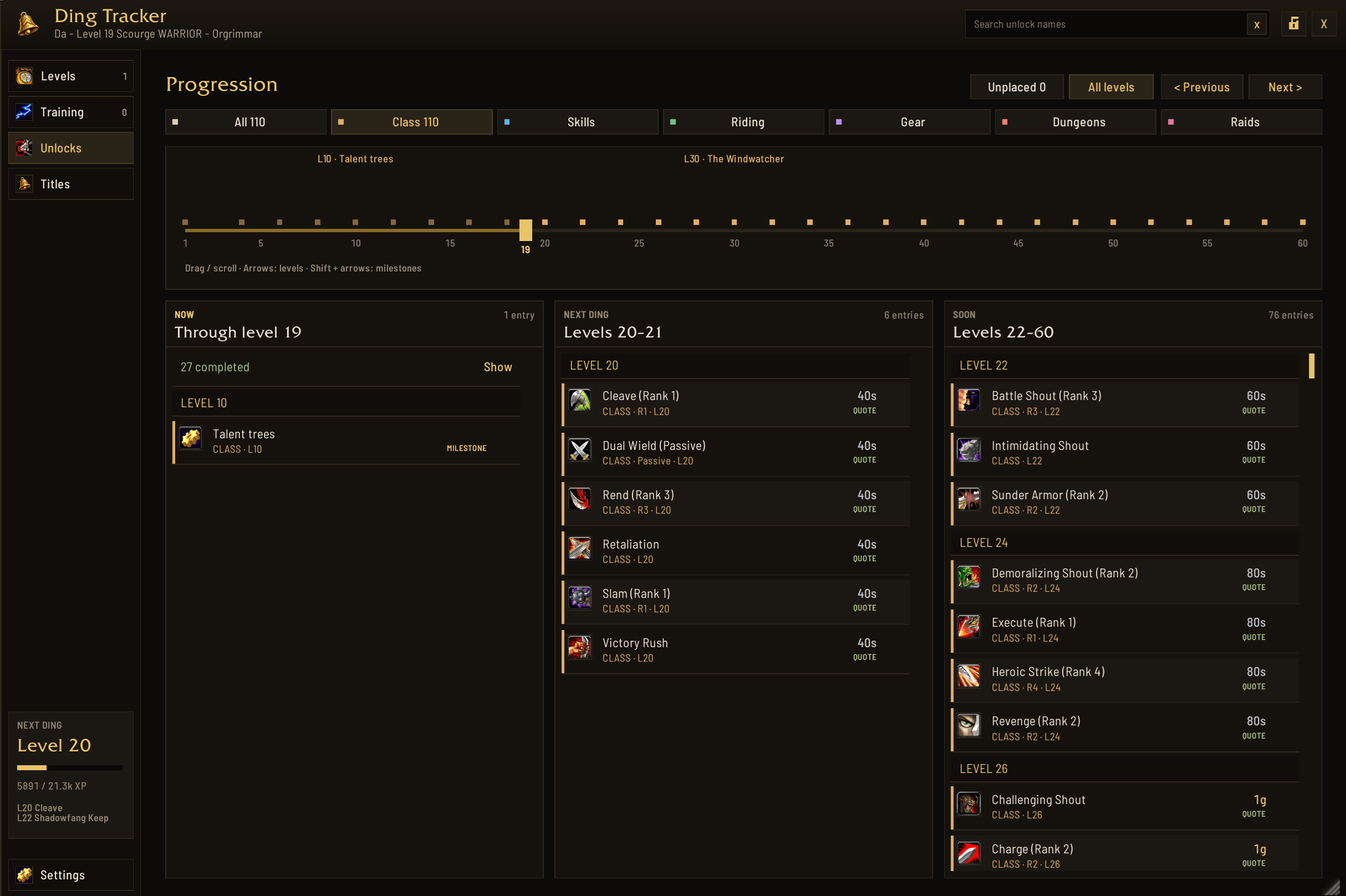
unlocks-class-modern.png
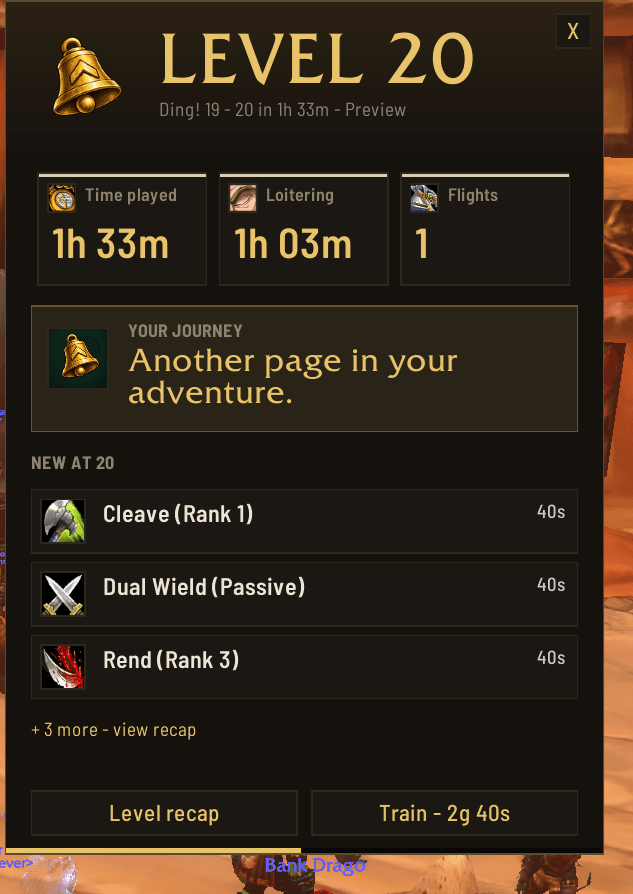
ding-20-modern.png
Description
Brief summary
Celebrate every level and keep a detailed journal of your adventures in WoW: Forever.
Description
Remember the journey behind every ding!
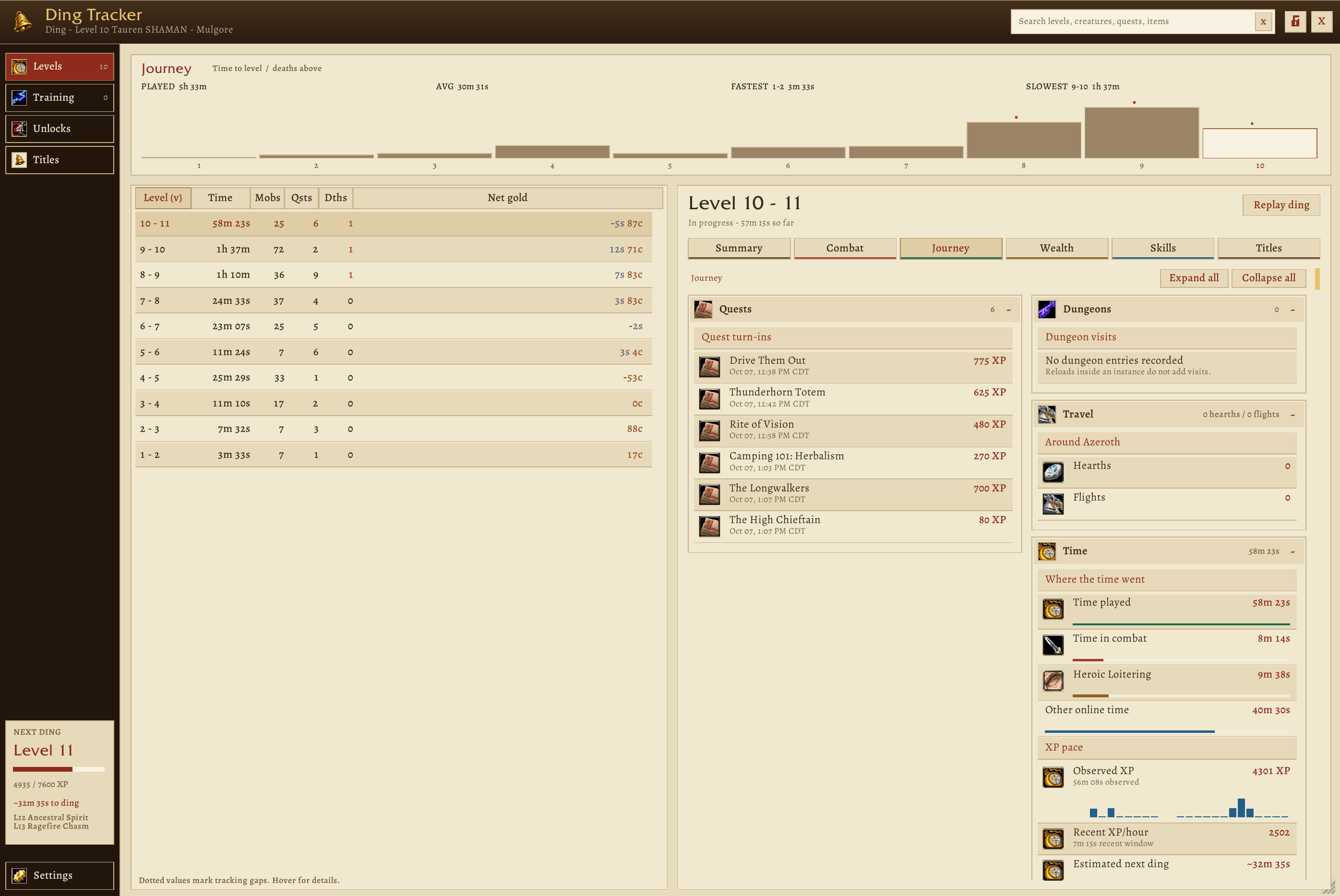
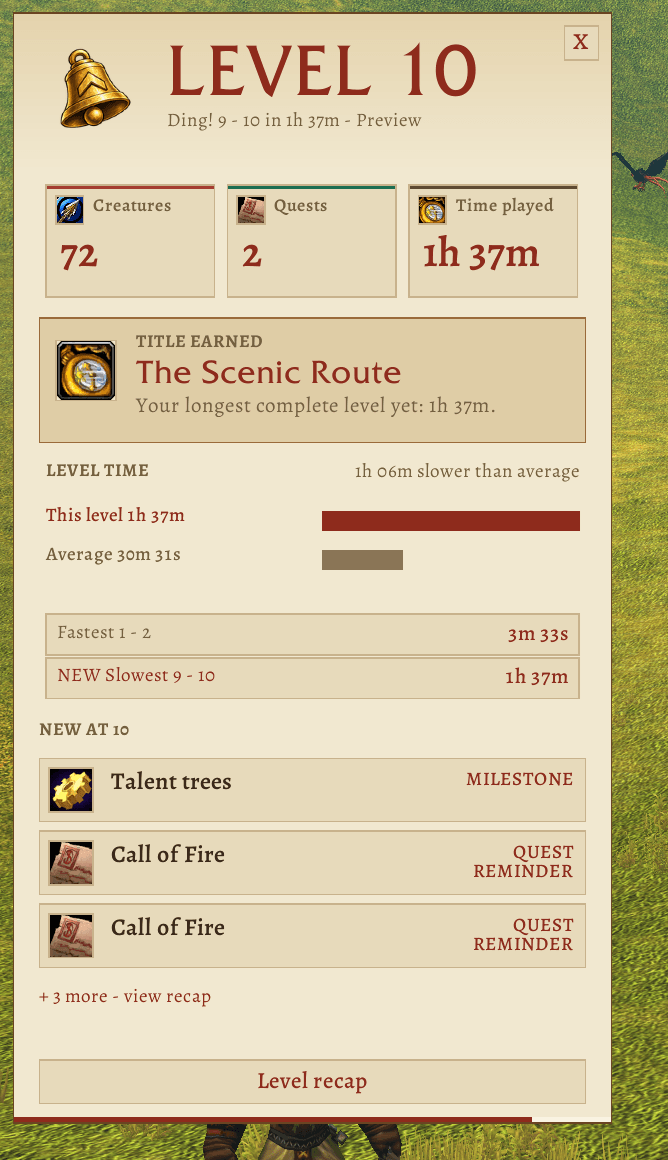
Ding Tracker celebrates your level gains and keeps a journal of what happened along the way. Look back at your adventure level by level, inspect the details, and replay the celebration whenever you like.
Your adventure recorded by level
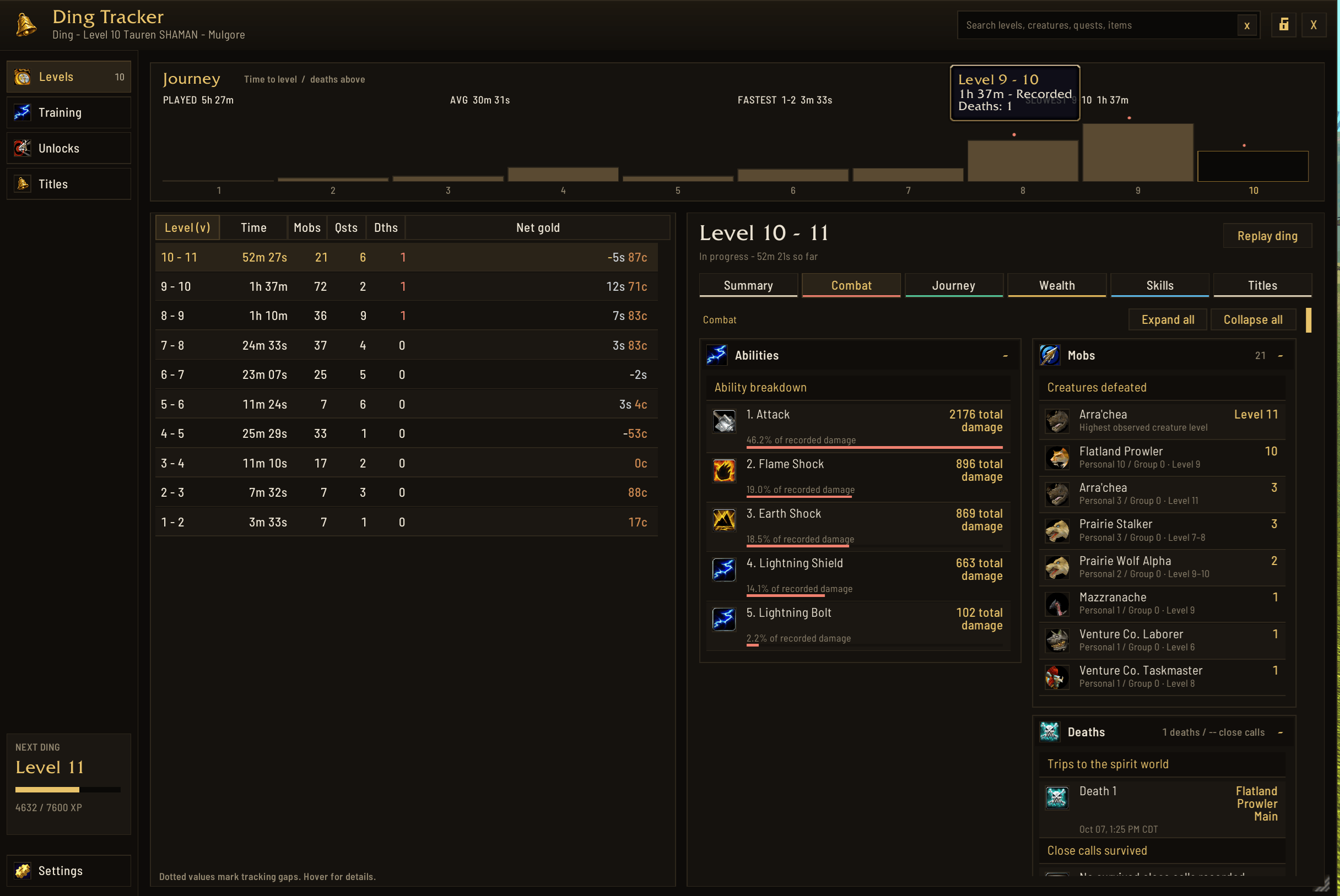
- Creature kills, with separate personal/pet and observed group counts.
- Quest turn-ins, dungeon visits, deaths and readable damage totals by ability.
- Gold gained and spent, plus uncommon, rare and epic items received.
- Profession and secondary skill gains, newly learned recipes and abilities.
- Online time, combat time and Heroic Loitering in rested areas.
- Toughest credited creatures, successful Hearthstone casts and flight departures.
- Opposing-faction player killing blows when readable identity permits tracking.
- Fastest and slowest completed levels, a clickable leveling chart and pace estimates.
Browse a sortable level table, search your recorded adventures and open grouped details for Combat, Journey, Wealth, Skills and Titles. Tracking begins with observation; time to level syncs with WoW's /played counter.
Celebrate your way
Choose a celebration card or compact banner, adjust its size and duration, and pick which stats appear at each ding. Fresh settings enable Victory sound and /cheer. Celebrations wait until combat ends by default; if you turn that off, celebrations during combat use the compact banner.
Choose from 16 built-in WoW sounds, including Darkmoon Faire music, boss lines and spell effects. Test or stop sounds in Settings, or use your own .ogg/.mp3 file from Interface/AddOns/DingTracker/Media/CustomSounds/. Custom audio files must be supplied separately when sharing settings.
To add your own custom celebration sound, just place the .ogg/.mp3 file into your C:\Program Files (x86)\World of Warcraft\_classic_beta_\Interface\AddOns\DingTracker\Media\CustomSounds folder and relaunch World of Warcraft: Forever.
Then, in game, open Ding Tracker Settings from the minimap icon or by typing /ding and go to the Sound tab. Select 'Custom file' in the dropdown and put the full filename in the box and click save. You can test the sound plays correctly from here before exiting.
Keep your progress in view
Enable the compact window for an XP bar, estimated time to your next ding and up to six selected stats. Customize its text, labels, background and opacity. Short hover explanations help you understand each stat. Lock its position and size to let stat clicks pass through while keeping tooltips available. The main journal has its own position and size lock, with menu controls still usable.
Plan your next milestone
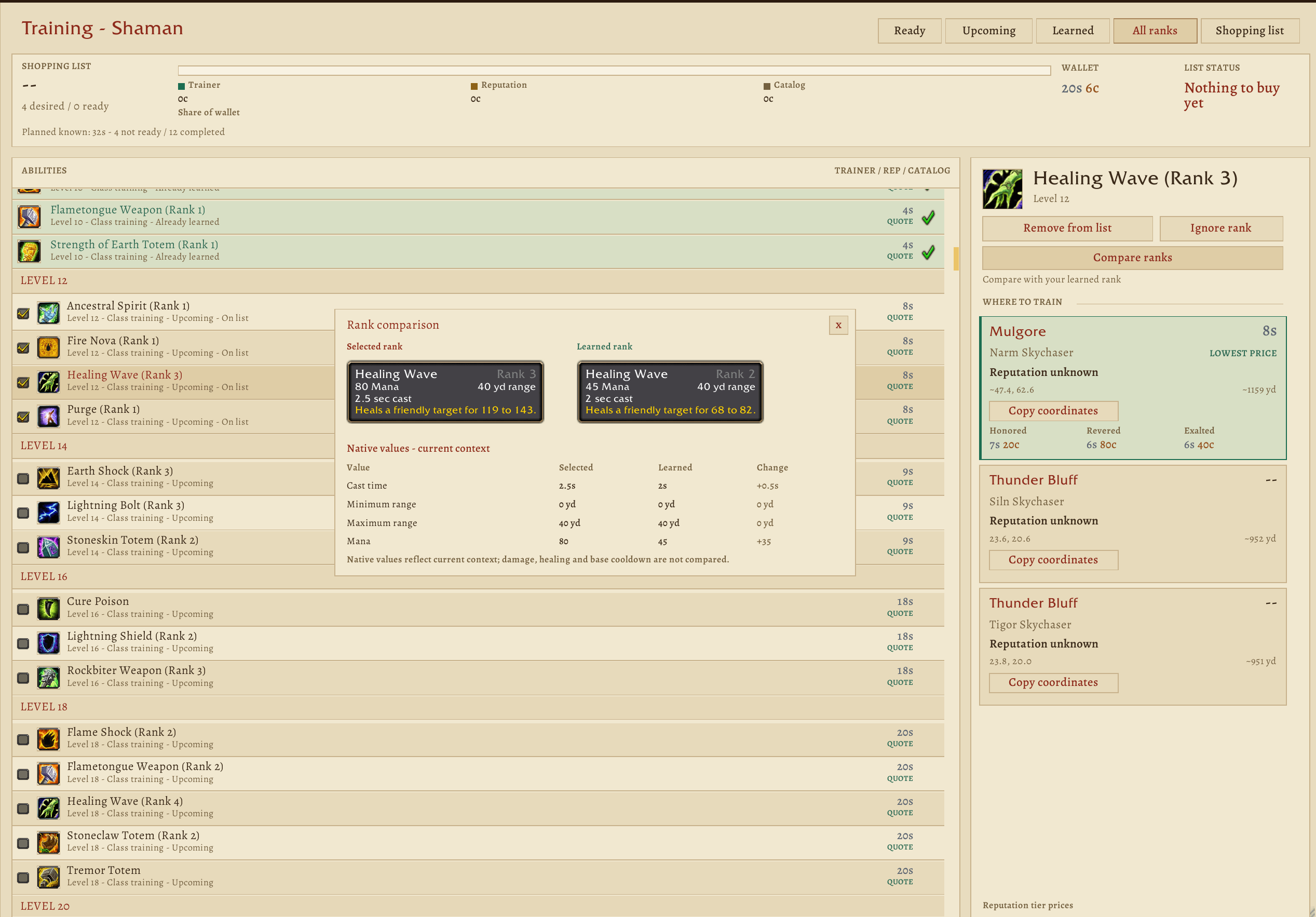
- Browse the nine-class Forever spell catalog and search abilities or ranks.
- See learned abilities, compare ranks and build a character-specific shopping list with estimated costs and wallet shortfall.
- Compare trainer locations, actual reputation standing, saved trainer quotes and clearly labeled price estimates.
- Explore class quests, profession tiers, riding, gear, dungeon recommendations and raid references on a draggable progression timeline.
- Copy trainer or dungeon coordinates, or right-click their cards to set a map pin.
Mount guidance follows your race and class. Approximate locations are labeled, and recommendations do not guarantee dungeon or raid entry.
Titles and settings with personality
Earn flavor awards for questing, grinding, dungeon visits, professions and more. Titles such as Grind Goblin, Dungeon Dweller, Gold Goblin and Professional Butt Picker appear within Ding Tracker. Browse their requirements and see green checks on earned awards.
Choose modern or parchment styling, independent text sizes, higher contrast and reduced motion. Quiet, Standard and Detailed presets, named profiles, section resets and settings import/export make customization easier. Detailed is the default preset. Settings exports contain preferences, not recorded history or audio files.
Get started
Install through CurseForge, or extract all 33 addon folders into your Forever client's Interface/AddOns directory and restart WoW after the first installation.
/ding— open the journal./ding settings— customize tracking, celebrations and display./ding training— browse training and your shopping list./ding unlocks— explore progression milestones.
Use Settings → Celebration → Preview to try a celebration. When reporting a problem, run /ding diagnostics and include your client build, reproduction steps and any Lua error text in CurseForge comments.
Optional helper for combat records
For highest individual hits, credited creature HP and survived close calls, use the optional Ding Tracker Log Helper for 64-bit Windows. It is open source and available from the Releases section of its GitHub project. Python is not required. The addon works without the helper; imports are off by default.
- Install Ding Tracker 0.15.21 or newer and fully restart WoW once.
- In WoW, press Enter to open chat, type
/ding logs onand press Enter. Then type/reloadin chat and press Enter to save your character. - On the GitHub project's Releases page, download the Windows x64 ZIP, extract it outside
Interface/AddOns, and run DingTracker-LogHelper.exe. - Select the Forever client folder containing Interface, Logs and WTF. Press Enter for 60-second checks, then Enter for background tray mode.
- After playing, type
/reloadto save, choose Scan now from the helper's tray icon, then/reloadagain to load the results. Use/ding logs statusto check your import status./ding logs offdisables imports.
The helper reads local combat logs and saved tracking context and writes only the addon's import file. It does not connect to the internet, read game memory or control gameplay. Log writes can be delayed; a recent encounter may need another scan and reload. Close calls require 10% HP or less in combat, survival through combat ending and recovery to 35% HP or more, with tracking and new combat/duel markers present. Older logs may not contain enough evidence.
For WoW: Forever 1.60.1 only. Beta changes may affect tracking, sounds and progression information. Some client APIs restrict health or combat data; live close-call detection is unavailable when player health cannot be read. The optional helper can import supported logged records after a reload. Missing data and tracking gaps are identified in the journal. Unlock coverage and entry requirements are still being reviewed.
Ding Tracker Team
