Dicebound Sync
- By
Tired of WoW Forever's 99-listing LFG cap hiding groups and players? DiceboundSync shares active LFG listings, party rosters, and player zones across your realm over a hidden addon channel and shows them right inside Blizzard's default Group Finder.
2o1UaTh.png
Description
DiceboundSync – Break Past WoW Forever's 99-Listing LFG Cap
Tired of WoW Forever’s Looking For Group window cutting you off at 99 listings? During peak hours, active dungeon groups and solo players that match your search simply disappear behind the hard cap — even when you’re looking for the exact same dungeon.
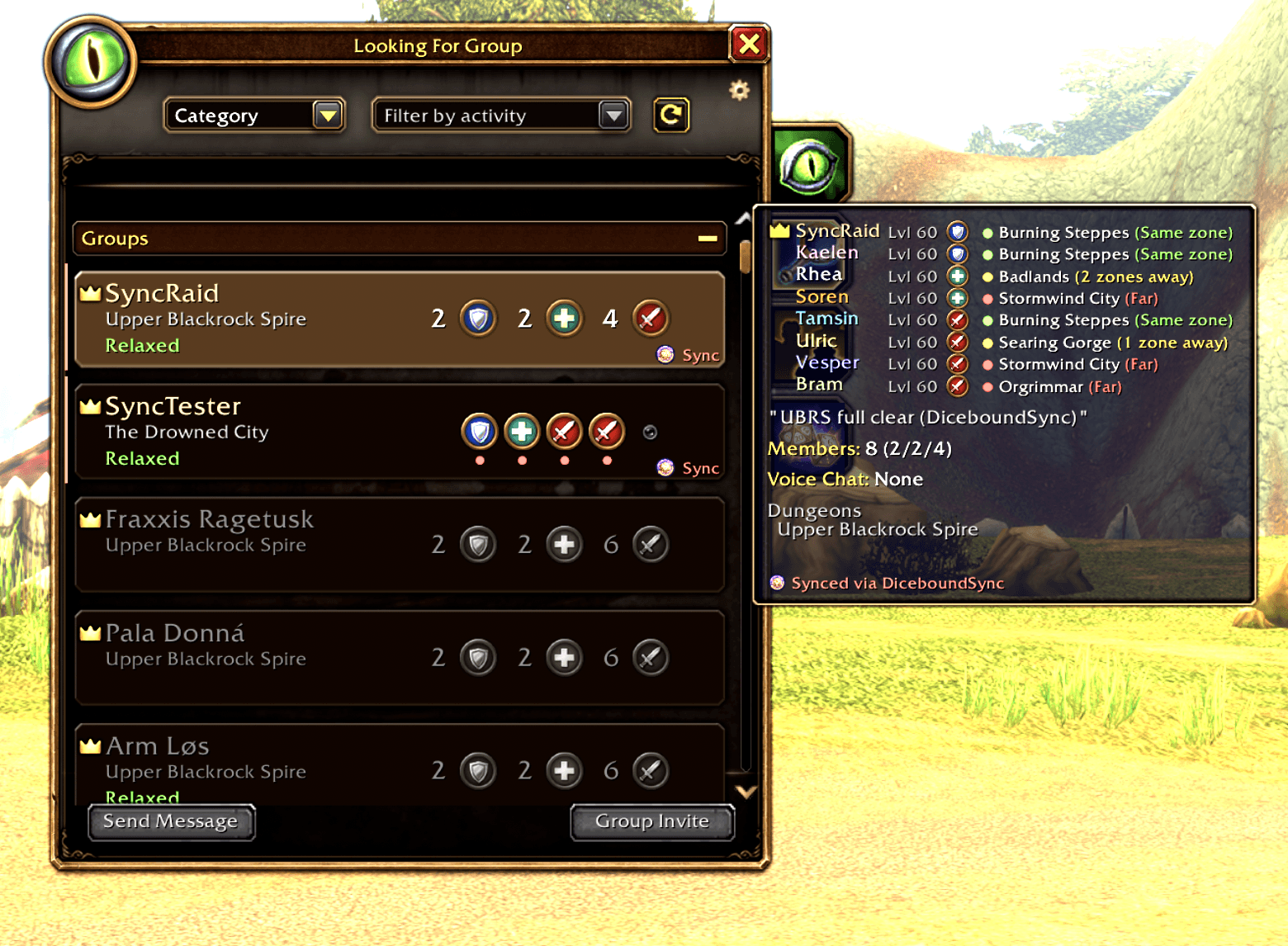
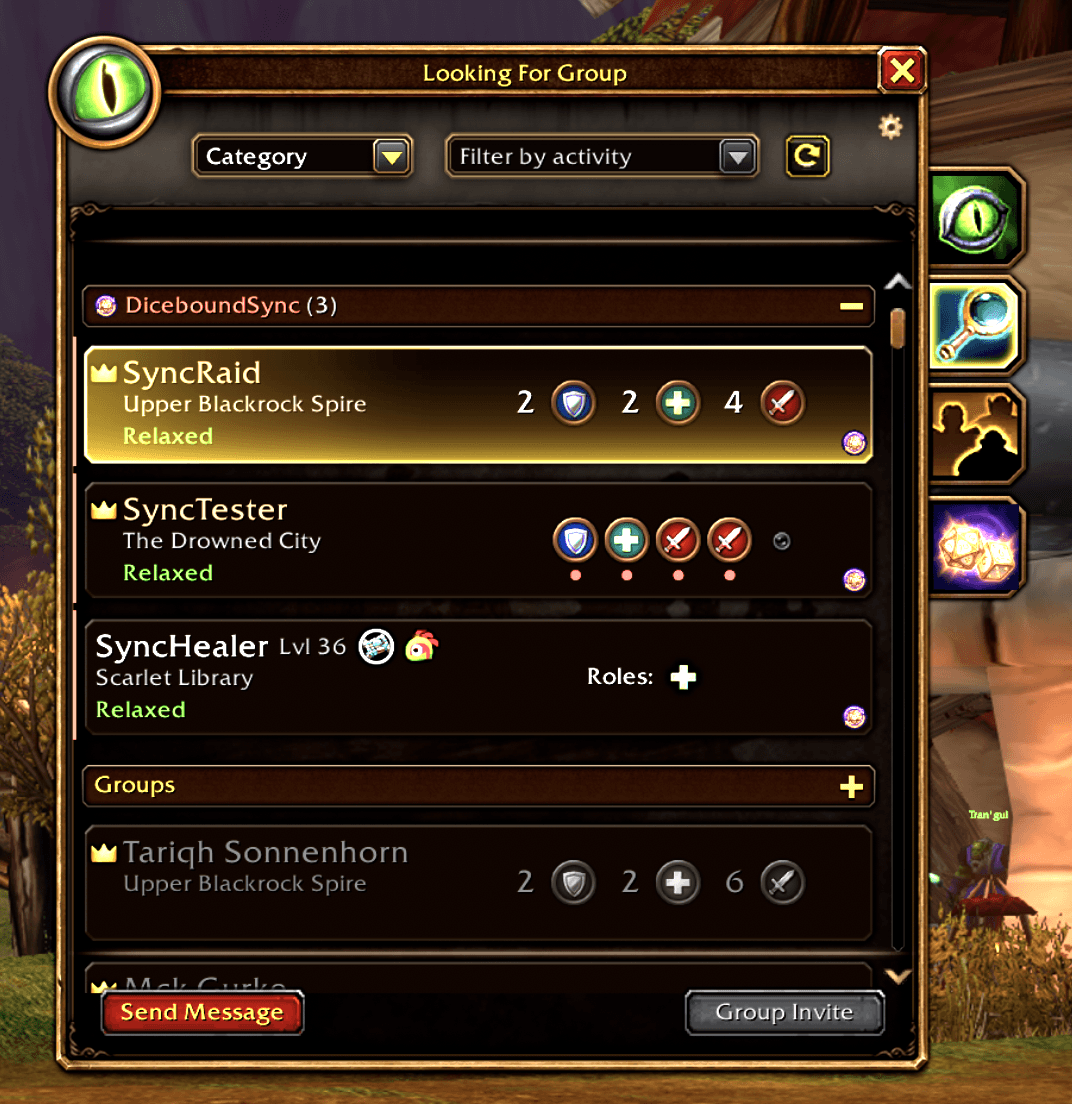
DiceboundSync fixes it silently in the background. The moment a player or group leader lists themselves, DiceboundSync shares the full listing (party roster, classes, levels, roles, playstyle, and zones) over a hidden realm/faction addon channel, then inserts the missing groups and players right at the top of Blizzard’s native Groups and Players lists — using Blizzard’s exact cards, tooltips, and buttons — with zero clutter and zero taint.
It works 100% standalone inside the default Looking For Group window. If you also run Dicebound, it automatically detects DiceboundSync and shares the exact same live network (no duplicate channel joins or double broadcasts).
Why Use DiceboundSync?
- See Listings Hidden by the 99 Cap: Synced groups and solo players that WoW Forever’s search left out appear directly inside Blizzard’s native Groups and Players sections — pinned at the top, using Blizzard’s exact cards, tooltips, Send Message, and Group Invite buttons.
- Never Duplicates Native Listings: Automatically deduplicates against Blizzard’s results (checking both leaders and party members), so a group is never shown twice.
- Full Party Roster & Live Player Zones: Broadcasts your active listing (leader or solo only) along with every party member’s class, level, role, and current zone.
- Zone & Distance Dots: Shows colored round distance dots (and an upward triangle when a player is inside the dungeon) directly under each player’s role icon on 5-man rows, plus inline per-member locations and distances right beside each player’s name in the tooltip. Automatically uses Dicebound’s zone-hop distance graph when Dicebound is installed.
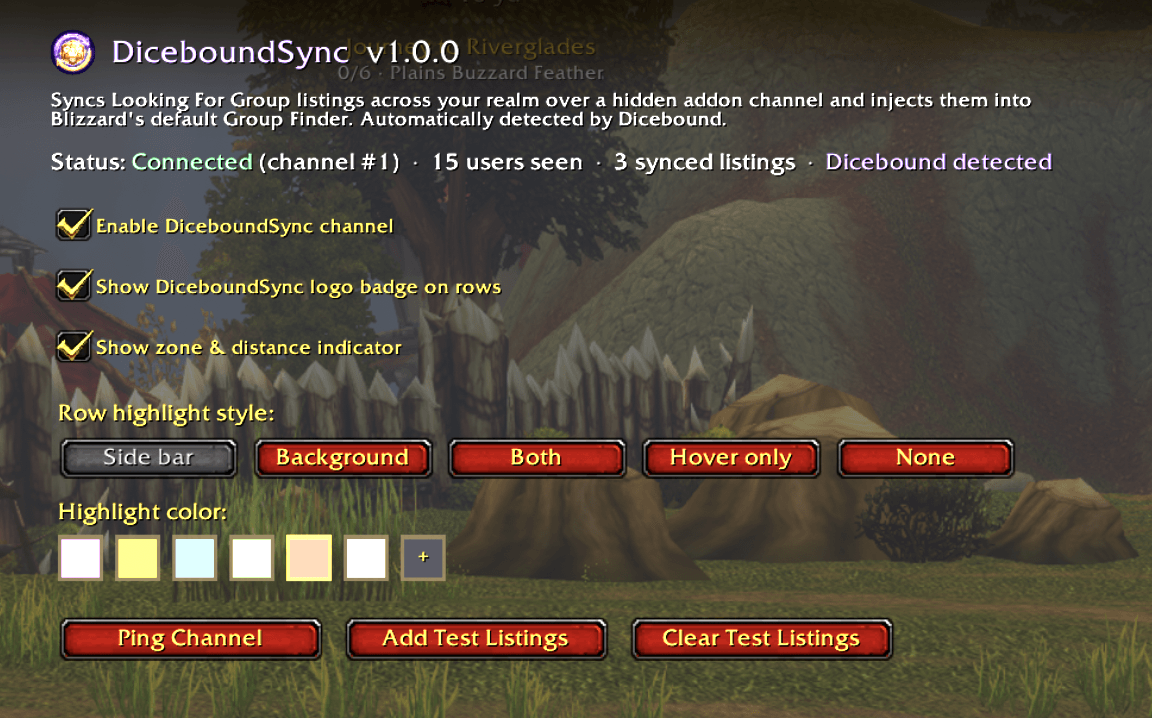
- Customizable Highlight & Logo: Choose Side bar (default), Background, Both, Hover only, or None, pick from 6 preset colors or any custom color, and toggle the small logo badge on rows.
- Zero Chat Spam: Automatically hides the
DiceboundSyncchannel from all chat windows and suppresses channel join/leave notices. - Works Seamlessly With Dicebound: Both standalone DiceboundSync users and full Dicebound users share the same realm network and see each other automatically.
Configuration & Commands
Open Options → AddOns → DiceboundSync or use:
/dbsync— show connection status, online users, and active synced listings/dbsync config— open the configuration panel/dbsync ping— ping the sync channel/dbsync on//dbsync off— join or leave the hidden sync channel/dbsync test//dbsync clear— add or remove sample synced listings to preview your setup
FAQ
Do I need Dicebound to use DiceboundSync?
No. DiceboundSync is completely standalone and works directly inside Blizzard’s default Looking For Group window.
What if I have both Dicebound and DiceboundSync installed?
Dicebound detects DiceboundSync automatically and uses it as its sync engine, so you never join the channel twice or send duplicate broadcasts.
Will this break Blizzard’s Search / Refresh button?
No. DiceboundSync never overwrites C_LFGList.GetSearchResults or calls Blizzard’s internal refresh functions, so Search, filters, whispers, and invites keep working natively.
Does it take up a custom chat channel slot?
Yes — WoW addon channels use 1 of your 10 custom channel slots (completely hidden from chat). You can turn it off anytime with /dbsync off or in Options → AddOns → DiceboundSync.
Dicebound Sync Team