
Detaurbar
- By
EnemyDetection.png
LootManagement.png
PriceTracker.png
ShockNotifications.png
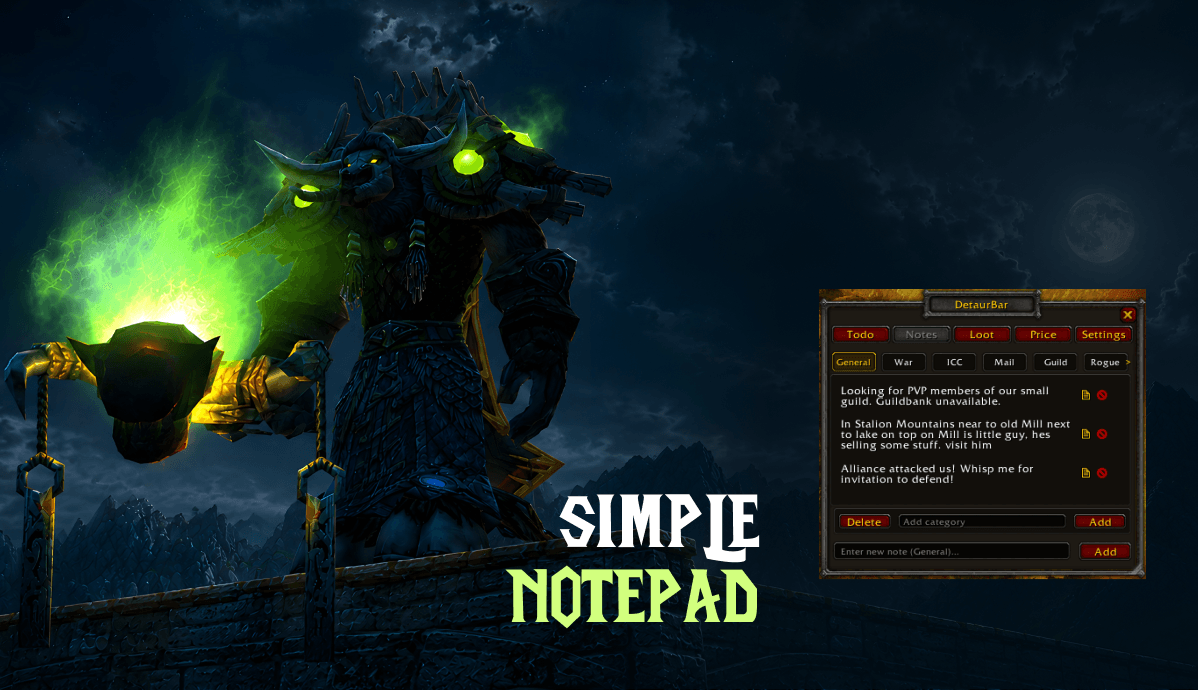
SimpleNotepad.png
Description
A powerful, all-in-one organizer addon for WoW: Wrath of the Lich King (3.3.5a), custom-built for Warmane (Icecrown).
It seamlessly handles your daily to-do lists, tracks Auction House prices, auto-cleans your inventory, alerts you to nearby enemy players, and ensures you never miss a queue or raid check.

Features
- Smart To-Do List: Create custom daily checklists that automatically reset every day at 3:00 AM. Easily drag-and-drop to reorganize.
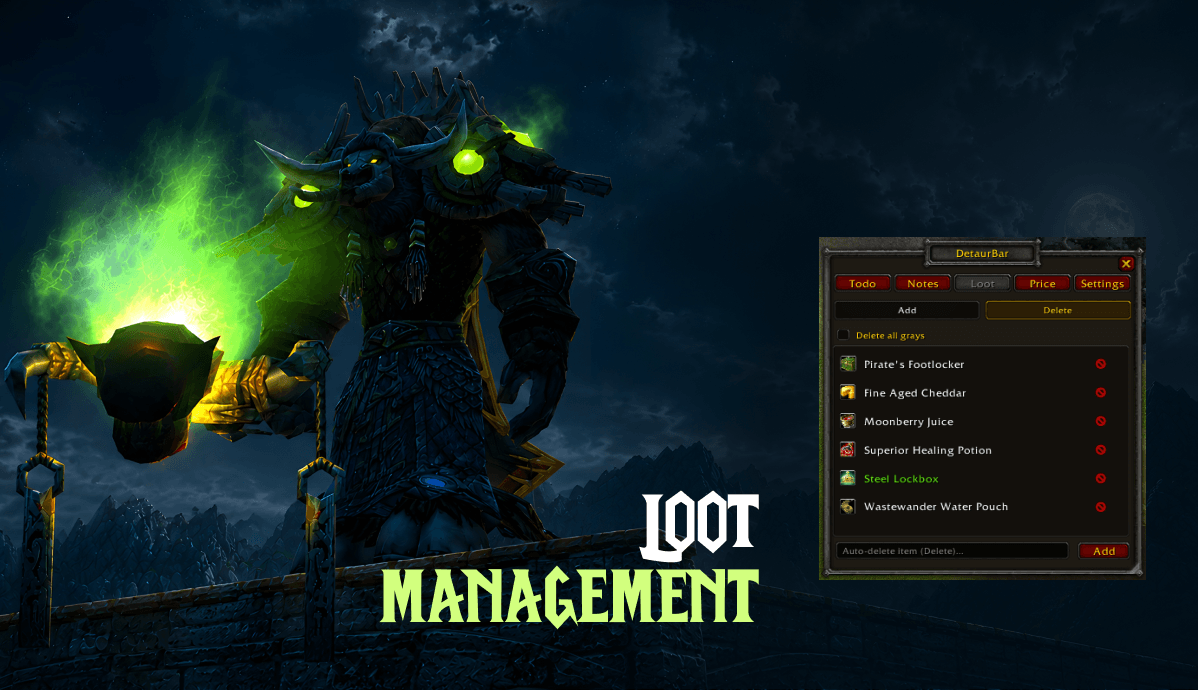
- Loot Filter & Auto-Trash: Whitelist items you want to keep or set up an auto-delete list to instantly purge useless gray items from your bags.
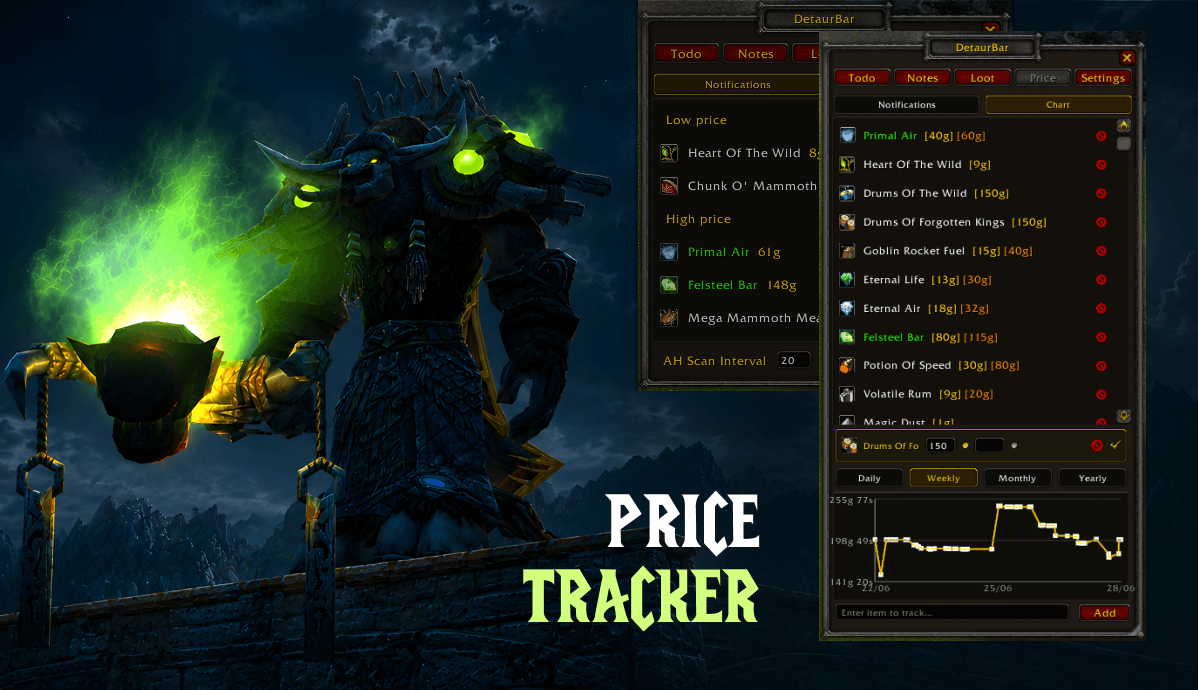
- AH Price Tracker & Alerts: Automatically scans the Auction House to track item prices. Set up custom alerts to notify you when items hit a "low buy" or "high sell" threshold.
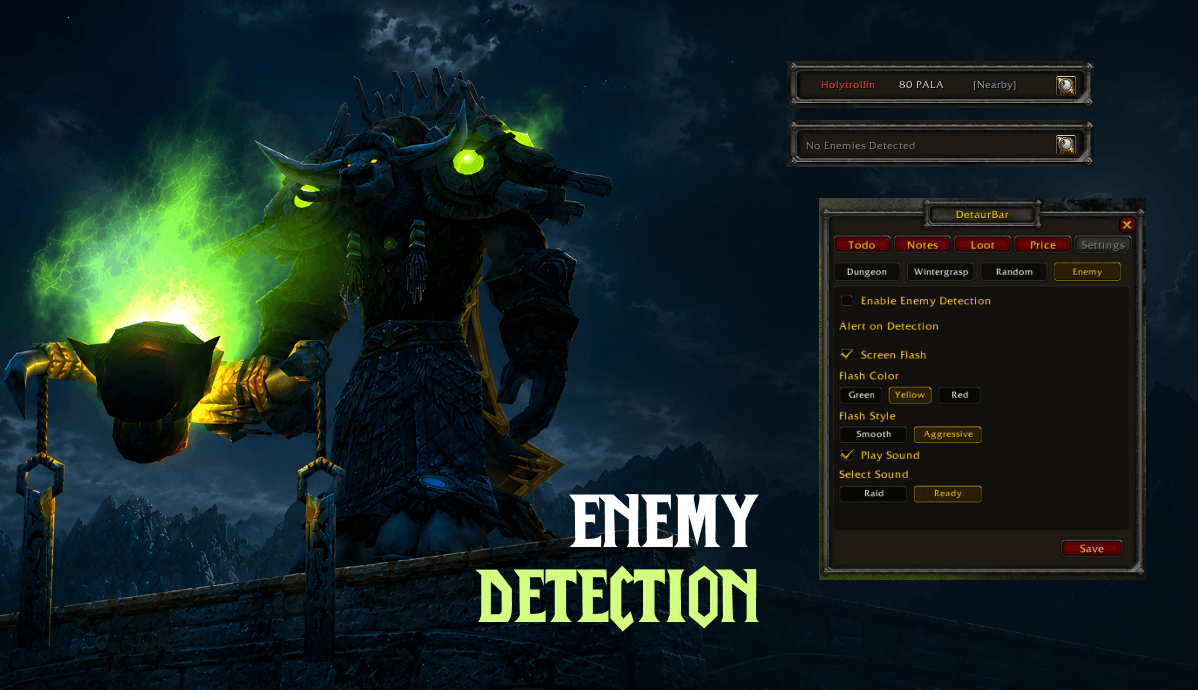
- Gank / Enemy Detector: Tracks nearby hostile players, displays their class/level, flashes your screen when they approach, and lets you target them with a single click.
- Spell Cooldown & Buff Tracker: Drag spells from your spellbook into cooldown slots — get a center-screen alert when they come off cooldown. Tracks Maelstrom Weapon stacks and alerts at 5 stacks.
- Bag Item Tracker: Drag items from your bags into a 5×5 grid — receive periodic chat alerts when your count drops below a configurable threshold (e.g. “Low on Runic Healing Potion: 3 remaining”).
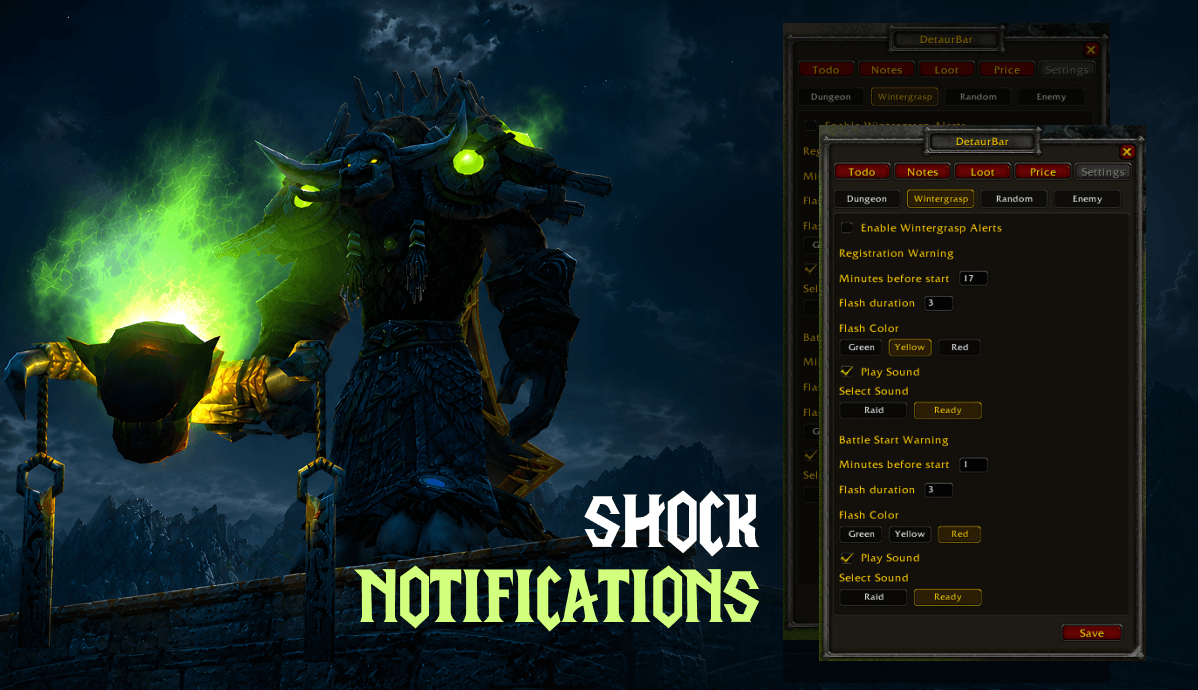
- Smart Alerts: Visual and sound notifications for LFG queue pops, raid ready-checks, Wintergrasp registration, Mind Control detection, and custom personal timers.
Why You Need DetaurBar
Managing your daily routine in WotLK can be a hassle, but DetaurBar brings everything into a single, clean window. Instead of cluttering your UI with five different single-purpose addons, DetaurBar bridges the gap between productivity and survival.
Stay Organized
Whether you are tracking daily heroic dungeons, profession cooldowns, or weekly raid lockouts, the Note tab keeps you on track. You can easily click any task to copy it or drag it into different categories.
Clean Bags, Max Gold
The Loot and Price system completely changes how you gold-farm. You can drag and drop items straight from your bags or the Auction House into the addon window. It features a built-in database of over 21,000 items, meaning it instantly recognizes items and their vendor values even offline. The handy price history graph lets you see daily, weekly, or monthly price trends so you always sell at the perfect time.
Never Get Caught Off Guard
The Enemy Monitor is a lifesaver for world PvP on Icecrown. It scans combat events and targets around you to detect hidden enemies, flashing your screen based on your preference (from a subtle border fade to an aggressive full-screen pulse). If a rogue is creeping up on you, you'll know before they open.
Never Miss a Queue
If you tend to alt-tab while waiting for queues, the Alert tab has your back. It features highly customizable screen flashes and sound alerts for Dungeon Finder proposals, Raid rolls, Ready-checks, and even Wintergrasp start times. The Item Tracker keeps an eye on your consumables, and the Buff Tracker alerts you when key cooldowns become available — all configurable from a single panel.
Commands & Controls
/todoor/detaurbar— Toggle the main window- Right-Click Minimap Icon — Toggle the Enemy Monitor window
- Shift-Click — Link items directly into the addon or chat
- Drag & Drop — Drop items straight onto the window to track or blacklist them
Changelog
2026-07-08
New Features
- Buff / Cooldown Tracker (Alert > Buffs): Drag spells from your spellbook into 4 cooldown slots. Get a center-screen icon alert when a cooldown expires. Tracks Maelstrom Weapon stacks separately — alerts at 5 stacks.
- Bag Item Tracker (Alert > Item): Drag items from your bags into a 5×5 grid (25 slots). Configurable scan interval and threshold — periodic chat alerts when item count drops too low.
Bug Fixes
- Settings crash: Fixed a Lua error that prevented the entire Settings tab from loading when all sub-tabs were enabled simultaneously.
- Drag-into-slot: Fixed item ID parsing for drag operations on 3.3.5a.
- Edit box persistence: Values now save properly when clicking outside the text field (not just on Enter).
2026-07-07
New Features
- Show alerts in chat: New toggle (Settings > Various) prints a blue [DetaurBar] message to chat for dungeon pops, WG alerts, enemy detection, and more.
- Delete price data point: Right-click any dot on the price history graph to delete that single data point.
- AH scan toggle: Checkbox in Settings > Various to enable/disable automatic Auction House scanning.
Changes
- SavedVariables → SavedVariablesPerCharacter: All data is now per-character instead of account-wide. (Old account-wide data is preserved; other characters start fresh.)
- Dismount on action removed: The built-in 3.3.5a dismount behavior already covers this — the custom implementation has been removed.
Bug Fixes
- Herb IDs (Northrend): Finally fixed Frost Lotus, Adder’s Tongue, Lichbloom, Icethorn, and Fire Leaf IDs to match the actual Warmane itemcache. Includes a safe automatic migration — no data loss.
- Price list recovery: Added
/detaurrecoverand/detaurrestorecommands to rescue entries stuck in legacy storage formats. - Enemy chat spam: Enemy alerts in chat now only fire on first appearance, not on every combat log tick.
2026-07-06
Major Changes & New Features
- Tab Merger: Combined Todo and Notes tabs into a single "Note" tab.
- New Data Structure: Implemented a new data structure for tasks (old todo/notes data is now ignored).
- Daily Reset: Automatically unchecks all items across all categories every day at 3:00 AM.
- Category Management: Added the ability for users to create and delete custom categories.
- Task Interactivity: Added checkboxes for completion status, Drag-to-move functionality (drag rows between categories), and Click-to-copy (clicking a row prepares the text to be copied via Ctrl+C).
UI & Polish
- Renamed menu tabs (Notes → Note, Settings → Alert, Dungeon → Dung).
- Removed the dedicated copy icon from task rows (replaced by clicking the entire row).
2026-07-02
New Features
- Delete Button: Added a visible delete (X) button directly onto the Notes rows.
- Improved Copying: Clicking a note no longer opens the chat frame; instead, it silently highlights the text, making it instantly ready for a Ctrl+C clipboard copy.
Bug Fixes
- Flask Icons: Fixed broken icon paths for WotLK flasks in the Price > Chart view.
- Fallback for Missing Loot Names: If an item is not cached locally, the UI now displays its ID/temporary title immediately instead of a generic "Loading Item..." message, updating automatically once server data arrives.
2026-07-01
New Features
- Automatic Icon Caching: Item textures successfully fetched from the server are now permanently stored in a local icon cache, significantly speeding up UI loading times (Price/Loot tabs) on subsequent log-ins.
Bug Fixes
- Auction House Pagination: Fixed a critical bug where the AH scanner only checked the first page (page 0). Added proper pagination support to scan up to 10 pages of results.
- Gem Icons: Fixed incorrect icon paths for the majority of rare and epic WotLK gems that weren't displaying properly on the 3.3.5a client.
Detaurbar Team
