


Details! QuickBtnBar
- By
Wow_zIRELqnwEm.png
Wow_2SgvJYvMvS.png
Wow_WdmcY2NUj5.jpg
Description
Details! QuickBtnBar
A compact button bar for Details! Damage Meter that switches any window's display and segment with a single click. No more digging through menus mid-fight.
Disclaimer: This is an unofficial fan-made companion addon. It is not affiliated with, endorsed by, or supported by the Details! Damage Meter project or its authors. All credit for Details! itself goes to its developers.
What it does
QuickBtnBar adds a slim bar with one button per Details! display: DPS, HPS, Damage Done, Damage Taken, Deaths, Interrupts, Dispels, and more.
- Left-click a button → the Details! window switches to that display (e.g. Damage Done, Healing Done, Deaths).
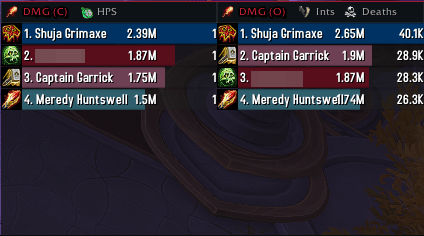
- Right-click a button → toggles the window between Current segment and Overall data.
- The active display is highlighted on the bar, with a (C) / (O) marker for Current/Overall.
Because the bar only switches the Details! window (it never reads combat values itself), it works everywhere — including instances where Blizzard restricts combat-data access for addons.
Features
- Two modes
- Free mode – a single movable bar you can place anywhere.
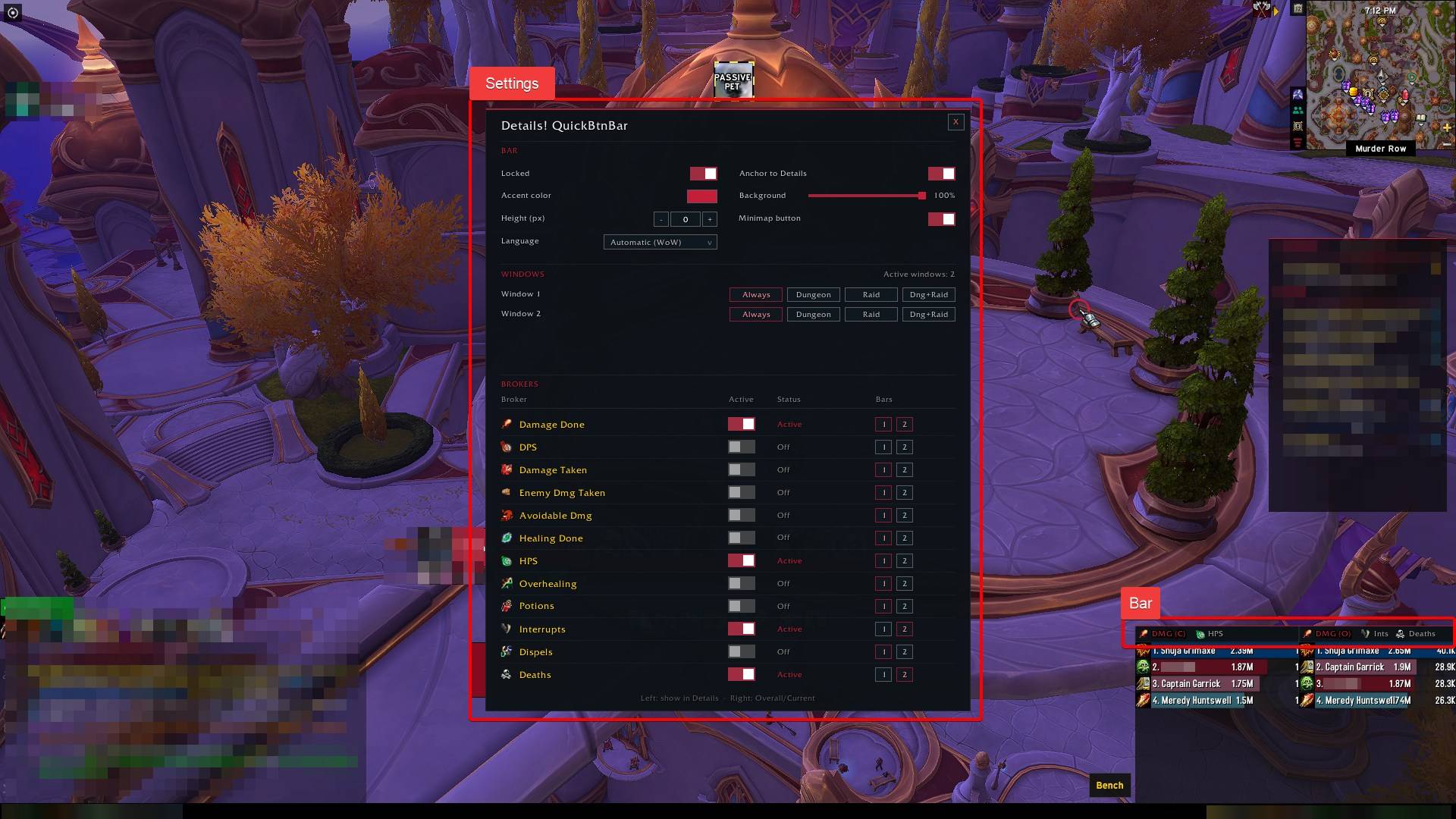
- Docked mode – one bar attached on top of each visible Details! window, automatically following its width and position. Two windows can show e.g. Current DPS and Overall Deaths side by side.
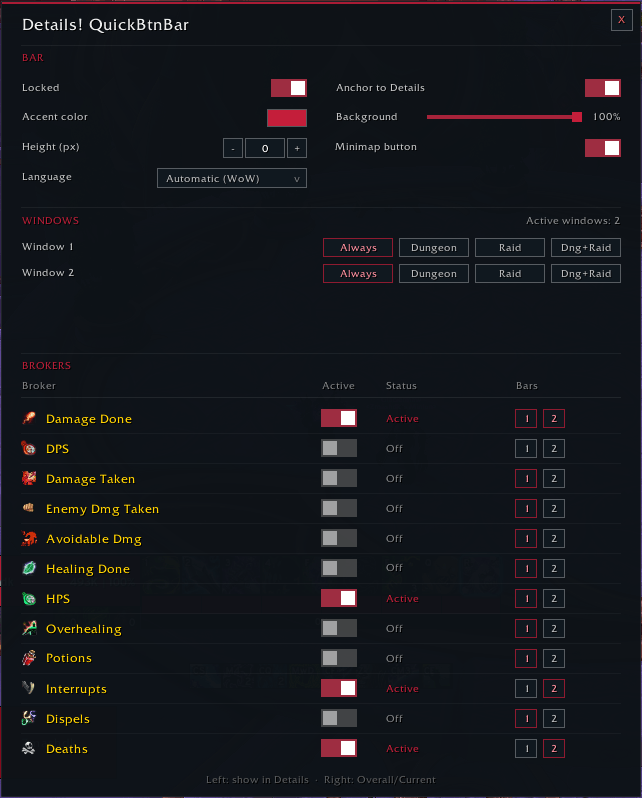
- Per-window assignment – choose for every broker on which window bar(s) it appears.
- Visibility scopes – show a window's bar always, only in dungeons, only in raids, or in both.
- Drag & drop reorder – unlock the bar and drag buttons to rearrange them.
- Customizable look – accent color (defaults to your class color), background opacity, vertical offset.
- Minimap button – quick access to the settings (can be disabled).
- Localized – English and German included; follows your client language by default, manually selectable in the options.
Available brokers
| Damage | Healing | Misc |
|---|---|---|
| Damage Done | Healing Done | Interrupts |
| DPS | HPS | Dispels |
| Damage Taken | Overhealing | Deaths |
| Enemy Dmg Taken | Potions | |
| Avoidable Dmg |
Each broker can be enabled or disabled individually.
Usage
Open the settings with the minimap button or the slash command: /dqb
| Command | Effect |
|---|---|
/dqb |
Open the settings |
/dqb lock |
Lock the bar |
/dqb unlock |
Unlock the bar (move / reorder) |
/dqb reset |
Reset all settings (reloads the UI) |
Requirements
- Details! Damage Meter (required)
- World of Warcraft Retail
FAQ
The bar doesn't show any numbers — is that intended? Yes. In instanced content Blizzard blocks combat-value access for addons, so the bar is deliberately a pure switcher for Details! rather than a second meter.
Where is the bar after installation?
In free mode it appears centered above the middle of your screen. Type /dqb unlock to move it, or enable Anchor to Details to dock it to your Details! windows.
Does it support more than one Details! window? Yes, up to four. In docked mode every visible window gets its own bar.
The Details! QuickBtnBar Team
