BountyReminder.jpg

CompanionRoleWarning.jpg
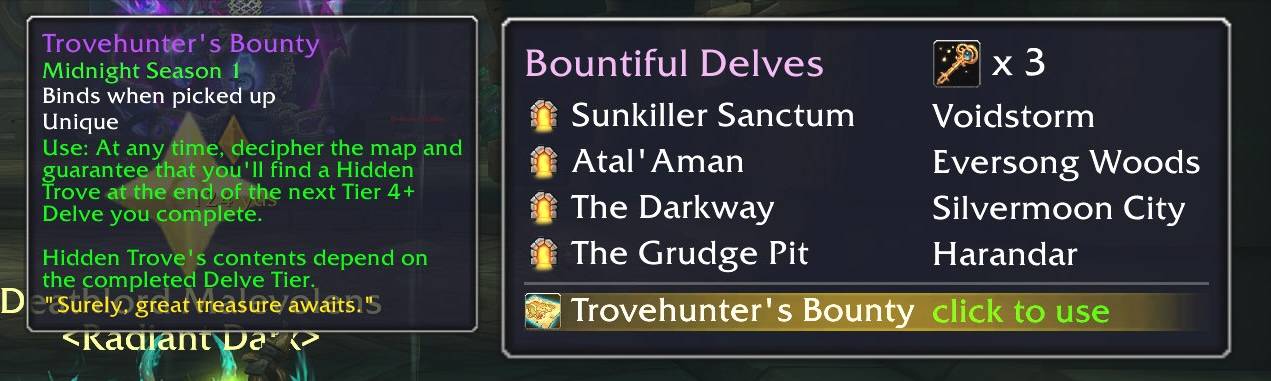
BountyItem.jpg
Description
DelveBuddy
DelveBuddy is a World of Warcraft addon that helps you track weekly Delve activities and rewards across all your characters. It integrates with Data Broker displays (Titan Panel, ChocolateBar, Bazooka, etc.) and provides a minimap icon for quick access. Updated for Midnight 12.0.7 and Season 1.
Features
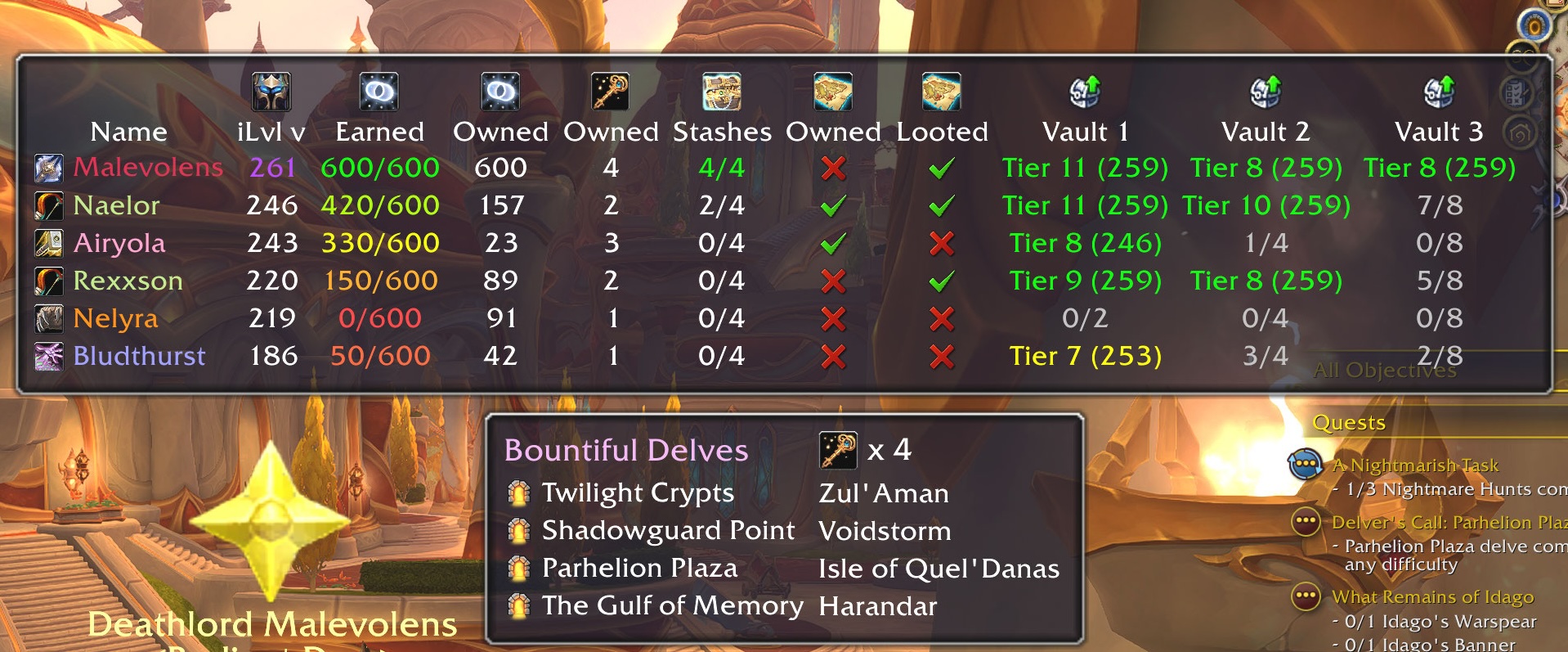
- Tracking
- Coffer Key Shards (weekly earned, weekly max, and total owned)
- Restored Coffer Keys (total owned)
- Gilded Stashes (weekly looted, weekly max)
- Trovehunter's Bounty (owned and looted this week)
- Great Vault Rewards (World Delves progress per tier)
- Current Gear Item Level (so you know who needs to do more delves)
- Sorting
- Click any column in the main tooltip UI to sort by that column
- UI Enhancements
- Shows currently active Bountiful Delves
- Click a Delve to create a waypoint to it
- Click any vault cell to show the Great Vault UI
- Easy access to Trovehunter's Bounty and Beacon of Hope - one-click!
- Rewards cheat sheet to show all rewards given from each tier delve
- Reminders & Warnings
- Reminder to use Trovehunter's Bounty when inside a Bountiful Delve
- Warning when entering a Bountiful Delve without a Restored Coffer Key
- Warning when entering a Delve if your companion doesn't have an assigned role
Usage
- Minimap icon: Click the minimap icon to show/hide DelveBuddy's tooltip UI.rewards.
- Data Broker: Hover over the LibDataBroker icon to see DelveBuddy's tooltip UI.
- Right-click the broker or minimap icon for options menu
- Shift+click the minimap icon (or Shift-hover on the DataBroker) to show the rewards UI.
- Slash Commands:
/db minimap— Show/hide the minimap icon./db scale <0.75-2.0>-- Set tooltip scale/db reminders <coffer|bounty> <on|off>-- Enable/disable reminders/db waypoints <blizzard|tomtom|both>-- Set waypoint providers/db debugLogging <on|off>— Enable/disable debug logs/db debuginfo- Print useful debugging info
Screenshots

DelveBuddy Team