Dejus Warband (TBC)
- By
DejusWarband is a character management addon for World of Warcraft: The Burning Crusade Classic Anniversary that tracks and displays information across all your characters in one convenient interface.
{B0FA2A41-3148-4629-A844-4314EDBDFB8E}.png
Description
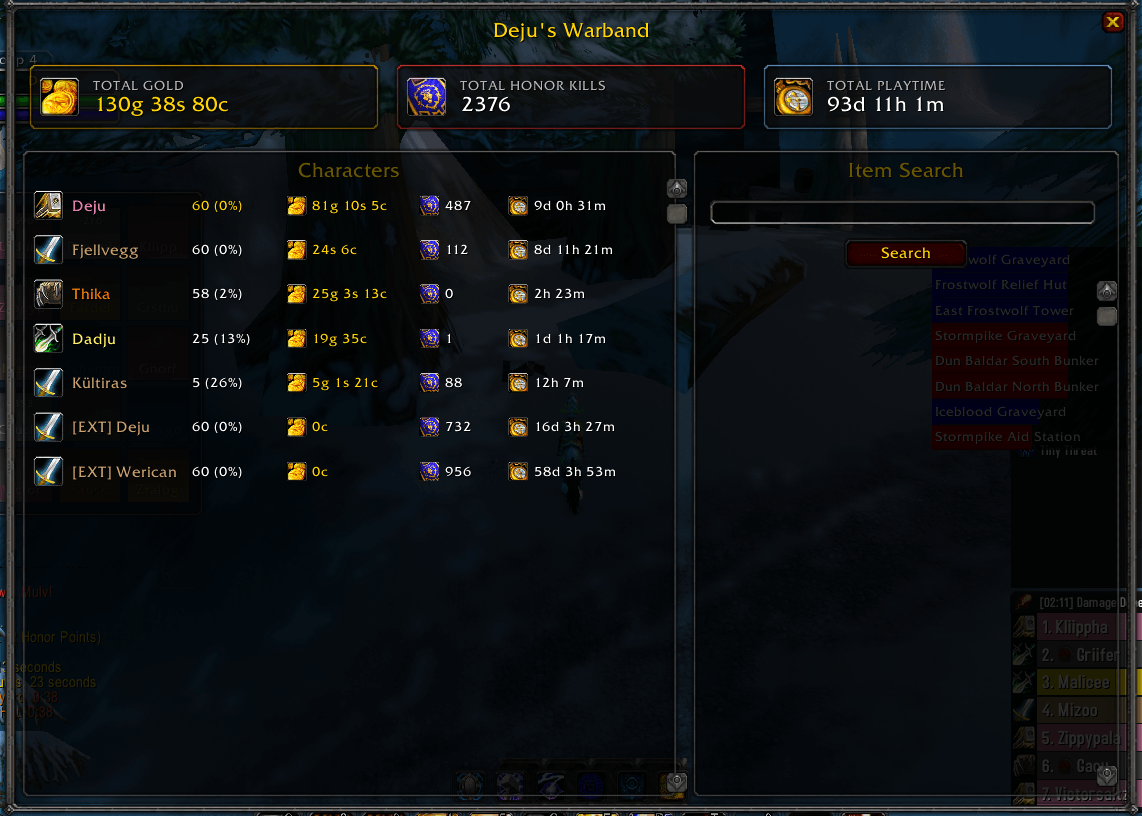
Main Interface (`/dw` or `/warband`)
Summary Boxes
Displays totals across all characters:
- Total Gold (with gold coin icon)
- Total Honor Kills (with PVP icon)
- Total Playtime (with clock icon)
Character List
Shows all your characters with:
- Class icon
- Character name (color-coded by class)
- Blue asterisk (*) for linked characters from other accounts
- Level with experience percentage
- Current gold
- Honor kills
- Total playtime
Item Search
Search for items across all characters' bags and banks:
- Type item name and press Enter or click Search
- Shows which characters have the item and where (Bags/Bank)
Link Accounts Button
Click "Link Accounts" (top-left) to manage account linking and share character data between WoW accounts.
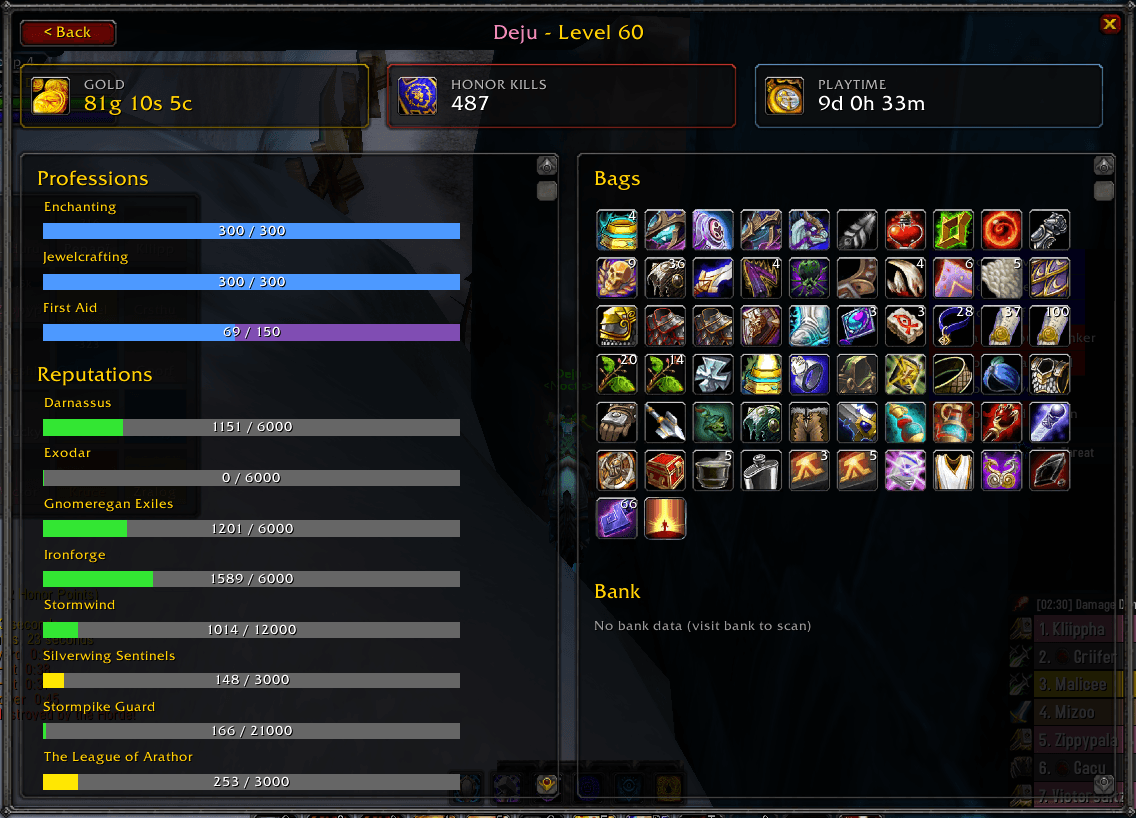
Detailed Character View
Click any character in the list to see:
Top Stats Bar:
Gold, Total hours played, Total honor kills
Left Column:
- Professions: Progress bars showing skill levels (blue fill on purple background)
- Reputations: Color-coded progress bars by standing (Hated=red, Neutral=yellow, Friendly/Honored/Revered=green, Exalted=blue)
Right Column:
- Bags: Visual grid of all bag items with tooltips on hover
- Bank: Visual grid of all bank items (collected when you visit the bank)
---
Commands
| Command | Description |
|---------|-------------|
| `/dw` | Open main window |
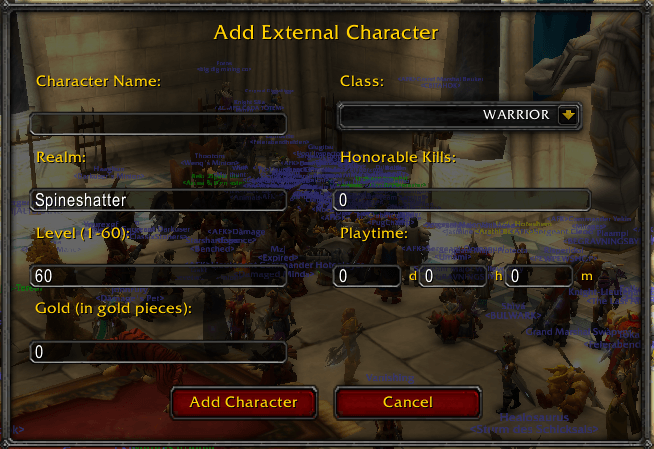
| `/dw add` | Add external character (manual entry for level, honor kills, playtime - no bags/reputation/professions) |
| `/dw link <name>` | Send link request to another player |
| `/dw linked` | Manage linked accounts |
| `/dw sync` | Sync with all linked accounts |
| `/dw unlink <name>` | Remove a linked account |
| `/dw cleanup` | Remove orphaned linked characters |
| `/dw refresh` | Refresh character data |
| `/dw status` | Show current character info |
| `/dw debug` | Toggle debug mode |
| `/dw help` | Show all commands |
Account Linking
Share character data (including bags and bank) between different WoW accounts:
1. Both players need DejusWarband installed
2. Use `/dw link <Character-Realm>` or click "Link Accounts" button
3. The other player accepts the request
4. Character data syncs automatically in both directions
5. Linked characters appear with a blue asterisk (*) in the character list
The Dejus Warband (TBC) Team