DefaultFrames
- By
Brings back the pre-1.15.9 Classic Era raid frames — the old look, rebuilt to work on the new client.
Patch 1.15.9 replaced Classic Era's raid frames with the modern Midnight versions. OldRaidFrames brings the old ones back — rebuilt from the original pre-1.15.9 UI source, working natively on the current client.
Game versions: Classic Era, TBC Anniversary, WoW Forever and Retail — one folder, the same files. (The addon's folder and its slash command are called OldRaidFrames: /orf.)
The old look
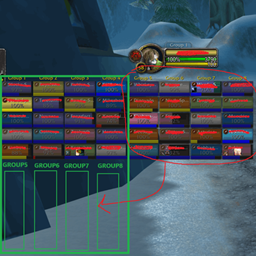
Per-group columns with gold "Group" titles, class-colored health bars, centered names, health text (percentage, value, or missing HP), power bars, gray offline frames, and the white border on your current target. Groups only appear as they fill, just like before.
The old features
- Main Tank / Main Assist frames with pullout-style target and target-of-target bars.
- Pet frames.
- Combined (ungrouped) layout with group or alphabetical sorting.
- Buffs and debuffs with dispel-colored borders and old-style filtering (your own raid buffs by default; set the filter to All for world buffs and boons), stack counts, duration spirals and small countdown numbers.
- Out-of-range fading, ready check and resurrection icons, and an optional aggro highlight.
New in 1.1
- Party frames — the same frames for a 5-player group, under a gold "Party" title where Group 1 stands in a raid, so nothing jumps when the party becomes a raid. You can show or hide yourself among them.
- WoW Forever and Retail — those clients hide some values from addons during a fight. The frames keep working; what can't be worked out from a hidden value (the Health Lost text, some aura filters, the countdown numbers) goes quiet until it can be read again.
Also in it
- Heal prediction built in — incoming heals shown on the health bar, worked out from the game's own information. No other addon is needed, by you or by the rest of the raid.
- Profiles — named, account-wide profiles; each character picks one. Copy, export and import as a string, or send one to a player or your raid in game.
- Name filters for buffs and debuffs (hide listed, or only listed), separate sizes for each, and hover tooltips that still let clicks through.
Quality of life
/orf opens a full options panel — everything is a checkbox, slider or dropdown, including frame size, spacing, and layout. Unlock, drag anywhere, done; opening the game's Edit Mode unlocks them too. Hides Blizzard's replacement raid and party frames automatically. Uses default Blizzard fonts (font addons work). Supports Clique and click-casting and WeakAuras unit frame anchoring.
Report issues with a screenshot and what you expected to see.
DefaultFrames Team