


Deep Delve
- By
Track Mislaid Curiosities, find and mark Dundun, and follow companion XP with a compact delve tracker and map pins.
Screenshot 2026-09-14 225654.png
Screenshot 2026-09-14 230049.png
Screenshot 2026-09-14 231403.png
Screenshot 2026-09-14 231426.png
Description
Deep Delve
Curiosities, Dundun, and companion XP in one compact delve tracker.
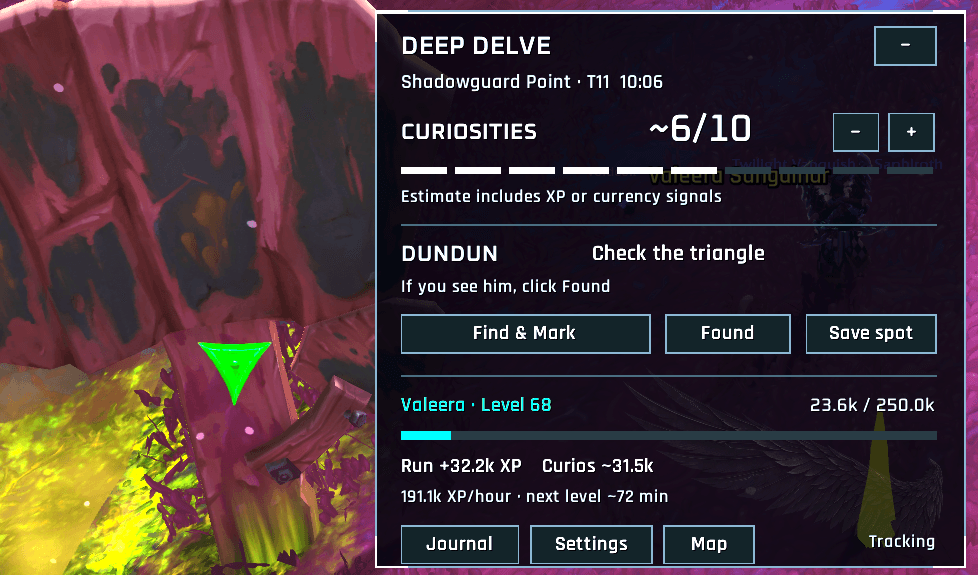
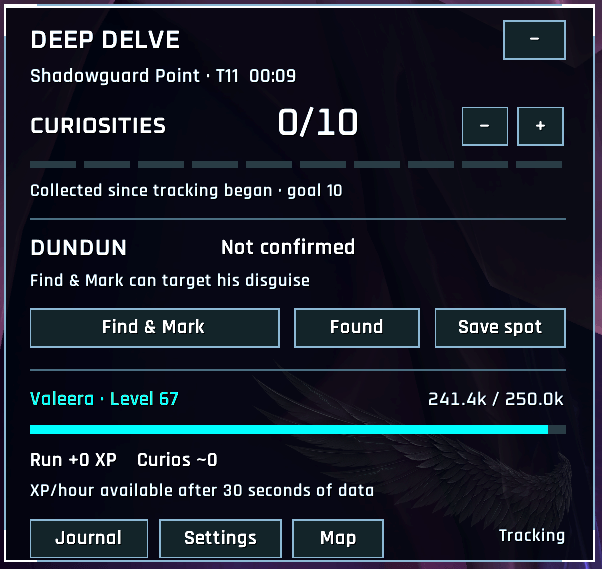
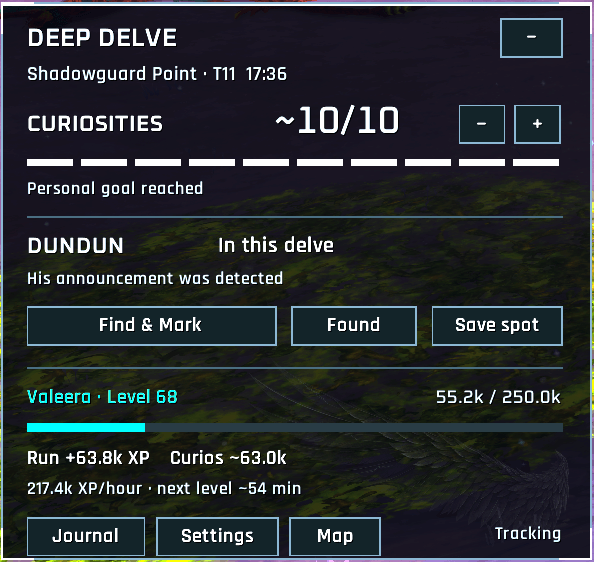
Deep Delve keeps your current run easy to follow, with automatic discovery pins on the world map and minimap, a run journal, and three UI styles. It works on its own and does not require DelveFinder or another community addon.
Follow your run
- Track Mislaid Curiosity pickups, with clearly marked estimates and manual count corrections.
- Follow companion level progress, run XP, estimated curiosity XP, XP/hour, and time to the next level.
- Keep the current run across reloads and review previous runs in the journal.
- Adjust the curiosity goal, scale, opacity, sound, and visibility in a native settings page.
Find Dundun
Click Find & Mark to target Dundun and apply a green triangle when he is targetable, including his wooden tree disguise in tested delves. The button clears your current target and can be assigned a keybinding.
Click Found to confirm the sighting yourself. Stand beside him and use Save spot to leave a small tree marker for your next visit to that delve floor. Saved spots are previous sightings, not a guarantee of his current spawn.
Understand your map
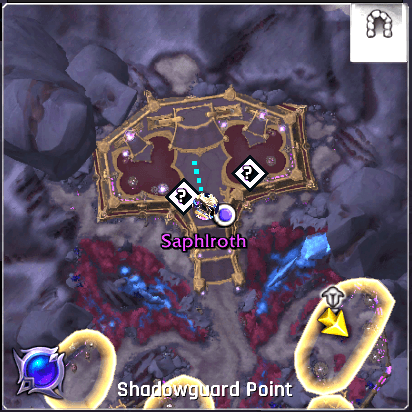
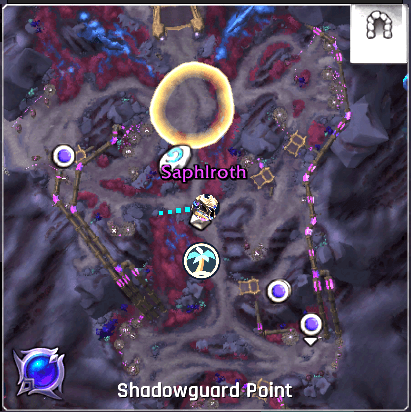
The same marker colors appear on the world map and nearby minimap:
- Gold diamond: an identified Mislaid Curiosity currently reported by WoW.
- Purple ?: an unnamed object reported by WoW; its identity is unconfirmed.
- Blue R: a Loot Raid-R Mini reveal without a nearby pickup match recorded this run.
- Gray ~: a Raid-R reveal matched approximately to a nearby pickup this run.
- Palm tree in a gold ring: your previously saved Dundun sighting.
Curiosity pins show current reports, so old pickup locations do not fill your next run with misleading spawn markers. Raid-R reveals may remain after looting; blue does not prove loot is still present, and gray is an approximate match. Hover any marker to see its details.
Make it fit your UI
Choose Standard WoW, Ellesmere UI, or the custom Cyber Sephiroth style. Ellesmere styling uses its font and accent preferences when available, with a built-in fallback. Cyber Sephiroth uses dark panels, silver details, green accents and a wing motif. Fonts are bundled, and each style works without another addon.
Move, fold or lock the tracker. Control map pins, nearby minimap pins, saved Dundun sightings and the minimap launcher separately.
Getting started
- Install and enable Deep Delve. Restart WoW if a newly installed addon is not listed.
- Enter a delve; the tracker appears automatically.
- Type
/ddor left-click the minimap icon for settings. - Use
/dd showto preview the tracker outside a delve.
The minimap icon opens the map on right-click and toggles the tracker on
Shift-click. Use /dd journal, /dd map, and /dd help for quick access.
Supported version and known limits
Retail 12.1.0. Tested on an English client in solo delves with Valeera, Dundun's tree disguise, and Loot Raid-R Mini. Other locales, companions, group play and all delve layouts still need broader testing. Classic and PTR are not supported by this release.
Detection depends on readable game data; it cannot identify everything visible on your screen or reveal every object throughout the delve. Purple markers are unconfirmed, pickup estimates can need correction, and the curiosity goal is a setting rather than a detected total. Find & Mark requires your click or keybinding and does not interact with objects or collect loot.
For feedback, include the addon version, client language, delve, tier, and steps to reproduce the issue. If you see a Lua error, include the first error text.
Created by Sephrott with AI-assisted development. Rajdhani and Oxanium fonts are distributed with their SIL Open Font Licenses. This is an independent community addon; the optional Ellesmere UI styling does not imply endorsement.
The Deep Delve Team

