


Decor Dye Indicator
- By
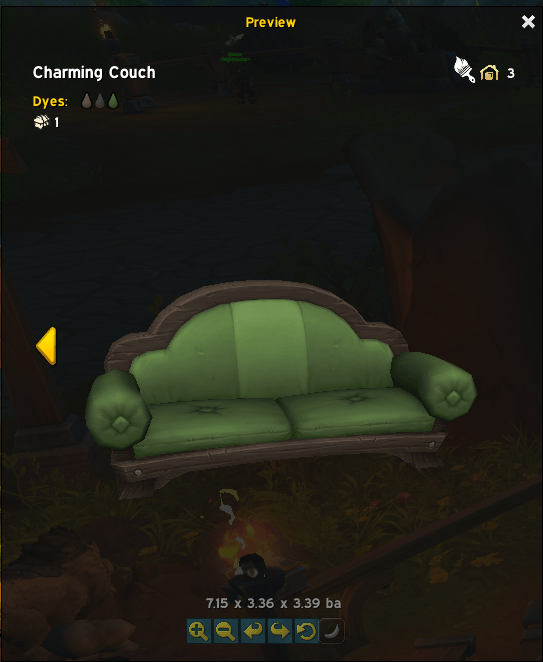
Preview Dyeable Decor3.png
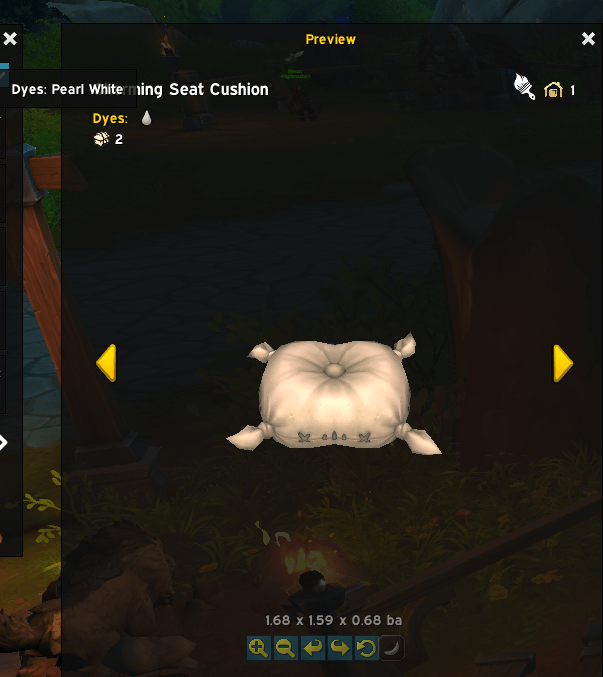
Preview Dyeable Decor2.png
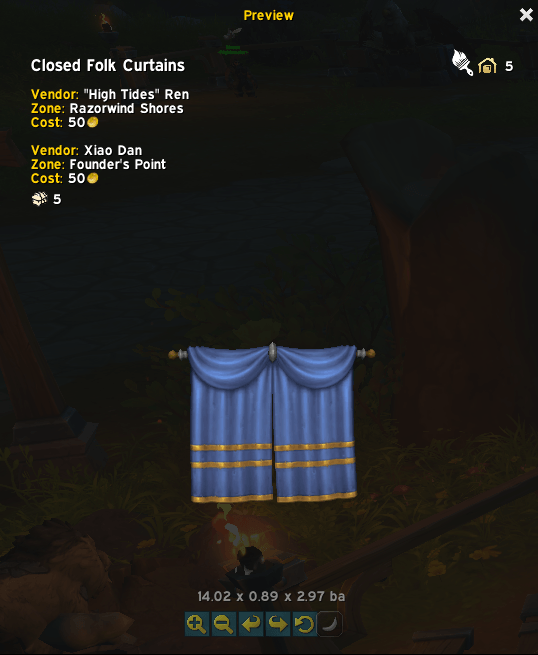
Preview Dyeable Decor1.png
Description
When you Ctrl+Left click to preview housing decor, you will now see a paintbrush icon when the item is dyeable. Additionally, if you already own the item and have variations of it already dyed then it will have arrows shown in the screenshots I uploaded showing the paint you used.
Decor Dye Indicator
A lightweight World of Warcraft retail addon that displays a paintbrush icon on the housing decor preview window whenever the previewed item supports dye customization — so you never have to guess whether a piece of decor can be dyed before placing it.
Features
Paintbrush icon overlay — a small 22×22 paintbrush icon appears in the top-right corner of the decor model preview when the item is dyeable.
Catalog-definition detection — checks the master C_HousingCatalog definition first, so the icon appears even on items with zero dyes currently applied (e.g. undyed or uncollected dyeable decor like the Closed Folk Curtains).
Multi-signal fallback — if the catalog API doesn't resolve the entry, the addon also inspects catalogEntryInfo, variantInfo, GetCurrentDyeNames(), and allVariantInfos as secondary signals.
Tooltip — hovering the paintbrush icon shows a "Dyeable Decor" tooltip.
Variant-aware — re-evaluates on every variant switch via ApplyCurrentVariant.
Zero configuration — installs and works automatically; no settings required.
Debug commands — /ddi debug and /ddi test included for troubleshooting (see below).
Installation
Manual
Download or clone this repository.
Copy the DecorDyeIndicator folder into your addons directory:
World of Warcraft\_retail_\Interface\AddOns\DecorDyeIndicator\
Make sure the folder contains at minimum:
DecorDyeIndicator\
├── DecorDyeIndicator.toc
├── Core.lua
└── Media\
└── paintbrush.png ← place your 22×22 (or larger) icon here
Launch World of Warcraft and enable Decor Dye Indicator in the AddOns list on the character select screen.
CurseForge / Wago (if listed)
Install via the CurseForge or Wago app like any other addon — no extra steps required.
Slash Commands
Command Description
/ddi debug Prints the live catalogEntryInfo, variantInfo, allVariantInfos count, and GetCurrentDyeNames() result for the currently previewed item. Useful for verifying which Blizzard field triggers dye detection.
/ddi test Toggles the paintbrush icon show/hide so you can verify the texture and anchor position without needing a dyeable item open.
/ddi fallback Switches the icon texture to the built-in Blizzard paintbrush icon (INV_Misc_PaintBrush_01) in case Media\paintbrush.png has a path or format issue.
Requirements
World of Warcraft Retail (Interface version 120105 / patch 11.2.1 or compatible)
The Blizzard Blizzard_HousingModelPreview addon (loaded automatically when you open the housing catalog)
Contributing
Pull requests and issue reports are welcome. If you find a dyeable item where the icon does not appear, run /ddi debug while previewing it and include the output in your report — it will show exactly which fields Blizzard exposes for that entry.
Decor Dye Indicator Team
