Deck Voice
- By
Description
DeckVoice
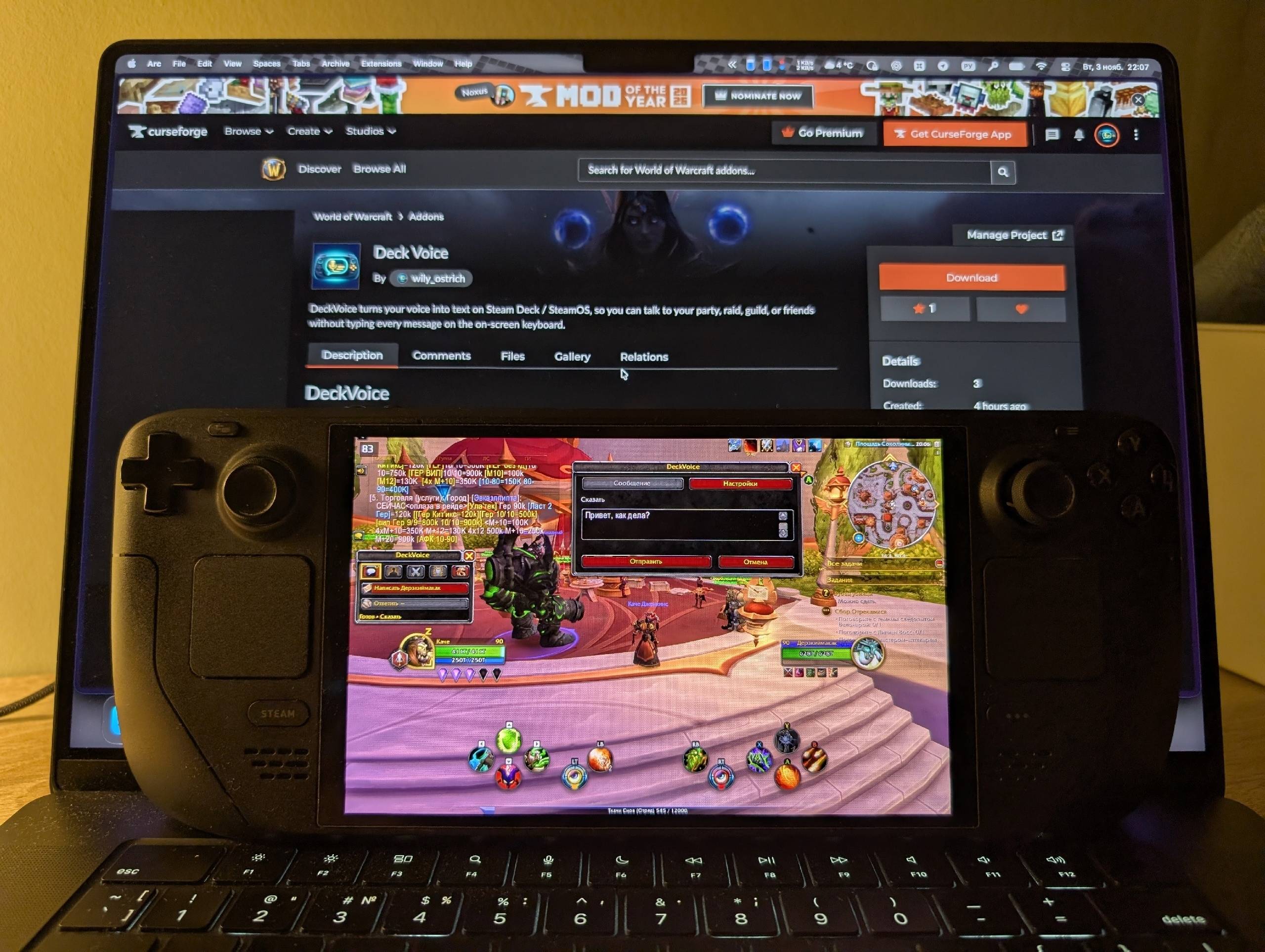
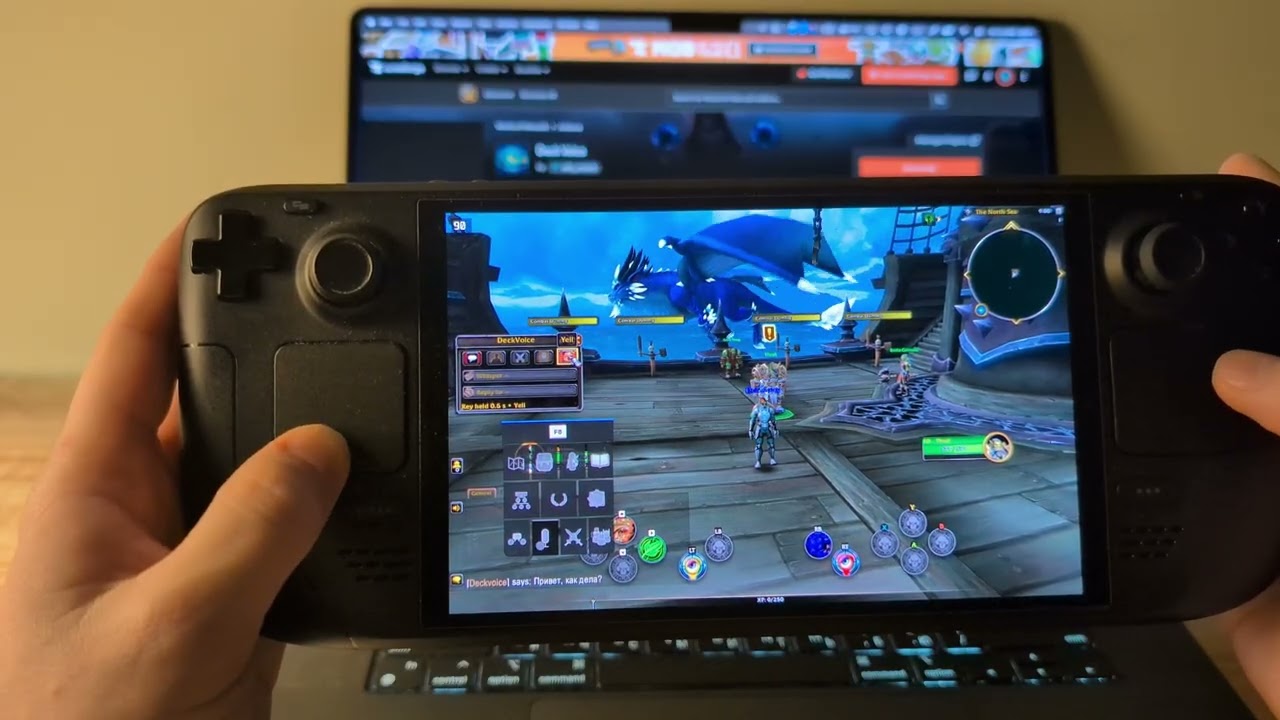
Voice typing for WoW on Steam Deck / SteamOS. Speech recognition runs locally. Hold a button, speak, review the text and click Send.
Supports Say, Party, Raid, Guild, Yell, Whisper and Reply. The interface follows your WoW client language: Russian or English.
Installation
The archive includes the addon and companion. Initial setup requires internet access, Python 3.10+ and PortAudio.
Install through CurseForge or extract the
DeckVoicefolder intoInterface/AddOns. Enable the addon in WoW.In Desktop Mode, open Konsole. Replace
/actual/path/to/WoWwith your client folder containingInterfaceandWTF, such as_retail_, then run:
cd "/actual/path/to/WoW/Interface/AddOns/DeckVoice/Companion"
python3 -m venv .venv
.venv/bin/python -m pip install dist/deckvoice-0.3.2-py3-none-any.whl
chmod +x tools/launch-with-deckvoice.sh runtime/whisper-cpp/whisper-server
.venv/bin/python tools/download_whisper.py --size base --directory "$PWD/models"
Wait for the download to finish. Base alone is enough to start on CPU. Small is optional.
- Add this line to the Steam Launch Options of the shortcut you use to launch Battle.net/WoW. Replace the WoW path and
ACCOUNTwith your folder name underWTF/Account. Keep the quotes and any existing launch settings.
DECKVOICE_LANGUAGE=en DECKVOICE_AUTO_DELIVER=1 DECKVOICE_SETTINGS_FILE='/actual/path/to/WoW/WTF/Account/ACCOUNT/SavedVariables/DeckVoice.lua' "/actual/path/to/WoW/Interface/AddOns/DeckVoice/Companion/tools/launch-with-deckvoice.sh" %command%In WoW’s account-wide key bindings → DeckVoice, assign F8 to dictation and F9 to preview. In Steam Input, assign a controller button to keyboard F8.
Return to Gaming Mode and launch through that shortcut.
Using DeckVoice
Choose a channel or recipient. Hold the F8 button, speak and release. Wait for the text, edit it if needed, then click Send.
Successful sending clears the text and closes the preview. Clear empties the field without closing it. Enter does not send. Scroll long messages with the mouse wheel; drag the preview by its title.
Automatic preview and paste are experimental. Avoid mouse or keyboard input while waiting for recognition and pasting.
Settings and models
Open the gear button on the channel panel or type /deckvoice settings.
- Recognition: Russian, English or automatic language detection; Base/Small; CPU/Vulkan.
- Panel opacity: 20–100%; affects only the channel panel.
After changing recognition settings, click Apply and reload UI outside combat with an empty draft. This requires the DECKVOICE_SETTINGS_FILE launch option shown above.
Only the selected model is required. Download it before changing the model or CPU/Vulkan setting.
Small on CPU
In Desktop Mode, open Konsole and run:
cd "/actual/path/to/WoW/Interface/AddOns/DeckVoice/Companion"
.venv/bin/python tools/download_whisper.py --size small --directory "$PWD/models"
Wait for the download, then select Small and CPU in the addon’s recognition settings and apply.
Vulkan: GPU recognition
The runtime is included, but Vulkan needs a different model format. In Desktop Mode, run:
cd "/actual/path/to/WoW/Interface/AddOns/DeckVoice/Companion"
.venv/bin/python tools/download_whisper.py --backend whisper-cpp --size base --directory "$PWD/models"
Wait for the download, then select Base and Vulkan in the addon’s recognition settings and apply.
For Small, replace --size base with --size small and select Small in settings. You do not need both sizes.
Vulkan requires Linux x86_64, glibc 2.38+, kernel 5.3+ and a working Vulkan driver. This build has not yet been verified on a physical Steam Deck GPU.
Updating
Close WoW and the companion. Back up the addon folder, then extract the new archive. Keep Companion/.venv and Companion/models.
From the Companion folder, run:
.venv/bin/python -m pip install dist/deckvoice-0.3.2-py3-none-any.whlDo not download models you already have. Remove DECKVOICE_ENGINE=vosk from old launch options if present. Add DECKVOICE_SETTINGS_FILE as shown above to use recognition settings from the addon.
For bug reports, include the addon and companion versions, SteamOS version and the latest log from DeckVoice/Companion/logs.
DeckVoice
Голосовой ввод в чат WoW на Steam Deck / SteamOS. Речь распознаётся локально. Удерживайте кнопку, произнесите сообщение, проверьте текст и нажмите «Отправить».
Поддерживаются «Сказать», «Группа», «Рейд», «Гильдия», «Крикнуть», «Написать» и «Ответить». Интерфейс русский или английский, в зависимости от языка клиента WoW.
Установка
В архиве уже есть аддон и компаньон. Для первоначальной установки нужны интернет, Python 3.10+ и PortAudio.
Установите аддон через CurseForge или распакуйте папку
DeckVoiceвInterface/AddOns. Включите аддон в WoW.В Desktop Mode откройте Konsole. Замените
/actual/path/to/WoWпутём к папке клиента сInterfaceиWTF, например_retail_, и выполните:
cd "/actual/path/to/WoW/Interface/AddOns/DeckVoice/Companion"
python3 -m venv .venv
.venv/bin/python -m pip install dist/deckvoice-0.3.2-py3-none-any.whl
chmod +x tools/launch-with-deckvoice.sh runtime/whisper-cpp/whisper-server
.venv/bin/python tools/download_whisper.py --size base --directory "$PWD/models"
Дождитесь окончания загрузки. Для начала работы на CPU достаточно одной Base. Small скачивать необязательно.
- Добавьте строку ниже в параметры запуска Steam того ярлыка, через который запускаете Battle.net/WoW. Замените путь к WoW и
ACCOUNTназванием своей папки вWTF/Account. Сохраните кавычки и существующие параметры запуска.
DECKVOICE_AUTO_DELIVER=1 DECKVOICE_SETTINGS_FILE='/actual/path/to/WoW/WTF/Account/ACCOUNT/SavedVariables/DeckVoice.lua' "/actual/path/to/WoW/Interface/AddOns/DeckVoice/Companion/tools/launch-with-deckvoice.sh" %command%В общих назначениях клавиш аккаунта WoW → DeckVoice назначьте F8 для диктовки и F9 для превью. В Steam Input назначьте удобной кнопке контроллера клавишу F8.
Вернитесь в Gaming Mode и запустите игру через этот ярлык.
Как пользоваться
Выберите канал или получателя. Удерживайте кнопку F8, произнесите сообщение и отпустите. Дождитесь текста, исправьте его при необходимости и нажмите «Отправить».
После успешной отправки текст очищается, превью закрывается. «Очистить» удаляет текст и оставляет окно открытым. Enter сообщение не отправляет. Длинный текст прокручивается колёсиком; окно перемещается за заголовок.
Автоматическое открытие превью и вставка работают в экспериментальном режиме. Пока идёт распознавание и вставка, не нажимайте клавиши и кнопки мыши.
Настройки и модели
Нажмите шестерёнку на панели каналов или введите /deckvoice settings.
- Распознавание: русский, английский или автоопределение языка; Base/Small; CPU/Vulkan.
- Непрозрачность панели: 20–100%; применяется только к панели каналов.
После изменения настроек распознавания нажмите «Применить и перезагрузить UI» вне боя с пустым черновиком. Для этого в параметрах запуска должен быть указан DECKVOICE_SETTINGS_FILE, как в инструкции выше.
Нужна только выбранная модель. Скачайте её перед переключением модели или режима CPU/Vulkan.
Small для CPU
В Desktop Mode откройте Konsole и выполните:
cd "/actual/path/to/WoW/Interface/AddOns/DeckVoice/Companion"
.venv/bin/python tools/download_whisper.py --size small --directory "$PWD/models"
Дождитесь загрузки, затем выберите Small и CPU в настройках распознавания аддона и примените изменения.
Vulkan: распознавание на GPU
Runtime уже включён в архив, но для Vulkan нужна модель другого формата. В Desktop Mode выполните:
cd "/actual/path/to/WoW/Interface/AddOns/DeckVoice/Companion"
.venv/bin/python tools/download_whisper.py --backend whisper-cpp --size base --directory "$PWD/models"
Дождитесь загрузки, затем выберите Base и Vulkan в настройках распознавания аддона и примените изменения.
Для Small замените --size base на --size small и выберите Small в настройках. Обе модели скачивать не нужно.
Для Vulkan требуются Linux x86_64, glibc 2.38+, ядро 5.3+ и работающий Vulkan-драйвер. Работа этой сборки на GPU физического Steam Deck пока не проверена.
Обновление
Закройте WoW и компаньон. Сделайте резервную копию папки аддона, затем распакуйте новый архив. Сохраните папки Companion/.venv и Companion/models.
Из папки Companion выполните:
.venv/bin/python -m pip install dist/deckvoice-0.3.2-py3-none-any.whlУже скачанные модели повторно загружать не нужно. Удалите DECKVOICE_ENGINE=vosk из старой строки запуска, если он там есть. Для управления распознаванием из аддона добавьте DECKVOICE_SETTINGS_FILE, как в инструкции выше.
При сообщении об ошибке приложите версии аддона и компаньона, версию SteamOS и последний лог из DeckVoice/Companion/logs.

Deck Voice Team