Deathroll Manager
- By
Host Deathroll, High/Low, Elimination and prepaid Raffle games with multiple tickets, chat announcements, debt tracking and trade assistance.
Deathroll.png
Elimination.png
HighLow.png
Raffle.png
Description
Deathroll Manager
Roll. Survive. Collect.
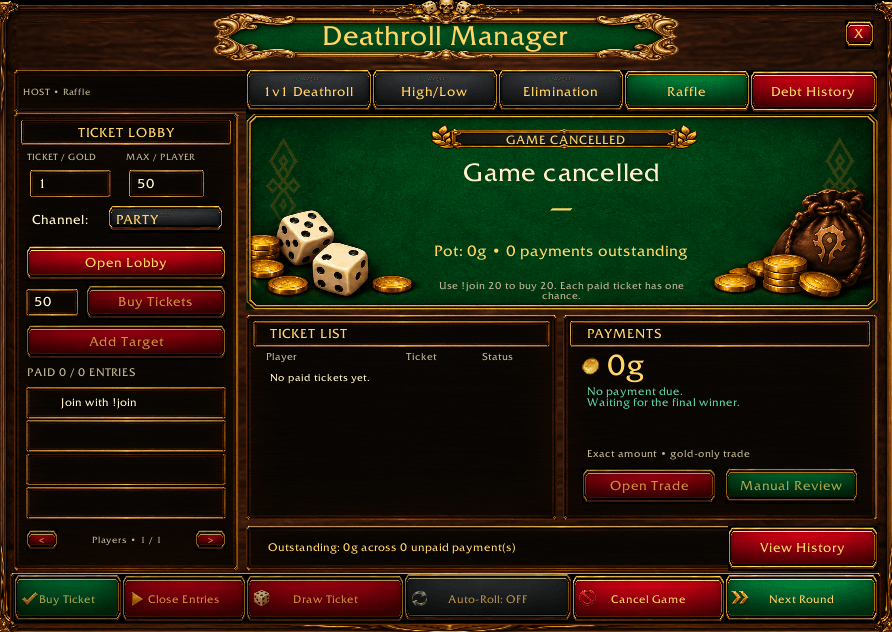
Host 1v1 Deathroll, High/Low, Elimination and prepaid Raffle games through a fantasy casino interface. Manage participants, track rolls, announce results and keep outstanding payments organized.
Game Modes
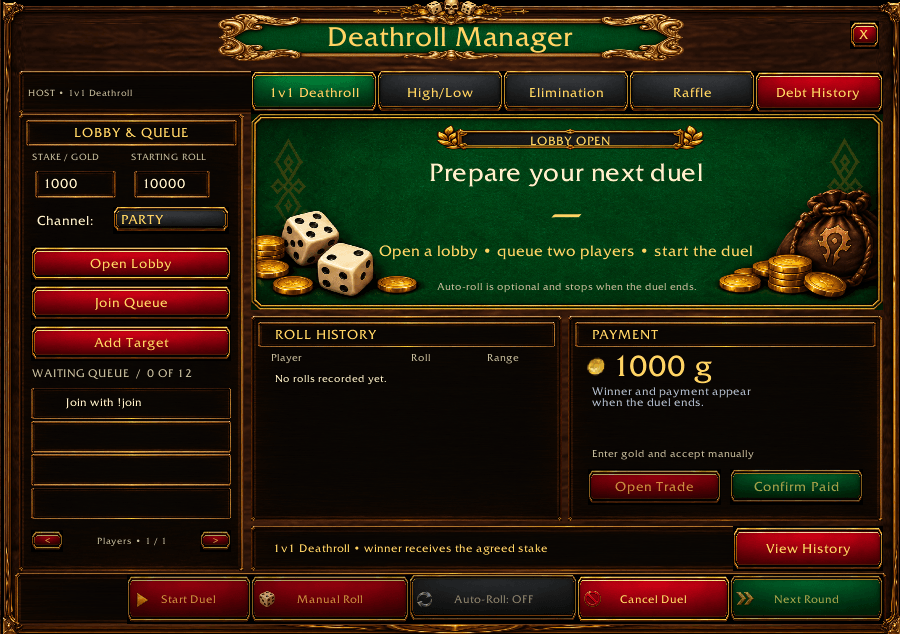
1v1 Deathroll
Two players compete for an agreed gold wager.
Players alternate rolls, starting at the host’s chosen limit. Each result becomes the next player’s maximum roll. Whoever rolls 1 loses and pays the winner.
Example: 10,000 → 4,500 → 820 → 36 → 1.
A waiting queue keeps additional challengers organized.
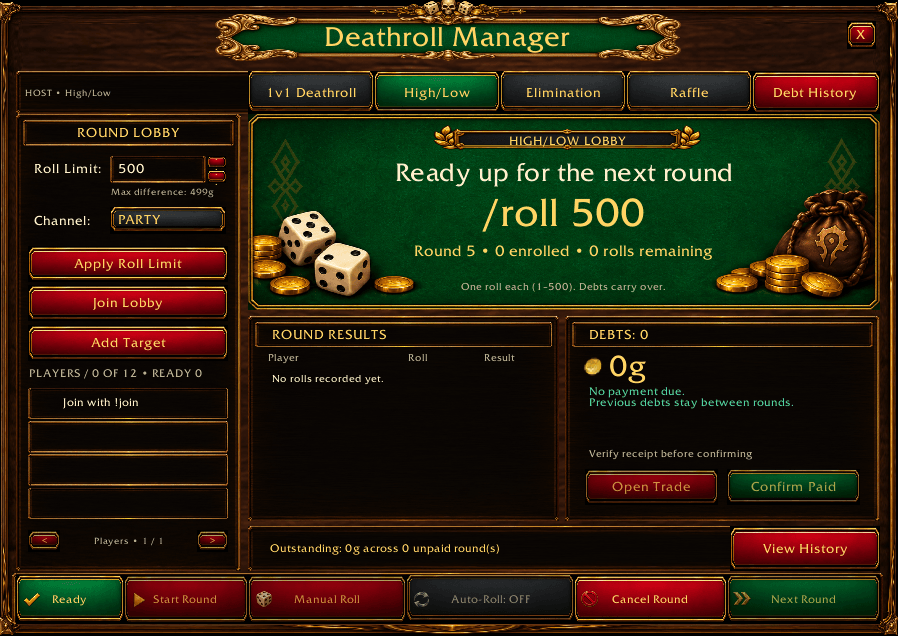
High/Low
The host chooses a roll limit, such as 100, 550 or 1,000. Everyone rolls, and the lowest roller pays the highest roller the difference between their results.
Example: Highest roll: 185. Lowest roll: 45. The lowest roller owes the winner 140g. Everyone else pays nothing.
Tied extremes are resolved through rerolls. Outstanding payments remain in the debt history between rounds.
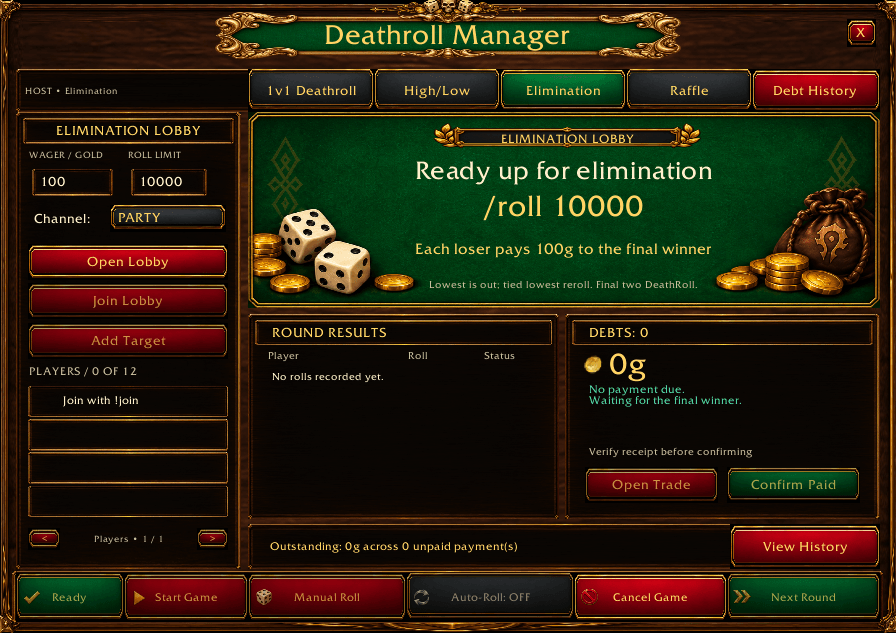
Elimination
A group tournament ending in a traditional Deathroll duel.
- Everyone still playing rolls each round.
- The lowest roller is eliminated.
- Tied lowest players reroll to determine the elimination.
- When two players remain, they alternate decreasing rolls until someone rolls 1.
- Every losing player pays the eventual winner the agreed wager.
Prepaid Raffle
Buy tickets before the draw. Every paid ticket has an equal chance of winning.
The host sets the ticket price and maximum tickets per player. Players type !join 20 to reserve 20 tickets, then trade the total price to the host.
Tickets activate after payment is verified. Unpaid entries are excluded.
Example at 1g per ticket:
| Player | Tickets | Payment | Winning Chance |
|---|---|---|---|
| Player A | 20 | 20g | 28.6% |
| Player B | 50 | 50g | 71.4% |
The host closes entries and rolls from 1 to 70. The winning ticket’s owner receives the full 70g pot.
The host can participate using their own gold. At least two paid players are required.
Each player makes one purchase per raffle. Choose your quantity before joining. Unpaid entrants can leave and rejoin to change it. Cancelling before the draw creates a refund entry for each payer’s full purchase.
Features
- Casino-style interface with emerald felt and gold trim.
- Group formats supporting 2–12 players.
- Party, raid and guild announcements.
- Automatic tracking of valid rolls, turns and results.
- Reminders for missing rolls.
- Manual rolling or optional auto-roll for your own character.
- Ready / Not Ready controls.
- Persistent group debt history.
- Trade assistance showing the expected partner and amount.
- Verification of eligible completed raffle payments, payouts and refunds.
- Raffle ticket ranges and winning-chance displays.
Gold entry and trade acceptance remain manual. Opening or closing a trade window does not count as payment. If a raffle payment cannot be verified, the host can use manual review.
Getting Started
-
Install the DeathrollManager folder in
Interface/AddOns. -
Enable the addon and log in.
-
Type
/dr. -
Select a game and configure its settings.
-
Choose Party, Raid or Guild as the chat channel.
-
Open the lobby and follow the chat instructions.
Only the host needs the addon to manage a game. Other players can join through chat, roll and trade without installing it. Addon users can also follow the host’s synchronized game state.
Player Commands
Send lobby commands in the host’s selected chat channel.
| Command | Action |
|---|---|
!join |
Join the lobby; reserve one ticket in Raffle. |
!join 20 |
Reserve 20 raffle tickets. |
!leave |
Leave the waiting lobby; paid raffle entries cannot leave. |
!ready |
Mark yourself ready in High/Low or Elimination. |
!notready |
Remove your ready status before the game starts. |
/roll 200 |
Roll from 1 to 200; use the announced range. |
Addon Commands
| Command | Action |
|---|---|
/dr or /deathroll |
Show or hide the window. |
/dr game duel |
Select 1v1 Deathroll. |
/dr game highlow |
Select High/Low. |
/dr game elimination |
Select Elimination. |
/dr game raffle |
Select Raffle. |
/dr start |
Start the game or close raffle entries. |
/dr roll |
Roll for your character when eligible. |
/dr auto on |
Enable auto-roll for your character. |
/dr auto off |
Disable auto-roll. |
/dr ledger |
Open group debt history. |
/dr history |
Print recent history entries. |
/dr follow Name-Realm |
Follow another addon user’s game. |
/dr sync |
Request an update from your followed host. |
/dr cancel |
Cancel the game or stop following. |
/dr scale 0.9 |
Adjust window scale, from 0.6 to 1.2. |
/dr info |
Display client version and build information. |
Following a host does not join their lobby automatically. Use !join in their selected channel.
Payments
High/Low and Elimination track who owes whom. Confirm payment only after receiving the gold.
Raffle collects payments before issuing tickets. The host holds the pot and pays the winner. Outstanding raffle payouts or refunds must be settled before another raffle opens.
Beta and Support
Deathroll Manager is in beta. Automated simulations cover all game modes, synchronization and payment edge cases; live-client testing remains necessary.
Use the game versions marked on the download file. Addon users should run the same addon version.
For bug reports, include your addon version, client version, game mode, reproduction steps and any Lua errors.
Deathroll Manager Team