Deathlog
- By
A WoW Hardcore addon that provides a UI for exploring the deathlog and death statistics. Over 1,000,000 death records collected and counting!
Deathlog
A WoW Hardcore addon that provides a UI for exploring the deathlog and death statistics. Works on Classic Era Hardcore realms and TBC Anniversary Soul of Iron servers!
Over 1,000,000 death records collected and counting!
SEE WIKI FOR OFFLINE STATS The wiki will be updated as the database grows
Feel free to use the database for any purpose! Vanilla database | TBC database
Compatibility
- Classic Era: Full support on official Hardcore realms
- TBC Anniversary: Full support via Soul of Iron buff detection (all TBC zones, dungeons, and raids included)
This addon is completely safe to run alongside the Hardcore addon. Alternatively, this addon can be run without the Hardcore addon running, however, it does not provide verification for the solo self-found challenge.
See CHANGELOG.md for version history.
Contact & Feedback
- Deathlog Discord: https://discord.gg/TrJFGcah7z
Features
Death Detection & Enrichment
- Automatic
/whoenrichment — Blizzard death messages only include the player's name; Deathlog fills in level, class, race, and guild via a background lookup - Party/raid death reporting — automatically captures deaths of group members, even if they don't have the addon
- Universal broadcast parser — uses Blizzard's own localized globals to parse death messages in all 11 client languages
- Compatible with the Hardcore addon's faction-wide death notifications (can be set to guild only)
Death Alerts
- 6 visual themes with NPC creature portraits (static + animated 3D models)
- Customize messages with substitution tags:
<name>,<race>,<class>,<level>,<guild>,<source>,<zone>,<playtime>,<last_words>,<reported_by> - Group syntax for context-aware messages:
(...)Relaxed group — shown if at least one tag inside has a value[...]Strict group — shown only if all tags inside have values
- Example:
<name>( the <race> <class>)[ of <guild>] has been slain by <source>[ at lvl <level>][ in <zone>]. - Real-time input validation catches unknown tags, unbalanced groups, and formatting errors
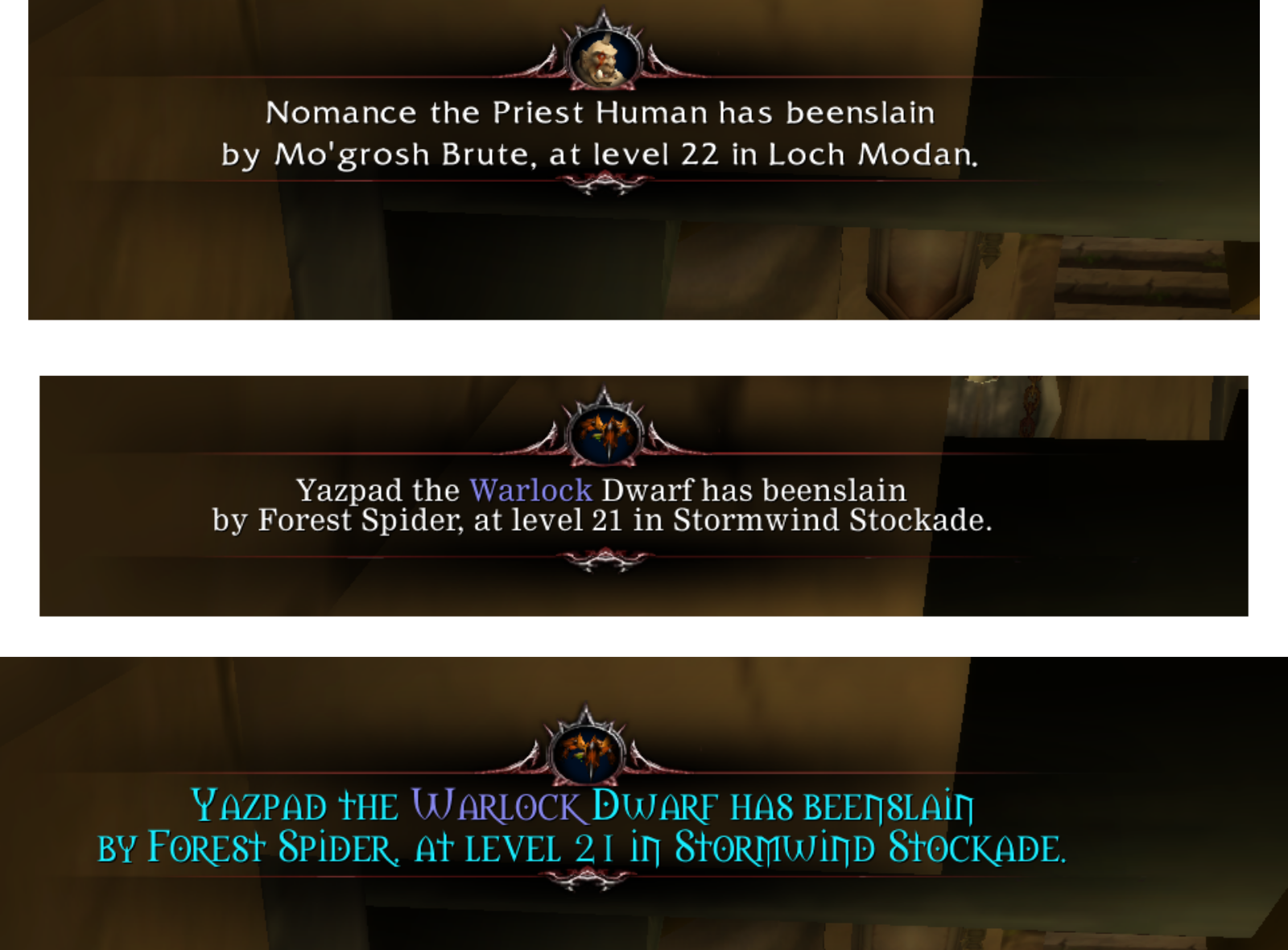
Death Report Widget (TBC Anniversary / Soul of Iron)
- Detects when a nearby player loses their Soul of Iron
- A popup appears asking you to help report their death — even without Deathlog installed
- Click the button to gather and log their character info
Background Database Sync
- Automatically exchange death entries with nearby Deathlog users — no setup required
- Configurable in settings: Interface → AddOns → Deathlog → Database Sync
Playtime Tracking
- Total
/playedtime recorded in every death report - Displayed in the minilog, search log, tooltips, and death alert messages
- Privacy opt-out available in settings
Browse the Deathlog
- Search by name, level, class, race, guild, zone, death source, and more
- Filter by server, level range, and class
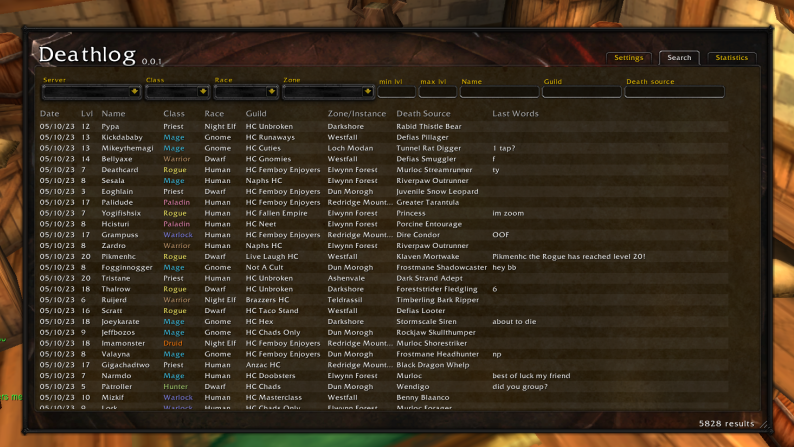
Local Moderation
- Right-click any death (log or minilog) to Report player via Blizzard's in-game report dialog; offensive names/guilds are flagged in red as Report name
- Hide name removes every entry for a character from your log and stops your client from sharing them — purely local, never deletes anyone else's data, and reversible with
/dl unhide <name>(/dl hiddenlists what you've hidden) - For deaths a peer broadcast to you, Report sender or Ignore sender (ignoring drops all their future live broadcasts)
- Reported by attribution shows who relayed a death — a minilog column, a tooltip row, the
<reported_by>death-alert tag, and a trailing*after the name in the search window - Fake-death floods (junk names, impossible sources) are rejected on arrival, and each sender is volume-capped so no one can flood your log
Statistics per Zone
- Fully functional map with heatmap overlay and death location overlays
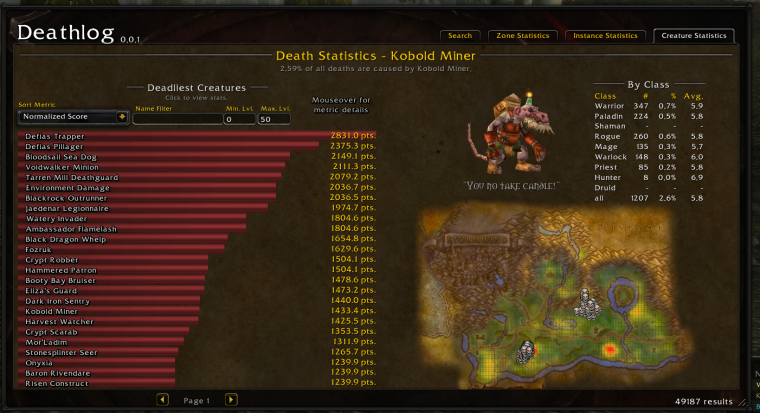
- Deadliest creatures per zone
- Death statistics by class with probability density graphs
- Continental aggregation: Kalimdor, Eastern Kingdoms, Outland, or all of Azeroth
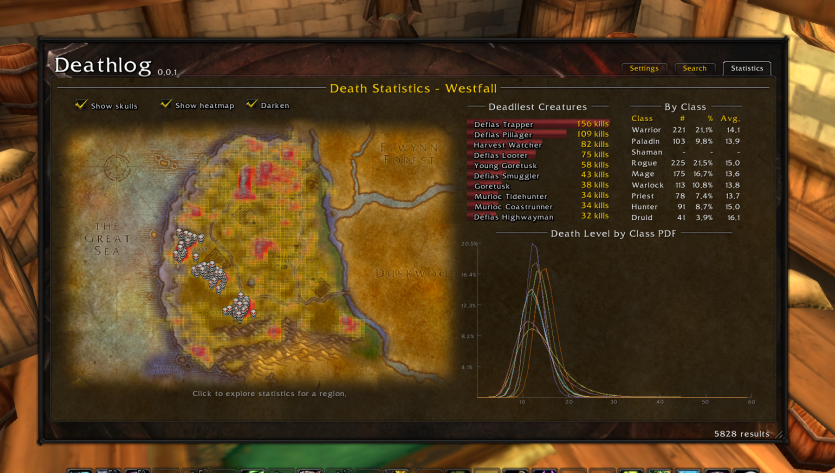
Statistics per Instance
- Death stats for all Classic & TBC dungeons and raids
- Scrollable grid for easy navigation
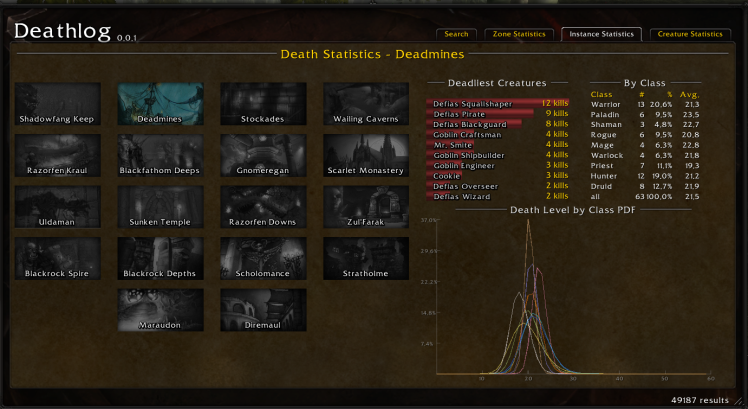
Statistics by NPC/Creature
- Normalized and total kill rankings across Azeroth
- Creature locations and 3D models
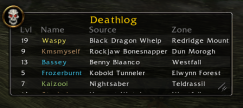
Minilog Widget
- Configurable columns and font
- Toggle with
/dl minilogor Ctrl-click on the minimap button - Playtime column available
Heatmap
- Skull icon turns red when you enter a dangerous area
- World map overlay shows death hotspots

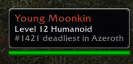
Tooltip Information
- NPC deadly ranking shown on hover
Data Contribution
- One-time popup for users with large databases, asking you to share data with the community
- Banner in the main menu with your entry count and contact info
Hardcore Status Info
- Info button in the main menu shows your tracking state
- Displays detected hardcore addons (Hardcore, HardcoreTBC, UltraHardcore)
- Guides you through enabling Soul of Iron on TBC Anniversary realms
Preprocessed Collection
- Large database of death entries used for statistics (separate databases for Classic Era and TBC Anniversary)
Credits
Deathlog was originally created by Yazpad, who authored and maintained it until early 2025. This project is a maintained fork by Deathwing, continuing development since then. The original repo can be found here.
Deathlog Team

Owner