


DanQnaJournal
- By
Keep a journal of your WoW adventures: write entries and capture clean, interface-free screenshots all from inside the game.
journal.png
story.png
Description
WoW Forever · TBC Anniversary · Retail
"Did a dungeon today with my good friend Bucketbear, the troll priest. He healed real good."
DanQna Journal provides an in-game journal of your progress and adventures in Azeroth, with clean screenshots to go with them.
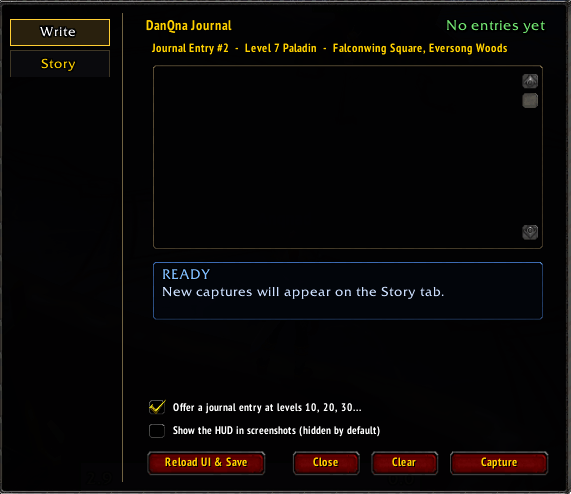
Write
- Open the journal with the book icon by the minimap, or type
/dq. - Write your entry, then click Capture. The interface hides for a moment and a clean screenshot is taken, saved in your normal World of Warcraft Screenshots folder.
- Each entry is numbered and records your level, class and location.
- Your draft is kept if you press Escape or close the window.
- Click Reload UI & Save to write your entries to disk, or just
/reloador log out. - Capture is disabled during combat.
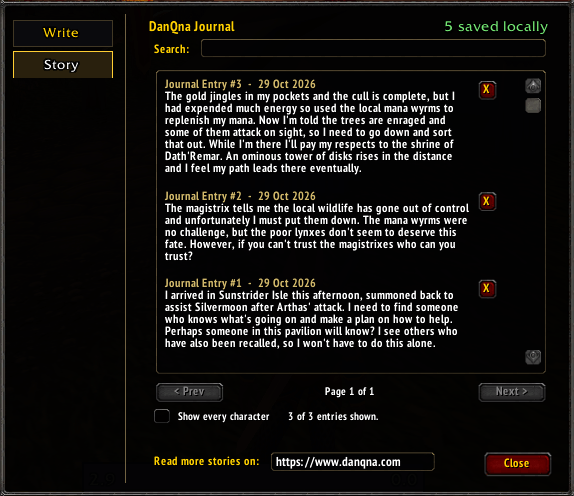
Story
- Read your journal back, newest first, ten entries to a page.
- Search by words, place, class, date or entry number (for example
#12). - Delete any entry you no longer want.
Level milestones
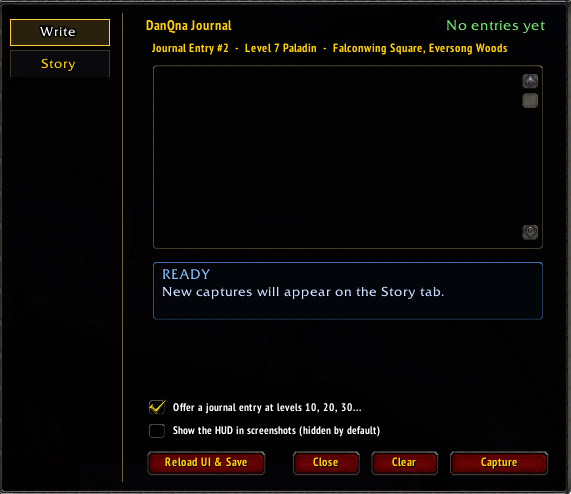
At levels 10, 20, 30 and so on, the game offers to start a journal entry for you. You can turn this off on the Write tab.
Options
- Choose whether the interface appears in your screenshots. (Default: off)
- Drag the minimap button to move it.
/dq minimaphides or shows it, and/dq resetputs it back.
Commands
/dq · /danqna · /journal · /dj
This is a free, unofficial fan project and is not affiliated with or endorsed by Blizzard Entertainment.
Join the community at: https://discord.gg/42MBErfeua
Journal website: danqna.com
DanQnaJournal Team
