
Description
You can create macros with specific syntax and the addon will automatically convert them to retail-like flyouts. You can create a list of items, spells, macros for each button.
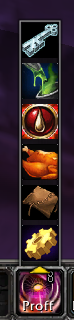
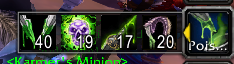
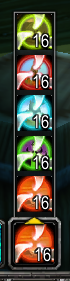
There is an option to dynamically show the following: professions, portals, teleports, earth totems, fire totems, air totems, water totems, traps, tracks, aspects, warlock pets, conjured items (left click to use, right click to conjure), temporary weapon enchats (poisons, sharpening stones, etc, left click for MH, right click for OH).
The flyout is opened by left clicking on the macro on the actionbar. On click, it also executes the macro by design, so you might want to stop that: "/stopmacro [btn:1]".
Type /flyout for more information. Examples below.
Please keep in mind, this is a beta release. Tested with blizzard action bars only. Some features are completely untested, as I don't have that class. Probably only works with english client atm.
Poison example:
#showtooltip
/flyout [item_ench_temp] dynamic
/stopmacro [btn:1]
/cast Poisons
Portal example:
#showtooltip
/flyout [spell] portal
/stopmacro [btn:1]
/cast Portal: Orgrimmar
Conjure example:
#showtooltip
/flyout [conjure] dynamic
/stopmacro [btn:1]
/use Mana Ruby
Conjure example costumized:
#showtooltip
/flyout [conjure] Conjure Water, Conjure Food
/stopmacro [btn:1]
/use Conjured Crystal Water
/use Conjured Cinnamon Roll
Professions example:
/flyout [spell] profession
Items example:
#showtooltip
/flyout [item] Hearthstone, Dark Portal
/stopmacro [btn:1]
/use Hearthstone
CustomFlyout Team